
Best Accounting Software (SaaS) Compared
An objective comparison of leading SaaS accounting platforms, evaluating core features, API limits, pricing structures, and compliance standards.

ON THIS PAGE
0% read
Selecting the right financial management infrastructure is a critical choice for growing businesses. This technical review offers a comprehensive evaluation of the Best Accounting Software (SaaS) Compared across high-growth markets including the US, UK, AE, and TR. For decision-makers, evaluating these platforms requires looking beyond basic user interfaces to analyze structural components: API rate limits, multi-entity consolidation capabilities, and global tax compliance standards. This guide provides objective, verifiable data to help mid-market and enterprise entities align financial tech stacks with operational scaling requirements, security standards, and Total Cost of Ownership (TCO) metrics.
Executive Summary: Evaluating Cloud Accounting for Mid-Market and Enterprise

Selecting a SaaS accounting platform involves evaluating how a system handles complex accounting processes under heavy transactional loads. A modern accounting platform is not simply a repository for record-keeping; it serves as the financial engine of the enterprise, dictating the speed of monthly closes, the accuracy of cash flow forecasting, and the ease of multi-currency processing. Enterprise decision-makers must evaluate these platforms using structured, quantitative metrics rather than relying on marketing claims.
A thorough evaluation requires assessing the underlying architecture of the platform’s General Ledger (GL). The GL must maintain absolute transactional integrity, supported by double-entry verification and automated reconciliation rules. For companies managing complex supply chains or multiple operating subsidiaries, core accounting features must include automated sub-ledger mechanics, robust accounts payable (AP) and accounts receivable (AR) processing, and real-time ledger updates. If these systems fail to sync efficiently, financial reporting delays occur, impacting strategic agility and board-level decision-making.
Evaluation Methodology and Core Criteria
Our comparative analysis evaluates SaaS accounting tools across four core pillars: technical integration capacity, performance scalability, multi-jurisdictional compliance, and financial management depth. Technical integration capacity measures how well a platform’s RESTful API or GraphQL endpoints handle bulk synchronization from CRM systems, proprietary billing engines, and e-commerce platforms without triggering rate limits. Performance scalability measures the platform's ability to maintain low latency during peak ledger posting events, such as high-volume automated reconciliations or complex depreciation runs.
Multi-jurisdictional compliance is critical for organizations operating in the US, UK, AE, or TR. The software must natively support local tax structures—such as US Sales Tax, UK VAT (under Making Tax Digital), UAE Corporate Tax, and Turkish Revenue Administration (GİB) e-transformation processes (e-fatura, e-defter). Finally, financial management depth evaluates whether the system provides advanced features like multi-entity consolidation, automated revenue recognition (ASC 606/IFRS 15), and dynamic, multi-dimensional reporting without requiring expensive third-party add-ons.
The Hidden Risks of SaaS Migration (Data Lock-in & Audit Trails)
Migrating to a new SaaS accounting platform introduces operational and technical risks that can disrupt business continuity. The first major risk is data lock-in. Many SaaS providers charge high data-extraction fees or export data in highly proprietary, non-relational schemas that require extensive schema transformation to migrate elsewhere. Prior to contract signing, technical architects must verify the platform’s data portability options. This includes checking if historical transaction logs, customer records, and general ledger history can be exported via standard API calls or raw database dumps (e.g., PostgreSQL or JSON formats).
Another critical risk is the loss of audit trail integrity during migration. Regulatory bodies and external auditors require immutable audit logs that record every change made to a financial record, including the user ID, timestamp, original value, and modified value. When migrating data from legacy on-premises ERPs or simpler accounting systems, maintaining these audit trails is complex. Often, historical logs cannot be imported into the new SaaS tool’s database directly, forcing companies to maintain expensive legacy database instances purely for compliance and historical audit inquiries.
Objective Comparison of Leading SaaS Accounting Platforms
The SaaS accounting market is divided into enterprise-grade ERPs and targeted mid-market software packages. Each platform is built on different architectural assumptions, offering distinct balances between developer flexibility, out-of-the-box accounting functionality, and total implementation cost. Choosing the wrong tool can lead to system limitations within two to three years of high growth, necessitating another disruptive migration.
Oracle NetSuite: Best for Scalable ERP Integration
Oracle NetSuite is a comprehensive cloud-native ERP designed for mid-market and enterprise organizations. It features a unified data model that eliminates the need for separate integrations between accounting, CRM, inventory management, and e-commerce modules. Its multi-entity consolidation engine, known as NetSuite OneWorld, manages complex corporate structures with multiple subsidiaries, currencies, and tax jurisdictions in real time. It automates intercompany eliminations and local currency revaluations, making it a reliable solution for global businesses operating across North America, Europe, the Middle East, and Asia.
From a developer's standpoint, NetSuite provides the SuiteCloud platform, which includes SuiteTalk (a SOAP and REST web services framework) and SuiteScript (a JavaScript-based customization language). These tools allow deep customization of core ledger behaviors, automated workflows, and complex integrations with proprietary internal databases. However, this flexibility introduces complexity: NetSuite implementations are notoriously long, often requiring three to nine months and specialized external systems integrators. The platform also applies strict API throttling, requiring careful development of middleware to avoid exceeding system concurrency limits during high-frequency data ingestion.
Sage Intacct: Best for Advanced Financial Reporting
Sage Intacct is a best-of-breed financial management system favored by mid-market CFOs who prioritize reporting precision and modular flexibility over an all-in-one ERP. Intacct’s defining architectural feature is its multi-dimensional general ledger. Instead of relying on a traditional linear chart of accounts (where every combination of department, location, and project requires a unique GL account number), Intacct uses a flat chart of accounts combined with standard "dimensions" (such as class, customer, vendor, employee, item, and project). This allows finance teams to filter, slice, and analyze transactions without modifying the underlying GL structure.
Intacct is also the preferred provider of the AICPA (American Institute of Certified Public Accountants), reflecting its adherence to rigorous financial control standards. It offers strong support for subscription-based businesses through its automated revenue recognition engine, which handles complex multi-element arrangements in compliance with ASC 606 and IFRS 15. The software features robust REST APIs that facilitate integration with Salesforce and other specialized business applications. While its reporting capabilities are advanced, Intacct is less suited for businesses with extensive manufacturing, physical warehouse management, or retail operations unless paired with third-party software.
QuickBooks Online Advanced: Best for High-Volume Mid-Sized Firms
QuickBooks Online (QBO) Advanced is Intuit's top-tier offering, targeted at expanding mid-sized businesses that outgrow standard SMB packages but do not yet require a full ERP migration. QBO Advanced increases transaction volume limits, expands user seats up to 25, and provides an integrated batch-processing engine. This allows finance teams to import, edit, and send hundreds of invoices, bills, and expenses at once. Its core accounting features—such as bank feed automation, general ledger management, and accounts payable processing—are designed for ease of use and rapid onboarding.
For technical teams, QBO Advanced provides a well-documented, standard REST API with high rate limits, facilitating fast integrations with custom web applications, e-commerce engines, and payment processors. It also features built-in data restoration and backup capabilities, allowing users to revert changes to a specific point in time—a feature missing from many enterprise systems. However, QBO Advanced has structural limitations. It lacks native multi-entity consolidation, requiring users to log in and out of different company files or purchase third-party consolidation tools. It also struggles with complex, custom multi-tier workflows, making it less suitable for businesses with highly specialized internal processes.
Xero: Best for Multi-Currency and Global Operations
Xero is a global, cloud-first accounting software popular in the UK, Australia, New Zealand, and expanding rapidly in the US and UAE. It is designed for small to medium-sized businesses and scaling startups that operate internationally from day one. Xero excels at multi-currency processing, offering real-time exchange rate updates and automated gains or losses calculations on foreign currency invoices and bank accounts. The platform's ecosystem is one of its strongest assets, featuring a marketplace of over 1,000 integrated third-party applications covering inventory, payroll, time tracking, and CRM.
Xero’s API is modern, developer-friendly, and utilizes OAuth 2.0 for security, supporting webhooks to deliver real-time events to external web systems. This makes Xero a popular choice for SaaS startups and digital agencies that build custom subscription platforms. Despite these advantages, enterprise clients face limitations. Xero enforces soft volume limits on transaction entries; businesses processing more than 1,000 invoices or 2,000 bank transaction lines per month may experience performance degradation or interface slowdowns. It also lacks advanced native reporting dimensions and built-in fixed asset management capabilities compared to Sage Intacct or NetSuite.
Comparative analysis of the four primary SaaS accounting solutions based on architectural features. Avantaj Oracle NetSuite handles unlimited subsidiaries, advanced manufacturing, and deep internal workflows. Dezavantaj High implementation costs, steep learning curve, and complex customization. Avantaj Sage Intacct provides dimensional GL filtering without expanding the chart of accounts. Dezavantaj Requires third-party tools for advanced warehouse management or POS operations. Avantaj QuickBooks Online Advanced supports fast batch processing and simple user onboarding. Dezavantaj Lacks native multi-entity consolidation and has limited customization for unique workflows. Avantaj Xero provides modern OAuth 2.0 APIs, a large third-party ecosystem, and robust multi-currency features. Dezavantaj Soft transaction volume limits can degrade performance at higher scales.Core Financial System Decision Matrix
Enterprise ERP Scaling
Multidimensional Reporting
Mid-Market Transaction Ease
International API Agility
Head-to-Head Technical Evaluation
For software engineers, database administrators, and IT directors, evaluating accounting software requires examining the technical infrastructure of the platform. A system that works well for a finance team may fail if its API architecture cannot handle thousands of daily transactions from your core application, or if exporting data for corporate warehouse analysis becomes a performance bottleneck.
API Architecture and Third-Party Integrations
The architecture of a platform's API determines how easily it integrates into your existing product ecosystem. Oracle NetSuite supports SOAP web services alongside a modern REST API. While NetSuite’s REST endpoints support CRUD operations on core records (Invoices, Customers, Vendors), complex custom records often require writing custom RESTlets in SuiteScript. This approach is powerful but increases engineering overhead. Sage Intacct uses a proprietary XML-based Web Services API that is highly reliable but can feel outdated to developers accustomed to JSON-based payloads.
QuickBooks Online and Xero feature fully modernized RESTful APIs that utilize JSON payloads and OAuth 2.0 authentication protocols. These platforms support extensive Webhooks, allowing your engineering team to subscribe to specific events (such as @@CODE0@@ or @@CODE1@@) and trigger real-time actions in external databases without constant polling. When planning your integration architecture, review the API limits of each provider:
Scalability: Transaction Volume Limits and Throttling
A common issue during hyper-growth is API throttling. When transaction volumes spike—such as during end-of-quarter sales or subscription renewals—the accounting system may reject incoming requests with 429 Too Many Requests errors. NetSuite handles this by limiting concurrent connections. If your license allows five concurrent connections, a sixth request sent while the others are processing will fail. This requires developers to build a robust, queue-based middleware layer (using tools like AWS SQS or RabbitMQ) to store and retry failed API requests.
Xero applies a daily rate limit of 5,000 API calls per connected tenant. If your SaaS application processes thousands of individual micro-transactions daily, sending each transaction directly to Xero will quickly exhaust this limit. Engineers must resolve this by batching transactions locally in an internal database and pushing aggregated summary journals to Xero once per day. QuickBooks Online Advanced allows higher volumes but throttles throughput to 500 requests per minute, which also requires transaction batching and queue management strategies.
Data Portability and Export Infrastructure
As your business grows, your data warehousing needs will expand. Data portability is critical for replicating accounting records to external business intelligence (BI) systems, such as Snowflake, BigQuery, or Amazon Redshift. If a SaaS provider restricts data access, analyzing key business metrics like Customer Acquisition Cost (CAC) and Lifetime Value (LTV) becomes difficult.
NetSuite offers SuiteAnalytics Connect, which provides JDBC, ODBC, and ADO.NET drivers to query NetSuite's underlying database using standard SQL. This allows BI teams to perform high-speed data extraction directly into data warehouses. In contrast, mid-market tools like Xero and QBO do not provide direct database drivers. To replicate data from these tools, engineers must write custom scripts that poll the API, fetch paginated resources, parse the JSON payloads, and load them into a data lake. Alternatively, you can use third-party ETL tools like Fivetran or Stitch, which adds to your monthly technology stack costs.
Structural tradeoffs between native integrations and custom API implementations. Pros 2 advantages Native Out-of-the-Box Integrations Minimizes initial deployment time and engineering resource requirements. Dedicated Developer Frameworks Allows deep customizations of core ledger schemas to match specialized billing platforms. Cons 2 concerns Aggressive API Throttling Demands robust queue management middleware to handle transactional volume spikes. Complex Legacy Formats Requires developers to write translation layers for older SOAP or XML schemas.Core Integration Architectural Comparison
Risk Management and Compliance Protocols
Fintech infrastructure must prioritize risk management, data security, and regulatory compliance. System vulnerabilities, data leaks, or compliance failures during external audits can cause financial damage and reputational harm. Consequently, security architecture is a primary evaluation factor for CTOs and CFOs.
Ensuring GAAP and IFRS Adherence
For companies planning an IPO or seeking venture capital, strict adherence to GAAP (Generally Accepted Accounting Principles) or IFRS (International Financial Reporting Standards) is non-negotiable. SaaS accounting platforms must enforce double-entry book-keeping rules natively. This prevents unbalanced ledger entries where debits do not equal credits. Furthermore, systems must support automated revenue recognition engines that correctly amortize revenue over contract performance periods, rather than recognizing cash up front (ASC 606 / IFRS 15 compliance).
In the mid-market segment, while QBO Advanced and Xero support basic revenue recognition and deferred revenue scheduling, they require significant manual setup and are prone to human error when managing complex hybrid billing contracts. Enterprise systems like Sage Intacct and Oracle NetSuite feature robust, built-in revenue recognition modules. These modules automatically link with CRM sales contracts, track performance obligations, and run depreciation schedules for fixed assets in accordance with tax laws across multiple global regions.
SOC 1, SOC 2, and ISO 27001 Certifications Evaluated
Before connecting an accounting platform to your production database, verify that the vendor meets international security standards. Enterprise platforms must maintain SOC 1 Type II, SOC 2 Type II, and ISO/IEC 27001 certifications. These reports verify that the vendor’s internal security controls, data handling practices, and physical data center protections are audited annually by independent third parties.
Data encryption standards should be assessed at two stages: in-transit and at-rest. All major SaaS accounting tools use TLS 1.2 or TLS 1.3 to secure data in transit and AES-256 to encrypt databases at rest. However, enterprise buyers must also verify the vendor's key management infrastructure. For example, NetSuite allows enterprise customers to manage their own database encryption keys in certain configurations, providing a layer of protection against unauthorized access.
Built-in Fraud Detection and Role-Based Access Control (RBAC)
Internal fraud is a common risk for scaling enterprises. To mitigate this risk, accounting software must support granular Role-Based Access Control (RBAC). System administrators must be able to define custom user roles that restrict access to specific functions based on the principle of least privilege. For example, an accounts payable clerk should be able to create bills but not approve payments. A sales representative should have access to client invoices but be blocked from seeing the general ledger or payroll journals.
NetSuite and Sage Intacct provide advanced, granular RBAC configurations. They allow administrators to define permissions down to the individual field level and customize approval workflows. This ensures transactions exceeding a specific monetary threshold require approval from a manager or VP of Finance. QuickBooks Online and Xero offer simpler, pre-configured role levels (e.g., Administrator, Standard User, Read-Only). These work well for small teams but lack the granularity needed to enforce separation of duties in larger organizations with dozens of financial employees.
Total Cost of Ownership (TCO) and Pricing Models
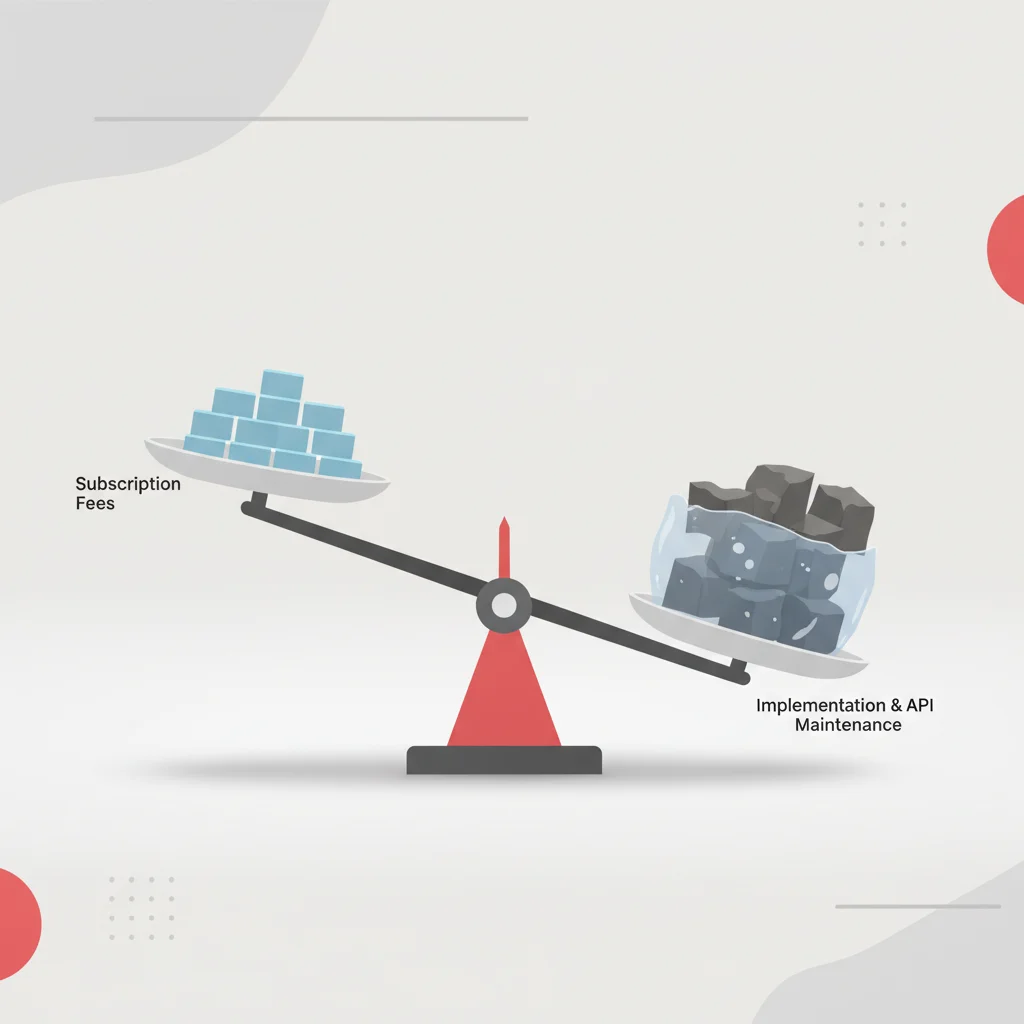
Enterprise software prices are rarely straightforward. While SaaS accounting tools advertise clear per-user monthly rates, the true Total Cost of Ownership (TCO) includes several indirect costs. These include implementation fees, API integration maintenance, data storage expansion, and developer overhead.
Subscription Fees vs. Indirect Engineering Costs
Mid-market platforms like Xero and QuickBooks Online Advanced use predictable, tiered pricing structures. Users pay a flat monthly subscription fee that scales as they add user seats or require premium features (such as multi-currency processing or batch invoicing). However, if your business requires a custom-built integration to sync with your billing system, you must budget for the engineering costs to develop, monitor, and maintain this middleware. This includes paying for hosting costs (such as AWS Lambda functions) and developer hours spent updating API endpoints when the SaaS platform releases new API versions.
In contrast, enterprise systems like NetSuite and Sage Intacct do not publish their pricing. They rely on annual or multi-year contracts negotiated with direct sales representatives or authorized resellers. The base price is typically determined by the modules selected (e.g., fixed assets, inventory, multi-entity consolidation), combined with the number of user licenses required. These platforms also charge separate fees for API access. For example, NetSuite requires customers to purchase "SuiteCloud Plus" licenses to increase their concurrent API request limits, which can add thousands of dollars to the annual contract cost.
Hidden Costs in SaaS Accounting Implementations
The visible software license fee is often only a fraction of the first-year setup cost. Enterprise implementations require systems integrators to map existing charts of accounts, configure multi-subsidiary consolidation rules, build custom PDF invoice templates, and write data migration scripts. These professional services fees can easily double or triple the first-year software license price.
A realistic breakdown of first-year setup costs for an enterprise scaling its cloud financial stack. Base subscription platform costs, including modules for multi-entity consolidation, core ledger, and API access. Fees paid to certified systems integrators for data migration, system configuration, custom workflows, and staff onboarding. Custom software development to connect proprietary billing engines or CRM platforms, plus hosting costs for ETL pipelines. Staff training hours, process documentation updates, and operational adjustments during the transition phase.First-Year Enterprise SaaS Accounting TCO Breakdown
Software License Fees
$25,000 - $75,000 / year
Professional Implementation Services
$30,000 - $120,000 (one-time)
API Integration Development & Middleware Hosting
$15,000 - $45,000 / year
Internal Change Management & Employee Training
$5,000 - $15,000 (one-time)
Final Verdict and Strategic Recommendation
Choosing between the best SaaS accounting platforms requires aligning your company's current transaction volume, integration capabilities, and international growth plans with the appropriate software tier. There is no single system that fits every business profile. Instead, the correct choice depends on identifying your primary operational bottlenecks.
If your organization is scaling globally, manages complex physical supply chains, has multiple entities, and requires custom ledger configurations, Oracle NetSuite remains a reliable choice. However, your organization must be prepared to invest the necessary time, budget, and engineering resources for a successful implementation. If your primary need is advanced, multi-dimensional reporting and compliance without the overhead of a full ERP, Sage Intacct is a strong alternative—particularly for subscription-based businesses and services organizations.
For mid-sized companies with less complex international structures that prioritize rapid deployment and ease of use, QuickBooks Online Advanced is an effective, lower-cost option. It offers strong batch-processing features and a user-friendly API, provided you do not require complex, multi-entity consolidation. If you are a startup, digital agency, or e-commerce merchant focused on rapid developer integration, modern RESTful APIs, and global multi-currency support, Xero provides a highly agile, developer-friendly ecosystem at a predictable monthly price point.
Next Steps for Procurement and IT Alignment
Once you have narrowed down your platform choices, avoid signing contracts based solely on sales demonstrations. Bring your engineering and financial teams together to run a structured Request for Proposal (RFP) process:
Request Sandbox Access: Require vendors to provide sandbox developer environments. Have your engineering team test the APIs to verify real-world rate limits and payload structures.
Review Migration Procedures: Have your database administrator run a test data migration using a subset of your actual historical ledger data to evaluate data portability.
Audit Compliance Standards: Request the vendor's latest SOC 2 Type II audit report and review the physical and logical security controls.
Negotiate API Concurrency: Ensure your contract includes explicit, SLA-backed API performance guarantees and clear costs for increasing API concurrency limits as transaction volumes grow.
---
Frequently Asked Questions
What are the typical API rate limits for SaaS accounting platforms?
Xero applies a standard limit of 5,000 API calls per day, while QuickBooks Online Advanced limits requests to 500 per minute per company file. Enterprise tools like Oracle NetSuite use concurrency limits, often capping integrations at 1 to 10 concurrent requests depending on your specific license tier.
How does tiered pricing affect total cost of ownership (TCO) in cloud accounting?
While basic subscription tiers seem affordable, they often limit user seats, transactional volumes, or API access. Upgrading to higher tiers or adding modules like multi-currency consolidation can significantly increase software license fees, alongside indirect costs like API integration maintenance.
Which SaaS accounting software offers the most stringent audit trails?
Oracle NetSuite and Sage Intacct offer highly detailed, SOC-compliant audit trails that record every transaction change, user ID, timestamp, and modification. These systems maintain historical change logs that cannot be altered or deleted, which is essential for passing rigorous enterprise audits.
Can standalone SaaS accounting software replace a full ERP system?
No, standalone accounting tools focus on financial ledgers, accounts payable, and accounts receivable. While they can integrate with external tools, a full ERP system like Oracle NetSuite connects accounting with built-in modules for supply chain management, CRM, inventory, and HR in a single database.
Is data migration from on-premises systems to SaaS accounting platforms risky?
Yes, the primary risks include data loss, schema mismatches, and the potential corruption of historical audit trails. To mitigate these risks, organizations must use automated ETL data verification tools and test migration procedures in sandbox environments before changing their live financial systems.
How do cloud accounting platforms manage tax compliance across different countries?
Enterprise systems like NetSuite and Sage Intacct automate compliance with local tax rules—including US Sales Tax, UK VAT under Making Tax Digital, and UAE Corporate Tax—by applying real-time tax calculation engines. Some platforms require localized connectors for specific regional requirements, such as Turkish e-fatura.
What is the average implementation timeline for enterprise SaaS accounting software?
While mid-market tools like Xero or QuickBooks Online can be configured within a few weeks, enterprise platforms like NetSuite and Sage Intacct typically require three to nine months. This extended timeline is due to necessary custom workflows, data migration, and third-party API integrations.
What security standards should financial officers look for in a cloud vendor?
Security teams should verify that any cloud accounting vendor maintains SOC 1 Type II, SOC 2 Type II, and ISO 27001 certifications. Additionally, look for AES-256 data encryption at rest, secure TLS 1.3 encryption in transit, and granular, role-based access control (RBAC).