
Best Affordable SaaS Tools for Small Businesses
Identify affordable SaaS solutions for small businesses, covering essential tools like CRM, project management, and accounting. Evaluate options based on features, pricing models, and scalability to support operational efficiency without excessive costs.

ON THIS PAGE
0% read
- Introduction: Empowering Small Businesses with Affordable SaaS Solutions
- Why Affordable SaaS is a Game-Changer for Small Businesses
- Key Considerations When Choosing Affordable SaaS Tools
- Essential Categories of Affordable SaaS for Small Businesses
- Customer Relationship Management (CRM)
- Project Management & Collaboration Tools
- Accounting & Invoicing Software
- Email Marketing & Automation Platforms
- Communication & Collaboration Tools
- Making the Best Choice: Final Tips for Your Small Business
Selecting the Best Affordable SaaS Tools for Small Businesses is a critical strategic decision for growing companies aiming to maximize operational efficiency while keeping overhead costs predictable. Operating within competitive global markets like the US, UK, TR, and AE requires software that is not only cost-effective but also compliant with regional regulatory standards such as GDPR and KVKK. This comprehensive guide evaluates the primary software categories—including CRM, project management, and accounting—to help small business owners and decision-makers transition from manual operations to streamlined, automated workflows without committing to prohibitive long-term contracts.
Introduction: Empowering Small Businesses with Affordable SaaS Solutions
The Digital Imperative for Small Businesses
Modern organizations operate in an environment where manual processes pose severe operational risks. Relying on disconnected spreadsheets, physical paperwork, and fragmented communication channels limits speed, increases human error, and blocks business visibility. In regional commerce hubs spanning Istanbul, London, New York, and Dubai, the capacity to respond to customer inquiries, dispatch invoices, and manage deliverables in real time determines survival.
Adopting modern digital architecture is no longer a luxury reserved for enterprise corporations with massive budgets. Small and medium-sized businesses (SMBs) must build a cohesive software ecosystem to maintain operational continuity. This shift enables distributed teams to collaborate, simplifies compliance with complex tax and privacy laws, and ensures that customer interactions are logged systematically rather than residing in individual employees' minds.
Defining 'Affordable SaaS'
Affordability in the software-as-a-service (SaaS) industry is frequently misunderstood. Selecting a platform based solely on the lowest monthly sticker price can lead to higher long-term costs. True affordability must be evaluated through the lens of Total Cost of Ownership (TCO). This metric encompasses not only the base monthly subscription fee but also implementation costs, employee training hours, integration friction, and usage-based overage fees.
Many low-cost tools impose strict limits on data storage, contact records, or API calls, charging high penalty fees once those thresholds are crossed. A truly affordable SaaS solution provides a transparent, predictable pricing structure with clear upgrade paths. It balances cost-effectiveness with functional depth, ensuring that the business does not quickly outgrow the platform and face a complex, high-risk data migration process.
What This Guide Covers: A Curated List
This guide delivers a detailed, objective evaluation of the leading cost-effective SaaS tools designed to support small business operations. We bypass generic marketing claims to analyze the practical features, actual limitations, and exact pricing models of tools across five essential operational categories: Customer Relationship Management (CRM), Project Management, Accounting, Email Marketing, and Team Collaboration.
Our analysis prioritizes platforms that offer functional free tiers or highly competitive starter plans. Each tool is assessed on its capacity to scale, ease of implementation, regional compliance features, and integration flexibility. This approach provides small business owners with the exact comparative data needed to design a high-performing tech stack tailored to their specific workflows.
Strategic Investment, Not Just Expenditure
Software acquisition should be approached as a capital allocation decision rather than an administrative expense. The goal of deploying SaaS is to generate a measurable return on investment (ROI) by reclaiming employee time, improving client retention, and accelerating cash flow. For instance, automating invoice follow-ups directly reduces Days Sales Outstanding (DSO), injecting liquid capital back into the business.
When evaluating a new tool, decision-makers should calculate the weekly hours spent on manual tasks that the software could automate. If a $20 monthly subscription saves a team member four hours of administrative data entry per week, the tool pays for itself within the first few days of operation. Framing software as a productivity multiplier allows businesses to scale their output without experiencing a corresponding increase in head count.
Why Affordable SaaS is a Game-Changer for Small Businesses
Cost Efficiency and Reduced Overheads
The traditional software licensing model required businesses to pay substantial upfront capital expenditures (CapEx) for perpetual licenses, on-site server hardware, and dedicated IT maintenance staff. This financial barrier shut small businesses out of modern software capabilities. The subscription-based SaaS model shifts software costs entirely to operational expenditures (OpEx), allowing businesses to pay modest monthly or annual fees that scale alongside their actual usage.
By leveraging cloud-native infrastructure, small businesses eliminate the need to host, secure, and maintain local database servers. The software provider handles all server maintenance, security patches, system updates, and database backups. This reduces internal IT overhead to near zero, freeing up limited resources to focus on core business development rather than server uptime.
Accessibility, Scalability, and Cloud Benefits
Cloud-based software ensures that crucial business data is accessible from any location with an internet connection. This decentralized architecture is essential for modern businesses employing remote or hybrid teams across different geographical locations. A sales representative in London, an operations manager in Istanbul, and a client in Dubai can interact with the same real-time data environment simultaneously, eliminating communication delays.
Furthermore, SaaS applications offer near-instantaneous scalability. When a business hires a new employee, onboarding them requires only a few clicks to provision a new user license. Conversely, if the business experiences a seasonal slowdown, reducing the license count is equally straightforward. This elastic scaling prevents small businesses from paying for idle software capacity, aligning software costs directly with active business requirements.
Boosting Productivity Through Automation
Manual data replication across multiple platforms is a major driver of operational inefficiency and errors. Affordable SaaS applications combat this by offering native automation features. By setting up basic, trigger-based rules, businesses can automate complex multi-step workflows. For example, when a prospect submits a lead form on a website, the system can automatically create a CRM profile, assign a task to a sales representative, and send a personalized welcome email.
This level of automation eliminates the routine administrative friction that slows down daily operations. By delegating repetitive tasks to background software processes, employees can redirect their focus toward high-value activities, such as closing sales, resolving complex customer service issues, and refining product quality. Over time, these automated efficiencies compound, resulting in a leaner, more agile organization.
Gaining a Competitive Edge with Modern Tools
In the modern business landscape, agility and data visibility are potent competitive differentiators. Affordable SaaS tools democratize advanced capabilities that were once exclusive to enterprise conglomerates. With access to visual sales pipelines, automatic financial forecasting, and behavior-triggered marketing campaigns, small businesses can operate with the speed, professionalism, and precision of a much larger competitor.
This technological parity forces larger players to compete on speed and customer experience rather than relying solely on their massive infrastructure budgets. A small, nimble business leveraging a tightly integrated, automated SaaS stack can target market opportunities, deliver highly personalized customer services, and close transactions at speeds that large, bureaucratic corporations struggle to match.
Key Considerations When Choosing Affordable SaaS Tools
Matching Features to Business Needs
A common mistake among small business owners is falling into the "feature accumulation" trap. Enticed by long lists of advanced features, companies often pay for premium subscriptions only to use a fraction of the actual system. Before evaluating any SaaS tool, a business should document its current operational workflows and clearly define its immediate "must-have" requirements versus its future "nice-to-have" desires.
Focusing strictly on core functional needs keeps both software costs and system complexity low. A simpler tool with fewer features is often easier for employees to adopt, reducing training friction and implementation delays. As the business grows, software plans can be upgraded to unlock advanced modules, ensuring that the company only pays for complex capabilities when it has the operational readiness to utilize them.
Understanding Pricing Models and Tiers
SaaS pricing structures are diverse and require close analysis to avoid unexpected billing increases. The most common structures include flat-rate pricing, tiered pricing based on feature sets, per-seat (per-user) pricing, and usage-based models. Per-seat pricing can appear highly affordable at first, but costs scale linearly as the team expands, making it a critical metric to forecast.
Decision-makers must also watch out for hidden costs, such as price hikes upon annual contract renewals, integration fees, and premium customer support charges. Always review the software provider's cancellation and data-export policies to ensure that your business data remains accessible and portable if you decide to cancel the service.
Ease of Use and Learning Curve
The actual cost of implementing new software includes the time and productivity lost during the employee onboarding phase. If a platform features a highly complex, unintuitive user interface, employees will resist using it, leading to low adoption rates and wasted subscription fees. An affordable tool that is too difficult to use quickly becomes an expensive operational liability.
Prioritize software that features intuitive, clean interfaces and offers robust, self-guided onboarding materials, video tutorials, and clear documentation. Conducting a pilot program with a single department or a small group of key employees can help gauge usability before committing to a company-wide deployment. High adoption rates are essential for maintaining accurate, complete data entry across your workflows.
Seamless Integration and Scalability
Modern business operations rely on a network of interconnected tools rather than a single, isolated platform. When selecting SaaS applications, prioritize systems that offer robust native integrations, an open API, or support for popular middleware platforms like Zapier and Make. A seamless data flow between your CRM, project management, and accounting tools eliminates manual data entry and keeps your databases aligned.
Additionally, evaluate the platform's long-term scalability. While a basic, low-cost tool may support your operations today, it should not become a barrier to future growth. Verify that the software can handle larger volumes of transactions, contacts, and users, and check if it supports multi-currency options and regional data compliance rules (such as GDPR in Europe, KVKK in Turkey, or PDPL in the UAE) as you expand your market footprint.
How to prioritize criteria based on your operational profile. Avantaj Simple UI tools (e.g., Trello, Wave) can be deployed in under an hour without specialized IT staff. Dezavantaj Complex platforms (e.g., Zoho) require weeks of customization and initial workflow training. Avantaj Global players (HubSpot, Brevo) provide built-in GDPR/KVKK tools and localized hosting. Dezavantaj Free regional tools may lack robust audit logs, data encryption, or DPA templates. Avantaj High-tier platforms support automated API migration and deep custom fields as you grow. Dezavantaj Basic tools charge severe penalty fees once you exceed initial user or storage limits.Technical Selection Decision Matrix
Implementation Timeline
Regulatory Compliance
Scalability
Essential Categories of Affordable SaaS for Small Businesses
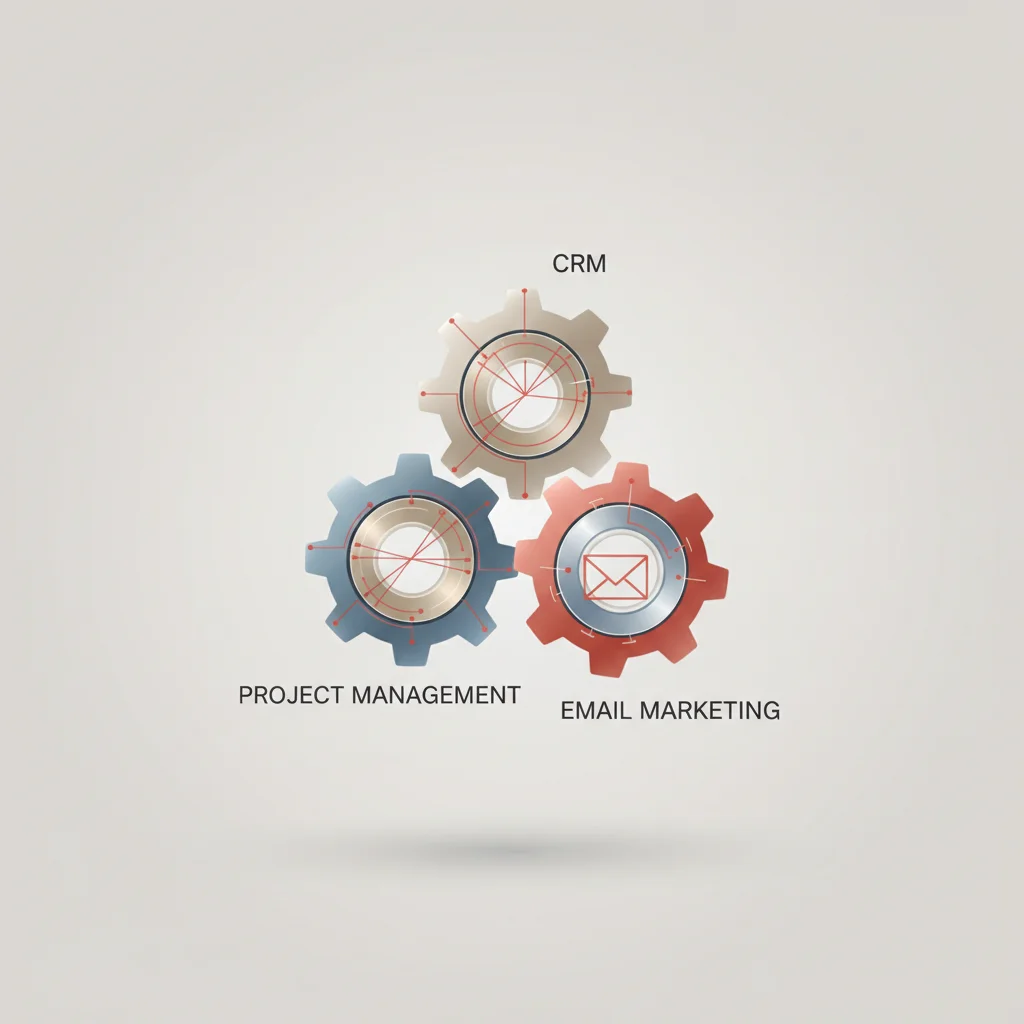
Customer Relationship Management (CRM)
A Customer Relationship Management (CRM) system acts as the central database for all interactions, communication history, and sales pipelines associated with your leads and customers. Without a dedicated CRM, small businesses often struggle with lost leads, inconsistent follow-ups, and a lack of clear sales forecasting. It provides the sales team with a structured environment to log calls, schedule emails, and track the progress of deals through distinct visual pipeline stages.
Affordable CRMs designed for SMBs prioritize visual pipeline management, automated contact tracking, and seamless email integration. These systems ensure that customer data is preserved within the company rather than being scattered across personal address books or individual inbox histories. This structured database is essential for maintaining consistent customer service and identifying high-value sales opportunities.
Project Management & Collaboration Tools
Project management and collaboration tools are essential for organizing team tasks, assigning clear responsibilities, and tracking project deadlines. As businesses adopt remote or hybrid work structures, maintaining project alignment across different locations and time zones becomes a primary operational challenge. These platforms replace chaotic internal email chains with organized, task-specific comment threads, files, and milestones.
Cost-effective project management tools provide versatile views—such as Kanban boards, structured lists, and Gantt charts—allowing teams to organize their work in the format that best fits their workflows. By centralizing all project requirements, deliverables, and communication within a single, visible workspace, small businesses reduce administrative meetings, eliminate task duplication, and ensure that deadlines are met consistently.
Accounting & Invoicing Software
Managing financial health, tracking expenses, and ensuring timely client payments are critical priorities for any small business. Automated accounting and invoicing software streamlines these processes by replacing manual ledger books and basic spreadsheet templates. These systems link securely to business bank accounts, pulling transactions automatically and categorizing expenses for simplified tax preparation.
For businesses operating in regions with strict tax regulations—such as VAT compliance in the United Kingdom and United Arab Emirates, or KDV reporting in Turkey—modern accounting software ensures accurate local tax calculations on all outgoing invoices. By automating payment reminders and offering online credit card processing, these platforms help businesses accelerate collections, reduce administrative labor, and maintain a clear view of their cash flow.
Email Marketing & Automation Platforms
Customer acquisition and retention are key drivers of small business growth, and email marketing remains one of the most cost-effective channels for engaging audiences. Modern email marketing and automation platforms allow small businesses to design professional campaigns, segment their audience based on purchase history or behavior, and deploy automated nurture sequences without requiring specialized coding or design skills.
By using automated welcome emails, abandoned cart reminders, and targeted promotional offers, businesses can nurture leads and drive repeat sales on autopilot. Selecting an affordable email tool requires balancing contact list sizes with monthly send volumes, as different providers use distinct pricing metrics that can significantly impact your monthly subscription costs as your audience expands.
Customer Relationship Management (CRM)
HubSpot CRM: Free Tier & Starter Plans
HubSpot CRM is widely recognized for its exceptionally generous and functional forever-free tier. For small businesses, early-stage startups, and solopreneurs, this free version provides essential tools including basic contact management, deal pipelines, form creation, live chat, and limited email tracking. It serves as an excellent starting point for teams looking to centralize their customer database without making an immediate financial commitment.
However, the primary strategic challenge of HubSpot lies in its steep pricing structure beyond the entry level, often referred to as the "pricing cliff". While the Starter tier is highly affordable at $15 per seat per month (billed annually) for 1,000 marketing contacts, upgrading to the Professional tier requires a dramatic budget increase, typically starting at $890 per month alongside a mandatory upfront onboarding fee. This tiered system is designed to secure your business data early, knowing that the complexity of migrating to another platform makes it difficult to leave as your company scales.
Verdict: HubSpot CRM is an outstanding, highly intuitive option for small businesses that intend to remain strictly on the free or Starter plans, utilizing external integration tools like Zapier or Make to automate tasks without upgrading to the costly Professional tier.
Zoho CRM: Cost-Effective Solutions
Zoho CRM is a highly competitive, budget-friendly option designed for growing small and mid-sized businesses. It features a free tier for up to 3 users and offers paid plans starting at $14 per user per month (Standard) and $23 per user per month (Professional) when billed annually. Even at these entry-level prices, Zoho CRM delivers an impressive range of features, including custom pipeline views, lead scoring rules, workflow automations, and Zoho's visual "Blueprint" tool for enforcing sales processes.
The primary trade-off with Zoho CRM is its usability and configuration complexity. The interface can feel cluttered and unintuitive compared to more visual competitors, and setting up custom modules and automation rules often requires a significant learning curve. Small businesses without internal technical expertise may face hidden costs in the form of third-party implementation consultants to configure the database properly.
Verdict: Zoho CRM is a powerful, highly scalable choice for small teams (5 to 20 users) that require deep customization, advanced workflow rules, and predictable costs without sudden, steep subscription price increases.
Pipedrive: Sales-Focused CRM on a Budget
Pipedrive is an activity-based CRM built specifically for sales teams that prioritize visual pipeline management. Rather than overwhelming users with complex features, Pipedrive focuses on a clean Kanban board where sales representatives can drag and drop deals through customized sales stages. In 2026, Pipedrive's entry-level Essential plan starts at $14 per user per month (billed annually), and the automation-friendly Advanced plan is priced at $29 per user per month.
Pipedrive's visual interface is highly intuitive, allowing teams to set up accounts and begin logging deals in under an hour with minimal training overhead. The platform is designed around "activity-based selling," reminding sales reps to schedule calls, emails, and follow-up tasks for every active deal. However, Pipedrive does not offer a forever-free plan, its native email marketing capabilities require separate add-ons, and advanced reporting features are gated behind higher-priced tiers.
Verdict: Best for pure B2B sales teams that want a visually streamlined, sales-focused CRM that employees will adopt quickly, without the clutter of non-essential marketing features.
Project Management & Collaboration Tools
Trello: Visual Task Management
Trello, built on the classic Kanban card-and-board system, remains one of the most accessible project management tools on the market. Its free plan is highly functional, supporting up to 10 visual boards, unlimited users, and basic integrations (Power-Ups) per workspace. For teams requiring advanced capabilities, the Standard plan is priced at $5 per user per month (billed annually), unlocking custom fields, unlimited boards, and advanced checklists.
Trello's primary advantage is its near-zero learning curve; team members can understand the visual board system immediately, making onboarding incredibly fast. However, Trello's simplicity can become a bottleneck as your team and project complexity scale. It lacks native support for viewing complex task dependencies, tracking resource workloads, or managing extensive project portfolios within a single, consolidated dashboard.
Verdict: An excellent, cost-effective tool for micro-businesses, freelancers, and small content teams that need a simple, visual way to track flat task pipelines without complex dependencies.
Asana: Structured Project Tracking
Asana offers a highly structured, polished environment for project tracking, allowing users to view tasks as lists, boards, calendars, or timelines. While Asana's free plan supports basic task lists for up to 10 users, its paid plans start at $10.99 per user per month (Starter, billed annually), which unlocks custom fields, automated workflow rules, and Gantt charts.
Asana is designed to establish clear task ownership and accountability across teams by assigning a single owner and deadline to every task and subtask. It excels at managing cross-departmental projects and tracking high-level milestones. The main disadvantage for small businesses is its relatively high per-seat cost compared to competitors, and the interface can occasionally feel overwhelming for teams accustomed to simpler, flatter task lists.
Verdict: Best for small businesses with 10 to 30 employees that require structured accountability, clear project timelines, and cross-departmental coordination.
ClickUp: All-in-One Workspace Flexibility
ClickUp is built to function as an all-in-one productivity hub, integrating tasks, documents, real-time whiteboards, goals, and team chat into a single application. ClickUp's pricing model is highly competitive: the Unlimited plan costs $7 per user per month (billed annually), and the advanced Business plan is $12 per user per month. The platform was updated in June 2026 with Brain2, an advanced, context-aware AI platform available as an add-on starting at $9 per user per month.
ClickUp's primary strength is its extreme flexibility; users can customize views, statuses, and custom fields to match any business workflow. This eliminates the need to pay for separate documentation (like Notion) or whiteboarding software. However, this flexibility can also lead to significant platform complexity. Setting up ClickUp incorrectly can confuse team members, increase training times, and result in low user adoption.
Verdict: Exceptional value for fast-growing startups and digital agencies that want a single, highly flexible workspace to replace multiple paid applications.
Accounting & Invoicing Software
FreshBooks: Ideal for Service-Based Businesses
FreshBooks is an intuitive, invoicing-focused accounting platform designed specifically for freelancers, consultants, and service-based small businesses. The entry-level Lite plan is priced at $21 per month but imposes a strict limit of 5 billable clients. To expand your client roster, you must upgrade to the Plus plan at $38 per month, which supports up to 50 active clients and unlocks double-entry accounting reports.
FreshBooks is outstanding for time tracking, professional invoice design, and automated payment reminders, helping service providers get paid faster. Its clean, simple interface is highly accessible for non-accountants. However, FreshBooks is not designed to manage physical inventory, and adding team members costs an additional $11 per user per month, which can quickly inflate your software expenses as your staff grows.
Verdict: Highly recommended for independent consultants, creative agencies, and professional service firms billing a limited number of high-value clients.
Zoho Books: Comprehensive Financial Management
Zoho Books is an exceptionally powerful, double-entry accounting platform that offers excellent value for money. It is completely free for businesses with annual revenues under $50,000 USD (limited to 1 user + 1 accountant). Above this limit, the Standard plan costs $15 per month (billed annually), which supports 3 users, automatic bank feeds, and up to 5,000 outgoing invoices.
Zoho Books handles multi-currency transactions, project-based billing, and detailed inventory tracking with ease. It also provides solid regional tax compliance features, making it highly compatible with VAT reporting in the UK and UAE, as well as KDV compliance in Turkey. The main challenge of Zoho Books is that its deep feature set can feel overly complex and intimidating for small business owners who lack a basic understanding of double-entry accounting principles.
Verdict: The best overall accounting solution for scaling businesses that require rigorous financial reporting, inventory tracking, and multi-currency capabilities at a predictable flat rate.
Wave Accounting: Free Core Accounting
Wave Accounting is a popular choice for micro-businesses due to its genuinely free Starter plan, which includes unlimited invoicing, expense tracking, and basic financial reporting with no monthly subscription. In 2026, Wave's paid Pro plan is priced at $19 per month (billed annually), which is required to unlock automated bank feeds and unlimited receipt scanning.
Wave generates the majority of its revenue through competitive payment processing fees (2.9% + $0.60 per card transaction) and its optional payroll service ($40/month + $6/employee). While Wave is highly cost-effective, its free tier offers limited customer support, and the platform lacks advanced features like detailed inventory tracking, project profitability metrics, and robust multi-currency ledgers.
Verdict: An unbeatable, zero-cost starting point for solopreneurs, newly launched startups, and service providers who only need basic bookkeeping and invoice creation.
Direct monthly expense breakdown for an SMB with 3 users (billed annually). $0 base fee. Manual bank entries. Receipts scanned via add-on ($8/mo) if not upgraded. Includes 3 users, automatic bank feeds, unlimited receipt scanning, and live chat support. Includes 3 users, automatic bank feeds, tax calculation engine, and client payment portals. $38 base fee (Plus plan, up to 50 clients) + 2 extra users at $11/user/month.Typical Monthly Accounting Software Cost Comparison
Wave Starter
$0 / month
Wave Pro
$19 / month
Zoho Books Standard
$15 / month
FreshBooks Plus
$60 / month
Email Marketing & Automation Platforms
Mailchimp: User-Friendly Email Campaigns
Mailchimp is a highly recognizable platform in the email marketing industry, offering a clean user experience and a robust template builder. It features a limited free tier for up to 500 contacts, with paid plans starting at $13 per month (Essentials, based on contact count). Mailchimp integrates seamlessly with almost all major e-commerce platforms and offers pre-built automated customer journeys.
However, Mailchimp's contact-based pricing can scale rapidly as your subscriber list grows. Because you are billed based on the total number of contacts stored in your database, you can face high monthly fees even if you only email a portion of your list occasionally. Additionally, advanced segmentation and multivariate A/B testing are restricted to their higher-priced tiers.
Verdict: Best for small retail and e-commerce businesses that require a highly visual, drag-and-drop template builder and run frequent, highly active marketing campaigns.
ConvertKit: For Creators and Online Businesses
ConvertKit (rebranding to Kit in 2026) is designed specifically for online creators, educators, authors, and subscription-based digital businesses. It offers a free plan for up to 1,000 subscribers, while paid plans start at $25 per month (billed annually). ConvertKit utilizes a subscriber-centric database model, ensuring you are never billed twice for a subscriber who exists on multiple lists.
ConvertKit excels at building simple opt-in landing pages, delivering digital products (like free PDFs) automatically upon email signup, and organizing visual automation funnels. To maximize email deliverability, ConvertKit defaults to clean, text-based email formats rather than heavy graphic templates. The platform may not be ideal for visual retail brands that require complex, image-heavy newsletter layouts.
Verdict: Perfect for bloggers, coaches, course creators, and digital product sellers who rely on text-heavy, high-converting automated sequences.
Sendinblue (Brevo): All-in-One Marketing Suite
Brevo (formerly Sendinblue) stands out because of its volume-based pricing model. Rather than billing you based on the number of contacts stored, Brevo allows you to store up to 100,000 contacts for free and bills you strictly based on the number of emails you send per month. Its forever-free plan includes 300 daily email sends, while paid plans start at $9 per month (Starter, 5,000 emails/mo) and $18 per month (Standard, 5,000 emails/mo with advanced automation).
This pricing model is exceptionally cost-effective for businesses that maintain large contact databases but only send campaigns once or twice a month. Brevo also provides built-in tools for transactional email delivery, SMS marketing, and WhatsApp campaigns under a single, unified interface. The primary drawback is that its visual template editor can feel slightly clunky compared to Mailchimp's polished builder.
Verdict: The most cost-effective solution for small businesses with large contact lists that email occasionally, or those requiring a unified multi-channel messaging platform.
Communication & Collaboration Tools
Slack: Real-time Team Communication
Slack is a leading platform for team communication, organized into search-friendly channels based on specific projects, departments, or topics. Its free plan is highly useful for small teams, though it limits search history to messages sent within the last 90 days. For teams requiring full historical search and unlimited app integrations, the Pro plan is priced at $7.25 per user per month (billed annually).
Slack's strength lies in its extensive integration ecosystem, allowing it to connect natively with project management, CRM, and cloud storage systems to deliver real-time operational notifications. The main risk of Slack is its per-user pricing model, which can quickly become a significant monthly expense as your team expands. Additionally, the real-time nature of the platform can occasionally reduce focus and deep work if team communication guidelines are not clearly defined.
Verdict: Highly recommended for fast-moving, remote-first teams that require immediate team synchronization and deep integrations with other development or operational tools.
Google Workspace: Integrated Productivity Suite
Google Workspace is the foundational operational suite for millions of small businesses worldwide. It consolidates professional business email (using your own custom domain), secure cloud storage (Google Drive), collaborative spreadsheets (Sheets), documents (Docs), and video conferencing (Google Meet). The entry-level Business Starter plan is exceptionally cost-effective at $6 per user per month (billed annually), offering 30 GB of secure storage per user account.
The Business Standard plan, priced at $12 per user per month (billed annually), increases storage capacity to 2 TB per user and unlocks advanced video meeting features like recording and breakout rooms. Google Workspace provides enterprise-grade security, data encryption, and full compliance with major regional data privacy regulations (GDPR/KVKK).
Verdict: An indispensable, highly secure core business utility that provides everything a small team needs to manage professional communication, document creation, and secure data storage.
Making the Best Choice: Final Tips for Your Small Business
Prioritizing Your Core Business Needs
When building a software stack, small business owners must avoid the temptation to adopt too many tools simultaneously. Introducing multiple systems at once often overwhelms employees, dilutes data accuracy, and leads to high subscription waste. Focus strictly on resolving your primary operational bottleneck first. If manual billing is stalling your cash flow, prioritize an accounting platform like Zoho Books or Wave.
Once your core bottleneck is resolved and your team has fully adopted the first tool, you can systematically address secondary needs. A lean, highly adopted software stack where every tool is fully utilized is infinitely more valuable—and cost-effective—than a massive suite of underutilized applications.
Leveraging Free Trials and Basic Tiers
Before making a financial commitment to any SaaS platform, always leverage the provider's forever-free tier or standard free trial period. Use this trial period to run a realistic pilot program. Have your team import actual contact data, generate mock invoices, and build standard project workflows to test the system under real-world conditions.
Evaluate how easily the platform integrates with your existing tools, test the responsiveness of the mobile application, and gauge how quickly your employees can navigate the interface. If a tool feels too complex or runs slowly during the trial phase, it is highly likely to cause adoption issues post-purchase.
Planning for Future Growth and Scalability
While immediate affordability is a key consideration, your software stack must not become a barrier to future business growth. Ensure that any tool you choose allows you to easily export your complete data history in standard formats (such as CSV or JSON). This prevents vendor lock-in, ensuring that you can migrate to more powerful systems if your operational requirements outgrow your current tools.
Additionally, verify that your chosen tools comply with regional data privacy laws (such as GDPR or KVKK) and tax regulations in your target markets. Opting for platforms with open APIs and established integration directories ensures that you can connect advanced custom modules and scale your business infrastructure smoothly over time.
Frequently Asked Questions
What SaaS tools are essential for small businesses?
Small businesses typically require a core software stack consisting of a Customer Relationship Management (CRM) tool to manage client databases, a visual project management platform to track tasks and deadlines, and an automated accounting platform to handle invoicing and expenses. Google Workspace is also standard for professional business emails and shared cloud document storage.
How much does SaaS typically cost for a small business?
A basic, highly effective software stack for a team of five users generally ranges from $50 to $150 per month in total. Costs can be kept low by utilizing free tiers for tools like CRM and bookkeeping, and opting for entry-level plans such as Google Workspace Starter ($6/user/month) and ClickUp Unlimited ($7/user/month).
Are there reliable free SaaS tools available for startups?
Yes, many major platforms provide excellent forever-free plans. HubSpot offers a highly functional free CRM, Wave provides free core invoicing and double-entry accounting, and Brevo allows you to store up to 100,000 marketing contacts and send up to 300 free emails per day.
What are the hidden costs of budget-friendly SaaS tools?
Hidden costs often stem from per-user pricing increases as your team grows, usage-based overage fees for storage or email volume, required third-party integration tools like Zapier, and the extensive training or implementation time needed to configure complex databases.
How do I ensure my SaaS tools comply with GDPR or KVKK regulations?
Select well-established cloud providers that offer secure, encrypted databases and publish clear Data Processing Addendums (DPAs). Ensure the software allows you to easily export or delete customer data upon request and offers regional hosting options to meet data residency requirements.
Should I choose monthly or annual billing plans?
Annual billing is highly recommended once you have tested the software and confirmed it fits your workflows, as most providers offer discounts of 15% to 20% compared to month-to-month plans. However, stay on monthly billing during the initial pilot phase to avoid long-term financial commitments.
Can different SaaS tools easily exchange data without manual entry?
Yes, modern software relies on native integrations and webhook capabilities to share information automatically. If a direct connection does not exist, middleware platforms such as Zapier or Make can sync databases, though you should factor their monthly costs into your total budget calculations.
What is a pricing cliff in software subscriptions?
A pricing cliff occurs when a software provider offers an extremely cheap starter tier but charges a prohibitively expensive flat rate for the next tier up. For example, HubSpot Starter is $15/seat/month, but upgrading to the Professional tier to unlock advanced automation triggers a sharp increase to $890/month.