
Cybersecurity Risks of Remote Work
Remote work increases cybersecurity risks via unsecured networks, phishing, and BYOD vulnerabilities. Mitigation requires VPNs, MFA enforcement, and zero-trust architecture.

Transitioning to distributed operations significantly increases organizational exposure to modern digital threats. The primary Cybersecurity Risks of Remote Work manifest through unencrypted networks, sophisticated social engineering, and the proliferation of unmanaged endpoint devices. For enterprise decision-makers and business owners, protecting corporate digital assets requires moving away from legacy perimeter-based security towards resilient architectures. This comprehensive guide details the mechanics of remote work vulnerabilities, analyzes the financial and regulatory implications of breaches, and provides an actionable technical roadmap to deploy zero-trust systems, secure virtual private networks, and multi-factor authentication.
The Expanding Attack Surface in Remote Work Models
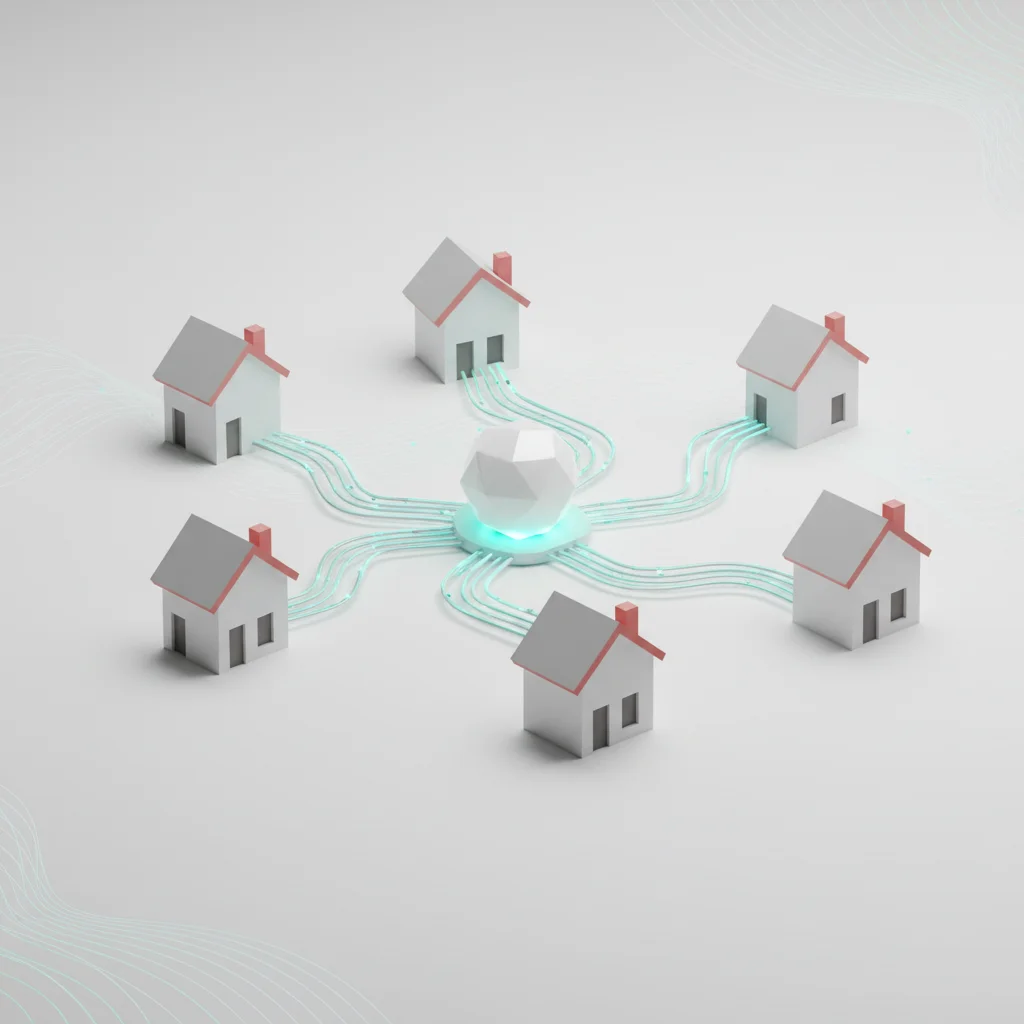
Redefining the Corporate Network Perimeter
The physical boundaries of the corporate office traditionally served as a natural barrier against malicious actors. Inside the office, enterprise firewalls, intrusion detection systems, and physical access controls regulated every byte of data entering or leaving the network. Legacy "castle-and-moat" architectures assumed that anyone inside the physical perimeter was trustworthy, while those outside were inherently untrusted.
The rapid shift to distributed workforce frameworks has completely dissolved this perimeter. The corporate network is no longer a single, controlled physical site; it is a sprawling, fragmented ecosystem consisting of thousands of residential internet connections, public coffee shop Wi-Fi access points, and dynamic cellular links. Each remote connection point functions as a micro-perimeter, requiring its own defense mechanisms.
This decentralization limits the utility of legacy network defense tools. When employees connect directly to cloud services (such as AWS, Azure, Google Cloud, or SaaS platforms) from their home offices, standard on-premises gateway firewalls lose visibility. This creates blind spots for security operations centers (SOCs) that rely on centralized traffic logs. To restore control, security architectures must evolve from physical site-based networks to distributed cloud-native frameworks like Secure Access Service Edge (SASE) and Cloud Access Security Brokers (CASBs).
From a regulatory standpoint, managing a distributed perimeter is highly complex. Under standards such as ISO/IEC 27001 (specifically Control A.6.2 for mobile devices and teleworking) and the NIST Cybersecurity Framework, organizations must maintain exact records of asset inventory and data storage locations. Failing to track how, where, and by whom corporate data is accessed leads to immediate non-compliance, risking substantial regulatory penalties and increased audit scrutiny.
Increased Vulnerability Exposure
Remote work environments expose enterprise systems to vulnerabilities that rarely manifest inside a controlled office environment. One of the most prevalent points of exposure is unpatched software on consumer-grade devices. Residential routers, personal computers, and IoT (Internet of Things) appliances running on home networks often utilize outdated firmware with unpatched vulnerabilities, making them prime targets for automated exploit kits.
If an attacker compromises a home router, they can execute DNS hijacking attacks, redirecting the remote worker's web traffic to lookalike credential-harvesting portals. Additionally, legacy network protocols—such as Server Message Block (SMBv1) or unencrypted Remote Desktop Protocol (RDP)—which are typically disabled or strictly segmented inside a corporate building, are frequently found exposed directly to the public internet on home systems.
+-------------------------------------------------------------+
|              EXPOSED ENDPOINT ATTACK PIPELINE               |
+-------------------------------------------------------------+
| 1. Compromised Consumer Gateway (Unpatched Firmware)        |
|                            │                                |
|                            ▼                                |
| 2. Man-in-the-Middle (MitM) / Local Subnet Traffic Sniffing |
|                            │                                |
|                            ▼                                |
| 3. Extraction of Corporate Credentials / Session Tokens      |
|                            │                                |
|                            ▼                                |
| 4. Unauthenticated Access to Cloud-Hosted Enterprise Assets |
+-------------------------------------------------------------+
Historically, RDP vulnerabilities (such as BlueKeep or unauthorized brute-force attempts on Port 3389) have served as major entry points for ransomware operators. When remote workers run RDP connections without gateway protection or Multi-Factor Authentication (MFA), they allow internet-wide scanners to locate their active systems. Once a brute-force or credential stuffing tool gains access, threat actors can move laterally into the connected corporate network, downloading ransomware payloads directly onto enterprise servers.
The exposure is not limited to network pathways; it extends to the application layer. Many organizations, in a bid to keep remote operations functioning, rush the deployment of internal web tools without conducting rigorous penetration testing or vulnerability assessments. This results in exposed API endpoints and SQL injection vulnerabilities, which are quickly cataloged by search engines like Shodan or Censys, providing cybercriminals with open pathways into corporate repositories.
Challenges of Distributed Workforce Security
Securing a highly distributed workforce creates substantial administrative and operational friction for IT and Security operations. Inside a central office, local system administrators can easily patch, physically replace, or directly inspect hardware components. In a remote model, resolving a compromised system, performing forensics, or executing physical endpoint isolation is significantly more complex.
When an endpoint detection and response (EDR) system alerts the security team of a potential compromise in a remote location, immediate isolation is critical to prevent lateral movement. However, if the compromised machine loses its network connection, remote remediation tools become ineffective. This requires either shipping the hardware back to headquarters or guiding a non-technical employee through complex offline troubleshooting processes, increasing both downtime and the window of exposure.
Furthermore, remote employees often experience connection delays and limited upload bandwidth. This latency impacts the delivery of security patches. Critical operating system updates and third-party software patches (e.g., for browsers, PDF readers, or productivity suites) can take days or weeks to successfully download and install across a remote workforce. This delay leaves a dangerous window of opportunity for attackers to exploit zero-day vulnerabilities.
Finally, separating work and personal environments on a single physical machine remains a persistent operational challenge. Remote workers frequently use their corporate devices for personal browsing, check personal emails, or allow family members to use the system. This cross-use introduces high risk, exposing corporate systems to drive-by downloads, compromised browser extensions, and unauthorized access from unauthorized users in the household.
Core Cybersecurity Risks Exploited by Threat Actors

Unsecured Home and Public Wi-Fi Networks
Residential and public Wi-Fi networks present major challenges for remote workforce data integrity. Most home wireless routers are configured with weak, default administrator credentials and use vulnerable encryption protocols like WPA2-Personal, which are susceptible to offline brute-force attacks. Public Wi-Fi networks in airports, hotels, and cafes often lack basic isolation, allowing devices on the same local subnet to scan and intercept traffic from neighboring machines.
On public networks, malicious actors can execute Man-in-the-Middle (MitM) attacks. By setting up a rogue access point with a name identical to a trusted public network (known as an Evil Twin attack), hackers can route all user traffic through their own rogue gateway. This allows them to decrypt SSL/TLS traffic using forged certificates or harvest sensitive API keys and session tokens transmitted in plaintext.
[Remote Device] ────(Plaintext/Spoofed Traffic)────> [Rogue Access Point (Evil Twin)] ────> [Internet Gateway]
                                                               │
                                                       (Packet Capture &
                                                      Token Extraction)
Furthermore, local network scanning tools permit attackers on the same network to identify active services on remote laptops, such as local web servers, development environments, or file-sharing configurations (SMB, NFS). If these local services lack adequate authentication, attackers can upload malware or extract active workspace folders.
To mitigate these risks, organizations must mandate that all network communication occur over end-to-end encrypted tunnels. Leaving the network routing to the user's discretion is insufficient; local network discovery must be programmatically disabled via enterprise group policies, and the use of automated, context-aware network connection tools must be enforced before any enterprise SaaS or internal application becomes accessible.
Sophisticated Phishing Campaigns and Social Engineering
Phishing remains the most common entry point for cyberattacks on corporate networks. In a remote work model, social engineering campaigns are highly effective because employees cannot easily walk over to an IT colleague's desk to verify the authenticity of an email, SMS, or chat request. Attackers exploit this communication gap by creating highly targeted, context-rich scenarios.
Modern social engineering attempts often target remote employees by impersonating internal IT administrators, HR managers, or C-suite executives. These attacks frequently use spoofed sender domains or compromised vendor email accounts to request password resets, urgent bank transfers, or the installation of "required" system software, which is actually remote-access trojans (RATs).
Furthermore, attackers have moved beyond traditional email phishing to multi-channel operations. Spear phishing via SMS (smishing) and collaboration platform tools (such as Slack or Microsoft Teams) is increasingly common. Because remote workers often view these internal messaging environments as inherently safe, they are more likely to download files or click on links shared within them, bypassing standard email filters and scanning gateways.
+--------------------------------------------------------------+
|            ADVERSARY-IN-THE-MIDDLE (AitM) FLOW               |
+--------------------------------------------------------------+
| 1. User clicks lookalike login link.                         |
|                            │                                 |
|                            ▼                                 |
| 2. Proxy server forwards request to real identity provider.  |
|                            │                                 |
|                            ▼                                 |
| 3. User enters credentials & MFA code on proxy site.         |
|                            │                                 |
|                            ▼                                 |
| 4. Attacker steals the active session cookie.                |
|                            │                                 |
|                            ▼                                 |
| 5. Attacker bypasses MFA entirely using stolen cookie.       |
+--------------------------------------------------------------+
Advanced phishing campaigns now utilize Adversary-in-the-Middle (AitM) phishing proxy tools. When an employee enters credentials on a fake login page, the proxy forwards the inputs to the real identity provider in real time, requests the MFA challenge, and passes it back to the user. Once authenticated, the proxy intercepts the resulting session cookie. By importing this stolen cookie into their own browser, the attacker can bypass MFA controls entirely, highlighting the limitations of traditional, non-phishing-resistant authentication.
BYOD (Bring Your Own Device) Vulnerabilities and Endpoint Blind Spots
Allowing employees to access corporate repositories using personal, unmanaged hardware is a major vulnerability in remote work models. A Bring Your Own Device (BYOD) framework reduces hardware costs, but it introduces major endpoint blind spots that complicate standard threat detection and response operations.
Personal machines often lack enterprise-grade security tools, such as Endpoint Detection and Response (EDR) software, host-level firewalls, or centralized patch monitoring. Consequently, these systems are vulnerable to malware infections, particularly high-risk info-stealing Trojans (such as RedLine, Vidar, or Lumma). These info-stealers scan browser databases, local storage, and configuration folders to harvest stored passwords, cryptocurrency keys, and active session cookies.
Once a personal device is compromised by an info-stealer, the harvested session tokens are sold on underground dark-web marketplaces. Attackers buy these session cookies to log into corporate cloud platforms (like Slack, Google Workspace, or GitHub) as a trusted user, bypassing standard multi-factor authentication. Because the login uses an active session key, identity providers do not trigger new MFA prompts or register suspicious logins.
[Personal Device (No EDR)] ───(Infostealer Infection)───> [Cookie Database Dumped] ───> [Sold on Dark Web] ───> [Corporate Account Access]Additionally, BYOD frameworks complicate regulatory compliance. Legally, personal computers cannot be heavily audited or formatted by corporate IT departments without infringing on employee privacy. This limitation means sensitive customer data, proprietary source code, and internal documents downloaded to a personal computer may remain on the device indefinitely, directly violating compliance frameworks like GDPR and KVKK, which require strict control over data deletion and storage locations.
Weak Access Controls and Credential Theft
Weak access control is a primary factor in remote work data breaches. Many organizations still rely on single-factor authentication (passwords alone) or weak multi-factor authentication (such as SMS-based OTPs) to protect their remote-access entry points. This reliance provides attackers with straightforward exploitation paths.
Threat actors exploit weak access controls using automated credential stuffing attacks. Cybercriminals take leaked username and password databases from unrelated third-party breaches and use automated scripts to try these credentials across corporate remote access portals (like Microsoft 365, VPN gateways, or AWS portals). Because of widespread password reuse across personal and professional accounts, these automated login attempts frequently succeed.
[Dark Web Leak Database] ───(Automated Password Spraying)───> [Corporate Login Portal] ───> [Successful Unauthorized Access]When multi-factor authentication is configured to rely on SMS messages, it remains vulnerable to interception. Attackers can execute SIM swapping attacks by socially engineering mobile carrier representatives to transfer the victim's phone number to a rogue SIM card. Alternatively, they can exploit signaling vulnerabilities in global telecommunication networks (such as SS7 vulnerabilities) to intercept OTP codes in transit.
Similarly, push-based MFA, while more secure than SMS, is vulnerable to MFA fatigue (or MFA bombing) attacks. In this scenario, an attacker who has acquired corporate credentials sends dozens of successive push notification requests to the employee's mobile device, often late at night. Annoyed or distracted by the constant stream of alerts, the employee eventually approves the request, granting the attacker access to the corporate network.
Enterprise-Grade Mitigation: Securing the Remote Workforce
Enforcing Virtual Private Networks (VPNs) with Encryption
Virtual Private Networks (VPNs) are a fundamental defense layer for remote work security, creating encrypted tunnels that shield corporate traffic from interception. However, legacy VPN implementations can create a false sense of security. To provide effective defense, organizations must utilize modern cryptographic standards and secure routing protocols.
Modern enterprise VPNs should use secure, high-performance protocols like WireGuard or OpenVPN over IPSec, leveraging robust cryptographic algorithms like AES-256-GCM or ChaCha20-Poly1305. Legacy protocols such as PPTP or L2TP/IPSec are cryptographically insecure and should be decommissioned. Additionally, security teams must keep VPN gateways fully updated, as attackers actively scan for and exploit known gateway vulnerabilities.
+-------------------------------------------------------------+
|             SPLIT-TUNNEL VS. FULL-TUNNEL CONFIG             |
+-------------------------------------------------------------+
| FULL-TUNNELING (High Security):                             |
| Remote User ────(All Traffic)────> Corporate VPN Gateway    |
|                                         │                   |
|                                         ├───> Intranet      |
|                                         └───> Safe Internet |
|                                                             |
| SPLIT-TUNNELING (Optimized Bandwidth):                      |
| Remote User ────(Internal Traffic)───> Corporate Gateway    |
|             ────(SaaS / Web Traffic)─> Direct Internet      |
+-------------------------------------------------------------+
A key technical decision is choosing between full-tunneling and split-tunneling routing configurations. Full-tunneling routes all remote worker traffic (including standard web browsing) through the enterprise VPN gateway. This configuration provides complete visibility and allows the security team to apply centralized web-filtering policies, though it requires significant corporate gateway bandwidth.
Split-tunneling, on the other hand, routes only internal corporate traffic through the VPN, while sending standard web and cloud-SaaS traffic directly over the local ISP. This approach reduces network latency and avoids overloading the VPN gateway, but it limits visibility into the employee’s general internet traffic, requiring robust endpoint protection tools to secure the direct internet path.
Implementing Mandatory Multi-Factor Authentication (MFA)
Implementing multi-factor authentication (MFA) across all identity providers, SaaS platforms, and internal network gateways is a critical step in defending against credential compromise. However, basic MFA methods like SMS text codes or email OTPs are vulnerable to modern interception, spoofing, and social engineering attacks.
To protect high-value corporate resources, enterprises should deploy phishing-resistant MFA. This framework is based on FIDO2 and WebAuthn standards, which replace traditional shared secrets with public-key cryptography. When an employee signs in, their physical device (such as a YubiKey or a biometric module like Windows Hello or Touch ID) performs a cryptographic handshake bound to the specific domain name of the login portal. Because the hardware key will not respond to a phishing or proxy domain, AitM proxy attacks are blocked.
[User Browser] ──(FIDO2/WebAuthn Request)──> [YubiKey / Biometric Chip] ──(Domain-Bound Signature)──> [Identity Provider]
                                                                                                            │
                                                                                                 [Authentication Success]
When physical security keys cannot be deployed across a large remote workforce, organizations should utilize mobile authenticator apps configured with number matching. Number matching requires the user to enter a specific two-digit code displayed on their login screen directly into their authenticator app. This step prevents accidental approvals caused by MFA fatigue attacks, as the user must actively look at the login screen to complete the request.
Additionally, MFA systems should be integrated with conditional access engines. These platforms evaluate contextual risk signals—such as geographical location, device compliance status, and login time—before requesting authorization. For example, if an employee logs in from a domestic IP address and then attempts a second login from an international location ten minutes later, the conditional access engine can automatically flag the login as impossible travel and block access.
Transitioning to a Zero-Trust Architecture (ZTA)
Traditional remote-access architectures often grant users broad network access once they establish a VPN connection. This model is highly vulnerable to lateral movement; if an attacker compromises a single endpoint, they can scan and attack any resource on the internal network. To address this risk, organizations are transitioning to Zero-Trust Architectures (ZTA) guided by frameworks like NIST SP 800-207.
The central principle of Zero-Trust is "never trust, always verify." No user or device is trusted by default, whether inside or outside the physical network. Every access request is continuously authenticated, authorized, and validated based on device health, user identity, and threat posture before access to a specific application is granted.
                              [Contextual Signals: IP, Device Health, MFA]
                                                   │
                                                   ▼
[Remote User] ────(Access Request)────> [Policy Decision Point (PDP)] ────> [Access Granted (Least Privilege)]
                                                   │
                                                   ▼
                                     [Policy Enforcement Point (PEP)]
Zero-Trust relies on Policy Decision Points (PDP) and Policy Enforcement Points (PEP) to manage access control. When an employee attempts to access a financial database, the PDP evaluates contextual signals (e.g., Is the device enrolled in the corporate MDM? Is the antivirus active? Is the MFA token valid?). If the system meets these criteria, the PEP grants a micro-segmented, temporary connection directly to that specific database, rather than the broader subnet.
Micro-segmentation is key to isolating threats. By dividing the corporate infrastructure into small, isolated security zones, organizations can ensure that a compromise on a single remote workstation does not lead to a company-wide breach. If an employee's laptop is infected with malware, the virus is contained within that single micro-segment and cannot access production environments, database backups, or internal directory servers.
Deploying Endpoint Detection and Response (EDR) Solutions
Traditional, signature-based antivirus software is often ineffective against modern cyber threats. Advanced attackers use customized malware, living-off-the-land techniques (leveraging legitimate built-in administrative tools like PowerShell or WMI), and zero-day exploits that leave no signature for traditional antivirus tools to detect.
To secure remote endpoints, organizations should deploy Endpoint Detection and Response (EDR) or Extended Detection and Response (XDR) systems. Platforms like Microsoft Defender for Endpoint, CrowdStrike Falcon, and SentinelOne use machine learning and behavioral heuristics to monitor process executions, memory registry modifications, and outbound connections in real time.
[System Process Execution] ───> [EDR Behavioral Analysis Engine] ───> [Suspicious Behavior Detected]
                                                                                │
                                                                                ▼
                                                                     [Automated Host Isolation]
EDR solutions provide security teams with deep visibility into active remote endpoints. If a remote laptop attempts to execute an obfuscated PowerShell script that reads memory from lsass.exe (a common credential-dumping technique), the EDR agent detects this abnormal behavior, blocks the process, and alerts the SOC.
Crucially, modern EDR platforms feature automated containment capabilities. If a high-severity threat is detected, the EDR agent can automatically isolate the compromised device from the local network and the internet, while keeping a secure connection open to the security team's console for investigation. This automated isolation prevents lateral movement and malware propagation across home subnets or connected corporate services.
Establishing a Resilient Remote Work Security Policy
Developing Comprehensive Security Policies
A strong cybersecurity posture depends as much on clear, enforceable policies as it does on technical infrastructure. Without formal guidelines, remote workers may unintentionally adopt risky behaviors, such as sharing devices with family members, using unapproved personal cloud drives, or accessing critical business portals over unsecured public connections.
An effective Remote Work Security Policy must clearly define acceptable use criteria. This policy should specify which devices are permitted to connect to corporate networks, identify approved communication platforms, and establish strict rules prohibiting the storage of company data on local personal storage drives.
+-------------------------------------------------------------+
|              REMOTE ACCESS POLICY CRITERIA                  |
+-------------------------------------------------------------+
| Device Posture Assessment:                                  |
|   - Minimum OS Patch Level: Enforced                        |
|   - Enterprise EDR Agent: Active & Reporting                |
|   - Local Storage Encryption (BitLocker/FileVault): Enabled |
|                                                             |
| Network Context Check:                                      |
|   - Direct Connection to Public Wi-Fi: Blocked              |
|   - Enterprise SASE Gateway Connection: Mandated            |
|   - Geo-location: Approved Regions Only                     |
+-------------------------------------------------------------+
To enforce these policies, IT teams should use Mobile Device Management (MDM) platforms like Microsoft Intune, VMware Workspace ONE, or Jamf. These platforms allow administrators to apply policy configurations at the system level. For example, MDMs can enforce full-disk encryption (such as BitLocker on Windows or FileVault on macOS), disable local USB storage access, and block the installation of unapproved software.
Finally, these policies must specify incident reporting protocols. Remote employees should know exactly how to report a lost device, a suspected phishing email, or a potential malware infection. Establishing a clear, straightforward path to the security team enables rapid containment, minimizing the potential impact of an incident.
Employee Security Awareness Training Programs
Because remote employees operate outside the protective physical boundary of an office, they serve as the primary target for social engineering. Technology can block many automated attacks, but a single employee clicking on a malicious link can bypass complex technical security controls.
To address this human risk, organizations should establish continuous, engaging Security Awareness Training (SAT) programs. Annual, compliance-focused training sessions are rarely effective on their own. Instead, programs should focus on short, micro-learning modules delivered throughout the year, covering topics such as identifying phishing red flags, recognizing social engineering, and maintaining proper home network security.
[Continuous Training Program] ───> [Phishing Simulations] ───> [Identify High-Risk Users] ───> [Targeted Remediation]These programs should include realistic phishing simulations designed to mimic current threat trends, such as fraudulent password reset alerts or fake SaaS updates. Tracking employee interaction with these simulated emails helps organizations identify high-risk departments and provide targeted coaching to those who need it.
Crucially, organizations should promote a non-punitive reporting culture. If an employee is penalized for clicking a simulated link or admitting to an error, they are more likely to hide potential security mistakes. Encouraging open and honest reporting ensures the security operations center is notified quickly, reducing overall detection and response times.
Data Access Governance and Compliance
Securing a remote workforce requires maintaining strict data access governance and keeping up with evolving compliance standards. Regulatory frameworks such as the General Data Protection Regulation (GDPR) in Europe, the California Consumer Privacy Act (CCPA) in the United States, and the KVKK in Turkey require organizations to control how, where, and by whom personal and sensitive data is handled.
In remote work models, this governance is often complicated by data sprawl. To address this issue, organizations must deploy Data Loss Prevention (DLP) solutions. These tools monitor and manage the movement of sensitive information across endpoints, cloud storage, and corporate email.
+---------------------------------------------------------------+
|                      DLP POLICY ENGINE                        |
+---------------------------------------------------------------+
| User Action: Remote worker tries to download customer database|
|                               │                               |
|                               ▼                               |
| Evaluation: System checks data classification tags            |
|                               │                               |
|                               ▼                               |
| Action: Blocks download, logs incident, and alerts SOC        |
+---------------------------------------------------------------+
DLP solutions use content-aware analysis to block unauthorized data transfers. For example, if a remote employee attempts to copy customer credit card numbers into a personal cloud storage application or export a database file to a local USB device, the DLP agent blocks the transaction and logs the attempt for the security team.
Additionally, organizations must enforce the Principle of Least Privilege (PoLP). This security model limits employees' access only to the systems and files necessary for their specific job functions. By restricting access to sensitive databases, administrative tools, and production environments, organizations can minimize the potential blast radius of a compromised credential.
Strategic Implementation: Costs, Timelines, and Decision Frameworks
Cost-Benefit Analysis of Remote Security Deployments
Securing a remote workforce requires capital investment, but these costs must be balanced against the potential financial and operational risks of a data breach. Understanding these cost trade-offs helps business owners and decision-makers justify resource allocation.
Deploying these tools incurs a licensing cost, but these expenses are small compared to the average cost of an enterprise data breach. According to industry analyses, remote-work-related breaches consistently result in higher remediation costs, often exceeding $4.5 million per incident when accounting for forensics, regulatory fines, legal fees, and reputational damage. Investing in proactive remote security controls provides a clear return on investment by significantly reducing both the likelihood and the financial impact of a security incident.
Operational Timeline for Zero-Trust and Endpoint Migration
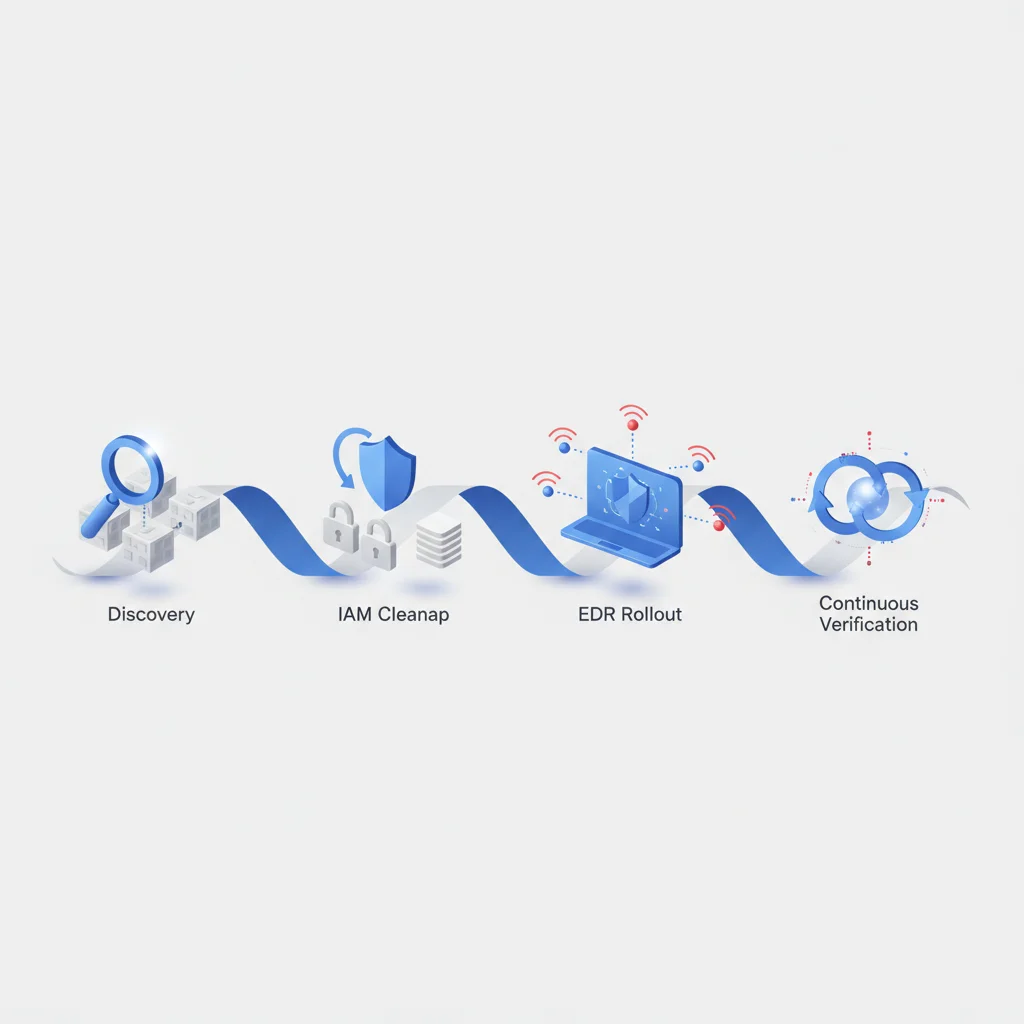
Transitioning a distributed organization to a comprehensive remote security model requires a phased, structured approach. Trying to deploy all security layers simultaneously can overwhelm IT teams and disrupt daily business operations.
Phase 1: Discovery & Audit (Weeks 1-4)
  └─ Inventory all endpoints, cloud applications, and data storage systems.

Phase 2: Identity & MFA Hardening (Weeks 5-8)
  └─ Deploy phishing-resistant MFA across all primary enterprise gateways.

Phase 3: Endpoint Protection & MDM (Weeks 9-12)
  └─ Enroll all corporate devices into MDM and deploy EDR agents.

Phase 4: Zero-Trust & Micro-segmentation (Weeks 13-20)
  └─ Implement granular access policies and continuous security training.
A structured, 20-week migration timeline minimizes operational disruption while systematically closing critical security gaps:
Weeks 1-4 (Discovery & Audit): Perform a complete audit of all digital assets, cloud systems, and network connections. Map current user access rights and identify unmanaged BYOD endpoints.
Weeks 5-8 (Identity & MFA Hardening): Deploy phishing-resistant MFA across all core services, including identity providers, email platforms, and external gateways.
Weeks 9-12 (Endpoint Protection & MDM): Enroll corporate laptops into MDM platforms, configure full-disk encryption, and deploy EDR agents to all endpoints.
Weeks 13-20 (Zero-Trust & Micro-segmentation): Establish Zero-Trust conditional access policies, implement micro-segmentation, and begin continuous security training programs.
Following this phased implementation allows organizations to systematically address their highest-exposure vulnerabilities first, ensuring a smooth transition to a secure and resilient remote work environment.
Frequently Asked Questions
What is the biggest cybersecurity threat to a remote workforce?
The most common threat is phishing and social engineering campaigns designed to harvest login credentials from employees who lack direct access to physical IT support networks. When these attacks are combined with weak access controls, bad actors can easily infiltrate corporate systems.
How does Zero-Trust architecture protect remote employees?
Zero-Trust architecture protects systems by assuming all devices and users are untrusted, regardless of their location. It continuously verifies identity, device health, and connection context before granting access to micro-segmented resources, limiting the damage of potential security breaches.
Why are personal devices (BYOD) considered a major security risk?
Personal devices often lack enterprise-grade monitoring, firewall protections, and managed patch programs. This lack of oversight makes them vulnerable to info-stealer malware, which can harvest active session cookies and log credentials to bypass multi-factor authentication.
Can virtual private networks (VPNs) protect against all remote security risks?
VPNs encrypt data in transit and shield users from local network interception, but they do not protect against phishing, unpatched endpoint vulnerabilities, or lateral movement. Modern organizations should pair VPN networks with EDR protections and Zero-Trust access controls.
What is phishing-resistant multi-factor authentication?
Phishing-resistant MFA uses FIDO2 and WebAuthn standards, relying on public-key cryptography to bind login credentials directly to the identity provider's verified web domain. This configuration ensures credentials cannot be intercepted by adversary-in-the-middle proxy sites.
How can remote businesses maintain GDPR and compliance alignment?
Remote businesses can preserve compliance by applying data loss prevention policies, encrypting all endpoint storage drives, and limiting access through the principle of least privilege. In addition, IT teams must run automated patch schedules and log access events for audit.
What should a remote work security policy contain?
A secure remote work policy must define acceptable device use, dictate encryption rules, mandate multi-factor authentication, and specify approved communication applications. The policy should also outline clear incident reporting steps for compromised systems.
How does endpoint detection and response (EDR) differ from classic antivirus?
Unlike classic antivirus, which relies on known threat databases, EDR software analyzes system behaviors in real-time. This behavioral focus allows EDR systems to detect zero-day exploits, catch malicious scripts, and automatically isolate compromised endpoints.