
Do You Still Need Antivirus Software?
Built-in operating system security tools provide baseline protection, but dedicated antivirus software remains essential for advanced threat detection and phishing defense.

ON THIS PAGE
0% read
- The Direct Answer: Why Baseline Security Is No Longer Enough
- Evaluating Built-In Operating System Security
- The Modern Threat Landscape: Moving Beyond Traditional Viruses
- Do Mobile Devices Require Dedicated Protection?
- Built-In Security vs. Dedicated Antivirus: A Comparative Analysis
- Key Features to Require in a Modern Security Suite
- Final Verdict: Assessing Your Personal and Professional Risk Profile
Operating systems have evolved to incorporate native, multi-layered security measures designed to safeguard users from common cyber threats. This development frequently prompts IT decision-makers and business owners to ask a fundamental question: Do You Still Need Antivirus Software? While built-in tools provide a highly reliable security baseline for daily activities, they often lack the granular, proactive defenses required to combat sophisticated phishing operations, identity theft, zero-day vulnerabilities, and highly targeted ransomware campaigns. This guide examines the mechanics of operating system security, analyzes the capabilities of dedicated security suites, and outlines a practical risk-assessment framework to help organizations establish a resilient cybersecurity posture.
The Direct Answer: Why Baseline Security Is No Longer Enough

Relying solely on built-in operating system security tools assumes that modern cyberattacks still target files and systems in predictable, traditional ways. Historically, malicious actors utilized standardized, file-based trojans and worms that could be countered through simple signature-based threat detection. If an endpoint security system recognized the hash of a malicious file, it blocked execution. Today, however, the threat landscape is dominated by polymorphic threats, memory-resident fileless attacks, and multi-vector social engineering campaigns.
Modern operating systems, such as Windows 11 and macOS, feature robust integrated security subsystems like Microsoft Defender and Apple XProtect. These built-in security tools provide excellent baseline protection. They continuously scan local storage for known malicious payloads and enforce basic boundary defenses. However, their primary objective is to protect the operating system itself and prevent widespread infection, rather than securing the complex, multi-layered digital workflows of a modern business enterprise.
Dedicated endpoint protection platforms and third-party security suites go beyond basic system scanning. They introduce advanced threat detection powered by real-time behavioral monitoring and heuristic analysis. Instead of looking only at what a file is (its signature), these systems analyze what a file does once executed. This operational distinction is critical when dealing with zero-day exploits—vulnerabilities for which no public patch or signature exists yet.
Furthermore, built-in security tools struggle to protect users against non-technical threat vectors. Phishing campaigns, credential harvesting, and spear-phishing rarely involve executable malware. Instead, they exploit human vulnerabilities through manipulative emails, spoofed login portals, and session hijacking. While native web browsers attempt to flag malicious URLs, dedicated security suites offer comprehensive email filtering, real-time link rewriting, and anti-phishing gateways that intercept these threats before they reach the endpoint.
For businesses aiming for regulatory compliance with standards such as GDPR, HIPAA, or ISO 27001, baseline security tools lack the centralized orchestration, forensic logging, and auditability required by information security auditors. Managing a decentralized fleet of endpoints relying only on default OS configurations introduces significant administrative overhead and increases the risk of configuration drift. A unified, dedicated security posture ensures that all endpoints conform to a standardized, enforceable security policy.
Evaluating Built-In Operating System Security

Operating system developers have invested heavily in native security capabilities over the past decade. By embedding protective systems directly into the kernel and application runtimes, they have significantly raised the baseline cost for attackers trying to compromise standard configurations. Understanding how these built-in systems function reveals their strengths and points out exactly where external protection must begin.
Is Windows Defender Sufficient for Complete Protection?
Windows Security, powered by Microsoft Defender Antivirus, is integrated into all modern consumer and enterprise Windows distributions. It functions as a foundational antivirus system that works closely with the Windows kernel. It leverages the Antimalware Scan Interface (AMSI), allowing applications to send script and code execution requests directly to the installed antivirus product for evaluation. This mechanism helps detect heavily obfuscated PowerShell, VBScript, and JavaScript payloads before they run.
Additionally, Microsoft Defender utilizes cloud-delivered protection. When a suspicious but unrecognized file is encountered, the local agent uploads metadata to the cloud-based machine learning service, which evaluates the file's risk profile within milliseconds. For a typical home user practicing safe browsing habits, keeping their operating system updated, and avoiding unknown file downloads, Windows Defender provides sufficient protection against the majority of common threats.
However, from an enterprise perspective, Microsoft Defender's standalone consumer version exhibits notable limitations. It lacks granular controls for advanced attack surface reduction (ASR), which is critical for blocking unauthorized API calls and stopping lateral movement within a corporate network. Furthermore, without a Microsoft 365 enterprise subscription, administrators cannot easily access centralized logging, forensic analysis, or automated response actions. While the core scanning engine is highly capable, the management layer of the default consumer version is insufficient for business-level visibility.
The 'Macs Don't Get Malware' Myth Explained
The historical perception that macOS is immune to malware is mathematically and architecturally incorrect. This misconception stemmed primarily from market share dynamics during the early decades of personal computing; threat actors focused their resources on Windows because it commanded the vast majority of the global market. As macOS adoption has expanded across enterprise environments, startups, and creative sectors, threat actors have developed sophisticated, platform-specific malware targeting the Apple ecosystem.
Apple secures macOS using several built-in technologies:
Gatekeeper: Verifies that downloaded software has been digitally signed by an identified developer and notarized by Apple before it can run.
XProtect: A built-in, signature-based anti-malware engine that scans files during execution and checks them against known malicious profiles.
System Integrity Protection (SIP): Restricts the root user account from modifying protected system directories and files on the macOS partition.
While these built-in defenses protect the operating system's integrity, they are not designed to monitor dynamic behavioral patterns at the endpoint level. For example, macOS malware such as Adload, Silver Sparrow, and various InfoStealers often bypass Gatekeeper by tricking users into granting system permissions through social engineering, such as fake Adobe Flash or video player updates. Once authorized, these applications can modify browser configurations, harvest saved credentials from keychains, and monitor network traffic without modifying system files protected by SIP. This highlights why relying entirely on native macOS security tools can leave business endpoints vulnerable to data extraction and session hijacking.
The Modern Threat Landscape: Moving Beyond Traditional Viruses
The terminology used to describe digital threats has evolved. The term "computer virus"—referring specifically to self-replicating code designed to corrupt files—is now only a small subcategory of the broader malware ecosystem. Modern cybercriminals are highly professionalized, using advanced techniques to generate steady financial returns through extortion, credential theft, and corporate espionage.
Phishing, Spear-Phishing, and Social Engineering
Phishing remains the most common entry point for organizational breaches. Rather than exploiting technical software bugs, phishing attacks exploit human trust and cognitive biases. Attackers craft highly convincing communications that mimic legitimate suppliers, internal IT departments, or governmental organizations. Their objective is to persuade the target to input credentials into a fake website, authorize a fraudulent wire transfer, or download an seemingly benign document containing embedded macros or malicious scripts.
Spear-phishing campaigns are even more dangerous. They are highly personalized and tailored to specific individuals within an organization using data gathered from public profiles, social media, and previous data breaches. Because these attacks often rely on simple text and link redirections without any initial malware download, traditional file-based operating system security tools cannot detect them. A modern security suite addresses this by analyzing inbound email headers, verifying domain sender policies (SPF, DKIM, DMARC), and utilizing real-time cloud heuristics to block access to freshly registered phishing domains.
Ransomware and Zero-Day Exploits
Ransomware is one of the most severe operational threats to modern businesses. Once executed within a network, ransomware swiftly locates and encrypts critical databases, local storage drives, and reachable network backups. The attackers then demand a cryptocurrency payment in exchange for the decryption key. Increasingly, cybercriminals engage in "double extortion," exfiltrating sensitive organizational data before encryption and threatening to publish it online, exposing the victim to significant regulatory fines under GDPR, KVKK, and other privacy frameworks.
Ransomware Kill Chain & Defense Interception Points:
[Initial Access] ---> [Privilege Escalation] ---> [Internal Reconnaissance] ---> [Exfiltration] ---> [Encryption]
       |                      |                         |                        |                 |
(Phishing Filter Blocks) (Credential Guard Stops) (Behavioral Analysis Flags) (Data Leak Prevention) (Rollback Restores)
Zero-day exploits exacerbate this risk. These are software vulnerabilities that are actively exploited by attackers before the vendor has developed or distributed a security patch. Traditional antivirus engines, which rely on signature updates to identify threats, cannot stop zero-day exploits. Modern security systems mitigate this through advanced heuristic analysis and exploit prevention modules. These modules monitor system memory and protect common application processes (like web browsers or document readers) from malicious buffer overflows and process-injection attempts.
Spyware and Background Data Harvesting
Spyware and information stealers operate quietly, aiming to remain undetected for as long as possible. Unlike ransomware, which immediately alerts the victim, spyware runs in the background, collecting valuable telemetry without disrupting daily operations. Keyloggers record every keystroke to harvest administrative passwords, while browser info-stealers copy saved credentials, autofill data, and active session cookies from local application databases.
If an attacker steals an active session cookie, they can bypass multi-factor authentication (MFA) mechanisms. This allows them to log directly into enterprise cloud services from an unauthorized device without triggering standard MFA prompts. Traditional operating system tools often miss these light, memory-only scripts because they do not modify core system files. Dedicated endpoint security tools constantly monitor read-write operations targeting sensitive browser directories and critical system memory spaces, preventing unauthorized applications from harvesting sensitive data.
Do Mobile Devices Require Dedicated Protection?
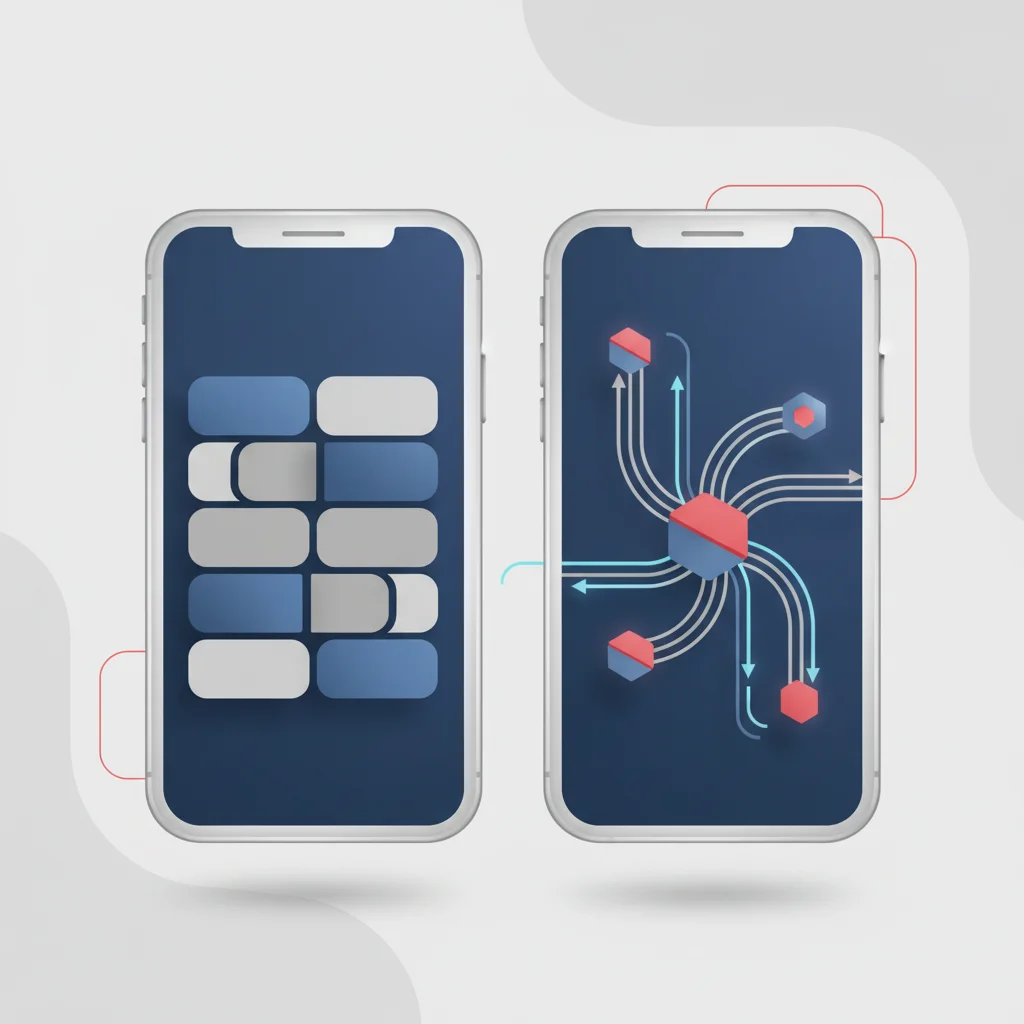
With the rise of remote work and Bring Your Own Device (BYOD) policies, mobile devices have become primary repositories of corporate data. Employees routinely access corporate email, chat applications, and cloud storage systems from smartphones and tablets. This makes mobile endpoints highly valuable targets for cybercriminals.
Addressing iOS Security and Network Vulnerabilities
Apple's iOS is designed around a strict security architecture. Every application runs within an isolated environment called a "sandbox," which prevents apps from reading or modifying the data of other apps or the underlying operating system. This sandboxing mechanism makes it difficult for a traditional virus to infect an iPhone, which is why traditional antivirus apps do not exist on iOS.
However, iOS sandboxing does not make the device immune to all cyber threats. Sophisticated spyware like Pegasus and similar zero-click exploits target vulnerabilities in default system applications (such as iMessage or Safari) to gain root-level access without requiring any user interaction. Once compromised, these exploits bypass the iOS sandbox entirely, allowing attackers to access encrypted messages, emails, photos, and location data.
Furthermore, iOS devices remain vulnerable to network-level threats:
Man-in-the-Middle (MitM) Attacks: Unsecured public Wi-Fi networks can be used by malicious actors to intercept unencrypted HTTP traffic or redirect users to spoofed web interfaces.
Malicious Configuration Profiles: Social engineering campaigns can trick users into installing custom mobile configuration profiles, giving attackers control over network routing and DNS configurations.
SaaS-Targeted Phishing: Phishing campaigns targeting cloud credentials work equally well on iOS browsers as they do on desktop computers.
Android Ecosystem Risks and Malicious Applications
The Android operating system utilizes an open-source architecture that allows users to side-load applications and install software from third-party marketplaces. While this flexibility is highly valued by users, it introduces substantial security risks compared to more restricted operating environments.
The Google Play Store uses automated systems to scan submitted applications for malware, but malicious apps still manage to bypass these checks occasionally. These applications often masquerade as harmless utilities—such as QR code scanners, PDF readers, or simple games. Once installed, they wait for a specified period before downloading a malicious payload from an external command-and-control server.
Malicious Android Accessibility Abuse Workflow:
[User Installs App] ---> [App Requests Accessibility Access] ---> [User Grants Access] ---> [App Reads On-Screen MFA & Inputs]
Android malware frequently exploits the operating system's accessibility APIs. These services are designed to assist disabled users by allowing applications to read on-screen content and interact with the user interface automatically. When a malicious application tricks a user into granting accessibility permissions, it can record keystrokes, capture temporary multi-factor authentication codes from banking applications, and execute unauthorized transactions in the background. Dedicated mobile security applications help protect Android devices by scanning newly installed packages in real-time, monitoring application permissions, and alerting users to unusual behavioral patterns.
Built-In Security vs. Dedicated Antivirus: A Comparative Analysis
Advanced Threat Detection (Heuristics and AI)
Standard operating system security tools rely heavily on signature-based detection. This method is effective for identifying known malware, but it is less effective against modern threats that change their file hashes continuously. Polymorphic malware utilizes encryption and packer utilities to alter its digital signature with every download, rendering traditional signature databases obsolete.
Dedicated security suites address this challenge through advanced threat detection methods:
Heuristic Analysis: Analyzes files for characteristics commonly found in malicious software, such as attempts to modify core boot sectors or inject code into system processes.
Behavioral Monitoring: Continuously monitors active processes for suspicious patterns, such as a program attempting to encrypt multiple files in rapid succession.
Machine Learning Models: Leverages cloud-based AI networks to analyze millions of endpoint telemetry points globally, identifying new threat trends as they emerge.
By focusing on behavior rather than identity, dedicated security solutions can identify and block complex threats, even if the specific file has never been seen before in the wild.
Multi-Layered Defense (VPNs, Password Managers, Dark Web Monitoring)
Modern dedicated antivirus programs have evolved into integrated, multi-layered security platforms. Rather than focus exclusively on malware detection, these comprehensive suites provide a broad range of protective tools designed to secure various digital touchpoints.
Enterprise Multi-Layered Defense Model:
+-------------------------------------------------------------+
|                     User Security Awareness                 |
+-------------------------------------------------------------+
|     Anti-Phishing & Network Filtration (Email & DNS)        |
+-------------------------------------------------------------+
|    Endpoint Behavioral Heuristics (Proactive Monitoring)    |
+-------------------------------------------------------------+
|  Local Resource Protection (Access Controls & Cryptography) |
+-------------------------------------------------------------+
|  Centralized Auditing & SIEM Logs (Continuous Visibility)   |
+-------------------------------------------------------------+
These integrated security suites often include:
Virtual Private Networks (VPNs): Encrypt internet traffic on unsecured networks to protect sensitive data from interception.
Password Managers: Encourage the use of strong, unique credentials across corporate accounts, reducing the risk of credential stuffing attacks.
Dark Web Monitoring: Scan known underground forums for compromised corporate credentials or leaked personal information, allowing organizations to respond before an account is exploited.
While these tools can be purchased separately, integrating them into a single security platform simplifies deployment, reduces software conflicts, and provides a more unified security posture.
Key Features to Require in a Modern Security Suite
Choosing a security solution for a business requires evaluating specific technical capabilities. The tool must align with the organization's infrastructure, compliance requirements, and risk tolerance. Decision-makers should prioritize the following key features:
Real-Time Behavioral Analysis: The system must actively analyze running processes to detect fileless attacks and credential harvesting scripts.
Ransomware Mitigation and Rollback: Modern suites should include automated file-reversion capabilities that can instantly restore original documents if unauthorized encryption is detected.
Network Firewalls and Intrusion Detection: A robust firewall is essential for monitoring inbound and outbound traffic, blocking unauthorized port scans, and preventing lateral movement within a corporate network.
Comprehensive Email Security: Anti-phishing protections must scan incoming mail headers, filter malicious attachments, and analyze embedded links in real-time.
Low Performance Overhead: The security agent must operate efficiently, ensuring that system scans do not disrupt daily operations or degrade device performance.
Centralized Cloud Orchestration: For business environments, an administrative dashboard is vital for pushing configuration updates, running remote scans, and monitoring the security status of all endpoints from a single panel.
Final Verdict: Assessing Your Personal and Professional Risk Profile
Determining whether you still need dedicated antivirus software depends heavily on your specific user profile, operational environment, and the sensitivity of the data you manage. A standardized approach often fails to address the unique risk factors associated with different computing use cases.
Category 1: The Everyday Consumer
For individuals who use their personal computers primarily for web browsing, streaming, and light office work, built-in operating system security tools (like Windows Security or macOS XProtect) are often sufficient. When paired with basic digital hygiene—such as keeping software updated, using unique passwords, and avoiding untrusted downloads—native security tools provide reliable baseline protection against common consumer-grade malware.
Category 2: Remote Professionals and High-Risk Individuals
For remote workers, software developers, finance managers, and individuals handling sensitive intellectual property or high-value financial assets, relying solely on built-in tools introduces unacceptable risk. These environments require dedicated security suites that offer advanced exploit prevention, robust anti-phishing defenses, and system-wide network monitoring to secure workflows across varying network environments.
Category 3: SMBs and Enterprise Environments
For organizations of all sizes, dedicated endpoint protection platforms (EPP) or Endpoint Detection and Response (EDR) solutions are an operational necessity. Businesses must maintain strict compliance with data protection laws and secure their networks against sophisticated threats like ransomware. Dedicated solutions provide the centralized visibility, forensic logging, and automated threat isolation capabilities required to protect a distributed workforce and ensure business continuity.
Ultimately, antivirus software should not be viewed as an isolated tool, but as a critical layer within a broader defense-in-depth security model. No security system is completely infallible, but combining built-in operating system protections with dedicated, proactive endpoint security tools creates a highly resilient environment capable of withstanding modern digital threats.
Frequently Asked Questions
Is Windows Defender enough for business security?
Microsoft Defender provides excellent baseline protection for individual endpoints, but businesses generally require centralized orchestration, advanced threat hunting, and detailed compliance reporting. Implementing dedicated endpoint detection and response (EDR) solutions provides the visibility and automated containment capabilities necessary to secure corporate networks.
Do modern antivirus programs slow down computer performance?
Modern security suites are engineered to minimize performance impact by leveraging cloud-based analysis and efficient kernel-level drivers. Unlike legacy security software, which performed intensive disk-scanning locally, modern engines run resource-intensive behavioral computations in the cloud, allowing local processes to run with minimal disruption.
Why does macOS need antivirus if it already has Gatekeeper?
Gatekeeper validates code signatures and notarization status but does not monitor the behavior of applications once they are authorized to run. Specialized macOS malware and browser-based credential harvest operations routinely bypass these static checks, necessitating dedicated behavioral monitoring to protect sensitive corporate assets.
Can dedicated antivirus stop phishing attacks?
Dedicated security suites offer comprehensive anti-phishing protections, including real-time email scanning, domain sender policy checks, and automated link analysis. While no software can prevent all user errors, these active layers block access to malicious web structures and stop credential harvesting pages from loading.
What is the difference between traditional antivirus and EDR?
Traditional antivirus focus primarily on detecting and quarantine known file-based threats using signatures and basic heuristics. Endpoint Detection and Response (EDR) provides continuous monitoring, analyzes active process behaviors, logs system activity for forensic auditing, and enables security teams to isolate compromised devices remotely.
Do mobile devices like iPhones require security software?
While iOS sandboxing prevents traditional virus infections, mobile devices remain highly vulnerable to network-level interception, configuration profile manipulation, and targeted browser phishing. Implementing mobile threat defense solutions helps secure device connections, monitor for malicious profiles, and protect corporate credentials.
Are free antivirus solutions suitable for business environments?
Free antivirus software typically lacks central administrative dashboards, automated remediation tools, and the advanced threat detection models required to mitigate enterprise-level risks. Businesses should invest in enterprise-grade security suites that offer centralized threat monitoring and guarantee service level agreements (SLAs).
How does ransomware bypass standard operating system defenses?
Ransomware often utilizes fileless attack vectors, executing malicious code directly in a system's memory or leveraging legitimate built-in administrative tools to perform unauthorized encryption. Traditional OS scanners often miss these legitimate commands, requiring dedicated behavioral analysis to detect and block the rapid encryption of user files.