
How Slack Automation Boosts Team Productivity
Slack automation enhances team productivity by reducing context switching and streamlining repetitive tasks through webhooks, native workflows, and API integrations.

ON THIS PAGE
0% read
- The Hidden Cost of Context Switching in Corporate Environments
- Understanding the Mechanisms of Slack Automation
- Core Ways Automation Streamlines Repetitive Tasks
- Strategic Implementation: Building Workflows That Actually Work
- Governance and Security Considerations (Caution-Aware Practices)
- Measuring the ROI of Slack Automations
- Conclusion: Balancing Efficiency with Operational Control
For modern corporate organizations, operational efficiency hinges on how effectively teams minimize operational friction and keep focus intact. Slack automation enhances team productivity by reducing context switching and streamlining repetitive tasks through webhooks, native workflows, and API integrations. Rather than forcing employees to navigate disconnected SaaS platforms, automating work directly within the primary communications hub consolidates operations, reduces manual bottlenecks, and mitigates asynchronous communication delays. This guide offers business owners, operations managers, and technical decision-makers an exhaustive, highly practical blueprint for implementing, managing, and scaling Slack automation securely across their organization.
The Hidden Cost of Context Switching in Corporate Environments

Modern enterprise environments run on a multitude of specialized software applications. While these tools solve niche operational challenges, they simultaneously introduce a fragmented landscape where employees continually jump between email clients, CRM systems, project management boards, and HR portals. This phenomenon, known as context switching, imposes a heavy cognitive tax on human capital. Research indicates that it can take an average of 23 minutes for an individual to regain deep focus on a task after being interrupted. When employees are forced to manually transfer information from one software suite to another, they suffer from fragmented attention, leading to minor manual entry errors and a progressive drop in overall daily output.
The accumulative effect of these distractions acts as an internal form of time theft within the organization. Employees lose momentum, administrative friction increases, and high-value strategic initiatives are delayed. This fragmentation is exacerbated when teams depend heavily on synchronous communication—such as video calls or real-time meetings—to handle trivial operational alignment. Standardizing operations so that alerts, status updates, and simple approvals occur through automated systems allows business processes to transition from synchronous friction to structured, predictable patterns.
Why Manual Tasks Drain Team Resources | Moving from Synchronous Delays to Asynchronous Efficiency
Every manual, repetitive task represents a potential operational bottleneck. Consider a standard software development lifecycle or a corporate procurement process: when a team member must manually ping an administrator for budget approval, wait for a response, copy-paste invoice details into a billing platform, and then notify the finance channel, the entire sequence is vulnerable to delays. If a single stakeholder is away from their desk, the process halts. This reliance on synchronous messaging creates unnecessary dependencies, causing projects to stall while waiting for human intervention on trivial administrative details.
By moving to asynchronous efficiency, organizations decouple the initiation of a task from its immediate manual oversight. A Slack-native automation workflow can handle the heavy lifting: collecting data via standardized input forms, validating formatting, and routing requests to the appropriate individual for single-click approval. Once approved, the system automatically pushes the payload to the external database or billing software via secure API calls. The business continues to run smoothly, key stakeholders are notified only when their specific decision is required, and employees do not have to wait in real-time queues for basic operational clearance. This form of workflow optimization shifts the focus from busywork to meaningful, strategic contribution.
---
Understanding the Mechanisms of Slack Automation
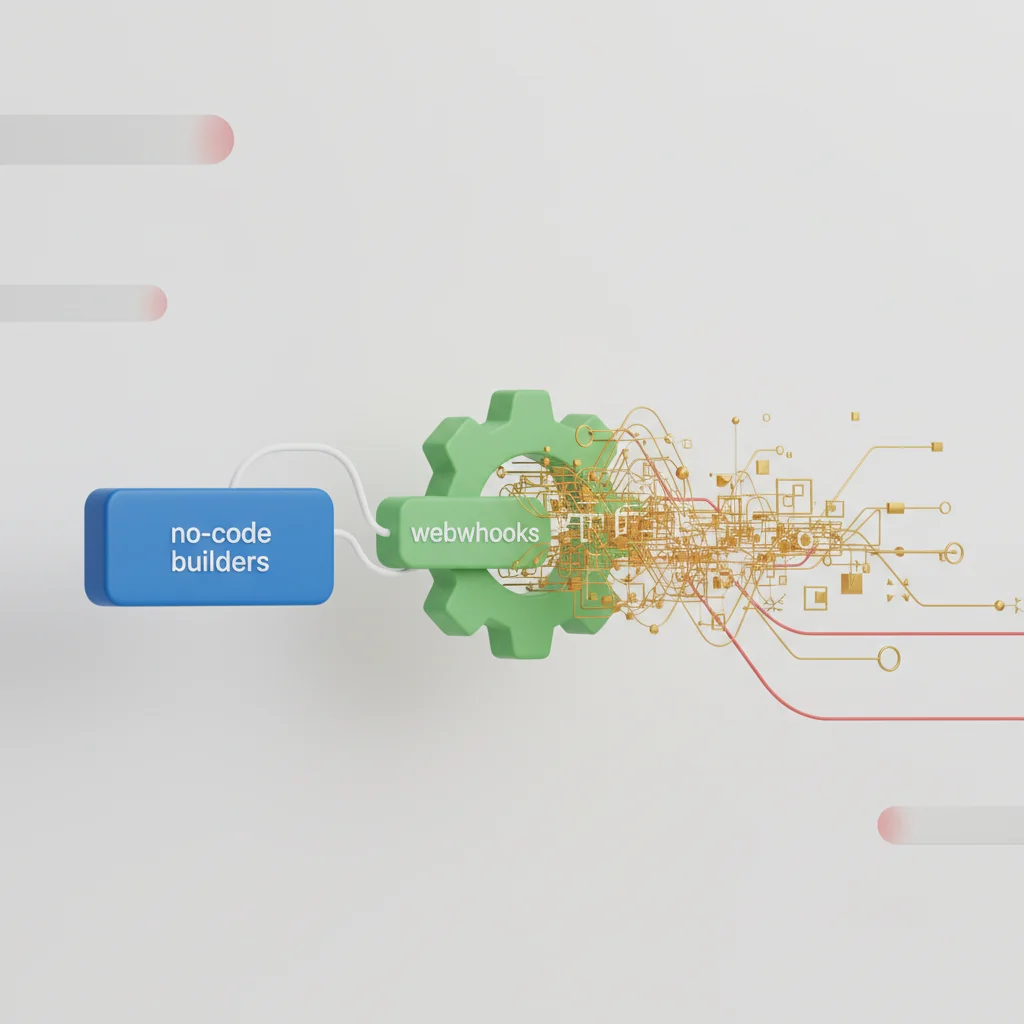
To construct a high-performing automation ecosystem, technical decision-makers must evaluate the underlying integration architecture. Slack provides three primary tiers of automation: native no-code tools, standardized HTTP webhooks, and complex custom integrations. Choosing the correct approach depends on technical resource availability, data privacy constraints, and the operational complexity of the targeted workflow. Miscalculating the technical requirements of an automation path can lead to maintenance overhead, brittle integrations, or exceeded API rate limits that drop critical business payloads during peak operating hours.
Native Slack Workflow Builder (No-Code Solutions)
The Slack Workflow Builder is an internal, visual tool that enables non-technical team members, workspace administrators, and operations managers to construct step-by-step automations. It operates on a trigger-action logic framework. Triggers can include simple user events, such as a team member joining a specific channel, an individual reacting to a message with a specific emoji (reacji), or a scheduled time event.
Because the Workflow Builder is native to the platform, it operates within Slack’s secure boundary and complies with enterprise permission sets. Administrators can easily build structured forms to capture employee inputs—such as IT support tickets or vacation requests—and route that data directly into structured private or public channels. However, while native workflows excel at standardizing basic, human-centric processes, they have limited capabilities when handling complex, multi-branch conditional logic or bidirectional data synchronization with specialized external databases.
Incoming Webhooks for External Alerts
Incoming webhooks represent a straightforward method for injecting data from external applications into Slack channels. By generating a unique, secure URL for a specific channel, external systems can send automated, real-time alerts by issuing an HTTP POST request containing a formatted JSON payload.
For instance, a continuous integration/continuous deployment (CI/CD) server can trigger a webhook to notify a development team the moment a software build fails in the production pipeline. This approach keeps engineers updated on system health without requiring them to actively monitor external monitoring consoles. However, because incoming webhooks are one-directional, they cannot process user interactions like button clicks or text inputs. Teams must also actively manage webhook security; if an active webhook URL is exposed publicly, malicious actors could post unauthorized spam or misleading messages directly into private workspace channels.
Custom API Integrations for Complex Operations
For deeply integrated enterprise workflows, teams must build custom Slack Apps utilizing the Web API, Events API, or the Slack Bolt SDK. Custom integrations support bidirectional communication, allowing teams to construct interactive user interfaces directly inside Slack modals, utilize custom slash commands, and manipulate backend data in real time.
When building custom apps, developers must design robust error handling and payload queuing to manage API rate limits. Slack categorizes its Web API endpoints into distinct tiers (Tiers 1, 2, 3, and 4), each with varying rate limitations (ranging from 1 to 100+ requests per minute). If an automation triggers a high-volume workflow—such as syncing hundreds of CRM leads simultaneously—without an active queuing system (like Redis or RabbitMQ) to throttle outgoing requests, the API will return HTTP 429 Too Many Requests errors. This can cause critical transactional data to be lost.
---
Core Ways Automation Streamlines Repetitive Tasks
Automating repetitive administrative tasks reduces operational overhead and lets employees dedicate more time to strategic, revenue-generating projects. By standardizing high-frequency, low-variance business processes, leadership teams can establish consistent operating guidelines that run independently of human memory. Let us look at four core operational areas where Slack automation delivers immediate, measurable performance improvements.
Standardizing Employee Onboarding and Offboarding
The process of onboarding new personnel requires coordinated actions across multiple departments, including HR, IT, and Finance. A manual onboarding workflow is prone to missing key steps, such as setting up access to specific software licenses or scheduling required compliance training. Utilizing Slack automation, organizations can create a standardized onboarding pipeline that triggers the moment a new employee account is added to the corporate identity provider (e.g., Okta or Azure AD).
Upon their first login, the new team member is automatically greeted by a customized Slackbot flow that delivers a curated sequence of training videos, company handbooks, and dynamic action items. As the employee completes each task, the automation updates the HR system database (such as Workday or BambooHR) and notifies their direct manager. When an employee departs, a corresponding offboarding workflow can automatically revoke application permissions, initiate the recovery of physical hardware assets, and close active project accounts, protecting corporate intellectual property and maintaining strict security standards.
Automating Daily Standups and Status Reports
Daily standup meetings are standard practice for agile engineering and marketing teams, yet they often consume valuable time and disrupt focus. When teams operate across different time zones, coordinating a synchronous daily standup becomes a logistical bottleneck. Asynchronous standup automations solve this challenge by replacing long, real-time status meetings with automated Slack prompts.
At a designated hour, a specialized Slack bot pings each team member individually, asking them to input three critical data points:
What did you accomplish yesterday?
What are you focusing on today?
Are there any active blockers stalling your progress?
The individual inputs are automatically aggregated, formatted, and published to a central team channel. Managers can quickly scan the compiled digest, identify active bottlenecks, and allocate support resources where needed. The team keeps momentum, and employees save hours of weekly meeting time, which they can redirect toward deep, uninterrupted work.
Centralizing IT Ticketing and Helpdesk Requests
Without a centralized system, internal IT support requests often turn into a chaotic mix of direct messages, casual emails, and verbal requests. This lack of structure leads to delayed resolution times and prevents IT teams from identifying recurring technical issues. Consolidating IT helpdesk operations within Slack channels brings structure to internal support.
Using Workflow Builder, teams can create an IT Helpdesk channel where any user can click a button to open a standardized ticket form. The user enters a detailed description of the hardware or software problem, designates a priority tier, and attaches relevant error logs. Once submitted:
The system automatically generates a ticket in external platforms like Jira Service Management or Zendesk.
It posts a formatted card inside the IT triage channel, allowing support personnel to assign, track, and close tickets directly within Slack.
The end-user receives automated status updates in their private Slack threads, keeping them informed without distracting the support staff.
Streamlining Approval Chains (Expense and Leave Requests)
Manual approval processes for corporate expenses, travel budgets, and annual leave requests are frequent sources of administrative friction. Employees often have to navigate complicated internal portals or follow up with managers multiple times to get simple signatures. Slack automation transforms this process by converting approvals into quick, interactive decisions.
When an employee submits a leave request through an integrated HR app, the backend system parses the request and immediately sends an interactive notification card to their direct manager's private Slack channel. The card displays all relevant details—dates requested, remaining leave balance, and team coverage metrics during that period—accompanied by clear "Approve" and "Deny" buttons. The manager can approve or deny the request with a single click, and the automation immediately updates the central database and notifies the employee. This approach eliminates email back-and-forth and keeps administrative processes moving forward without delay.
---
Strategic Implementation: Building Workflows That Actually Work

Deploying Slack automation without a structured implementation strategy can lead to broken workflows, channel clutter, and poor user adoption. Organizations should approach workflow design with the same rigor they apply to software development. By establishing a clear lifecycle for each automation project, teams can ensure that automated workflows deliver consistent, long-term value to the business.
Identifying High-Volume, Low-Value Tasks
The first phase in any automation initiative is process discovery. Technical managers should conduct an audit of weekly team workflows to isolate processes that are highly repetitive, rule-based, and require little human judgment. High-frequency administrative tasks are prime candidates for automation.
To identify these automation opportunities, operations leaders can analyze team workflows against specific criteria:
Frequency: How often is the task performed? (e.g., daily, multiple times per hour).
Variance: Are the steps consistent every time, or do they change based on subjective human decisions?
Integration Points: Does the task require transferring data between different software systems?
Friction: Does the process create delays while one person waits for another to complete a simple manual task?
By focusing first on high-frequency, low-variance processes, teams can secure quick wins that build internal support for broader automation efforts.
Selecting the Right Trigger (Time-based vs. Action-based)
Once an automation target is selected, developers and designers must choose the most effective mechanism to start the workflow. Triggers generally fall into two categories:
Time-Based Triggers: These run on a set schedule (e.g., every Monday at 9:00 AM, daily at midnight). They are best suited for routine processes, such as generating weekly performance reports, launching daily standup prompts, or prompting team members to submit timesheets before the weekend.
Action-Based Triggers: These are initiated by a specific user or system event, such as a user clicking a button, a new customer record being created in a CRM, or a server throwing a critical error. Action-based triggers are ideal for dynamic workflows that require real-time responses, such as processing emergency IT tickets or instantly routing hot sales leads to the account management team.
Selecting the appropriate trigger ensures that the automation runs exactly when needed, avoiding unnecessary notifications and system load.
Testing and Deploying Workflows in a Sandbox Channel
Deploying an untested workflow directly to a busy production channel can disrupt team communications, flood channels with error messages, or accidentally expose sensitive internal data. To prevent these issues, organizations should establish a dedicated, private testing channel (a "sandbox") to iron out any bugs.
Within this sandbox channel, developers can trigger the workflow under various conditions to test its resilience. This testing phase should verify:
Data Mapping Integrity: Ensure that data fields from input forms transfer correctly to external platforms without losing formatting or truncating text.
Error Handling: Verify how the workflow handles missing or invalid inputs. If an external API goes down, does the automation fail silently, or does it alert a system administrator?
User Interface Clarity: Are the interactive buttons, modals, and prompts easy for users to understand and navigate?
Only after a workflow has successfully passed these testing criteria should it be moved into production and rolled out to the wider team.
Follow these operational phases to design, validate, and roll out high-impact Slack automations. Identify highly repetitive, rule-based tasks with high frequency and low variance. Develop the workflow trigger and action steps inside a private testing channel. Simulate error scenarios, verify data mapping integrity, and adjust interactive layouts. Publish the automation to production and establish alerting mechanisms for API drop-offs.Step-by-Step Implementation Blueprint
Discovery and Audit
Prototype in Sandbox
Validate and Refine
Deploy and Monitor
---
Governance and Security Considerations (Caution-Aware Practices)

As automation scales across an enterprise, workspace administration teams must establish strict governance and security guidelines. Allowing unrestricted, unmonitored integrations can compromise corporate data, clutter communication channels, and lead to regulatory compliance violations. Managing an enterprise workspace requires finding the right balance between giving teams the flexibility to automate and maintaining centralized security control.
Preventing Notification Fatigue and Channel Clutter
One of the most common pitfalls of scaling Slack automation is notification fatigue. When every automated system, CI/CD pipeline, and CRM update sends real-time notifications to public channels, employees are quickly overwhelmed by the volume of alerts. This constant noise makes it easy for critical, human-to-human communications to get lost in the shuffle.
To mitigate this challenge, administrators should implement clear communication guidelines:
Use Dedicated Channels: Create specific channels for automated alerts (e.g., @@CODE0@@, @@CODE1@@), keeping main discussion channels free of automated clutter.
Leverage Threading: Configure integrations to post high-volume updates within a single, organized thread rather than creating a new channel message for every event.
Consolidate Alerts: Use digest summaries that compile multiple automated updates into a single daily or weekly report, rather than sending real-time notifications for low-priority events.
Managing API Access Controls and Permissions
To protect sensitive corporate data, organizations must enforce the principle of least privilege when configuring Slack integrations. When a third-party application or custom bot is added to a workspace, it requests specific permission scopes (e.g., @@CODE0@@, @@CODE1@@, channels:history). Granting overly broad permissions can expose confidential data to unauthorized access.
Security administrators should regularly audit active integrations and enforce strict access controls:
Restrict App Installations: Configure Slack workspace settings so that only designated administrators can approve and install third-party applications.
Audit Token Scopes: Review the API permission scopes requested by custom-built integrations to ensure they only have access to the specific channels and resources needed to function.
Implement Token Rotation: Regularly rotate API tokens and signing secrets to reduce the risk of unauthorized access if a credential is leaked.
Avoiding Shadow IT Through Regulated Integrations
When employees cannot easily access approved, centralized tools, they often turn to unapproved third-party services to automate their work. This practice, known as Shadow IT, introduces significant security and compliance risks. Unregulated integrations can send corporate data to external, unverified servers, potentially violating strict privacy regulations such as GDPR or HIPAA.
To prevent Shadow IT, organizations should establish a clear, structured path for requesting and approving new automations:
Provide Approved Alternatives: Offer a curated library of pre-approved integrations and no-code tools (like Slack's native Workflow Builder) that employees can use safely.
Establish a Review Process: Create a clear process where teams can submit requests for new integrations, allowing security and IT teams to evaluate their security posture before approval.
Educate Teams: Conduct regular training sessions to help employees understand the security risks of unapproved tools and how to use the company's approved automation platforms safely.
---
Measuring the ROI of Slack Automations

To justify the resource allocation required for custom integrations and third-party software licenses, management teams must measure the actual return on investment (ROI) of their automation efforts. By evaluating both quantitative metrics, such as hours saved, and qualitative indicators, like team adoption rates, leaders can build a clear business case for continued investment in workflow optimization.
Tracking Time Saved per Department
The most direct way to measure the impact of automation is to calculate the time saved by replacing manual tasks with automated workflows. Managers can estimate these savings by tracking how long a task takes to perform manually, how often it occurs, and comparing that to the performance of the automated system.
This calculation can be expressed with a straightforward operational formula:
$$\text{Monthly Time Saved (Hours)} = (\text{Manual Task Duration} \times \text{Monthly Frequency}) - \text{Automated Process Oversight}$$
For example, if a human resource administrator spends an average of 15 minutes manually setting up and onboarding each new employee, and the company hires 40 new employees per month, the manual onboarding process consumes 10 hours of administrative labor monthly. Automating this workflow reduces the hands-on administration time to just a few minutes of oversight per hire, saving nearly 9 hours of specialized work every month. By multiplying these hours saved by the average hourly rate of the employees involved, organizations can determine the direct financial savings generated by their automations.
Evaluating Employee Engagement and Adoption Rates
While quantitative time savings are important, the long-term success of any automation initiative depends on how well the team adopts and integrates it into their daily routines. An automated workflow delivers no value if team members find it too confusing or bypass it in favor of manual, outdated processes.
To evaluate adoption and engagement, operations leaders can track several key metrics:
Active Usage Rates: Monitor how often employees initiate workflows, submit forms, or interact with Slackbot prompts.
Form Completion Rates: Track the percentage of initiated workflows that are completed successfully, identifying any steps where users frequently drop off or encounter errors.
User Satisfaction Surveys: Collect direct feedback from team members to evaluate whether they find the automations helpful, intuitive, and easy to use.
High completion rates and positive qualitative feedback indicate that the automations are effectively reducing friction and helping teams work more productively.
---
Conclusion: Balancing Efficiency with Operational Control

Implementing Slack automation is not about replacing human decision-making; it is about freeing teams from repetitive, low-value work so they can focus on high-impact, strategic initiatives. By reducing context switching and streamlining everyday processes like onboarding, ticketing, and administrative approvals, organizations can build a more agile, productive workforce.
However, scaling these automations successfully requires a balanced approach. Organizations must combine technical optimization with robust security, clear governance, and ongoing performance measurement. By managing integrations carefully and maintaining security standards, business leaders can build an automated, collaborative work environment that supports sustained growth and operational excellence.
---
Frequently Asked Questions
What is the difference between a Slack App and a Slack Workflow?
A Slack Workflow is a no-code automation built within Slack's native Workflow Builder, triggered by simple events like emoji reactions or schedules. A Slack App is a custom, developer-built integration that communicates with external servers via APIs, supporting complex logic, interactive user interfaces, and bidirectional database syncs.
Are there rate limits for Slack API automations?
Yes, Slack enforces distinct rate limits across four API tiers, ranging from Tier 1 (allowing around 100+ requests per minute) to Tier 4 (typically limiting custom integrations to 1 request per second). High-volume workflows must implement queue systems to prevent HTTP 429 rate limit errors.
How can administrators restrict workflow creation in Slack?
Workspace administrators can manage creation permissions through Slack's Admin Settings by restricting Workflow Builder access to specific user roles or designated administrators. In Enterprise Grid deployments, these policies can be enforced globally across all workspaces to maintain strict corporate governance.
Does Slack automation integrate with legacy enterprise software?
Yes, Slack automation can connect with legacy enterprise software either by using third-party middleware connectors like Zapier and Make, or by building custom Slack Apps. These custom apps communicate with legacy systems through custom API endpoints or intermediate secure databases.
Can we run Slack automations without coding knowledge?
Yes, non-technical users can easily build functional automations using Slack's native visual Workflow Builder or third-party no-code tools like Zapier. These platforms utilize visual interfaces to configure step-by-step trigger-and-action sequences without writing any code.
What security protocols protect data in custom Slack webhooks?
Custom Slack webhooks are protected using secure HTTPS endpoints, utilizing TLS 1.2 or TLS 1.3 encryption to safeguard transit data. Organizations must protect webhook URLs from public exposure and use signing secrets to verify the authenticity of incoming payloads.
How can we prevent Slack notifications from causing employee burnout?
Organizations can prevent notification fatigue by routing alerts to dedicated channels, using threaded replies to minimize noise, and combining real-time alerts into daily digests. Encouraging asynchronous communication cultures also helps protect focused work blocks from constant interruptions.
Is Slack Enterprise Grid required for advanced workflow management?
While standard workspaces support basic automation and Workflow Builder, Enterprise Grid provides advanced management tools, including centralized application approval pipelines, global administrative controls, and enterprise-grade compliance features required for large-scale operations.