
How to Build an AI Chatbot
Building an AI chatbot involves selecting an LLM framework, defining the core use case, training with custom data, and API integration.

Learning how to build an AI chatbot requires a systematic approach combining model selection, architecture design, and integration. Modern enterprise deployments rely on Large Language Models (LLMs) and advanced data retrieval methods to deliver accurate, context-aware responses rather than simple rule-based dialogues. This guide provides a detailed blueprint for technical decision-makers, system architects, and business leaders. It covers selecting the correct artificial intelligence framework, safeguarding data privacy, integrating proprietary systems, and managing development costs. Readers will gain actionable insights to design, deploy, and maintain an enterprise-grade conversational agent that complies with global security standards.
Understanding the Corporate AI Chatbot Landscape

The Shift from Rule-Based to LLM-Powered Chatbots
Traditional conversational interfaces relied heavily on rigid decision trees, regular expressions, and hardcoded intent classification. These systems mapped user inputs to pre-determined responses, which limited their adaptability. When a user deviated from the specified phrasing or introduced multi-intent queries, the system failed, resulting in high fallback rates and poor customer satisfaction. Designing and maintaining these rules required significant manual engineering hours, making them difficult to scale across complex corporate domains.
Modern architectures utilize Large Language Models (LLMs) and advanced Natural Language Processing (NLP) to interpret user queries. Instead of matching exact phrases, these models leverage machine learning algorithms to evaluate semantic context, user intent recognition, and conversational flow [1]. By representing text as high-dimensional vector embeddings, an LLM-powered assistant can process nuanced syntax, understand synonyms, and maintain state over long, multi-turn conversations. This capability reduces conversational friction and allows the system to resolve complex queries without needing pre-programmed scripts.
However, moving to generative models introduces specific challenges. While rule-based systems are deterministic and predictable, LLMs are probabilistic, meaning their outputs can vary. System architects must manage risks such as token limits, processing latency, and AI hallucinations. To address these issues, enterprise-grade systems combine the reasoning capabilities of foundational models with deterministic validation layers, balancing flexibility with strict operational control.
High-Impact Use Cases for Enterprise Environments
Core Takeaways
Key considerations for understanding the enterprise conversational landscape.
Transitioning from rule-based systems to LLMs reduces dialogue drop-off rates by enabling deep semantic search and intent recognition. High-impact deployments target structured corporate environments, such as customer support deflection and internal knowledge retrieval. Deploying LLMs requires balancing generative flexibility with strict data validation layers to ensure brand safety and compliance.
Strategic Prerequisites: What to Consider Before Development

Data Privacy, Security, and Compliance Requirements
Deploying an AI chatbot within an enterprise framework requires strict compliance with global data protection standards, including GDPR, CCPA, and SOC2. Since chatbots handle personally identifiable information (PII) and proprietary corporate data, protecting this information is a primary architectural requirement. Standard consumer-grade AI models often utilize incoming prompts for future model training. For enterprise deployments, organizations must use enterprise-grade APIs or self-hosted models that guarantee data isolation.
To mitigate compliance risks, developers should implement a data-cleansing pipeline that sanitizes inputs before they reach the language model. This process involves stripping PII—such as social security numbers, credit card details, and personal email addresses—using named entity recognition (NER) models. Furthermore, when utilizing external API integrations, data processing agreements (DPAs) must confirm that no incoming customer queries are stored or analyzed by the third-party provider for training purposes.
Security at the infrastructure level requires end-to-end encryption for data both in transit and at rest. Using TLS 1.3 for active connections and AES-256 for database storage protects the chatbot's databases and logs from unauthorized access. For highly regulated sectors like banking or healthcare, self-hosting open-source models within a private virtual cloud (VPC) provides complete control over data flows, eliminating the risk of external data leakage.
Estimating the Total Cost of Ownership (TCO)
The financial planning for a custom AI chatbot extends beyond initial development costs. The Total Cost of Ownership (TCO) includes model usage fees, hosting infrastructure, vector database licensing, and long-term maintenance. Organizations must choose between usage-based pricing from proprietary APIs and the fixed hosting costs of running open-source models on dedicated GPU cloud infrastructure.
For proprietary models, costs are calculated per token, which represents a segment of text. Developers must budget for both input tokens (the prompt and retrieved context) and output tokens (the chatbot’s response). In high-volume systems, token costs can scale quickly, particularly when using Retrieval-Augmented Generation (RAG), which injects extensive reference documents into every prompt. Open-source deployments on private clouds avoid token fees but require ongoing expenditures for GPU compute instances (such as Nvidia A100 or H100 rigs) and the engineering expertise needed to maintain them.
Additionally, vector database systems (such as Pinecone, Qdrant, or Milvus) charge based on vector dimensions and index size. System maintenance costs also include prompt engineering, model evaluation, and regular updates to the corporate knowledge base. The table below outlines estimated monthly cost ranges for different deployment tiers.
Phase 1: Strategic Planning and Foundation
Defining Your Core Use Case and System Scope
The first step in building a custom chatbot is defining a clear use case and system scope. Attempting to build a general assistant that can answer any corporate question often leads to project delays and inconsistent outputs. Successful implementations focus on a narrow, well-defined scope with access to specific data sources [1].
To define the system scope, developers should outline the exact user inputs the system will handle and the expected responses. This process involves identifying the primary data inputs (such as PDF manuals, SQL databases, or live API feeds) and specifying what the chatbot should not attempt to answer. Setting these boundaries early prevents scope creep and helps structure the prompt engineering and guardrails needed during the development phase.
Project success should be measured against clear, quantifiable Key Performance Indicators (KPIs). For internal deployments, these metrics might include average time-to-information or reduction in internal IT support tickets. For external systems, tracking user retention, escalation rates to human agents, and overall accuracy is essential.
Selecting the Optimal LLM Framework (Open-Source vs. Proprietary)
Choosing between open-source and proprietary models is a foundational decision that impacts system performance, security, and long-term costs. Proprietary models, such as those from OpenAI, Anthropic, or Google, are accessed via API integrations. They offer high reasoning capabilities, multilingual support, and managed scaling, making them well-suited for fast deployments where data can be shared with verified third-party vendors.
Open-source models, such as Llama 3 or Mistral, offer alternative benefits. These models can be customized, fine-tuned, and deployed on private cloud infrastructure, giving organizations complete control over their data pipelines and security. This is particularly valuable for industries with strict regulatory requirements, such as finance and defense, where keeping all data within a private environment is mandatory. However, managing open-source models requires specialized engineering resources to optimize inference speeds and maintain GPU hardware.
Designing the Architecture and API Integration Strategy
A reliable enterprise chatbot requires a modular architecture that separates the user interface, orchestration logic, and data storage layers. This separation ensures that changing a frontend component or updating a model does not disrupt the core application logic.
The orchestration layer acts as the system coordinator, managing user queries, retrieving relevant data, and formatting prompts for the LLM. Frameworks like LangChain or LlamaIndex are commonly used to build these pipelines, as they simplify connecting different system components. The orchestrator must also manage conversational state and session storage, ensuring the model retains context over multiple turns without exceeding its token limits.
+-------------------------------------------------------------+
|                     Client Interface                        |
|             (Web Widget, Slack, Mobile App)                 |
+------------------------------+------------------------------+
                               | API Calls
+------------------------------v------------------------------+
|                    Orchestration Layer                      |
|                (FastAPI / LangChain Router)                 |
+------------------+-----------------------+------------------+
                   |                       |
     +-------------v-------------+   +-----v---------------------+
     |    Vector Database        |   |   Enterprise APIs         |
     |  (Pinecone / Qdrant)      |   |  (CRM, ERP, DB Systems)   |
     +-------------+-------------+   +-----+---------------------+
                   |                       |
                   +-----------+-----------+
                               | Enriched Context
+------------------------------v------------------------------+
|                       LLM Provider                          |
|             (Proprietary API or Private Host)               |
+-------------------------------------------------------------+
API integration is critical for connecting the chatbot with external enterprise systems, such as CRMs, ERPs, or reservation platforms. To enable these integrations, developers should configure the chatbot to use tool-calling protocols. When a user requests action-oriented assistance, the model identifies the correct tool, generates a structured JSON payload, and passes it to the orchestrator to execute the API call, turning the assistant from a static informers into an active system participant.
Phase 2: Development, Security, and Deployment
Training with Custom Data Using Retrieval-Augmented Generation (RAG)
To provide accurate answers regarding proprietary business processes, an AI chatbot must have access to custom business data [1]. While fine-tuning adjusts a model's tone and style, Retrieval-Augmented Generation (RAG) is the preferred method for grounding responses in real-time corporate facts. RAG works by retrieving relevant context from a curated document library and appending it to the user's prompt, ensuring the model bases its answer on verified reference material.
The RAG pipeline begins with document ingestion. Raw source files, such as PDFs, markdown files, or HTML pages, are parsed, cleaned of formatting artifacts, and split into smaller, manageable text segments (chunks). Setting the correct chunk size and chunk overlap is critical; if chunks are too large, they may introduce irrelevant noise, while chunks that are too small can lose vital context. Generally, a chunk size of 512 tokens with a 10% overlap provides a balanced compromise for most enterprise documents.
Raw Documents (PDF, HTML)
       │
       ▼
Text Chunking (e.g., 512 tokens with 10% overlap)
       │
       ▼
Embedding Model (e.g., text-embedding-3-small) ──► Convert to Vectors
       │
       ▼
Vector Database Indexing (Pinecone / Milvus)
Once chunked, the text is processed by an embedding model to generate high-dimensional vectors representing its semantic meaning. These vectors are indexed in a specialized vector database. When a user submits a query, the system converts the query into a vector, runs a semantic search to find the most relevant chunks in the database, and feeds those chunks into the LLM context window alongside the system prompt, enabling the model to construct an accurate response based on your custom business data [1].
Follow these sequential stages to connect custom business data to your chatbot model. Parse raw source files, strip unnecessary formatting, and extract text from images using optical character recognition (OCR) where necessary. Divide processed texts into consistent, overlapping segments and convert them into vector embeddings using an embedding model. Upload vector embeddings to a database like Pinecone, Milvus, or Qdrant to enable fast, real-time semantic search queries. Query the vector database using the user's input, retrieve the most relevant text chunks, and pass them to the LLM to generate a factual response.The RAG Pipeline Implementation
Document Ingestion and Cleaning
Text Chunking and Embedding Generation
Vector Database Indexing and Storage
Context Retrieval and Model Generation
Implementing Guardrails to Prevent AI Hallucinations
Language models are probabilistic systems designed to predict the next logical token in a sequence, which can sometimes result in AI hallucinations—generating confident but incorrect or fabricated statements. In enterprise environments, unregulated hallucinations present a significant operational risk, potentially leading to inaccurate customer support advice or compliance violations. To mitigate this risk, system architects must implement strict guardrails.
The first line of defense is clear prompt design. The system prompt should explicitly instruct the LLM to only answer questions using the provided context and to state "I do not have access to that information" if the answer cannot be found in the retrieved documents. This simple constraint prevents the model from relying on its generic pre-training data to answer highly specific corporate questions.
Additionally, developers can deploy specialized guardrail frameworks like Guardrails AI or NeMo Guardrails. These tools run real-time checks on both inputs and outputs. They block prompt injection attacks, ensure responses do not contain restricted language, and run verification algorithms to confirm the output is fully supported by the retrieved context before displaying it to the user.
Quality Assurance, Testing, and Phased Rollout
Testing a generative AI chatbot is more complex than testing traditional software because LLM outputs are non-deterministic. Traditional assertion-based testing cannot cover the wide range of potential responses. Instead, developers must use model-based evaluation frameworks, such as Ragas or TruLens, to evaluate performance across key metrics like context relevance, faithfulness, and answer correctness.
The testing process should begin with a gold dataset: a curated list of sample user questions, matching reference contexts, and ideal ground-truth answers. Automated pipelines can run these queries through the chatbot and score the outputs. This automated evaluation helps developers measure how prompt changes or parameter adjustments (such as lowering the model's temperature to reduce creativity) affect response accuracy across the entire test suite.
[System Update] ──► Run Test Queries ──► Evaluate Metrics (Faithfulness, Relevance) ──► Compare with Gold Dataset ──► Approve/RejectOnce automated tests show consistent performance, organizations should adopt a phased rollout strategy. The initial release (Alpha) should be restricted to a small team of internal developers and domain experts to identify obvious errors and edge cases. The subsequent phase (Beta) opens the system to a broader, controlled user group to gather real-world conversational data. Only after the system meets accuracy and latency benchmarks under moderate loads should it be deployed to the general production environment.
Post-Deployment: Maintenance and Optimization
Monitoring User Interactions and Analytics
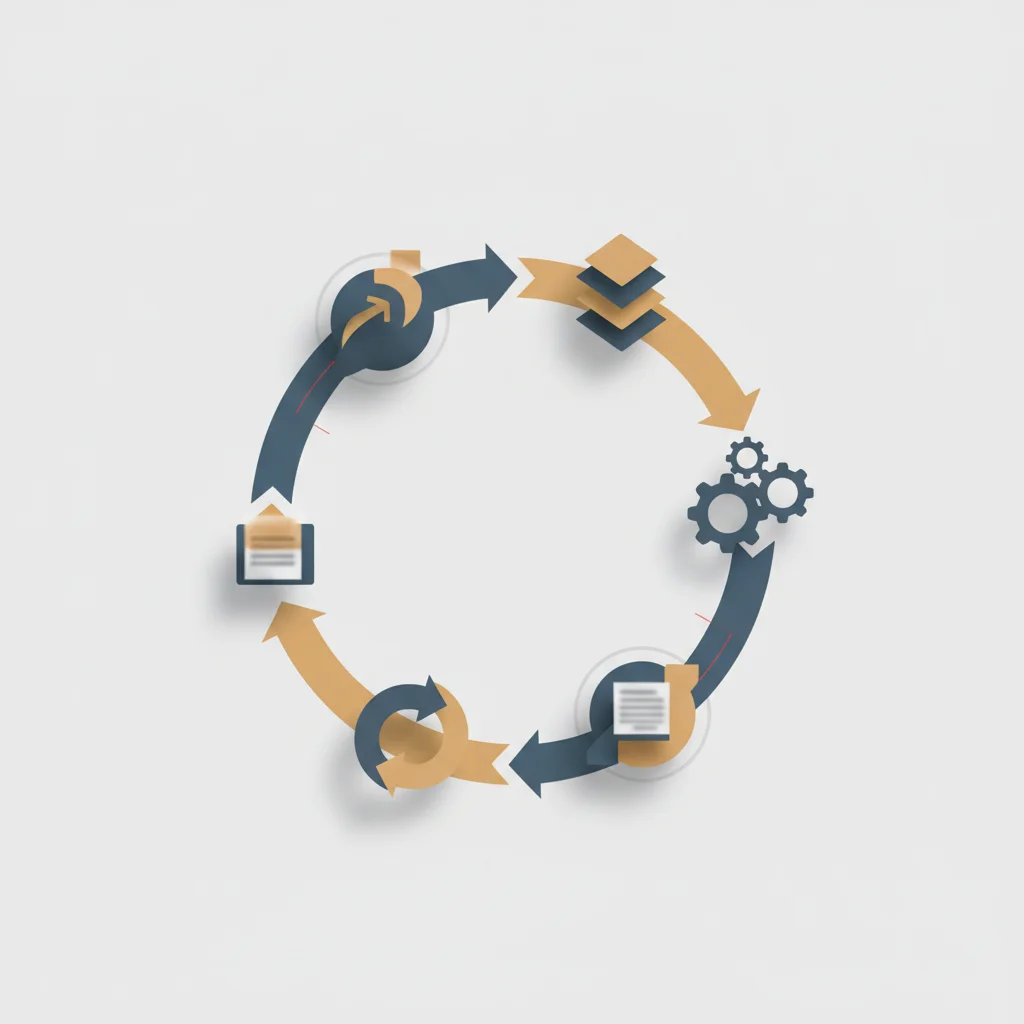
Once a chatbot is live, continuous monitoring is necessary to track system performance and user satisfaction. Telemetry tools should record critical metrics, including user session lengths, latency per response, input/output token counts, and fallback activation rates (when the chatbot fails to resolve a query and routes it to a human agent). Analyzing this data helps developers identify bottlenecks, such as slow vector search queries or models exceeding their latency targets.
Furthermore, monitoring conversational logs allows developers to identify where the chatbot's answers did not meet expectations. By clustering unresolved queries using unsupervised machine learning algorithms, teams can pinpoint specific topics where users are asking questions the system is not yet equipped to answer. This semantic clustering provides a clear roadmap for future updates to the knowledge base.
To keep up with changing performance trends, teams should monitor for "concept drift"—changes in user vocabulary or query patterns over time. Regular analysis of conversational data ensures that prompt templates, model versions, and system instructions remain aligned with actual user expectations.
Continuously Updating the Knowledge Base
An enterprise chatbot is only as reliable as the reference data it accesses. As corporate policies, product lines, and operational procedures evolve, the database backing the RAG pipeline must be updated accordingly. Stale documents lead to outdated answers and potential compliance issues, making a robust knowledge base update process essential.
Organizations should build automated pipelines that synchronize their vector database with primary internal data sources, such as Confluence, SharePoint, or external CMS platforms. When a document is created, updated, or archived in the primary system, a webhook should trigger an automated pipeline. This pipeline chunks the updated document, generates new vector embeddings, and updates the vector database index, ensuring the chatbot always references current information.
Additionally, periodic manual reviews of the document library are recommended to remove redundant or conflicting information. If two documents present contradictory guidelines, the vector database may retrieve both, causing the LLM to generate inconsistent or confusing answers. Keeping a clean, curated knowledge source is a fundamental prerequisite for maintaining high chatbot accuracy over its operational lifecycle.
Frequently Asked Questions
How do you train an AI chatbot on secure company data?
Training an AI chatbot on secure company data is best achieved using Retrieval-Augmented Generation (RAG) to dynamically query custom business data during runtime [1]. Rather than fine-tuning the model's core weights, documents are split into chunks, converted into vector embeddings, and stored in a secure vector database to provide factual context to the LLM without data leakage.
How much time and budget is required to build a custom AI chatbot?
A basic prototype can be developed within 2 to 4 weeks for a few thousand dollars using proprietary API integrations and standard frameworks. However, building an enterprise-grade system with custom API integration, security audits, and automated data pipelines typically takes 3 to 6 months and carries an operational budget ranging from $10,000 to over $50,000.
What is the difference between RAG and fine-tuning for chatbots?
RAG retrieves real-time, external documents to provide accurate context for answering specific queries, making it ideal for factual knowledge bases [1]. Fine-tuning modifies the internal weights of the model to teach it a specific tone, writing style, or specialized industry terminology, but does not prevent hallucinations.
What is the most secure LLM framework for corporate use?
The most secure approach involves self-hosting open-source models like Llama 3 or Mistral inside a private virtual cloud (VPC) on platforms such as AWS or Azure. This setup keeps all prompt transmissions and custom business data within your corporate firewall, avoiding compliance risks associated with external API endpoints.
How do you prevent an AI chatbot from hallucinating false information?
Hallucinations are reduced by limiting the chatbot's access to verified reference context using a RAG pipeline and writing system prompts that instruct the model to say "I don't know" when information is missing. Implementing real-time guardrails to validate that the model’s outputs match the retrieved context provides an additional layer of security.
Can an AI chatbot integrate directly with legacy CRM and ERP platforms?
Yes, modern chatbots can integrate with legacy systems using tool-calling and API integration layers. The orchestrator converts the chatbot's structured JSON outputs into API requests to update client records, pull real-time order data, or trigger workflows across your enterprise architecture.
How do token limits impact the cost and capability of an AI chatbot?
Token limits define the maximum amount of text a model can process in a single turn, which restricts how much context can be retrieved via RAG. Larger context windows allow for more comprehensive references but increase processing latency and token usage costs, requiring developers to optimize chunk sizes.
What metrics should we track to evaluate chatbot performance?
Organizations should monitor user retention, deflection rates (the percentage of queries resolved without human intervention), response latency, and CSAT scores. From a technical perspective, tracking faithfulness (accuracy against source documents) and context relevance helps evaluate the quality of the underlying RAG pipeline.