
How to Generate Images with AI
AI image generation uses models like DALL-E 3 and Midjourney. Users input descriptive text prompts detailing the subject, style, and lighting to produce precise digital visuals.
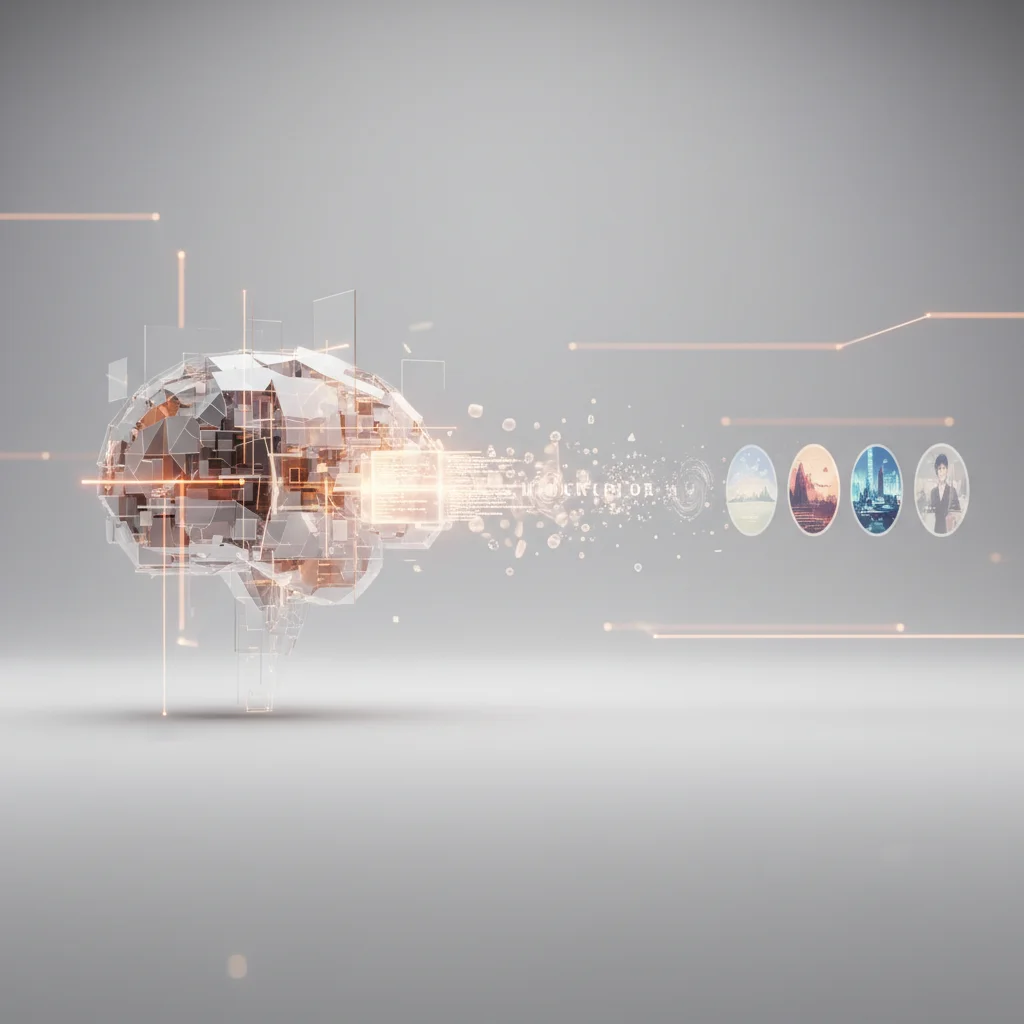
AI image generation uses models like DALL-E 3 and Midjourney. Users input descriptive text prompts detailing the subject, style, and lighting to produce precise digital visuals. For business owners, product managers, and digital strategists, understanding how to harness these generative AI models is no longer about novelty; it is about establishing scalable visual workflows, reducing time-to-market, and maintaining strict brand consistency. This comprehensive guide outlines the underlying mechanics of text-to-image technology, evaluates the leading corporate-grade models, provides a structured framework for prompt engineering, and addresses the critical compliance and intellectual property landscapes that decision-makers must navigate to deploy AI-generated imagery safely in commercial environments.
Understanding AI Image Generation in the Corporate Landscape

How Text-to-Image AI Models Work
Modern text-to-image generation is powered by complex machine learning algorithms, primarily deep neural networks trained on massive datasets of paired images and textual descriptions. At the core of this technology are diffusion models, which have largely succeeded previous architectures like Generative Adversarial Networks (GANs). The diffusion process begins by taking an image and incrementally adding Gaussian noise to it until it becomes completely unrecognizable. A neural network is then trained to reverse this process, learning how to reconstruct clean images from pure noise.
To guide this denoising process with text, models integrate natural language processing (NLP) architectures, specifically transformer-based text encoders like CLIP (Contrastive Language-Image Pre-training) developed by OpenAI, or T5 (Text-to-Text Transfer Transformer). When a user inputs a prompt, the text encoder translates the natural language into high-dimensional vector representations known as text embeddings. These embeddings are mapped to a shared latent space where visual concepts and linguistic tokens align.
During generation, the model starts with a canvas of random noise in latent space. Utilizing the text embeddings as a semantic compass, the diffusion model’s scheduler iteratively removes noise over a series of steps. In each step, the neural network predicts the noise component and subtracts it, gradually steering the latent representation toward the visual concepts specified in the prompt. Finally, a Variational Autoencoder (VAE) decoder translates this latent vector back into a high-resolution pixel-based image that users can view and export.
The Business Value of Generative Visuals
For enterprises and digital teams, the integration of generative AI models into creative pipelines represents a fundamental shift in asset production. Traditionally, securing marketing, product, or editorial visuals required significant capital expenditure, involving stock photography subscriptions, custom photography shoots, or prolonged graphic design sprint cycles. Generative AI compresses these timelines from days or weeks to minutes, allowing rapid prototyping and iterative concept development.
The primary commercial value lies in custom asset generation and localizing visual content at scale. Marketing teams can generate dozens of localized ad variations tailored to specific demographics, regional aesthetics, or product configurations without initiating new photoshoots. In product development, UI/UX designers use these models to generate high-fidelity mood boards, conceptual layout assets, and illustrative components to align stakeholders long before committing front-end development resources.
However, business owners must approach this technology with operational realism. Generative AI is not a complete replacement for human designers; rather, it acts as a force multiplier. While the cost-per-image drops to fractions of a cent, the necessity for human-in-the-loop oversight remains high. Human designers are critical for quality control, fine-tuning spatial compositions, conducting post-processing edits, and ensuring that the outputs align precisely with brand guidelines and regulatory compliance.
Leading AI Image Generation Models
DALL-E 3: Best for Contextual Accuracy and Ease of Use
Developed by OpenAI, DALL-E 3 is highly regarded for its exceptional adherence to complex text prompts. Integrated natively into ChatGPT Plus and enterprise-tier subscriptions, it leverages the conversational engine's language comprehension to automatically refine user inputs. When a user submits a simple prompt, ChatGPT expands it into a highly detailed descriptive prompt, ensuring the underlying diffusion model interprets the nuances of composition, subject placement, and lighting parameters accurately.
DALL-E 3’s strength lies in its ability to handle intricate relationships between multiple objects, render text legibly within images (a common failure point for older models), and respect specific sizing requests. For business users, this eliminates the steep learning curve associated with complex prompt syntax. However, DALL-E 3 operates under highly restrictive guardrails that prevent the generation of public figures, copyrighted characters, or styles mimicking specific living artists. It also offers fewer manual configuration options, such as seed control or custom aspect ratios, compared to its competitors.
From an API perspective, DALL-E 3 is priced per image based on resolution and quality settings. For example, standard 1024x1024 pixel images cost approximately $0.040 per image, while high-definition (HD) outputs at the same resolution cost $0.080. This clear pricing model allows developers and product managers to calculate exact API costs when integrating image generation into custom software, customer portals, or automated marketing workflows.
Midjourney: Best for High-Fidelity and Artistic Quality
Midjourney (with its Midjourney v6 iteration) remains the industry benchmark for raw aesthetic quality, photorealism, and artistic composition. Operating primarily through a Discord bot interface and a dedicated web application for high-volume users, Midjourney produces cinematic, highly detailed visual outputs that require minimal prompt engineering to look professional. It excels at rendering complex textures, skin details, atmospheric lighting, and architectural forms.
For creative agencies and digital products where visual appeal is paramount, Midjourney offers robust parameter controls. Users can adjust aspect ratios using the @@CODE0@@ parameter, control stylistic influence with @@CODE1@@ (or @@CODE2@@ for style weight), introduce randomness with @@CODE3@@, and utilize regional inpainting (varying specific sections of an image) to refine outputs. The model also supports "Style Reference" (@@CODE4@@) and "Character Reference" (@@CODE5@@), allowing teams to upload an existing image and force the engine to maintain consistent stylistic aesthetics or character features across multiple generated scenes.
Despite its superior output quality, Midjourney presents integration challenges for enterprise workflows. The platform does not offer an official, publicly accessible REST API for developers, forcing teams to rely on manual web/Discord usage or unauthorized third-party API wrappers. This limitation makes it less suitable for automated, server-side applications. Midjourney’s licensing models require businesses with gross annual revenues exceeding $1,000,000 to purchase their "Mega" or "Pro" plans (ranging from $60 to $120 per month) to secure commercial usage rights.
Adobe Firefly: The Commercially Safe Option for Enterprises
Adobe Firefly was engineered specifically to address the legal and ethical concerns that deter enterprises from adopting generative AI. Unlike models trained on scraped internet data, Adobe trained Firefly exclusively on licensed content from Adobe Stock, openly licensed assets, and public domain materials where copyrights have expired. Because of this, Adobe offers commercial indemnification to enterprise customers, protecting businesses against potential copyright infringement lawsuits resulting from the use of Firefly-generated imagery.
Firefly is deeply integrated into the Adobe ecosystem, appearing as native features inside Photoshop, Illustrator, and Express. Features like Generative Fill and Generative Expand allow designers to manipulate existing corporate assets with pixel-level precision. Firefly also introduces "Structure Reference" and "Style Reference" modules, which allow creators to upload a template layout (such as a wireframe or vector path) and apply custom brand styles over it, ensuring strict adherence to existing layout guidelines.
Furthermore, Firefly automatically appends Content Credentials (metadata based on the C2PA standard) to every generated asset. This digital "nutrition label" certifies that the image was generated or edited using AI, providing transparency that is increasingly required by regulatory bodies and platform terms of service. While Firefly's raw artistic output can sometimes appear more conservative or heavily stylized compared to Midjourney, its legal safety, predictable licensing, and tight integration with professional design suites make it the preferred model for corporate compliance departments.
Stable Diffusion: Best for Advanced Control and Customization
Developed by Stability AI, the Stable Diffusion family (including SDXL and Stable Diffusion 3) represents the open-weights segment of the market. Unlike closed platforms like DALL-E 3 or Midjourney, Stable Diffusion can be downloaded and run locally on consumer-grade or enterprise-grade graphics cards (GPUs), or deployed on private cloud infrastructure such as AWS, Google Cloud, or Azure. This open architecture makes it the premier choice for organizations with strict data privacy requirements that cannot allow proprietary designs, product drafts, or customer data to leave their internal networks.
Stable Diffusion’s greatest asset is its ecosystem of advanced control tools. Using ControlNet, developers and designers can feed auxiliary guidance images to control the precise structural layouts of the generation. For example, a Canny edge detector can force the AI to generate an image that perfectly matches the lines of a CAD drawing, while OpenPose can control the exact posture of a human subject in an ad banner. Additionally, teams can train Low-Rank Adaptations (LoRAs) or conduct full model fine-tuning on a small dataset of their own brand assets, teaching the model to output visuals that perfectly match their internal brand guidelines and color palettes.
Running Stable Diffusion locally or via private cloud APIs requires technical expertise and specialized hardware. To generate high-resolution images efficiently, host systems require dedicated NVIDIA GPUs with at least 12GB of VRAM (such as the RTX 4070 or enterprise-tier A10G and L4 GPUs). For commercial deployment of Stability AI's latest models, organizations must acquire a Stability AI Enterprise License, which is subject to tiered pricing structures depending on the company's size and integration scope.
Step-by-Step Guide: How to Generate Images with AI
Step 1: Select the Right AI Model for Your Needs
The initialization of any AI-driven visual campaign begins with choosing the correct engine based on your technical requirements, budget, privacy constraints, and final output goals. If your team requires highly specific object placement or explicit text overlays within the image, select DALL-E 3. If your project demands photorealistic human subjects, cinematic lighting, or highly styled environments, choose Midjourney.
For enterprise projects requiring strict brand guidelines, pre-existing layout structures, or absolute legal protection, integrate Adobe Firefly. Finally, if you need to deploy the solution within a private cloud, fine-tune the model on proprietary product designs, or use specialized structural guidance inputs, build your pipeline using Stable Diffusion.
Step 2: Formulate Your Initial Text Prompt
Once the model is selected, draft your initial text prompt. A common operational error is writing overly simplistic or highly abstract prompts (e.g., "a modern office"). This forces the generative model to fill in the blanks, often resulting in generic, off-brand, or chaotic compositions.
Instead, construct a highly descriptive prompt that defines the core subject, the environment or background, the composition and camera angles, the lighting characteristics, and the overall artistic medium or style. Keep your language direct and avoid conversational filler words like "please generate" or "beautifully rendered," as these dilute the attention weights of the model's text encoder.
Step 3: Generate and Review the Output
Initiate the generation process. Depending on the model, platform parameters, and resolution settings, this process will take anywhere from 5 to 45 seconds. Once the initial batch of images is rendered (most engines generate a grid of four variations), conduct a rigorous quality review.
Evaluate the output against your criteria:
Anatomical and Spatial Accuracy: Check for common structural errors, such as distorted hands, unnatural limbs, floating objects, or impossible physical architectures.
Prompt Alignment: Verify if the model respected all key terms of your prompt, such as color schemes, object placements, and specific actions.
Aesthetic Alignment: Assess if the overall color grading, contrast, and style match your intended brand identity.
Step 4: Refine and Iterate with Adjustments
Rarely will an initial prompt yield a perfect, production-ready asset. The generation process is inherently iterative. If the overall composition is correct but specific details are flawed, use the model's refinement tools.
In Midjourney or Stable Diffusion, you can use Inpainting (Vary Region) to highlight a specific area (such as a face or a product label) and rewrite the prompt specifically for that area to correct errors. If you like the composition but want a different stylistic approach, adjust parameters such as the CFG Scale (Classifier-Free Guidance, which dictates how closely the model adheres to your prompt) or modify your prompt text to emphasize underrepresented elements. If you are using Stable Diffusion, you can lock the seed number of your generation to ensure subsequent iterations maintain identical layouts while only altering small details like lighting or color.
Step 5: Upscale and Export the Final Visual
Most native generative engines produce initial outputs at standard web resolutions, typically around 1024x1024 or 1024x1536 pixels. While suitable for social media or draft mockups, these resolutions are insufficient for high-quality print media, large-format banners, or high-density display screens.
To prepare the image for final production:
Select an Upscaler: Use the built-in upscalers provided by the platforms (such as Midjourney’s subtle or creative upscalers) to increase resolution to 2K or 4K.
Use Dedicated AI Upscalers: For maximum clarity, export the image and process it through dedicated, external AI upscaling models like Topaz Gigapixel AI, Magnific AI, or open-source Real-ESRGAN networks. These tools do not simply stretch pixels; they intelligently reconstruct fine textures, clean up compression artifacts, and sharpen blurry edges.
Post-Processing: Import the upscaled asset into professional photo editing software to apply final color corrections, crop to required aspect ratios, and overlay vector branding elements.
Follow these operational phases to transition from raw concept to finalized digital asset. Match project requirements to the strengths of DALL-E 3, Midjourney, Firefly, or Stable Diffusion. Formulate a descriptive text prompt detailing subject, lighting, composition, and style parameters. Review initial drafts for spatial anomalies; utilize inpainting, seed locking, or parameter tweaking to fix errors. Apply AI upscaling to reach production-grade resolutions and perform final brand integrations in editing software.The Core Generation Pipeline
Model Selection
Prompt Structuring
Iterative Refinement
Scale & Post-Process
Principles of Effective Prompt Engineering
Structuring Your Descriptive Prompts
Prompt engineering is not about finding "magic words"; it is the practice of structuring descriptive text prompts in a way that aligns with how machine learning algorithms categorize visual data. When writing a prompt, think of it as a modular formula. Placing your most critical concepts at the beginning of the prompt is essential, as text encoders weight earlier words more heavily than later ones.
An effective, enterprise-grade prompt structure follows this hierarchical taxonomy:
Core Subject: What is the primary focus? (e.g., "An ergonomic executive office chair"). Be specific; avoid generic nouns.
Environment & Background: Where is the subject located? (e.g., "placed in a minimalist corporate boardroom with floor-to-ceiling glass windows").
Composition & Camera Settings: How is the scene framed? (e.g., "shot from a low-angle perspective, wide-angle lens, rule of thirds composition"). Use cinematic terminology to instruct the camera behavior.
Lighting Parameters: What is the source, temperature, and quality of light? (e.g., "soft golden hour sunlight filtering through windows, volumetric dust motes, subtle rim lighting on the chair edges").
Artistic Style & Medium: What is the visual format? (e.g., "commercial product photography, high-end editorial style, shot on 35mm film, highly detailed textures").
Defining Subject, Lighting, and Artistic Style
To gain precise control over your visual output, you must replace subjective descriptors (like "beautiful," "hyperrealistic," or "epic") with objective technical terms. Subjective words are highly prone to model misinterpretation because their definition varies wildly in training datasets.
When defining lighting, use professional cinematic terms:
Rembrandt Lighting: Creates a moody, high-contrast look with a signature triangle of light on the shadowed side of the face or product.
Studio Softbox Lighting: Delivers even, diffused illumination that minimizes harsh shadows, ideal for clean product catalogs.
Volumetric Lighting: Produces visible rays of light passing through atmospheric elements, adding depth and drama.
Bi-Color LED Accent Lighting: Introduces modern, contrasting color tones (such as teal and orange) to give assets a contemporary, tech-focused look.
When defining artistic style, clearly state the medium. If you want a photo-like image, specify camera models, focal lengths, and film stocks (e.g., "shot on Hasselblad H6D-100c, 85mm portrait lens, f/2.8 aperture, crisp focus"). If you require non-photographic assets, guide the model toward specific design formats: "clean vector illustration, flat design, isometric projection, limited brand color palette of navy and copper" or "digital matte painting, concept art style, gouache textures."
Utilizing Negative Prompts for Precision
In many generative systems (particularly Midjourney and Stable Diffusion), defining what you do not want is just as critical as defining what you do want. Negative prompts allow you to filter out unwanted concepts, styles, colors, or structural errors before the diffusion process begins.
In Midjourney, negative prompting is executed using the @@CODE0@@ parameter (e.g., @@CODE1@@). In Stable Diffusion, negative inputs are entered into a dedicated negative prompt text field.
For commercial asset production, use negative prompts to systematically eliminate:
Aesthetic Elements:
cliché, oversaturated colors, cheap stock photo look, watermark, signatures, logos, text overlays.Anatomical Deviations:
deformed hands, mutated fingers, extra limbs, bad proportions, blurry faces, double heads.Stylistic Bleed:
amateur drawing, cartoonish, 3D render look(when aiming for high-end photography).
Using negative prompts reduces the frequency of unusable generations, lowering overall API costs and saving designers time during the iterative review stages.
Compliance, Copyright, and Ethical Considerations

Navigating Commercial Use and Intellectual Property
The intersection of generative AI and intellectual property (IP) law is rapidly evolving, presenting significant compliance challenges for corporate legal departments. The primary legal challenge stems from how AI models are trained. Many foundational models were trained on public datasets containing copyrighted images without the explicit consent of the original creators. This has led to ongoing class-action lawsuits brought by artists and stock agencies against AI developers.
From a licensing perspective, business owners must carefully review the Terms of Service (ToS) of the platforms they employ. For example:
DALL-E 3 (via ChatGPT Enterprise or API): OpenAI states that users own the inputs and outputs of the service, allowing commercial use. However, they do not provide broad IP indemnification for basic or free tiers.
Adobe Firefly: Adobe provides contractually backed IP indemnification for enterprise customers, assuming the user has not violated the platform's content guidelines or uploaded infringing reference images.
Midjourney: Commercial rights are granted only under paid subscription plans. However, if your organization generates over $1M in gross annual revenue, you are contractually obligated to be on a "Pro" or "Mega" tier to maintain these commercial rights.
Furthermore, current legal precedents in several major jurisdictions, including the United States Patent and Trademark Office (USPTO) and the European Union, state that purely AI-generated works without substantial human authorship are not eligible for copyright protection. This means that while you can generate and use an AI image commercially, you may not be able to legally prevent a competitor from copying and using that exact same image, unless it has undergone substantial human modification, editing, or integration into a larger copyrighted work (such as a multi-page brochure or a unique user interface).
Avoiding Copyright Infringement in AI Outputs
To minimize the risk of copyright infringement when deploying AI-generated visuals, corporate creative teams must implement strict prompting guidelines. Even if a model is cleared for commercial use, a poorly written prompt can force the engine to generate infringing content.
To maintain compliance, establish the following operational boundaries:
Ban Copyrighted IP in Prompts: Never include trademarked brand names, specific corporate logos, or copyrighted characters in your prompts (e.g., do not prompt for "a businessman drinking from a Coca-Cola can"). Instead, prompt for generic descriptions: "a businessman holding a sleek, unbranded red soda can."
Avoid Mimicking Living Artists: Do not use prompts containing "in the style of [living artist's name]". This not only presents ethical issues but also increases the likelihood that the model will produce a derivative work that could face legal challenges. Guide the model using historical art movements or objective medium descriptors instead (e.g., "Art Deco style" or "flat minimalist vector illustration").
Sanitize Output Assets: Implement a mandatory review phase where graphic designers inspect generated assets for accidental brand reproductions. If the AI model accidentally renders a shape resembling a protected logo, designers must manually edit out or replace those pixels before public deployment.
Maintaining Brand Consistency and Data Privacy
For high-growth businesses, visual assets must align precisely with existing brand guidelines, color palettes, and stylistic rules. Achieving this consistency with general-purpose public AI models can be difficult, as their output is naturally variable.
To solve this, enterprises should utilize private, closed-loop environments. For instance, when using Stable Diffusion, you can build custom LoRA models trained exclusively on your company's existing photography catalog, product designs, and corporate brand books. This restricts the model’s latent space, ensuring that generated outputs automatically utilize your exact corporate color hex codes, product proportions, and overall aesthetic values.
Equally important is the issue of data privacy. When teams use free, public generative AI tools, the inputs (including uploaded images, sketches, and detailed prompt text) are often ingested by the service providers to further train future foundational models. For businesses, this creates a major risk of leaking trade secrets, unreleased product designs, or sensitive customer data.
To mitigate data privacy risks:
Disable data-sharing options within ChatGPT and enterprise AI portals.
Utilize local or private cloud instances of Stable Diffusion where no data is transmitted to external servers.
Ensure that any third-party AI integration partner complies with regional data protection acts such as the General Data Protection Regulation (GDPR) and domestic personal data protection frameworks.
Frequently Asked Questions
Can I legally use AI-generated images for commercial purposes?
Yes, most leading AI platforms permit commercial use of their outputs, provided you use a paid subscription tier or an authorized API connection. However, raw AI-generated assets cannot be copyrighted in many jurisdictions, meaning you cannot legally prevent competitors from copying them unless the images undergo substantial human modifications.
What is the most legally secure AI image generator for enterprise use?
Adobe Firefly is currently the safest option for enterprise commercial projects. It is trained exclusively on licensed Adobe Stock, openly licensed content, and public domain materials, allowing Adobe to offer formal intellectual property indemnification to enterprise-level subscribers.
How do I ensure my AI-generated visuals maintain strict brand colors?
To maintain brand consistency, utilize platforms that support "Style References" (like Midjourney or Adobe Firefly) or deploy Stable Diffusion with custom LoRAs trained on your brand’s asset library. This forces the model to restrict its output to your specified hex codes, design styles, and spatial layouts.
Is it safe to upload proprietary product sketches into public AI models?
No, uploading proprietary designs or sensitive data into public generative engines poses a significant risk of data leakage. Many platforms use user uploads to train future models; always ensure you are using an enterprise plan with data-sharing disabled, or run models like Stable Diffusion locally to keep data secure.
Why do AI models fail when rendering hands and text, and how can I fix it?
Diffusion models generate images based on statistical patterns of noise reduction rather than a logical understanding of physical anatomy or linguistics. You can resolve these rendering errors by using DALL-E 3 for better text adherence, or by using inpainting tools in Midjourney and Stable Diffusion to regenerate flawed areas.
What are the hardware requirements to run Stable Diffusion locally?
Running Stable Diffusion SDXL or SD3 locally requires a dedicated computer equipped with an NVIDIA GPU containing at least 12GB of Video RAM (VRAM), such as an RTX 4070, to ensure efficient processing speeds and support high-resolution rendering without running out of memory.
How does DALL-E 3 pricing work for developers integrating the API?
OpenAI charges for DALL-E 3 API usage on a per-image basis depending on the requested resolution and quality settings. A standard 1024x1024 pixel image costs $0.040, while a high-definition (HD) version of the same size costs $0.080 per generation.
What is the purpose of Content Credentials in AI-generated imagery?
Content Credentials, based on the C2PA open standard, are digital metadata tags automatically embedded in images to certify their origin. They provide verified transparency by documenting that an image was generated or altered using artificial intelligence, assisting with regulatory compliance and platform standards.