
How to Manage Mobile App Version Updates
Managing mobile app version updates requires versioning strategies, robust testing, phased rollouts, and compliance with App Store and Google Play guidelines.

Managing mobile app version updates effectively is a core engineering and product strategy requirement that dictates user retention, operational stability, and brand trust. To successfully execute this process, product teams must synchronize engineering cycles with platform compliance, backend API support, and risk-mitigated deployment strategies. This guide provides an exhaustive blueprint on how to manage mobile app version updates, detailing the technical mechanisms, organizational workflows, and regulatory compliance required to maintain a seamless user experience across iOS and Android ecosystems. Decision-makers will gain actionable insights into structuring a lifecycle strategy that minimizes disruption, avoids store rejections, and optimizes long-term software performance.
The Strategic Importance of App Version Management
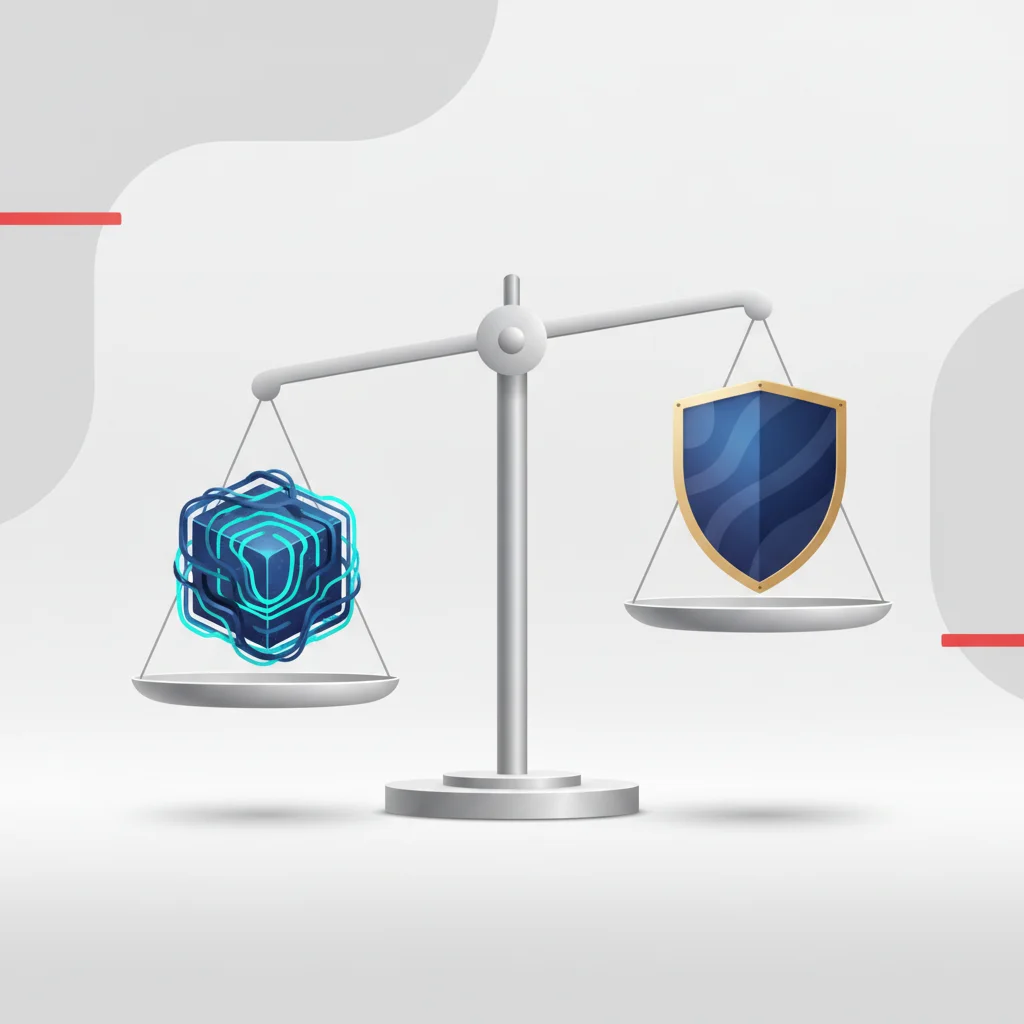
Balancing Innovation with System Stability
In contemporary software development, the pressure to deploy new features can often lead to architectural decay, also known as technical debt. For product managers and developers, the challenge lies in delivering innovative tools to users without degrading the core performance of the existing application. Unlike web platforms where bad deployments can be rolled back instantly on the server, mobile applications are distributed client-side binaries. This physical distribution model means that once a compiled package is installed on a user's device, the developer relinquishes direct control over that runtime environment. Supporting multiple old builds while pushing the boundaries of the latest operating system updates creates a complex matrix of software dependencies.
Maintaining a stable application environment requires a disciplined approach to code deprecation, modular architecture, and resource planning. A monolithic codebase is highly susceptible to side-effects where an update in one module inadvertently breaks an unrelated subsystem. Adopting modular architectures, such as feature modules or micro-frontends where isolated segments of code can be updated independently, helps mitigate these conflicts. Furthermore, developers must account for physical device constraints including memory limitations, CPU thermal throttling, and battery consumption profiles. Every line of new code introduced must be evaluated against these hardware constraints to ensure the application remains highly responsive.
Strategic alignment with major operating system cycles—namely Apple's iOS and Google's Android—is also essential. OS updates often introduce deprecated APIs, updated security paradigms, and revised user interface standards. Failing to align the product roadmap with these platform cycles can result in sudden runtime failures for users who upgrade their operating systems. Teams must establish clear support windows, typically opting to support the current major OS version and its two predecessors (N-2 support policy). This clear operational boundary prevents the development team from spending valuable resources debugging legacy issues on highly fragmented, outdated operating systems.
Mitigating Risks Associated with New Releases
The release of a new application binary carries inherent risks that can directly impact business metrics. A single critical bug, such as a broken checkout flow in an e-commerce app or a crash-on-launch issue in a SaaS utility, can cause immediate user churn, drop in active user counts, and a surge in support tickets. The cost of acquiring a mobile user is substantial; losing them due to a preventable technical regression is a significant financial loss. Therefore, the release management process must treat every update as a high-stakes deployment, implementing guardrails that minimize the blast radius of potential failures.
To lower release risks, organizations must decouple code deployment from feature exposure. This is primarily accomplished through feature flagging mechanisms. By wrapping new features in remote toggle switches (using services like LaunchDarkly, Unleash, or custom remote configurations), teams can deploy the underlying binary to millions of devices with the new features disabled. Once the stability of the build is verified in the wild, product managers can gradually toggle features on for specific cohorts of users. If an issue is detected, the feature can be disabled instantly on the backend without requiring a new app store submission, bypassing the lengthy store approval process.
Another critical risk vector is the synchronization between mobile client updates and backend database schemas. Mobile updates often run in tandem with server-side API changes. If a client update is pushed that relies on a database column or endpoint that has not yet been deployed, the application will fail. Conversely, if the server is updated with breaking changes before the old clients are retired, legacy users will experience system failures. Mitigating this risk requires strict schema migration protocols, double-writing data during transitions, and implementing rigorous backward compatibility tests across all active API contracts.
Establishing a Robust App Versioning Strategy

Implementing Semantic Versioning (SemVer) Protocols
An organized versioning strategy serves as the foundation for clear communication between developers, quality assurance teams, product managers, and automated continuous integration (CI) systems. The industry standard for this process is Semantic Versioning (SemVer), which utilizes a three-part numbering system: MAJOR.MINOR.PATCH. Each increment communicates specific information about the nature of the changes introduced in the software release.
Applying SemVer strictly in a mobile environment requires extra caution due to local database dependencies. For instance, mobile apps often use local storage engines such as SQLite, Room, or CoreData. If a minor update modifies a database table structure without proper migration logic, users updating their apps will suffer from immediate local database corruption and crashes. In this scenario, even though the feature set might seem minor, the risk profile of the database change warrants elevating the release coordination to a major release, or at least executing a migration protocol that has been tested extensively.
Alternative schemas, such as Calendar Versioning (CalVer, e.g., 2026.08.17), are occasionally favored by rapidly updating consumer apps. While CalVer is useful for demonstrating the freshness of an application to marketing teams, it fails to convey technical dependency structures to automated systems. For business-to-business (B2B) applications, enterprise utilities, and SaaS tools, Semantic Versioning remains the superior framework due to its strict structural meaning, enabling automated build scripts and dependency managers to accurately determine compatibility.
Distinguishing Between Public Versions and Internal Build Numbers
A common source of confusion in mobile deployment is the difference between the public version string displayed to consumers and the internal build number used by the store operating systems. iOS and Android use different naming conventions for these values, and managing them improperly will lead to immediate compilation upload errors during the packaging phase.
On iOS, the public-facing version is defined by the @@CODE0@@ key, while the internal version is defined by @@CODE1@@. On Android, these correspond to @@CODE2@@ and @@CODE3@@ respectively. The public version string is what users see on the Apple App Store and Google Play Store product pages. It must strictly follow the SemVer guidelines to maintain clean external documentation.
<!-- Example of Android build configuration (build.gradle) -->
android {
    defaultConfig {
        versionCode 10245 // Monotonically increasing integer
        versionName "3.4.2" // Human-readable SemVer string
    }
}
The internal build number, however, is a monotonically increasing integer that is incremented with every single compilation. While Apple allows developers to reset the internal build number when the public version string is changed (e.g., version @@CODE0@@ can have builds @@CODE1@@ through @@CODE2@@, and version @@CODE3@@ can reset and start at build 1), this practice is highly discouraged. Best practice dictates using an absolute, continuously increasing build integer across the entire lifespan of the application.
Automating this increment through a CI/CD pipeline integration (using automated workflows in tools like GitHub Actions, CircleCI, or Fastlane) is essential. Manually updating version strings in code before each upload is a highly error-prone process. Automation ensures that every time code is merged into a release branch, the build number is automatically bumped, a git tag is created, and the compiled binary is pushed directly to the distribution platforms. This eliminates the risk of build code collision and guarantees a clear, traceable history from the compiled binary back to the specific line of code that generated it.
Pre-Release: Rigorous Quality Assurance and Testing
Structuring Regression and Automated Testing Procedures
Before a release binary is uploaded to Apple App Store Connect or the Google Play Console, it must undergo a rigorous QA verification pipeline. Mobile applications face severe fragmentation across physical hardware. Unlike web browsers, which generally standardize around core rendering engines, mobile devices feature highly varied CPU architectures, screen aspect ratios, GPU render engines, and customized brand skins on Android. This massive variety makes manual testing alone insufficient.
A professional testing matrix must combine unit testing, integration testing, and automated UI regression testing. Unit tests validate individual functions and business logic locally, executing in seconds. Integration tests verify that different modules of the application interact correctly. Automated UI regression testing utilizes framework tools like Appium, Espresso, or XCUITest to simulate actual user actions on physical hardware or cloud-hosted device farms (such as AWS Device Farm or BrowserStack). These automated scripts should simulate critical workflows: user authentication, registration, database writes, and transaction checkouts.
[Code Merge] ──> [Unit Tests] ──> [Integration Tests] ──> [Cloud Device UI Tests] ──> [Beta Deployment]Performance profiles must also be measured automatically. Changes in code can introduce memory leaks, resulting in the operating system force-closing the application (OOM - Out of Memory exceptions). Testing pipelines should monitor memory footprints, network call volumes, and rendering frame rates (aiming for consistent 60fps or 120fps UI rendering). Incorporating tools like Sentry, Bugsnag, or Firebase Performance Monitoring at this stage helps detect anomalies in memory heap usage and CPU utilization prior to store submission, keeping production crash rates low.
Utilizing TestFlight and Google Play Console for Beta Testing
Once a build has passed automated checks, it must be distributed to real-world users in controlled environments. Beta testing provides a critical buffer to collect qualitative feedback and catch unforeseen edge-case crashes that automated scripts may miss.
On iOS, TestFlight is the official environment for beta distribution. It divides testers into two primary tiers:
Internal Testers: Up to 100 team members can download builds immediately after processing. This is ideal for rapid internal QA verification.
External Testers: Up to 10,000 public users can be invited via email or a public link. External builds must go through a lighter, automated Apple Beta App Review process before distribution.
On Android, the Google Play Console provides a highly flexible hierarchy of testing tracks:
Internal Testing: Fast-tracked distribution for up to 100 internal developers, bypassing standard manual store reviews.
Closed Testing (Alpha): Designed for larger, targeted groups of testers. This track is especially important for new Google Play developer accounts, which are required to have at least 20 testers opt-in for 14 consecutive days before being allowed to publish to production.
Open Testing (Beta): Accessible directly through the Google Play Store search, allowing any user to opt-in as a tester and submit direct feedback to developers instead of writing public reviews.
Managing feedback from these cohorts requires direct integration with bug tracking software. When a beta tester experiences a crash, the application must capture the state of the device, the stack trace, and console logs, piping this telemetry directly into engineering dashboards.
Ensuring Backend and API Backward Compatibility
A common cause of post-release system failures is the mismatch between the updated mobile app client and the server-side API. Since mobile updates are pull-based—meaning users choose when to download the update—older versions of the app can remain active in the wild for months. If an update changes a database schema or deprecates an API endpoint without safeguarding backward compatibility, legacy clients will experience immediate system failures.
To protect the user base, teams must implement strict API versioning strategies. The most common approach is path-based versioning (e.g., @@CODE0@@ vs @@CODE1@@) or header-based versioning. Under this system, when a breaking structural change is made to an endpoint, a new version of that endpoint is launched alongside the old one. The older endpoint must remain active and functional until telemetry confirms that active usage of the legacy app builds has fallen below a pre-determined risk threshold (typically less than 1% of monthly active users).
Legacy Client (App v1.0) ───> Hitting /api/v1/ ───> [Legacy DB Adapter] ───┐
                                                                            ├──> [Core Database]
Updated Client (App v2.0) ──> Hitting /api/v2/ ───> [Modern Service] ──────┘
Furthermore, teams should design database migrations using the "Expand and Contract" pattern. Instead of renaming an active database column, developers first add the new column (expand), write code that writes to both the old and new columns, migrate historical data, update all active app clients to read from the new column, and only delete the old column (contract) once legacy builds are fully deprecated. This graceful transition process prevents database errors and maintains structural integrity.
Navigating Platform Guidelines and Compliance
Apple App Store Review Guidelines: Preventing Rejections
Submitting an app update to Apple App Store Connect triggers a structured review process. Apple's guidelines are strict, and violations will result in immediate rejection, delaying feature rollouts and interrupting marketing schedules. To prevent rejections, developers must align their codebase and metadata with the App Store Review Guidelines, focusing on three common friction areas:
First, Guideline 2.1 (App Completeness) requires that the application must be fully functional. It must not contain placeholder text, broken links, empty pages, or demo material. If a feature relies on a user account, developers must provide functional test credentials in the App Review Notes so reviewers can fully test the flow.
Second, Guideline 4.0 (Design) mandates a high-quality user experience. If an update introduces UI layouts that look like a web wrap or suffer from low-contrast text and layout overlap, it will be flagged. Third, Guideline 3.0 (Business) governs monetization. Any physical goods can use standard credit card processors, but digital services, premium tiers, and subscriptions must strictly utilize Apple’s In-App Purchase (IAP) system, carrying a standard commission structure (typically 15% to 30% depending on developer program status and subscription length).
If an update is rejected, teams must conduct a thorough app rejection mitigation review. The rejection note will point to the exact guideline violated. Respond professionally to the App Review team, explaining the technical implementation or correcting metadata mistakes. If the rejection is due to an obscure policy interpretation, developers can submit a formal appeal to the App Review Board. If an update is meant to address a critical security vulnerability or fix a major production crash, developers can request an expedited review to bypass the standard queue.
Google Play Store Policies and Version Requirements
Google Play Store policies focus heavily on system performance, Android SDK targeting requirements, and security compliance. Google has established rigid rules regarding target API levels. Every year, Google requires updates to target an Android API level within one or two years of the latest major Android OS release. Failing to meet this requirement means existing users running newer Android versions cannot find or install the app from the store, hurting organic acquisition.
Google also utilizes a hybrid review pipeline. While automated scanners screen code for malicious SDKs, security vulnerabilities, and policy violations, manual human testers perform functional verification. This review process typically takes between 24 and 72 hours, mirroring Apple's timeline.
Developers must pay close attention to Google Play's strict policies regarding background location access, device storage permissions, and third-party payment integration guidelines. Unnecessary permissions (such as asking for broad external storage access when only camera access is required) can lead to automated flags and immediate update rejection. Developers should follow the principle of least privilege, declaring only the minimum permissions necessary for the app's functionality.
Managing Privacy Manifests and Data Security Disclosures
Data privacy is a highly regulated compliance area. Both Apple and Google have implemented robust privacy disclosure frameworks that developers must complete with every update submission.
On iOS, developers must maintain Apple Privacy Manifests (PrivacyInfo.xcprivacy). This configuration file requires declaring:
The exact types of data the app collects (e.g., location, email addresses, device identifiers).
Whether this data is used for tracking purposes or linked directly to the user’s identity.
An explicit list of third-party SDKs used in the app, alongside cryptographically signed declarations from those SDK vendors, confirming their own data collection compliance.
Declarations of usage for "Required Reason APIs"—specific system APIs (such as system boot time or disk space) that could potentially be used for device fingerprinting.
On Android, a corresponding process takes place within the Google Play Data Safety form. This self-declared section must detail what data is collected, how it is encrypted in transit, and whether users can request data deletion. These store configurations must match the app's legal privacy policy, ensuring compliance with global legal frameworks like the General Data Protection Regulation (GDPR) in the European Union and the California Consumer Privacy Act (CCPA) in the United States. Failing to align the code's actual transmission with these declarations is a major compliance risk that can lead to app removal or regulatory penalties.
Executing the Release: Rollout Strategies

The Critical Role of Phased Rollouts (Staged Releases)
To protect the user experience from unexpected production bugs, teams should avoid releasing updates to 100% of their user base simultaneously. Instead, utilizing phased rollouts (on iOS) and staged releases (on Android) is a key best practice. This strategy gradually exposes the new version to a small, randomized percentage of users over a period of several days, allowing developers to monitor telemetry and catch issues before they affect the entire user base.
On iOS, Apple’s App Store Connect provides a standard, automated 7-day phased rollout schedule:
Day 1: 1% of users receive the update automatically.
Day 2: 2% of users.
Day 3: 5% of users.
Day 4: 10% of users.
Day 5: 20% of users.
Day 6: 50% of users.
Day 7: 100% of users.
If a critical error is identified, developers can pause the rollout at any point for up to 30 days. This stops further automatic updates while engineers debug and prepare a fix.
Google Play Console offers more granular control over staged releases. Developers can select any custom percentage (e.g., starting at 1%, then manually scaling to 10%, 25%, 50%, and finally 100%). This manual pacing allows teams to align the rollout speed with backend database loads and support team capacities.
During these rollouts, product teams must monitor analytics platforms closely. If crash rates spikes or key business metrics drop, the rollout must be paused immediately.
Configuring Force Updates for Critical Security Patches
While gradual updates are ideal for regular feature additions, certain situations require immediate user migration. If a severe security vulnerability, database corruption bug, or critical API deprecation occurs, older versions of the app must be blocked from communicating with servers. This is handled by a force update mechanism.
Implementing an effective force update flow requires designing the mobile client to check a remote configuration endpoint upon startup. The server returns a JSON payload containing the minimum allowed version and the latest available version.
{
  "ios": {
    "minimum_allowed_version": "2.4.0",
    "latest_version": "2.5.1",
    "force_update_message": "A critical security update is required to continue using this application."
  },
  "android": {
    "minimum_allowed_version": "2.4.0",
    "latest_version": "2.5.1",
    "force_update_message": "A critical security update is required to continue using this application."
  }
}
If the user’s local app version is lower than the minimum_allowed_version, the app displays an un-dismissible modal. This screen blocks navigation, explains the update requirement, and provides a direct link to the platform's app store product page. If the app version is higher than the minimum allowed but lower than the latest version, the app can display a dismissible update prompt (soft update) to encourage users to update without interrupting their session.
To ensure reliability, this startup version check must execute quickly, fail gracefully (allowing the user to continue if the config server is down), and bypass any caching systems to ensure real-time policy enforcement.
Drafting Clear and Compliant Release Notes
Release notes are a dual-purpose communication tool. They serve as legal and technical documentation for app store reviewers and compliance auditors, while also acting as a marketing channel for users. Many teams make the mistake of using generic placeholder text like "bug fixes and performance improvements." This approach wastes a valuable customer touchpoint and can lead to issues with store policies that require clear feature disclosures.
Effective release notes should follow these guidelines:
User-Centric Language: Highlight key new features and improvements in clear, simple terms.
Technical Disclosure: Briefly mention security enhancements or compatibility updates to build technical trust.
Localization: Translate release notes into all targeted store languages to maximize local SEO and App Store Optimization (ASO).
Compliance Alignment: Ensure notes match any new data disclosures (e.g., if an update adds location-based features, the release notes should state this clearly).
Clear and detailed release notes help build trust with both users and platform reviewers, leading to a smoother approval and adoption process.
Follow this sequence to deploy updates to production while safeguarding user experience. Confirm metadata, release notes, and privacy declarations are updated in App Store Connect and Google Play Console. Start the rollout to a randomized 1% of the user base to gather early telemetry. Track error tracking tools (e.g., Sentry, Firebase) for any spike in crashes or performance drops. Progressively increase distribution (e.g., 10%, 50%) over a 5-to-7-day window. Promote the update to the full user base once stability is verified globally.Safe Phased Rollout Workflow
Submit build for platform review
Initiate rollout at 1 percent
Monitor real-time logs and crash reports
Scale up the rollout percentage
Complete the rollout to 100 percent
Post-Release Operations and Incident Management
Monitoring Crash Rates and Core Web Vitals in Real-Time
The release process is not complete once an update reaches 100% distribution. The post-release phase requires continuous, active monitoring of live telemetry to verify the update's health in production. Teams must track key stability metrics, prioritizing the Crash-Free Session Rate (with a standard target of keeping crashes below 0.1% of all active sessions).
Using real-time crash reporting tools (such as Sentry, Bugsnag, or Firebase Crashlytics) is essential for capturing stack traces and symbolication files (dSYM on iOS, ProGuard mapping files on Android). These files translate machine-readable crash dumps into human-readable code locations, allowing engineers to quickly pinpoint the line of code causing a crash.
[Crash on Device] ──> [Send Stack Trace] ──> [Symbolication Engine (dSYM/ProGuard)] ──> [Readable Log on Dashboard]Beyond critical crashes, teams should also monitor performance metrics such as:
App Launch Time (Cold vs. Warm Starts): Track how quickly the application opens and becomes interactive for users.
Network Call Latency: Monitor the response times of critical backend API endpoints.
ANR (Application Not Responding) Rates: Track UI freezes and lags, particularly on Android, which can trigger system warnings.
Monitoring these performance indicators in real-time allows teams to detect and address degradation issues before they result in widespread user dissatisfaction.
Emergency Protocols: Deploying Hotfixes and Managing Rollbacks
Despite thorough testing, critical bugs can still slip through to production. In these scenarios, teams must have a clear emergency response protocol ready to go. The first step is to assess the severity of the issue and determine if it can be resolved without a new binary submission.
If the bug is wrapped in a feature flag or controlled by a remote configuration variable, the quickest solution is to disable the feature on the backend, instantly mitigating the issue for all users. If the issue is on the server side, developers can roll back the backend API deployment to a stable state.
However, if the bug is in the compiled client code, a hotfix deployment is required. This process involves:
Branching from the release tag in git to isolate the fix.
Implementing and testing the fix in a dedicated hotfix branch.
Building the updated binary and submitting it for review.
Requesting an expedited review on Apple and Google Play to bypass the standard queue.
It is important to understand that traditional server-side rollbacks do not exist for mobile apps. You cannot force a user's device to automatically reinstall a previous version of an app. The only way to "roll back" is to deploy a newer version containing the reverted code or a fix, making quick turnaround times and expedited reviews critical during an incident.
Handling Negative User Feedback Promptly
When a bad update introduces bugs or unpopular changes, users often express their frustration via app store reviews. Left unaddressed, a wave of negative reviews can quickly damage the app's overall rating and search visibility, impacting organic user acquisition.
To mitigate this, customer support and product teams must work together to monitor and respond to app store feedback:
Acknowledge and Validate: Respond promptly to negative reviews, validating the user's frustration and confirming that the team is actively investigating the issue.
Gather Context: Request specific details (such as device model and OS version) to help the engineering team reproduce and resolve the bug.
Provide Updates: Once a hotfix is deployed, reply to the reviews to let users know the issue is resolved, inviting them to update and re-evaluate their rating.
Managing these feedback loops effectively helps preserve user trust and can turn negative experiences into positive customer relationships.
Frequently Asked Questions
How often should a corporate mobile app be updated?
Regular maintenance updates should ideally be deployed every 2 to 4 weeks. This consistent schedule allows teams to roll out minor feature enhancements, patch minor bugs, and keep dependency SDKs updated without overwhelming users with constant changes.
How long do platform review processes typically take?
Both Apple App Store Connect and Google Play Console review processes generally take between 24 and 72 hours. While reviews have become increasingly automated, manual verification steps can occasionally delay approval times during major OS launch windows.
Is it possible to revert or rollback a mobile app update?
No, traditional server-side rollbacks are not possible for compiled mobile binaries already installed on user devices. To revert a bad update, developers must submit and distribute a newer version containing the fixed or reverted code.
What is the risk of not updating target Android SDK levels?
Google Play mandates targeting recent Android API levels to ensure security compliance. Failing to meet these targets can result in your application being hidden from search results for users running newer Android versions, severely impacting discovery.
Why is semantic versioning important for mobile applications?
Semantic Versioning provides a standardized structure (Major.Minor.Patch) that helps coordinate dependencies between mobile clients and backend APIs, ensuring that breaking architectural changes are easily tracked and managed.
How do feature flags help manage version updates?
Feature flags allow developers to deploy new code to production with the corresponding features disabled. This decouples the binary deployment from the feature release, allowing teams to test features safely in production and toggle them off instantly if issues arise.
What are privacy manifests on iOS?
Privacy Manifests are structured files where developers must declare the exact data collection and tracking practices of their app and all included third-party SDKs, helping ensure compliance with Apple's privacy guidelines.
What is an expedited review and when can it be used?
An expedited review is a request submitted to Apple or Google to bypass the standard review queue. This option should be reserved for critical situations, such as fixing severe security vulnerabilities or resolving widespread app-crashing bugs.