
How to Measure AI Search Traffic
Measuring AI search traffic requires tracking referral sources like ChatGPT and Perplexity using custom UTM parameters, server logs, and advanced analytics filters.

ON THIS PAGE
0% read
- The Strategic Imperative of Tracking AI Search
- Methodologies for Tracking Specific AI Search Engines
- Advanced Technical Implementation for AI Attribution
- Acknowledging Tracking Limitations and Data Integrity Risks
- Auditing Your Current Analytics Infrastructure
- Conclusion: Adapting Measurement Frameworks for the AI Era
Decoupling standard search engine optimization metrics from generative engine references is a critical requirement for modern technical marketing. To understand user journeys in an era dominated by large language models, digital product owners must learn how to measure AI search traffic through accurate referral isolation, server-side log auditing, and custom channel grouping configurations. This guide outlines the exact mechanisms for identifying visits generated by ChatGPT, Perplexity, Claude, and Google AI Overviews. By implementing these precise measurement techniques, enterprise teams can secure data-backed attribution model accuracy, establish baseline performance metrics, and build actionable generative engine optimization strategies that align with current privacy compliance guidelines.
The Strategic Imperative of Tracking AI Search

Differentiating Traditional Organic Search from AI Referrals
Traditional search engine optimization has long relied on a direct, predictable pipeline: a user enters a query into a search engine, the engine returns a list of indexed URLs, and the user clicks a link, landing on the site. In this model, attribution is straightforward, as the browser passes a clean document referrer string such as @@CODE0@@ or @@CODE1@@. Large Language Models (LLMs) and conversational search systems have altered this flow. Instead of presenting a simple directory of links, AI search engines use Retrieval-Augmented Generation (RAG) to ingest live web data, synthesize a comprehensive answer, and present it directly to the user.
This architectural change shifts the user's interaction from direct navigational exploration to conversational consumption. When an LLM cites a source, it does so within the context of a synthesized sentence, often using small, inline footnote numbers or interactive card arrays. Consequently, AI referral traffic is characterized by highly specific user intent. Users clicking these citations have already consumed a synthesized summary and are seeking deeper validation, technical documentation, or transactional completion.
To measure this traffic, analysts must treat these incoming sessions differently than standard organic search. Traditional organic search captures users at various stages of the informational funnel, whereas AI referral traffic represents highly qualified, mid-to-bottom-funnel users. Failing to separate these streams distorts your conversion optimization models and masks the true return on investment of your content strategy.
The Impact of Zero-Click AI Summaries on Traffic Metrics
The rise of generative engine summaries has accelerated the growth of zero-click searches. When an AI search engine provides a complete, factual answer to a user's query—such as a product comparison, a code snippet, or a strategic framework—the user frequently obtains the required value without clicking through to any source website. This creates a challenging paradox for digital product owners: your content may serve as the foundational dataset for an LLM's response, yet your analytics platforms register zero pageviews, zero sessions, and no user activity.
This structural shift requires a reassessment of traditional key performance indicators. Metrics such as raw pageviews and impressions are no longer sufficient to gauge brand reach or content efficacy. Instead, technical SEO architects must evaluate brand presence within the LLM responses themselves, known as Share of Voice (SoV) or citation share, alongside actual referral clicks.
When a click does occur from an AI overview, the visitor typically exhibits a much higher engagement rate, lower bounce rate, and longer session duration compared to traditional organic visitors. This is because the initial qualification has already occurred within the AI's interface. To demonstrate this shift, the following table contrasts the baseline operational characteristics of traditional search engine traffic against those of AI-driven search engine referrals:
Methodologies for Tracking Specific AI Search Engines
Isolating ChatGPT and OpenAI Referrals in GA4
Traffic originating from OpenAI's ChatGPT ecosystem is routed through various subdomains and application frameworks, making standard referral reports in Google Analytics 4 (GA4) incomplete if left unconfigured. ChatGPT traffic typically presents itself via two primary user-agent pathways: web-based interactions and native application views. Web-based referrals from the desktop and mobile browser versions of ChatGPT generally pass @@CODE0@@, @@CODE1@@, or openai.com as the document referrer string.
However, native mobile applications (iOS and Android) often strip the referrer string or pass an app-specific protocol handler, such as @@CODE0@@. If your GA4 property is running a standard, out-of-the-box configuration, these app-based clicks are frequently misclassified as @@CODE1@@ traffic, skewing your attribution modeling.
To resolve this discrepancy, you must build custom segments and clean up your referral data. This involves monitoring incoming hostname patterns and mapping known OpenAI app protocol paths. When a user interacts with a Custom GPT that utilizes web-browsing capabilities via actions, the requests are initiated by GPTBot. While the bot crawl itself is a server-side action, the resulting links clicked by the user within the chat interface will carry specific referral identifiers if configured correctly.
Measuring Traffic from Perplexity AI
Perplexity AI operates as a dedicated answer engine, combining web-index scraping with LLM-based synthesis. Because its core business model is centered on search, tracking referrals from this platform is critical. Fortunately, Perplexity is relatively consistent in passing its document referrer header. Most traffic coming from Perplexity web interfaces will carry perplexity.ai as the referrer host.
To isolate this stream in GA4, you can create a custom audience or a dedicated exploration report filtered by:
Session source:
perplexity.aiSession medium:
referral
Additionally, you must monitor the activities of @@CODE0@@. This user agent crawls your website to update Perplexity's real-time index. While @@CODE1@@ hits do not represent human traffic, a high frequency of crawler hits on specific pages typically correlates with increased visibility in Perplexity's synthesized answers. Analyzing these crawls alongside your actual referral traffic allows you to identify which content assets are actively feeding Perplexity’s RAG engine, enabling targeted optimization of those pages.
Example GA4 Source/Medium Filter for Perplexity:
Dimension: Session source/medium
Match Type: matches regex
Expression: ^perplexity\.ai\s?/\s?referral$
Identifying Claude and Anthropic Source Data
Anthropic’s Claude platform does not run a public web search engine in the same manner as Google or Perplexity, but its interface does allow users to input prompts that trigger live web searches or document analyses. Traffic arriving from the consumer interface at @@CODE0@@ typically passes @@CODE1@@ as the HTTP referrer.
However, because Claude is highly integrated into third-party developer tools, IDE extensions (such as Cursor or VS Code), and custom enterprise API integrations, a significant portion of Claude-driven user actions is masked as Direct traffic. When developers or business users click a link displayed within an IDE chat window or an internal API dashboard, the browser often strips the referrer header entirely due to security policies crossing from a local application to the public web.
To capture this segment, look for specific query parameter patterns or set up custom monitoring for URLs frequently accessed by technical audiences. Additionally, you should monitor server hits from @@CODE0@@. If you observe intensive crawling from @@CODE1@@ followed by a rise in direct traffic to specific deep-tech documentation pages, it is highly probable that your content is being synthesized and served within developer workflows.
The Complexity of Tracking Google AI Overviews (Formerly SGE)
Google AI Overviews (AIO) present the most significant tracking challenge for modern technical SEO teams. Unlike external LLMs like ChatGPT or Perplexity, Google does not pass a distinct referrer string when a user clicks a link inside an AI Overview. The traffic is fully integrated into your standard @@CODE0@@ or @@CODE1@@ channel buckets. In GA4, there is no native dimension that distinguishes an organic click from a standard blue link search result versus a click from an AI Overview card.
This means you must rely on proxy metrics, experimental testing, and structured correlation analysis to estimate your AI Overview performance. The primary source of data for this analysis is Google Search Console (GSC). While GSC does not provide a dedicated "AI Overview" filter in its performance reports, it does record the impressions and clicks generated from these modules.
To estimate your AIO traffic, you must correlate GSC query-level CTR shifts with the presence of AI Overviews on those queries. When a query triggers an AI Overview, the overall CTR for traditional organic listings typically experiences a measurable drop, while the specific URLs cited within the AIO carousel see a concentrated spike in highly qualified sessions. By running automated API scripts to check SERP features for your target keyword portfolio daily and cross-referencing those dates with URL-level traffic changes in GA4, you can mathematically isolate the impact of Google's generative search features.
A technical walkthrough for separating AI traffic from general referral buckets in your analytics platform. Run a GA4 exploration report filtered by 'Session source' to locate entries containing 'openai', 'chatgpt', 'perplexity', or 'claude'. Create a regular expression filter to capture non-standard app referrers such as 'android-app://com.openai.chat' and map them to your AI channel. Build an audience segment in your analytics dashboard named 'AI Search Traffic' that groups these identified sources into a single view for long-term reporting.Steps to Isolate Specific AI Engine Referrals
Identify Referrer Hostnames
Account for Mobile App Protocols
Establish a Dedicated Tracking Segment
Advanced Technical Implementation for AI Attribution
Configuring Custom Default Channel Groupings in GA4
To prevent AI search engine traffic from polluting your general "Referral" or "Organic Search" buckets, you should configure a Custom Default Channel Grouping in Google Analytics 4. This ensures that executive dashboards display clean, uncorrupted channels for strategic decision-making.
To implement this configuration, navigate to your GA4 Admin panel, select Data Settings, and click on Channel Groups. Here, you will create a new channel group based on the default system template, naming it "Enterprise Channel Grouping with AI". Within this group, you will define a new channel named AI Search Referrals. The rules for this channel must be ordered carefully so that they evaluate traffic before it falls into the broader "Referral" or "Organic" categories. Use the following logic configuration:
Channel Name: AI Search Referrals
Define Rule (Match ANY of the following):

Rule 1: Source matches regex (ignore case)
^(.*chatgpt.*|.*openai.*|.*perplexity.*|.*anthropic.*|.*claude.*|.*copilot.*|.*clara.*)$

Rule 2: Medium matches regex (ignore case)
^(ai-search|ai-referral)$

Rule 3: Source matches regex (ignore case)
^android-app://com\.openai\.chat$
Once saved, position this rule near the top of your evaluation hierarchy, typically right below "Paid Search" and above "Organic Search" and "Referrals". This ensures that any incoming session matching these specific parameters is immediately attributed to your new AI channel, leaving your standard organic and referral metrics accurate.
Engineering Custom UTM Parameters for Custom GPTs
If your organization builds and distributes Custom GPTs or AI agents within platforms like OpenAI’s GPT Store or via custom API setups, you have a direct method for bypassing referrer stripping: engineering custom UTM parameters. When configuring the schema actions, system prompts, or welcome links within your Custom GPT, you must append structured query strings to every outbound URL.
For example, when an AI agent links to a product page or a booking form on your site, the URL should not be a flat link. Instead, construct it dynamically or hardcode it within the agent's instructions using a strict UTM hierarchy:
https://yourdomain.com/solutions/enterprise-analytics?utm_source=chatgpt&utm_medium=custom_gpt&utm_campaign=finance_advisor_agent&utm_term=portfolio_optimization
By establishing this taxonomy, you can track the performance of specific AI agents in your GA4 campaign reports. You can measure exactly how many demo sign-ups, whitepaper downloads, or transactions were driven by your Custom GPT portfolio. This provides direct, undeniable proof of your conversational AI investments' return on investment.
Utilizing Server Log File Analysis for AI Bot Detection
While client-side tools like GA4 are excellent for tracking human interaction, server-side log file analysis is the only definitive method for tracking the AI bots that feed these systems. Large language models cannot recommend your content unless their web crawlers have successfully scraped and indexed your pages. Therefore, tracking bot crawl activity is a critical leading indicator of your Generative Engine Optimization (GEO) potential.
To perform this analysis, you must parse your raw server access logs (Nginx, Apache, or CDN logs such as Cloudflare Enterprise logs) and isolate request records based on specific user-agent strings. The table below outlines the primary AI crawler bots, their official user-agent tokens, and the strategic implications of their crawl frequency:
To isolate these bots from your standard web traffic logs on an Nginx server, you can execute targeted command-line operations. For example, the following @@CODE0@@ and @@CODE1@@ shell script parses an active Nginx access.log file to count daily hits from specific AI search crawlers:
# Count total requests from GPTBot and PerplexityBot grouped by IP and day
grep -E "GPTBot|PerplexityBot" /var/log/nginx/access.log | awk '{print $1, $4}' | sort | uniq -c
Regular log auditing allows you to verify if your technical infrastructure is inadvertently blocking these crawlers. If you notice a complete absence of @@CODE0@@ or @@CODE1@@ hits, it is highly likely that your security firewalls, web application protection rules (such as Cloudflare WAF), or strict robots.txt directives are blocking them, preventing your business from appearing in conversational search results.
Cross-Referencing Google Search Console with GA4 Data
Because Google AI Overviews do not pass a distinct referrer string, you must use a data triangulation model to estimate their performance. This model involves cross-referencing click and impression trends from Google Search Console (GSC) with landing page behavior in GA4.
The process begins by identifying high-value keywords that currently trigger an AI Overview. You can track these keywords using enterprise SERP monitoring tools. Once you have a list of these keywords and their corresponding URLs, navigate to GSC and isolate the performance data for those specific URLs. Look for the following pattern:
A sudden stabilization or slight decrease in raw search impressions for a keyword, coupled with a notable change in the CTR.
A simultaneous, highly concentrated rise in page-level sessions in GA4 originating from
google / organicthat target the exact URL cited in the AI Overview.A change in user engagement metrics (such as a 30%+ increase in average session duration and higher conversion rates) on that specific landing page.
By building a regression model or a simple correlation spreadsheet mapping these dates, you can estimate the percentage of your Google organic traffic that is driven by AI Overview citations. This hybrid tracking method provides a reliable baseline for evaluating your Google-specific GEO initiatives.
Acknowledging Tracking Limitations and Data Integrity Risks
The Dark Social Reality of Unlinked AI Prompts
The most significant limitation in measuring AI search traffic is the phenomenon of unlinked citations and pure model synthesis. When a user asks an AI search engine a question, the model often crafts a comprehensive response using knowledge it has already absorbed during its training phases or from real-time RAG operations, without providing a clickable link to the source. Even if the model explicitly names your brand or quotes your research verbatim, if there is no hyperlink, there is zero direct traffic to measure.
This is the "Dark AI Social" effect. Your intellectual property and brand authority are actively resolving user queries, building trust, and driving offline consideration, but your digital analytics platforms remain completely blind to this value.
To mitigate this measurement gap, organizations must look beyond traditional click-based web analytics. You must implement brand sentiment monitoring, track direct search volume spikes (users searching for your brand name after seeing it in an AI response), and utilize qualitative post-purchase surveys. Asking customers "How did you first hear about us?" and providing an option for "AI Search Assistant (ChatGPT, Perplexity, etc.)" is often the most reliable way to capture this dark attribution channel.
Discrepancies Between Bot Crawls and Actual User Clicks
A common mistake among technical marketers is conflating crawler bot traffic with actual user traffic. A dramatic spike in server hits from @@CODE0@@ or @@CODE1@@ does not mean your website is experiencing a surge in human visitors. It simply means that these platforms are actively updating their indexes or training their models using your content.
Conversely, a drop in bot crawl frequency does not immediately translate to a drop in referral traffic. It may simply indicate that the AI engine has established a stable, cached vector representation of your content and requires fewer updates.
Therefore, you must strictly segregate your data reporting layers. Your infrastructure team should monitor bot crawls to ensure search engines can access your data, while your marketing and product teams should focus exclusively on user sessions and conversion paths within GA4. Conflating these two distinct data sets will lead to inaccurate forecasting and flawed business decisions.
Privacy Regulations and Their Impact on AI Attribution
Modern privacy legislation—including GDPR in Europe, CCPA/CPRA in California, and strict browser-level protections like Safari's Intelligent Tracking Prevention (ITP)—directly impacts your ability to track AI referrals. These regulations and technologies are designed to prevent cross-site tracking and limit the persistence of user identifiers.
When a user transitions from a native mobile application like ChatGPT to a web browser, or when they navigate between different security protocols (HTTPS to HTTP), the browser frequently strips the HTTP referrer header. If a user is browsing on Safari with advanced tracking protection enabled, the referrer string is often reduced to the bare domain level or stripped entirely to a Direct classification.
To maintain data integrity under these conditions, enterprise brands should implement first-party, server-side tracking (such as Google Tag Manager Server-Side) hosted on your own subdomain. This configuration allows you to capture and process referral headers at the server level before they can be stripped or modified by client-side browser restrictions, ensuring more accurate attribution while remaining compliant with privacy regulations.
Auditing Your Current Analytics Infrastructure
Step-by-Step Checklist for Analytics Verification
Before launching a Generative Engine Optimization (GEO) campaign, you must audit your existing analytics infrastructure to ensure every tracking vector is fully operational. A single misconfiguration in your CDN settings, Tag Manager containers, or GA4 filters can completely obscure your AI search traffic.
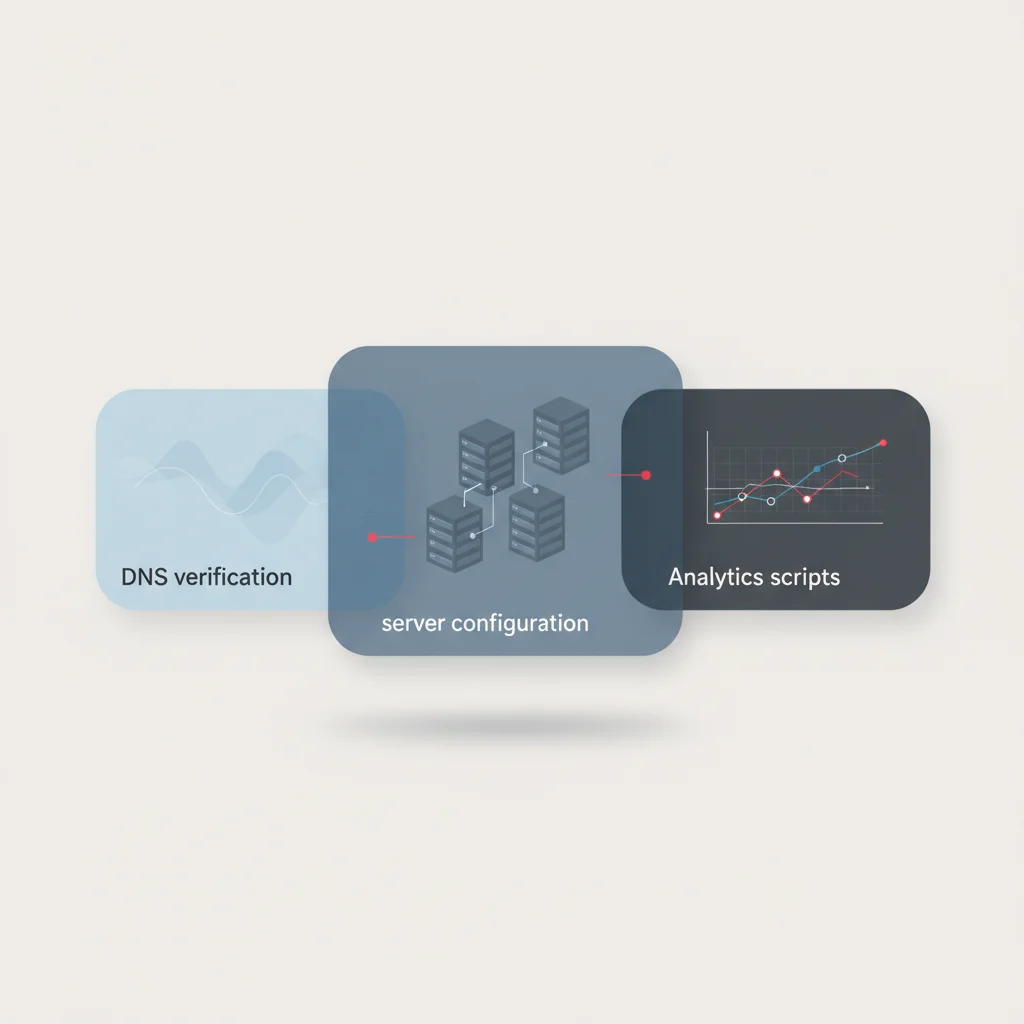
First, verify your server-level accessibility. If your website uses a cloud security provider or a CDN (such as Cloudflare, Akamai, or AWS CloudFront), ensure that security rules are not blocking verified AI crawlers. Many web application firewalls have default rules categorized as "AI Scrapers and Crawlers" that block all automated user agents indiscriminately. While this may protect your content from unauthorized training scrapers, it also prevents search-focused engines like @@CODE0@@ or @@CODE1@@ from indexing your site, eliminating your chances of appearing as a cited source.
Second, audit your client-side tags. Use browser developer tools or network monitoring extensions to verify that when a referral link from an AI search engine is clicked, your GA4 configuration correctly triggers a pageview event and captures the correct @@CODE0@@ (document referrer) parameter in the network payload. If your tag fires too late or is blocked by consent banners before registering the referrer, the session will be lost to the @@CODE1@@ category.
Establishing a Baseline for Generative Engine Optimization (GEO)
To measure the success of your GEO strategies, you must establish a baseline across your core KPIs. This baseline serves as your control dataset, allowing you to isolate the impact of your optimization efforts from natural market fluctuations.
Begin by cataloging your current visibility. Use manual searches and specialized tracking software to determine how often your brand is cited in responses for your top 100 high-value keywords across ChatGPT, Perplexity, and Google AI Overviews. Document these baseline citation rates alongside your current monthly session volumes from these specific sources in GA4.
Additionally, calculate your AI Assist Conversion Rate. This metric tracks the percentage of users who engaged with your brand via an AI referral channel at some point in their conversion journey before completing a purchase or signing a contract. Establishing these baselines provides your executive team with the transparent, data-driven insights needed to justify continued investment in next-generation search optimization.
Conclusion: Adapting Measurement Frameworks for the AI Era
The landscape of search is undergoing a profound structural shift. As conversational models and Retrieval-Augmented Generation continue to mature, the metrics that defined digital marketing success for the past two decades—raw keywords, desktop impressions, and simple click-through rates—are no longer sufficient. To maintain a competitive edge, digital product owners and marketing executives must adapt their measurement frameworks to capture both the visible and invisible layers of AI search traffic.
This adaptation does not require abandoning traditional SEO metrics. Instead, it requires building a multi-layered attribution framework that integrates client-side GA4 custom channels, server-side log auditing, and GSC proxy modeling. By implementing the methodologies outlined in this guide, your organization can move from guesswork to precise, data-backed analysis.
Measuring AI search traffic is not merely an exercise in reporting; it is a foundational strategic capability. The insights gathered from this data allow you to identify which content formats resonate with LLM algorithms, which products are being recommended in conversational environments, and where your highest-converting users are originating. Investing in these advanced technical tracking systems today ensures that your enterprise remains visible, citable, and highly competitive in the generative era.
Frequently Asked Questions
Why is my AI search traffic showing up as "Direct" in Google Analytics 4?
AI search traffic often appears as "Direct" because native mobile apps (like ChatGPT on iOS/Android) or strict browser security settings strip the HTTP referrer header when a user clicks a link, leaving GA4 unable to identify the source.
How can I tell if Google AI Overviews are driving traffic to my website?
Since Google does not pass a distinct referrer for AI Overviews, you must cross-reference Google Search Console query data showing high AI Overview visibility with landing page performance spikes and engagement shifts in GA4.
Will blocking AI crawlers in my robots.txt file stop my AI search traffic?
Yes, if you block bots like GPTBot or PerplexityBot in your robots.txt, those engines cannot index your content, meaning they will be unable to cite your brand or drive referral traffic to your site.
What is the difference between a bot crawl and an AI referral click?
A bot crawl is an automated server-side request made by an AI scraper to index your site, while an AI referral click is a session initiated by a human user clicking a cited link within an AI's conversational response.
Is there a way to track citations that do not result in a direct click?
While you cannot track unlinked citations using standard web analytics, you can measure them using specialized Generative Engine Optimization (GEO) monitoring tools that track brand share of voice in LLM responses.
Does Safari's Intelligent Tracking Prevention (ITP) affect AI referral measurement?
Yes, Safari's ITP strips or reduces the referrer headers of outbound links, which often converts identifiable AI referrals from browser-based tools into untrackable direct sessions.
How often should I parse my server logs for AI bot activity?
For mid-to-large enterprises, running automated weekly server log audits is recommended to quickly detect crawl anomalies, verify bot access, and establish leading indicator baselines for your GEO campaigns.