
How to Use Automation in Sales Processes
Sales process automation involves configuring CRM triggers to handle lead routing, data entry, and follow-ups. This systematic integration minimizes manual errors and data loss.

ON THIS PAGE
Implementing systematic workflows is the cornerstone of scaling modern revenue pipelines. To master how to use automation in sales processes, business leaders must shift from ad-hoc task automation to systematic integration across the entire customer lifecycle. This involves configuring precise CRM triggers to handle automated lead routing, data entry, and follow-ups. By bridging marketing, sales, and operations through secure APIs, companies minimize manual errors and mitigate data loss. This guide provides a detailed blueprint for technical decision-makers to design, deploy, and audit automated sales architectures that accelerate pipeline velocity while maintaining strict compliance and data integrity.
The Role of Systematic Integration in Modern Sales

Beyond Efficiency: Automation as a Strategic Imperative
Automating a broken process only accelerates failure. Strategic sales automation is not about replacing human interactions; it is about building a scalable infrastructure that operates reliably under high transaction volumes. Within a modern Revenue Operations (RevOps) framework, systematic integration aligns marketing, sales, and customer success tech stacks into a single source of truth. This alignment eliminates information bottlenecks that typically occur when leads transition from marketing-qualified to sales-active status.
By embedding automation into the foundational architecture of the sales pipeline, decision-makers secure deep visibility into performance metrics. Instead of relying on manual data logs that are prone to human bias and delays, automated systems record every touchpoint, timestamp, and transition state in real time. This continuous tracking provides leadership with objective performance metrics, removing guesswork from pipeline forecasting and allowing resource allocation to be based on hard operational data.
Ensuring Data Integrity Through Automated Workflows
Manual data entry is a primary vector for CRM data decay and pipeline leakage. When sales representatives manually input lead information, record activities, or update deal stages, inconsistencies inevitably emerge. These inconsistencies range from mismatched phone formats and missing country codes to incomplete company profiles. Over time, these errors degrade database health, making accurate segmentation, reporting, and automated outreach impossible.
[Incoming Webhook] ---> [API Gateway / Validation Layer] ---> [CRM Input Engine]
                                  |
                                  v (Failed Validation)
                        [Error Handling Queue]
Systematic workflows resolve this vulnerability by validating, formatting, and routing records programmatically. When a lead submits a form or engages with a high-intent asset, validation protocols check the data payload against pre-defined rules before writing it to the CRM database. For example, email formats are checked for deliverability, phone numbers are standardized using E.164 formatting, and company names are checked against enrichment databases to fill in missing industry or employee count parameters. This upfront validation guarantees that down-funnel automations operate on clean, structured, and reliable data inputs.
Transforming Sales Operations with Integrated Systems
True transformation occurs when sales tools communicate seamlessly with the broader enterprise resource planning (ERP) systems, product databases, and billing platforms. For instance, when a deal stage updates to "Closed-Won," the event should trigger an automated sequence that provisions the customer account, generates a corresponding invoice in the accounting software, and alerts the customer success team via internal communication channels.
This level of systematic integration is typically built on robust REST APIs and webhook listeners that manage state changes across multiple platforms. By automating these cross-departmental operations, businesses eliminate manual handoffs, reduce administrative overhead, and ensure a consistent onboarding experience for the customer. This seamless transition is critical for preventing early-stage churn and maximizing customer lifetime value.
Core Sales Operations Requiring Automation

Lead Routing and Territory Assignment
Prompt lead distribution directly impacts conversion rates. Manual routing methods, where a sales manager reviews incoming leads and assigns them based on subjective criteria, introduce delays that can stall sales cycles. Automated lead routing systems use strict territory logic and lead scoring models to distribute prospects instantly to the correct account executives.
These routing mechanisms operate on multi-variable logic engines. When a new prospect record is created, the routing engine evaluates parameters such as geographic region, company size, industry vertical, and estimated deal value. The lead is then matched against the representative mapping matrix, executing round-robin distribution within specific tiers or routing directly to dedicated enterprise reps. If a lead remains uncontacted past a set service level agreement (SLA) window (e.g., 15 minutes), the system triggers an escalation path, reassigning the record to ensure rapid response times.
Eliminating Manual Data Entry in CRM Systems
Sales representatives should focus on negotiating and closing deals, not on administrative data entry. Integrating CRM platforms with external data enrichment services (such as ZoomInfo, Clearbit, or custom internal APIs) automates the collection of prospect intelligence.
When a prospect submits a minimal form containing only their email address and name, the automated system initiates an API request to the enrichment database. Within seconds, the CRM record is populated with the company's verified physical address, industry classification, revenue band, current tech stack, and LinkedIn profile. This enrichment process saves representatives hours of manual research, minimizes human keyboard errors, and guarantees that sales conversations are informed by accurate, up-to-date account intelligence.
Structuring Automated Follow-Ups and Email Sequences
Consistent communication is essential for nurturing prospects through long sales cycles, but manual follow-up is difficult to scale. Automated outreach sequences allow teams to maintain persistent touchpoints without sacrificing personalization. These flows must be structured dynamically, shifting based on real-time prospect engagement rather than blindly sending pre-scheduled templates.
A modern follow-up architecture evaluates recipient behaviors, such as email opens, link clicks, document views, and website visits. If a prospect downloads a technical whitepaper, the automation engine shifts their nurture track to focus on engineering-centric case studies. Conversely, if a prospect visits the pricing page twice in a 24-hour window, the system can trigger an automated notification to the assigned account representative to initiate direct personal outreach, successfully blending automated scaling with human touchpoints.
How to Configure CRM Triggers Effectively
Defining Trigger Conditions and Actions
At the heart of every sales automation is a simple logic gate: If Trigger Event Occurs under Condition X, Then Execute Action Y. Defining these parameters with absolute precision is critical to preventing cascading system failures. A common mistake is configuring triggers that are too broad, which can accidentally launch automations for unqualified records.
When configuring triggers within systems like HubSpot CRM, Salesforce, or external iPaaS platforms (Zapier, Make, n8n), developers must use highly specific conditional filters. Instead of setting a trigger for "Lead Status is Updated," the trigger should require multiple validation points:
{
  "event": "lead_status_updated",
  "conditions": {
    "previous_status": "Marketing Qualified Lead",
    "new_status": "Sales Qualified Lead",
    "required_fields_present": [
      "phone_number",
      "company_domain",
      "estimated_budget"
    ]
  }
}
This strict approach ensures that downstream actions—such as sending personalized introduction sequences or updating billing files—only run when all necessary prerequisite data is completely validated.
Aligning Triggers with the Buyer’s Journey
For automation to feel personal rather than cold, trigger conditions must directly reflect the buyer's progression through the sales funnel. Forcing automated follow-ups before establishing value can create friction and drive prospects away. Each trigger should map directly to a verified behavior that represents transition from one stage of the lifecycle to the next.
For example, when a prospect requests a custom product demo, the trigger should instantly generate a scheduling task for the assigned sales representative while simultaneously sending a confirmation email containing a personalized calendar link. If the meeting is booked, the booking platform sends an API call back to the CRM, updating the deal stage to "Demo Scheduled" and pausing any active cold outreach sequences. This event-driven coordination ensures that marketing messages do not conflict with active, human-led negotiations.
The deployment process for establishing a secure, API-driven sales trigger. Identify the exact data objects and property fields required to trigger the integration safely. Create webhook end-points to capture live state changes in your CRM platform. Add conditional validation steps to filter out incomplete or duplicate contact payloads. Link verified trigger events to automated actions, such as direct messaging, data enrichment, or document creation.Step-by-Step CRM Trigger Integration Setup
Define the Schema
Configure Webhook Listeners
Apply Filter Logic
Execute Actions
Risk Management: Minimizing Manual Errors and Data Loss
The Dangers of Over-Automation in Client Relations
While automation scales operational capacity, over-automating critical client relations introduces significant risks. When communication becomes entirely detached from human oversight, systems can send tone-deaf emails, misidentify client statuses, and damage key buyer relationships. High-value enterprise accounts expect personalized, high-context interactions that automated systems simply cannot replicate.
To protect client relationships, organizations must identify where to keep a human in the loop. For instance, while initial outreach can be automated, critical mid-funnel negotiations—such as custom quote deliveries, technical integration discussions, and contract adjustments—should never be fully automated. Instead of sending an automated proposal, the system should generate a internal task for the sales representative, draft the contract using standard templates, and leave the final review and delivery to the rep.
Establishing Failsafes and Data Validation Protocols
To run sales automation safely at scale, you must build robust error handling and failsafe mechanisms into your integration pipelines. API rate limits, database outages, and schema updates can cause automations to fail unexpectedly, potentially leading to lost leads or incomplete records if they are not managed correctly.
Technical teams must build validation layers directly into their automation platforms. For example, before sending an automated contract draft via an integration like PandaDoc or DocuSign, the system must verify that fields like the company's legal name, registration number, and signer email are not null. If any validation step fails, the system must pause the workflow, tag the record for manual review, and alert the sales operations team via a centralized communication channel.
[Trigger Event] ---> [Check Fields: Company Name, Email, Signer]
                           |
            +--------------+--------------+
            | (All Fields Present)        | (Any Field Missing)
            v                             v
[Generate Document]              [Halt & Route to Manual Review]
Implementing these validation checkpoints prevents broken payloads from moving forward, preserving data integrity and protecting the customer experience.
Technology Stack Selection for Sales Automation
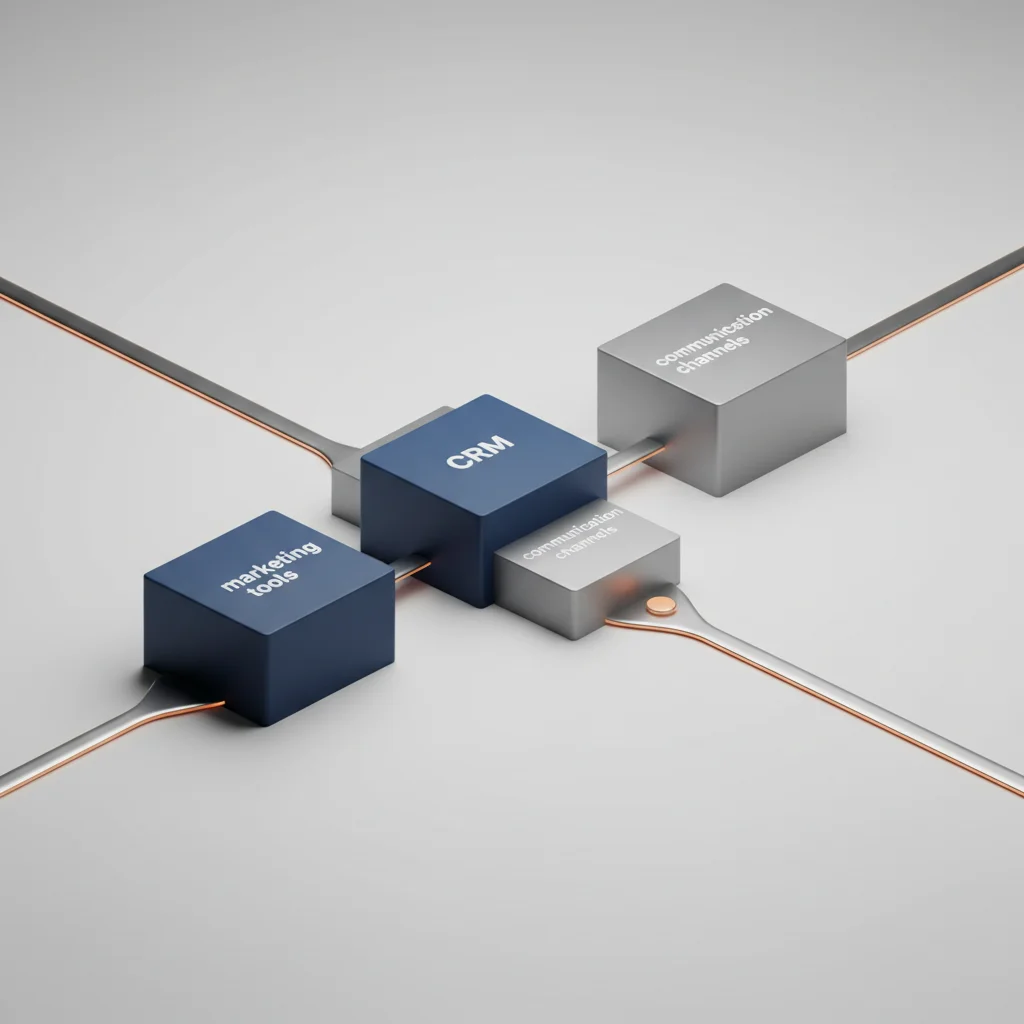
All-in-One CRM Native Features vs. Best-of-Breed Integration
When designing a sales automation stack, technical decision-makers face a choice: use the native automation features within an all-in-one platform (like Salesforce or HubSpot) or build a custom integration using specialized, best-of-breed tools. This decision shapes your budget, implementation speed, and long-term system maintenance.
[CRM Native Architecture]
All-in-One Database <---> Unified Workflow Engine <---> In-App Reporting

[Best-of-Breed Architecture]
HubSpot (CRM) <--- API/Zapier ---> ZoomInfo (Data) <--- API/Make ---> Slack (Alerts)
Native tools offer the benefit of a single unified database. Because there are no external API integrations, there is zero risk of data loss during sync cycles, and security is easier to manage. However, native solutions can feel rigid and expensive if you need to buy high-tier licenses to access advanced automation logic.
A best-of-breed approach, on the other hand, lets companies connect specialized tools (like Apollo for contact data, n8n for workflow logic, and Outreach for sequencing) to build a highly optimized workflow. This modular setup offers great flexibility, but it requires continuous monitoring to prevent API failures and coordinate security updates across multiple vendors.
No-Code/Low-Code iPaaS Platforms for Revenue Teams
The rise of Integration Platforms as a Service (iPaaS), such as Zapier, Make, and n8n, has changed how businesses automate their sales workflows. These tools bridge the gap between complex developer environments and non-technical revenue teams, allowing sales ops managers to build and adjust automations without writing custom backend code.
While Zapier is great for quickly building simple integrations, Make and n8n offer much stronger support for complex, multi-branching processes. They give users fine-grained control over error handling, allow for raw JavaScript/JSON data manipulation, and can easily process large batches of records. This makes them ideal for scaling mid-market and enterprise sales operations.
Custom Webhook and API Middleware Architectures
For enterprise organizations with strict data compliance requirements, native features and third-party iPaaS solutions may not offer enough security or flexibility. If you are handling sensitive financial data, medical information, or operating under strict GDPR/CCPA regulations, building a custom middleware layer is often the safest path.
[CRM Webhook] ---> [Custom Node.js Middleware (Data Masking & Security Checking)] ---> [Internal SQL Database]Using languages like Node.js, Python, or Go, engineering teams can build custom middleware to process sales data. This custom code can run advanced validation checks, filter out personal identifiable information (PII) before syncing data with external tools, and handle high-volume database writes without hitting API limits. By controlling the entire data pipeline, companies can maintain complete audit trails, optimize their server resources, and adapt their sales workflows to meet highly specific business requirements.
Measuring the Impact of Sales Process Automation
Quantifying ROI from Automated Sales Workflows
Measuring the return on investment (ROI) of a newly implemented sales automation framework requires looking beyond simple productivity gains. To calculate true ROI, teams must compare the development, licensing, and maintenance costs of their automations against the hard resources saved and additional revenue captured.
The primary baseline metric is time saved on administrative tasks. If automated lead routing and data enrichment save each sales representative five hours per week, a team of twenty reps gains 100 hours of monthly selling time. Organizations can calculate the financial return of this newly unlocked capacity using a standard formula:
$$\text{Financial Return} = (\text{Total Administrative Hours Reclaimed} \times \text{Average Blended Rep Hourly Rate}) + \text{Marginal Revenue from Increased Pipeline Velocity}$$
If the recaptured time is redirected toward closing deals, the business should see a clear increase in pipeline velocity and outbound activity metrics.
Tracking Reductions in Manual Error Rates
Data quality is a major indicator of automation success. To measure this, database administrators should track error rates before and after implementing systematic validations. Key metrics to monitor include the percentage of incomplete lead profiles, the frequency of duplicate records, and routing errors (such as leads assigned to the wrong territory).
Manual System:      [Incoming Leads] ---> [Data Decay & Missing Fields] ---> 18% Error Rate
Automated System:   [Incoming Leads] ---> [Enrichment & Validation]     ---> <1% Error Rate
After deploying validation rules and automated enrichment APIs, companies typically see their CRM data error rates drop below one percent. This high level of data integrity ensures that sales forecasts are based on accurate data, marketing segments remain reliable, and representatives spend zero time hunting down missing contact details or fixing duplicate records.
Analyzing Improvements in Sales Cycle Velocity
Pipeline velocity measures how quickly a prospect moves from initial contact to a closed-won opportunity. Automated workflows accelerate this velocity by removing manual bottlenecks, such as slow lead assignments, delayed proposal generation, and inconsistent follow-ups.
$$\text{Sales Velocity} = \frac{\text{Number of Active Opportunities} \times \text{Average Deal Value} \times \text{Win Rate \%}}{\text{Average Length of Sales Cycle (Days)}}$$
By monitoring velocity across different deal segments, operations managers can pinpoint exactly where deals slow down. For example, if a team sees that the average time spent in the "Proposal Stage" drops from five days to less than one hour after integrating automated document creation tools, they can clearly see the impact of their technology investments. This systematic tracking enables continuous refinement of sales processes, allowing businesses to scale revenue efficiently while keeping a lean operational footprint.
Frequently Asked Questions
How do CRM triggers improve lead response times?
CRM triggers instantly capture form submissions or platform interactions and process them through automated routing rules within seconds. This removes the delays of manual assignment, ensuring leads are routed to reps instantly and follow-ups happen during peak interest windows.
What is the most common mistake when automating follow-ups?
The most common mistake is failing to build exit criteria into email sequences. If a prospect books a call or makes a purchase but the automated system keeps sending generic nurture emails, it creates friction and damages the buyer relationship.
How can systematic integration prevent CRM data decay?
Systematic integration prevents decay by connecting CRM fields directly to automated data enrichment APIs (like Clearbit or ZoomInfo). These tools validate formats, update job titles, and refresh company records automatically without relying on manual entry.
What are the security risks of connecting third-party automation tools to a CRM?
The main security risks involve granting over-privileged API keys and exposing sensitive customer data. To protect your systems, configure custom OAuth scopes, restrict data access to only necessary fields, and use secure, encrypted webhook pathways.
How does automated lead routing handle complex territory logic?
Automated systems evaluate incoming lead attributes—such as postal codes, country, industry, and company size—against a centralized territory rules database. Leads are then instantly matched to reps based on pre-defined geography and industry segments.
How do you prevent over-automation from causing customer friction?
Avoid customer friction by keeping a "human in the loop" for high-value deal stages. Let automation handle background administrative tasks like scheduling and data entry, but keep negotiation, custom proposals, and final relationship management personal.
What is the role of API rate limits in sales workflow automation?
API rate limits restrict how many requests can be sent to a platform in a set timeframe. If an automation handles too many records at once, it can trigger rate-limit errors, causing silent sync failures and data loss unless your workflows use built-in queue systems.
Can automated sales processes comply with GDPR and CCPA regulations?
Yes, provided your automation tools enforce strict compliance. Ensure your systems automatically honor contact opt-out requests across all connected platforms and set up automated data deletion rules to purge unengaged prospect data regularly.