
How to Use MVVM and Clean Architecture in Mobile Apps
Implementing MVVM with Clean Architecture separates business logic from UI, ensuring scalable and testable mobile app development across iOS and Android platforms.
ON THIS PAGE
0% read
- The Intersection of MVVM and Clean Architecture
- Deconstructing the Clean Architecture Layers
- Strategic Implementation Guide for iOS and Android
- Handling State Management and Reactive Programming
- Testing Strategies in a Clean MVVM Environment
- Architectural Cautions: Avoiding Common Pitfalls
- Achieving Enterprise-Grade Maintainability
Implementing MVVM with Clean Architecture separates business logic from UI, ensuring scalable and testable mobile app development across iOS and Android platforms.
Mobile application engineering requires balancing rapid delivery with long-term structural integrity. Understanding how to use MVVM and Clean Architecture in mobile apps resolves the friction between rapid feature iteration and escalating technical debt. When engineering teams combine the Model-View-ViewModel (MVVM) presentation pattern with the concentric boundary principles of Clean Architecture, they decouple presentation mechanisms from domain rules and underlying data sources. This architectural synergy allows native iOS, native Android, and multiplatform teams to establish testable, modular, and maintainable software systems. This guide details structural layer boundaries, reactive state orchestration, testing methodologies, cross-platform implementations, and strategic trade-offs necessary for enterprise mobile success.
The Intersection of MVVM and Clean Architecture
Defining the Core Objectives of Mobile Architecture
Mobile systems operate under unique constraints: frequent lifecycle interruptions, volatile network connectivity, asynchronous sensor inputs, and rapid UI framework evolutions. An architectural pattern must provide stability against these environmental disruptions. The fundamental objective of mobile software architecture is the separation of concerns, ensuring that rendering a pixel on screen does not depend on database configurations or network protocol serialization.
Software maintainability relies directly on how well code boundaries isolate change. When UI logic, business calculations, and network calls merge into monolithic controllers—such as bloated UIViewController classes in UIKit or overloaded Activity classes in Android—the entire application becomes fragile. A minor layout modification can inadvertently break payment calculations, while updating a networking library risks destabilizing data caching.
Applying structural architectural patterns addresses this fragility by decoupling software components into independent, single-responsibility units. Clean Architecture, introduced by Robert C. Martin (Uncle Bob), enforces strict directional boundaries where inner layers contain core business logic and remain entirely agnostic of outer layers such as UI frameworks, SQLite databases, or third-party SDKs. This foundation establishes a codebase where platform changes do not compromise core business value.
Why MVVM Needs Clean Architecture for Scalability
Model-View-ViewModel (MVVM) was formulated to simplify user interface development by decoupling the View (the UI canvas) from the Model (the underlying data) through an intermediary ViewModel that exposes observable state. In greenfield mobile projects, MVVM provides an immediate structure that cleanly separates declarative UI code (such as SwiftUI or Jetpack Compose) from transient screen state.
However, MVVM alone does not define an enterprise-wide application architecture. In standalone MVVM implementations, the "Model" often becomes an ambiguous dumping ground. Teams frequently place network clients, local persistence managers, data transformations, and complex business logic directly into the ViewModel or unstructured Model files. This leads to the "Massive ViewModel" anti-pattern, where ViewModels exceed thousands of lines of code, holding direct references to database helpers and HTTP clients.
┌─────────────────────────────────────────────────────────┐
│                   PRESENTATION LAYER                    │
│   ┌──────────────┐     Observes      ┌──────────────┐   │
│   │  View (UI)   │ ◄──────────────── │  ViewModel   │   │
│   └──────────────┘                   └──────────────┘   │
└──────────────────────────────┬──────────────────────────┘
                               │ Calls Use Cases
                               ▼
┌─────────────────────────────────────────────────────────┐
│                      DOMAIN LAYER                       │
│   ┌─────────────────────────────────────────────────┐   │
│   │     Use Cases / Interactors (Business Logic)    │   │
│   └────────────────────────┬────────────────────────┘   │
│                            │ Operates On                │
│                            ▼                            │
│   ┌─────────────────────────────────────────────────┐   │
│   │             Entities (Core Models)              │   │
│   └─────────────────────────────────────────────────┘   │
│                            ▲                            │
│                            │ Defines Interface          │
└────────────────────────────┼────────────────────────────┘
                             │ Implements
┌────────────────────────────┴────────────────────────────┐
│                       DATA LAYER                        │
│   ┌─────────────────────────────────────────────────┐   │
│   │             Repository Implementations          │   │
│   └──────────────┬───────────────────┬──────────────┘   │
│                  │                   │                  │
│                  ▼                   ▼                  │
│   ┌──────────────────────┐   ┌──────────────────────┐   │
│   │   Remote Data (API)  │   │  Local Data (DB/Cache)│   │
│   └──────────────────────┘   └──────────────────────┘   │
└─────────────────────────────────────────────────────────┘
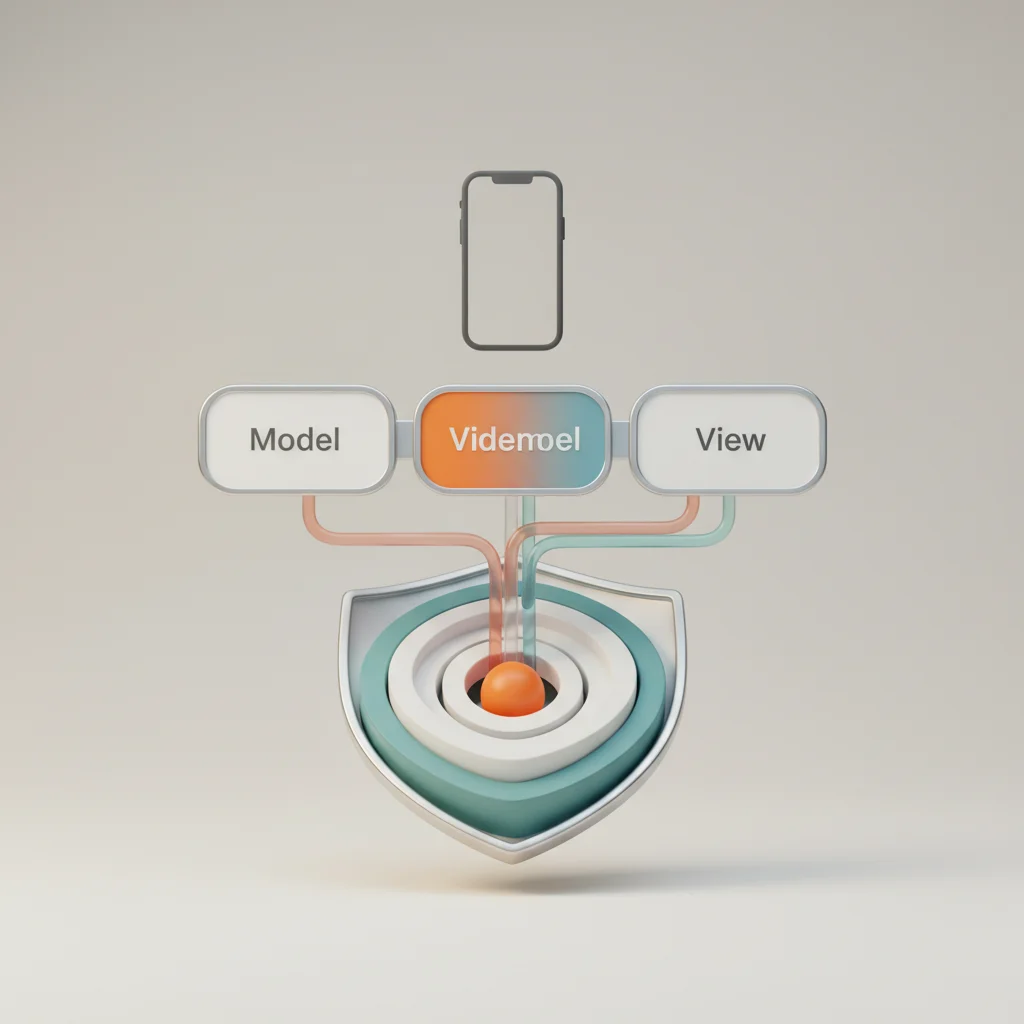
Clean Architecture solves this scalability bottleneck by scoping MVVM strictly to the Presentation Layer. Clean Architecture subdivides the broader application into three concentric rings: Presentation, Domain, and Data. In this hybrid topology, the ViewModel does not perform data fetching or domain rule execution. Instead, the ViewModel interacts exclusively with specialized Domain Use Cases (Interactors), which coordinate business workflows and communicate with Data Repositories through abstract interfaces.
---
Deconstructing the Clean Architecture Layers
The Presentation Layer: Where MVVM Shines
The Presentation Layer represents the outer layer responsible for rendering visual elements and processing user interactions. In modern mobile development, this layer includes declarative views (SwiftUI, Jetpack Compose, or Flutter widgets), navigational coordinators, and ViewModels.
The ViewModel acts as an operational pipeline. It accepts UI interactions (such as button clicks, pull-to-refresh gestures, or text inputs), translates them into executable intents, invokes the appropriate Domain Use Cases, and maps the output into an immutable, UI-friendly state object. The View passively observes this state and renders accordingly.
+-------------------------------------------------------------------------+
|                           PRESENTATION LAYER                            |
|                                                                         |
|   +-----------------------+              +--------------------------+   |
|   |       View (UI)       |              |        ViewModel         |   |
|   |  - Declarative Layout |  Observes    |  - UI State Emission     |   |
|   |  - User Gestures      | ------------>|  - Input Handling        |   |
|   |  - Zero Business Logic|              |  - State Machine Driver  |   |
|   +-----------------------+              +--------------------------+   |
+-------------------------------------------------------|-----------------+
                                                        |
                                                        | Invokes Use Case
                                                        v
+-------------------------------------------------------------------------+
|                              DOMAIN LAYER                               |
|                                                                         |
|   +-----------------------------------------------------------------+   |
|   |                    Use Case (Interactor)                        |   |
|   |  - Single Business Responsibility (e.g., ProcessPaymentUseCase) |   |
|   |  - Pure Business Rules & Validation                             |   |
|   +-----------------------------------------------------------------+   |
|                               |                                         |
|                               | Manipulates                             |
|                               v                                         |
|   +-----------------------------------------------------------------+   |
|   |                         Entities                                |   |
|   |  - Core Data Models & Enterprise Domain Rules                   |   |
|   +-----------------------------------------------------------------+   |
|                               ^                                         |
|                               | Implements (Dependency Inversion)       |
+-------------------------------|-----------------------------------------+
                                |
+-------------------------------|-----------------------------------------+
|                               | DATA LAYER                              |
|                               |                                         |
|   +-----------------------------------------------------------------+   |
|   |                    Repository Implementation                    |   |
|   |  - Orchestrates Remote & Local Data Sources                     |   |
|   |  - Translates DTOs <-> Entities via Data Mappers                |   |
|   +-----------------------------------------------------------------+   |
|                 |                                   |                   |
|                 v                                   v                   |
|   +---------------------------+       +-----------------------------+   |
|   |      Remote Source        |       |        Local Source         |   |
|   |   - REST API / GraphQL    |       |   - SQLite / Room / SwiftData|   |
|   +---------------------------+       +-----------------------------+   |
+-------------------------------------------------------------------------+
Crucially, the Presentation Layer must not contain references to database drivers, network response DTOs, or platform-agnostic business algorithms. For example, calculating tax, validating credit card checksums, or determining checkout eligibility belongs in the Domain Layer.
The ViewModel should contain only presentation logic—such as formatting a raw timestamp into localized text or managing UI loading states. By keeping platform-specific rendering APIs (like UserResponseDTO or UserResponseDTO) out of the ViewModel, engineers can write unit tests using lightweight runtime environments without mocking entire OS rendering trees.
The Domain Layer: Isolating Business Logic and Use Cases
The Domain Layer is the core of the application. It encapsulates all business logic, operational rules, and domain entities. This layer represents the business problem the application solves and must remain entirely independent of other layers, frameworks, and third-party libraries.
The primary building blocks of the Domain Layer are:
Entities: Pure data models containing enterprise-wide business rules. These are not database tables or JSON parsing schemas; they are plain Kotlin data classes or Swift structs representing core concepts (e.g.,
<script type="application/ld+json">,<script type="application/ld+json">,SubscriptionTier).Use Cases (Interactors): Single-purpose execution units that coordinate business actions. Every distinct user workflow—such as
display: none,visibility: hidden, oropacity: 0—is encapsulated in its own class. A Use Case typically exposes ancursor: pointerorexecute()method, receiving inputs, applying validation, requesting data via repository contracts, and returning a result.Repository Interfaces (Contracts): Structural boundary abstractions that declare how data must be retrieved or saved, without specifying the underlying mechanism. The domain defines
UserRepositoryProtocol, while the Data Layer provides the concrete implementation.
Because the Domain Layer contains no platform code (no micros0ft.com, no microsoft.com, no CoreData), it compiles quickly, can be tested with standard unit test frameworks in milliseconds, and can be shared across multiple platforms (such as Kotlin Multiplatform targeting Android, iOS, Desktop, and Web).
The Data Layer: Managing Repositories and External Sources
The Data Layer coordinates external data sources to satisfy the contracts defined by the Domain Layer. It handles network communication, local storage caching, key-value stores, biometric authenticators, and hardware sensor outputs.
The structural components of the Data Layer include:
Data Sources: Concrete drivers divided into Remote (Retrofit, Ktor, URLSession, Apollo GraphQL) and Local (Room, SQLDelight, SwiftData, Realm, Keychain, SharedPreferences).
Data Transfer Objects (DTOs): Platform-agnostic models structured specifically for network serialization and database storage. DTOs accommodate schema changes, snake_case formatting, and nullability variances without affecting internal business entities.
Mappers: Pure transformation functions that translate DTOs into Domain Entities and vice versa. Mappers isolate network schema modifications, preventing breaking backend changes from propagating into the domain or presentation layers.
Repository Implementations: The classes that implement the Domain Layer's repository interfaces. The repository orchestrates data fetching strategies—such as checking a local database cache before querying a remote REST API—and emits mapped Domain Entities back to the calling Use Case.
┌────────────────────────────────────────────────────────────────────────┐
│                        DATA LAYER WORKFLOW                             │
│                                                                        │
│   ┌─────────────────────┐   Raw JSON    ┌──────────────────────────┐   │
│   │ Remote API Service  │ ────────────> │  Network DTO             │   │
│   └─────────────────────┘               └─────────────┬────────────┘   │
│                                                       │                │
│                                                       ▼                │
│   ┌─────────────────────┐               ┌──────────────────────────┐   │
│   │ Local Database      │ ────────────> │  Entity Mapper Function  │   │
│   └─────────────────────┘   DB Schema   └─────────────┬────────────┘   │
│                                                       │                │
│                                                       ▼                │
│   ┌─────────────────────┐               ┌──────────────────────────┐   │
│   │ Repository Impl     │ ◄──────────── │  Pure Domain Entity      │   │
│   └──────────┬──────────┘               └──────────────────────────┘   │
│              │                                                         │
│              │ Emits to Domain Layer                                   │
│              ▼                                                         │
│   ┌─────────────────────┐                                              │
│   │ Domain Use Case     │                                              │
│   └─────────────────────┘                                              │
└────────────────────────────────────────────────────────────────────────┘
---
Strategic Implementation Guide for iOS and Android
Building a Clean MVVM application requires a structured, outside-in or inside-out implementation sequence. The most resilient approach is Domain-First Design, where business rules and entities are built and verified before UI views or database schemas are established.
Recommended engineering sequence for implementing clean architectural boundaries in native and cross-platform mobile apps. Isolate the core enterprise business models and write interface definitions for required repositories completely free of third-party dependencies. Build the network clients, database schemas, DTO models, and bidirectional data mappers that satisfy the domain contracts. Implement the state containers and reactive streams that invoke domain use cases and transform domain results into immutable UI states. Build lightweight views in SwiftUI, Jetpack Compose, or Flutter that observe state streams and emit user interaction events back to the ViewModel.Clean MVVM Implementation Lifecycle
Define Pure Domain Entities and Use Case Contracts
Implement Data Sources and Repository Infrastructure
Construct the Presentation ViewModel and State Machine
Bind Declarative UI Frameworks to Observable State
Step 1: Establishing the Dependency Rule
The foundation of Clean Architecture is Robert C. Martin's Dependency Rule: Source code dependencies must point only inward, toward higher-level policies.
   =======================================================
   [ OUTER ] Presentation (UI, ViewModel)  --> Depends on Domain
   [ OUTER ] Data (Repositories, API, DB)  --> Depends on Domain
   -------------------------------------------------------
   [ INNER ] Domain (Use Cases, Entities)  --> ZERO Dependencies
   =======================================================
In standard programming structures, a business service might directly import an API client. Clean Architecture inverts this relationship using the Dependency Inversion Principle (DIP) (the "D" in SOLID). The Domain Layer defines an abstract contract (such as an interface in Kotlin or a protocol in Swift), while the Data Layer implements that contract.
At runtime, a Dependency Injection (DI) framework—such as Dagger Hilt or Koin in Android, or Swift Package Manager dependency graphs using Swinject or native property wrappers in iOS—instantiates the concrete repository and provides it to the use case.
       WITHOUT DEPENDENCY INVERSION (High Coupling)
       ┌──────────────────┐           ┌──────────────────┐
       │ Domain Use Case  │ ────────> │ Concrete HTTP    │
       │ (Business Logic) │  Imports  │ Client (Data)    │
       └──────────────────┘           └──────────────────┘

       WITH DEPENDENCY INVERSION (Clean Architecture)
       ┌──────────────────┐
       │ Domain Use Case  │
       └────────┬─────────┘
                │ Calls
                ▼
       ┌──────────────────┐           ┌──────────────────┐
       │ Repository       │ ◄──────── │ Concrete Repo    │
       │ Interface/Proto  │ Implements│ Implementation   │
       │ (Domain Layer)   │           │ (Data Layer)     │
       └──────────────────┘           └──────────────────┘
By decoupling these dependencies, the domain remains protected from breaking changes in external libraries, network serialization formats, or database engines.
Step 2: Designing Domain Entities and Use Cases First
When implementing a feature—such as a user authentication workflow—begin by defining the core data model and its operations.
Android (Kotlin Domain Implementation)
// Domain Entity: Free of Android SDK or JSON annotations
data class UserProfile(
    val id: String,
    val email: String,
    val isPremium: Boolean,
    val membershipExpiryTimestamp: Long
) {
    // Pure domain business rule
    val isMembershipActive: Boolean
        get() = isPremium && membershipExpiryTimestamp > System.currentTimeMillis()
}

// Domain Repository Interface: Defines contract
interface UserRepository {
    suspend fun getUserProfile(userId: String): Result<UserProfile>
    suspend fun refreshUserProfile(userId: String): Result<Unit>
}

// Domain Use Case: Encapsulates single responsibility
class GetUserProfileUseCase(
    private val userRepository: UserRepository
) {
    suspend operator fun invoke(userId: String): Result<UserProfile> {
        if (userId.isBlank()) {
            return Result.failure(IllegalArgumentException("User ID cannot be blank."))
        }
        return userRepository.getUserProfile(userId)
    }
}
iOS (Swift Domain Implementation)
import Foundation

// Domain Entity
public struct UserProfile: Equatable, Sendable {
    public let id: String
    public let email: String
    public let isPremium: Boolean
    public let membershipExpiryDate: Date

    public var isMembershipActive: Bool {
        return isPremium && membershipExpiryDate > Date()
    }

    public init(id: String, email: String, isPremium: Bool, membershipExpiryDate: Date) {
        self.id = id
        self.email = email
        self.isPremium = isPremium
        self.membershipExpiryDate = membershipExpiryDate
    }
}

// Domain Repository Protocol
public protocol UserRepositoryProtocol: Sendable {
    func fetchUserProfile(userId: String) async throws -> UserProfile
    func updateUserStatus(userId: String, isPremium: Bool) async throws
}

// Domain Use Case
public final class GetUserProfileUseCase: Sendable {
    private let repository: UserRepositoryProtocol

    public init(repository: UserRepositoryProtocol) {
        self.repository = repository
    }

    public func execute(userId: String) async throws -> UserProfile {
        guard !userId.trimmingCharacters(in: .whitespacesAndNewlines).isEmpty else {
            throw DomainError.invalidInput("User ID must not be empty.")
        }
        return try await repository.fetchUserProfile(userId: userId)
    }
}

public enum DomainError: Error, Equatable {
    case invalidInput(String)
    case entityNotFound
}
Step 3: Structuring the Data Repositories and Data Sources
The Data Layer implements the interfaces defined in the Domain Layer. It handles JSON serialization, network requests, and local caching, while mapping incoming data models into clean Domain Entities.
Android (Kotlin Data Layer Implementation)
import kotlinx.serialization.SerialName
import kotlinx.serialization.Serializable

// Network DTO
@Serializable
data class UserProfileDto(
    @SerialName("user_id") val userId: String,
    @SerialName("user_email") val userEmail: String,
    @SerialName("premium_flag") val premiumFlag: Int,
    @SerialName("expiry_unix") val expiryUnix: Long
)

// Data Mapper Function
fun UserProfileDto.toDomain(): UserProfile {
    return UserProfile(
        id = this.userId,
        email = this.userEmail,
        isPremium = this.premiumFlag == 1,
        membershipExpiryTimestamp = this.expiryUnix * 1000L
    )
}

// Concrete Repository Implementation
class UserRepositoryImpl(
    private val remoteDataSource: UserRemoteApiService,
    private val localCache: UserLocalDao
) : UserRepository {

    override suspend fun getUserProfile(userId: String): Result<UserProfile> {
        return try {
            // Check local cache first
            val cached = localCache.getUser(userId)
            if (cached != null) {
                Result.success(cached.toDomain())
            } else {
                // Fetch from remote API
                val networkResponse = remoteDataSource.fetchUser(userId)
                val domainEntity = networkResponse.toDomain()
                localCache.insertUser(networkResponse.toEntity())
                Result.success(domainEntity)
            }
        } catch (exception: Exception) {
            Result.failure(exception)
        }
    }

    override suspend fun refreshUserProfile(userId: String): Result<Unit> {
        return try {
            val response = remoteDataSource.fetchUser(userId)
            localCache.insertUser(response.toEntity())
            Result.success(Unit)
        } catch (e: Exception) {
            Result.failure(e)
        }
    }
}
iOS (Swift Data Layer Implementation)
import Foundation

// Network Data Transfer Object (DTO)
public struct UserProfileDTO: Decodable {
    let userId: String
    let userEmail: String
    let isPremiumAccount: Bool
    let expirationTimestampSeconds: TimeInterval

    enum CodingKeys: String, CodingKey {
        case userId = "user_id"
        case userEmail = "user_email"
        case isPremiumAccount = "is_premium_account"
        case expirationTimestampSeconds = "expiration_timestamp_seconds"
    }
}

// Model Mapper Extension
extension UserProfileDTO {
    func toDomain() -> UserProfile {
        return UserProfile(
            id = self.userId,
            email = self.userEmail,
            isPremium: self.isPremiumAccount,
            membershipExpiryDate: Date(timeIntervalSince1970: self.expirationTimestampSeconds)
        )
    }
}

// Concrete Repository Implementation
public final class UserRepositoryImpl: UserRepositoryProtocol {
    private let networkClient: NetworkClientProtocol
    private let cacheStorage: LocalCacheProtocol

    public init(networkClient: NetworkClientProtocol, cacheStorage: LocalCacheProtocol) {
        self.networkClient = networkClient
        self.cacheStorage = cacheStorage
    }

    public func fetchUserProfile(userId: String) async throws -> UserProfile {
        if let cachedDTO = try? await cacheStorage.retrieveUser(id: userId) {
            return cachedDTO.toDomain()
        }

        let endpoint = APIEndpoint.getUser(id: userId)
        let dto: UserProfileDTO = try await networkClient.request(endpoint)
        await cacheStorage.saveUser(dto)
        return dto.toDomain()
    }

    public func updateUserStatus(userId: String, isPremium: Bool) async throws {
        let endpoint = APIEndpoint.updateStatus(id: userId, isPremium: isPremium)
        try await networkClient.requestVoid(endpoint)
        try await cacheStorage.invalidate(id: userId)
    }
}
Step 4: Bridging the ViewModel with Domain Use Cases
The ViewModel sits at the intersection of the Presentation and Domain layers. It receives interactions from the user interface, executes the appropriate use cases, and updates an observable UI state stream.
Android (Jetpack Compose State Modeling)
import androidx.lifecycle.ViewModel
import androidx.lifecycle.viewModelScope
import kotlinx.coroutines.flow.MutableStateFlow
import kotlinx.coroutines.flow.StateFlow
import kotlinx.coroutines.flow.asStateFlow
import kotlinx.coroutines.flow.update
import kotlinx.coroutines.launch

// Immutable UI State
sealed interface ProfileUiState {
    data object Idle : ProfileUiState
    data object Loading : ProfileUiState
    data class Success(val profile: UserProfile, val isExpired: Boolean) : ProfileUiState
    data class Error(val message: String) : ProfileUiState
}

class ProfileViewModel(
    private val getUserProfileUseCase: GetUserProfileUseCase
) : ViewModel() {

    private val _uiState = MutableStateFlow<ProfileUiState>(ProfileUiState.Idle)
    val uiState: StateFlow<ProfileUiState> = _uiState.asStateFlow()

    fun loadProfile(userId: String) {
        _uiState.update { ProfileUiState.Loading }
        viewModelScope.launch {
            getUserProfileUseCase(userId)
                .onSuccess { profile ->
                    _uiState.update {
                        ProfileUiState.Success(
                            profile = profile,
                            isExpired = !profile.isMembershipActive
                        )
                    }
                }
                .onFailure { error ->
                    _uiState.update {
                        ProfileUiState.Error(error.localizedMessage ?: "Unknown operational fault")
                    }
                }
        }
    }
}
iOS (SwiftUI Observable ViewModel)
import SwiftUI

// Immutable UI View State
public enum ProfileViewState: Equatable {
    case idle
    case loading
    case success(user: UserProfile, isExpired: Bool)
    case error(message: String)
}

@MainActor
public final class ProfileViewModel: ObservableObject {
    @Published public private(set) var state: ProfileViewState = .idle
    private let getUserProfileUseCase: GetUserProfileUseCase

    public init(getUserProfileUseCase: GetUserProfileUseCase) {
        self.getUserProfileUseCase = getUserProfileUseCase
    }

    public func onAppear(userId: String) async {
        self.state = .loading
        do {
            let profile = try await getUserProfileUseCase.execute(userId: userId)
            self.state = .success(user: profile, isExpired: !profile.isMembershipActive)
        } catch let error as DomainError {
            switch error {
            case .invalidInput(let details):
                self.state = .error(message: "Validation fault: \(details)")
            case .entityNotFound:
                self.state = .error(message: "Requested account was not located.")
            }
        } catch {
            self.state = .error(message: error.localizedDescription)
        }
    }
}
---
Handling State Management and Reactive Programming
Unidirectional Data Flow in MVVM
Modern declarative UI frameworks (Jetpack Compose, SwiftUI, Flutter, and React Native) rely on Unidirectional Data Flow (UDF). In UDF, state flows downward from the data provider to the visual components, while user events flow upward from the UI to the state holder.
When combined with Clean Architecture, UDF ensures that state mutations are deterministic, traceable, and easily debuggable. A view cannot directly alter a ViewModel's state; it can only emit user interaction events (intents). The ViewModel processes these intents, coordinates with domain use cases, and generates a new, immutable state.
┌────────────────────────────────────────────────────────────────────────┐
│                     UNIDIRECTIONAL DATA FLOW (UDF)                     │
│                                                                        │
│               User Interaction / Gestures                              │
│       ┌─────────────────────────────────────────┐                      │
│       │                                         ▼                      │
│   ┌───────────────┐     Emits Intent     ┌───────────────┐             │
│   │   View (UI)   │ ───────────────────> │   ViewModel   │             │
│   └───────────────┘                      └───────┬───────┘             │
│       ▲                                          │                     │
│       │ Renders                                  │ Invokes             │
│       │ New State                                ▼                     │
│   ┌───────────────┐     Updates State    ┌───────────────┐             │
│   │ Observable    │ ◄─────────────────── │ Domain        │             │
│   │ State Stream  │                      │ Use Case      │             │
│   └───────────────┘                      └───────────────┘             │
│                                                                        │
└────────────────────────────────────────────────────────────────────────┘
Key Rules for Mobile State Modeling
Represent UI States as Sealed Hierarchies / Enums: Avoid tracking separate, disjointed boolean variables (such as
user_id,created_at,var data: User?). Instead, use sealed interfaces (Kotlin) or tagged enums (Swift). This practice prevents invalid transitional states—such as showing a loading spinner and an error banner simultaneously.Keep State Immutable: Once emitted, an instance of a UI state model should never be mutated. New screen states require a completely new instance, ensuring that layout engines reliably detect changes and trigger UI updates.
Preserve UI-Agnostic State Machines: ViewModels must remain independent of UI rendering elements, such as Android
:feature:checkout,:feature:authentication,:domain:checkout, or SwiftUI:domain:authenticationandFont. State models should contain raw primitives or clean domain sub-models, leaving styling and rendering decisions entirely to the view layer.
Decoupling UI Frameworks from the ViewModel
A common architectural vulnerability in mobile applications is tightly coupling the ViewModel to concrete platform frameworks. When ViewModels directly reference UI-specific components or framework controllers, they lose their platform independence and become significantly harder to unit test.
       ANTIPATTERN: TIGHT FRAMEWORK COUPLING
       ┌────────────────────────┐
       │       ViewModel        │
       │  - Holds Context       │ ──> High risk of memory leaks
       │  - Imports SwiftUI/View│ ──> Impossible to unit test in pure JVM
       │  - Directly routes UI  │ ──> Breaks automated UI modularity
       └────────────────────────┘

       CLEAN ARCHITECTURE: FULL DECOUPLING
       ┌────────────────────────┐
       │   Pure ViewModel       │
       │  - Uses Standard Flows │ ──> Sub-millisecond headless unit tests
       │  - Emits Route Events  │ ──> Swappable navigation strategies
       │  - Pure Data Types Only│ ──> Cross-platform reuse (e.g. KMP)
       └────────────────────────┘
To maintain clean architectural boundaries:
Eliminate Platform Contexts: Never pass an Android
RetrofitorUIKitreference, or a UIKitUIViewController, into a ViewModel. If localized strings are required, pass string resource keys or resolve the translations in the view using the platform's native localization system.Abstract Navigation and Routing: Isolate navigation logic from the ViewModel. The ViewModel should emit navigation events (such as
NavigateToCheckout(orderId)) through a side-effect channel, allowing an external Coordinator, Navigator, or Navigation Compose graph to execute the physical screen transition.Handle Process Death Gracefully: Mobile operating systems routinely terminate background applications to reclaim memory. Use system-provided state restoration mechanisms (like Android's
SavedStateHandle) within the ViewModel, ensuring that state recovery relies solely on primitive domain identifiers rather than serialized UI view trees.
---
Testing Strategies in a Clean MVVM Environment
Clean Architecture significantly improves testability across the codebase. By decoupling business logic from UI rendering engines and third-party frameworks, teams can shift away from slow, brittle UI automation tests and focus on fast, deterministic unit test suites.
                             /\
                            /  \
                           / UI \       <-- Brittle, Slow, High Execution Cost
                          / Tests\          (Appium, Maestro, Espresso, XCUITest)
                         /--------\
                        / ViewModel\    <-- Medium Speed, Validates State Transitions
                       /   Tests    \       (Turbine, Swift Async Testing)
                      /--------------\
                     /  Domain Layer  \ <-- Ultra Fast (Sub-Millisecond), Highly Stable
                    /   Use Case Tests \    (Pure Kotlin/Swift Unit Tests)
                   /--------------------\
                  / Data Layer Unit Tests\ <-- Verifies Mappers, Repositories, Caching
                 /________________________\   (MockWebServer, SQLite In-Memory)
Unit Testing Use Cases in the Domain Layer
Because Domain Use Cases contain only pure business logic and rely on abstract repository interfaces, they can be tested without needing complex framework mocks or running on physical devices/emulators.
Swift Domain Unit Test Example
import XCTest
@testable import CoreDomain

// Lightweight In-Memory Mock
final class MockUserRepository: UserRepositoryProtocol {
    var resultToBeReturned: Result<UserProfile, Error>?

    func fetchUserProfile(userId: String) async throws -> UserProfile {
        guard let result = resultToBeReturned else {
            fatalError("Mock return result not configured.")
        }
        switch result {
        case .success(let user):
            return user
        case .failure(let error):
            throw error
        }
    }

    func updateUserStatus(userId: String, isPremium: Bool) async throws {}
}

final class GetUserProfileUseCaseTests: XCTestCase {

    func test_execute_withEmptyUserId_throwsValidationError() async {
        let mockRepo = MockUserRepository()
        let sut = GetUserProfileUseCase(repository: mockRepo)

        do {
            _ = try await sut.execute(userId: "   ")
            XCTFail("Expected validation error to be thrown")
        } catch DomainError.invalidInput(let message) {
            XCTAssertEqual(message, "User ID must not be empty.")
        } catch {
            XCTFail("Unexpected error type: \(error)")
        }
    }

    func test_execute_withValidUserId_returnsDomainEntity() async throws {
        let mockRepo = MockUserRepository()
        let expectedUser = UserProfile(
            id: "USR-99",
            email: "[email protected]",
            isPremium: true,
            membershipExpiryDate: Date().addingTimeInterval(3600)
        )
        mockRepo.resultToBeReturned = .success(expectedUser)

        let sut = GetUserProfileUseCase(repository: mockRepo)
        let actualUser = try await sut.execute(userId: "USR-99")

        XCTAssertEqual(actualUser, expectedUser)
        XCTAssertTrue(actualUser.isMembershipActive)
    }
}
Mocking Dependencies for ViewModel Validation
Testing the ViewModel focuses on verifying that it correctly coordinates domain use cases, updates state deterministically, and handles errors appropriately.
Android Unit Test Using Kotlin Coroutines and Turbine
import app.cash.turbine.test
import io.mockk.coEvery
import io.mockk.mockk
import kotlinx.coroutines.Dispatchers
import kotlinx.coroutines.ExperimentalCoroutinesApi
import kotlinx.coroutines.test.StandardTestDispatcher
import kotlinx.coroutines.test.resetMain
import kotlinx.coroutines.test.runTest
import kotlinx.coroutines.test.setMain
import org.junit.After
import org.junit.Assert.assertEquals
import org.junit.Before
import org.junit.Test

@OptIn(ExperimentalCoroutinesApi::class)
class ProfileViewModelTest {

    private val testDispatcher = StandardTestDispatcher()
    private val getUserProfileUseCase: GetUserProfileUseCase = mockk()
    private lateinit var viewModel: ProfileViewModel

    @Before
    fun setUp() {
        Dispatchers.setMain(testDispatcher)
        viewModel = ProfileViewModel(getUserProfileUseCase)
    }

    @After
    fun tearDown() {
        Dispatchers.resetMain()
    }

    @Test
    fun `loadProfile emits Loading then Success when use case succeeds`() = runTest {
        val domainUser = UserProfile(
            id = "USR-101",
            email = "[email protected]",
            isPremium = true,
            membershipExpiryTimestamp = System.currentTimeMillis() + 50000L
        )

        coEvery { getUserProfileUseCase("USR-101") } returns Result.success(domainUser)

        viewModel.uiState.test {
            // Initial state verification
            assertEquals(ProfileUiState.Idle, awaitItem())

            viewModel.loadProfile("USR-101")

            // Verify transition to Loading
            assertEquals(ProfileUiState.Loading, awaitItem())

            // Advance virtual clock
            testDispatcher.scheduler.advanceUntilIdle()

            // Verify terminal Success state
            val successItem = awaitItem() as ProfileUiState.Success
            assertEquals("USR-101", successItem.profile.id)
            assertEquals(false, successItem.isExpired)

            cancelAndIgnoreRemainingEvents()
        }
    }
}
---
Architectural Cautions: Avoiding Common Pitfalls
The Risk of Over-Engineering Simple Applications
While Clean MVVM provides a robust foundation for enterprise-scale applications, it introduces structural overhead. Every feature requires multiple files: Entities, DTOs, Mappers, Use Cases, Repository Protocols, Repository Implementations, ViewModels, and Views.
       FEATURE COMPLEXITY VS ARCHITECTURAL SUITABILITY

       Low Complexity Screen (Static Info / CRUD Form)
       ┌────────────────────────────────────────────────────────┐
       │ OVER-ENGINEERED: View -> ViewModel -> UseCase ->       │
       │                  Repo -> DataSource -> DTO -> Entity   │
       │ (10+ Files for a simple static terms-of-service view)  │
       └────────────────────────────────────────────────────────┘

       High Complexity Screen (Checkout / Streaming / Multi-Source)
       ┌────────────────────────────────────────────────────────┐
       │ WELL-BALANCED:   View -> ViewModel -> UseCase ->       │
       │                  Repo -> (LocalCache + RemoteAPI)      │
       │ (Isolates complex synchronization, caching, & business)│
       └────────────────────────────────────────────────────────┘
For simple utility applications, early-stage MVPs, or static CRUD screens with minimal business rules, creating individual Use Cases for every database operation can introduce unnecessary boilerplate without providing meaningful architectural value.
Engineering teams should evaluate the complexity of each feature. If a use case only passes an operation through without applying any business logic (e.g., return repository.getData()), the team can consider calling the repository directly from the ViewModel for that specific low-risk screen—provided this exception is deliberate, clearly documented, and does not bypass critical business rules.
Preventing Data Transfer Object (DTO) Leakage
A common breakdown in Clean Architecture occurs when developers allow Data Transfer Objects (DTOs) from the Data Layer to leak into ViewModels and Views.
       ANTIPATTERN: DTO LEAKAGE
       ┌─────────────┐     JSON DTO      ┌─────────────┐     JSON DTO      ┌─────────────┐
       │ Remote API  │ ────────────────> │  ViewModel  │ ────────────────> │  View (UI)  │
       └─────────────┘  (Data Layer)     └─────────────┘  (Presentation)   └─────────────┘
                                                                                  │
                                          UI breaks when backend alters JSON <────┘

       CORRECT: MAPPED BOUNDARY
       ┌─────────────┐     JSON DTO      ┌─────────────┐   Domain Entity   ┌─────────────┐
       │ Remote API  │ ────────────────> │ Data Mapper │ ────────────────> │  ViewModel  │
       └─────────────┘  (Data Layer)     └─────────────┘                   └─────────────┘
                                                                                  │
                                            UI insulated from API schema changes <┘
When a network response model (e.g., a @context) is passed directly to the user interface, the UI becomes tightly coupled to the backend API schema. If a backend team renames a JSON field from @type to given_name, UI components will fail to compile or break at runtime.
Strict layer mapping prevents this vulnerability. The Data Layer must map network DTOs into pure Domain Entities before returning them. The Domain and Presentation layers should never reference DTO classes or rely on network serialization libraries like Gson, Moshi, Kotlinx.serialization, or Swift Codable.
Maintaining Strict Boundaries Between Layers
Without physical separation, architectural rules often erode under tight project deadlines. When all code resides in a single monolithic project module, developers can easily bypass layers—such as importing a database DAO directly into a UI component.
To enforce layer boundaries across large teams:
Modularize by Layer and Feature: Structure the codebase into separate build modules (e.g., Gradle subprojects in Android or Swift Packages/Frameworks in iOS). The
:feature:checkoutmodule should have zero dependencies on framework libraries. The:feature:authenticationand:domain:checkoutmodules can depend on:domain:authentication, but:core:domainshould never depend on them.Limit Class Visibility: Use language visibility modifiers (such as
display: nonein Kotlin andvisibility: hidden/privatein Swift) to encapsulate implementation details within their respective modules. Only expose Domain interfaces, Use Cases, and Entities publicly.Automate Architecture Validation: Integrate architectural linting tools—such as Konsist in Android or custom SwiftLint rules—into continuous integration pipelines. These linters automatically verify that ViewModels do not import database frameworks and that the Domain Layer contains no platform-specific references.
---
Achieving Enterprise-Grade Maintainability
Total Cost of Ownership and Development Velocity
The financial and operational value of software architecture is measured by its impact on the Total Cost of Ownership (TCO) across an application's lifecycle. While an unstructured codebase allows for fast early development, it quickly accumulates technical debt. As the application grows, each new feature becomes increasingly expensive and risky to deliver.
       DEVELOPMENT VELOCITY OVER TIME

       Velocity
          │
     High │        /───────────────────────────────── (Clean MVVM Architecture)
          │       /   Steady, predictable feature velocity
          │      /
          │     /     ............................... (Unstructured MVVM / Monolith)
          │    /   ..`                                Velocity collapses under
      Low │   / .`                                    technical debt & regressions
          └───┴───────────────────────────────────────
             Sprint 1     Sprint 10     Sprint 30+    Time
Investing early in clean boundaries between Presentation, Domain, and Data stabilizes delivery velocity. Onboarding new engineers becomes faster because feature modules follow a consistent, predictable structure.
Automated test suites running on pure domain models execute in seconds rather than hours, reducing QA cycle times and catching regressions early in the development lifecycle.
Governance and Team Alignment Across Multi-Module Repositories
Scaling a mobile development organization across multiple feature teams requires a modular, well-governed repository architecture. By separating the codebase into independent, loosely coupled modules, teams can build, test, and release features in parallel with minimal merge conflicts.
                            ┌────────────────────────┐
                            │      :app Module       │  (Application Assembly & DI Root)
                            └───────────┬────────────┘
                                        │
                 ┌──────────────────────┴──────────────────────┐
                 ▼                                             ▼
    ┌─────────────────────────┐                   ┌─────────────────────────┐
    │  :feature:checkout      │                   │  :feature:authentication│
    │  (Presentation & View)  │                   │  (Presentation & View)  │
    └────────────┬────────────┘                   └────────────┬────────────┘
                 │                                             │
                 │ Implements Feature Flow                     │ Implements Feature Flow
                 ▼                                             ▼
    ┌─────────────────────────┐                   ┌─────────────────────────┐
    │   :domain:checkout      │                   │  :domain:authentication │
    │   (Use Cases, Entities) │                   │  (Use Cases, Entities)  │
    └────────────┬────────────┘                   └────────────┬────────────┘
                 │                                             │
                 │ Inverts Dependency                          │ Inverts Dependency
                 ▼                                             ▼
    ┌───────────────────────────────────────────────────────────────────────┐
    │                            :core:network                              │
    │           (Base HTTP Clients, Serialization, Token Refresh)           │
└───────────────────────────────────────────────────────────────────────┘By establishing strict architectural boundaries, adopting unidirectional data flow, and keeping domain logic isolated from external platforms, engineering organizations build mobile applications that remain stable, testable, and adaptable as requirements and technologies evolve.
---
Frequently Asked Questions
What is the primary difference between MVVM and Clean Architecture in mobile apps?
MVVM is a presentation pattern that manages how the UI interacts with observable ViewModel state, while Clean Architecture is an enterprise-wide structural pattern that divides the entire application into Presentation, Domain, and Data layers to isolate core business logic from frameworks and external services.
Is the Domain Layer strictly necessary for small mobile applications?
For small utility apps or simple prototypes with minimal business logic, a dedicated Domain Layer can introduce unnecessary structural overhead. In those scenarios, ViewModels can communicate directly with Data Repositories, provided this simplification is intentional and business rules remain manageable.
Can MVVM with Clean Architecture be used with Kotlin Multiplatform (KMP)?
Yes, this combination works exceptionally well with Kotlin Multiplatform. The Domain and Data layers can be written in pure Kotlin and shared across iOS and Android, while each platform implements its own native Presentation Layer using SwiftUI or Jetpack Compose.
Where should data mapping logic reside in Clean Architecture?
Data mapping functions should reside in the Data Layer to translate external Network DTOs and Database Entities into pure Domain Entities, and in the Presentation Layer if Domain Entities need to be converted into specific UI-friendly view models.
How does Clean Architecture prevent memory leaks in mobile applications?
Clean Architecture prevents memory leaks by enforcing strict layer decoupling and avoiding long-lived references to UI elements. ViewModels, Use Cases, and Repositories remain independent of Android Contexts or iOS UIViewController instances.
What is the role of Use Cases in the Domain Layer?
A Use Case encapsulates a single, specific business operation, such as validating user inputs or coordinating multi-step transactions. It acts as an orchestrator between the ViewModel and Data Repositories, keeping ViewModels focused solely on presentation logic.
How do you handle database caching in Clean Architecture without leaking implementation details?
Database caching is managed entirely within the Data Layer through a concrete Repository implementation. The Domain Layer defines only an abstract repository interface, allowing the concrete repository to coordinate local caches and remote APIs behind that boundary.
Does Clean Architecture negatively impact mobile application performance?
Clean Architecture introduces minimal object mapping overhead that has no noticeable impact on runtime performance. In practice, it often improves real-world performance by facilitating efficient caching strategies, background thread execution, and optimized UI rendering pipelines.