
HTTP vs HTTPS: What's the Difference?
HTTP and HTTPS are web protocols. HTTPS uses TLS/SSL for secure, encrypted communication, protecting data integrity and user privacy. HTTP transmits data unencrypted. This distinction is vital for web security understanding.

ON THIS PAGE
0% read
- The Foundation of Web Communication: An Overview
- Understanding HTTP: The Unsecured Baseline
- Decoding HTTPS: The Secure Standard
- HTTP vs. HTTPS: A Direct and Critical Comparison
- Why HTTPS is Indispensable in Today's Digital Landscape
- Beyond Encryption: Other Considerations
- Securing Your Web Presence: Practical Steps
- Conclusion: Embracing a Secure Web
When evaluating the infrastructure of any modern web application or corporate website, understanding the fundamental mechanics of communication protocols is essential. Understanding the differences between HTTP vs HTTPS: What's the Difference? serves as the cornerstone for establishing data security, technical search engine optimization (SEO) performance, and brand credibility. While both protocols are designed to transmit data across the network, the mechanisms they employ to handle user data, secure network pathways, and verify server identities represent entirely different architectural paradigms. This guide provides an exhaustive, technically rigorous examination of both protocols to help business decision-makers, software architects, and systems engineers implement robust digital strategies.
The Foundation of Web Communication: An Overview
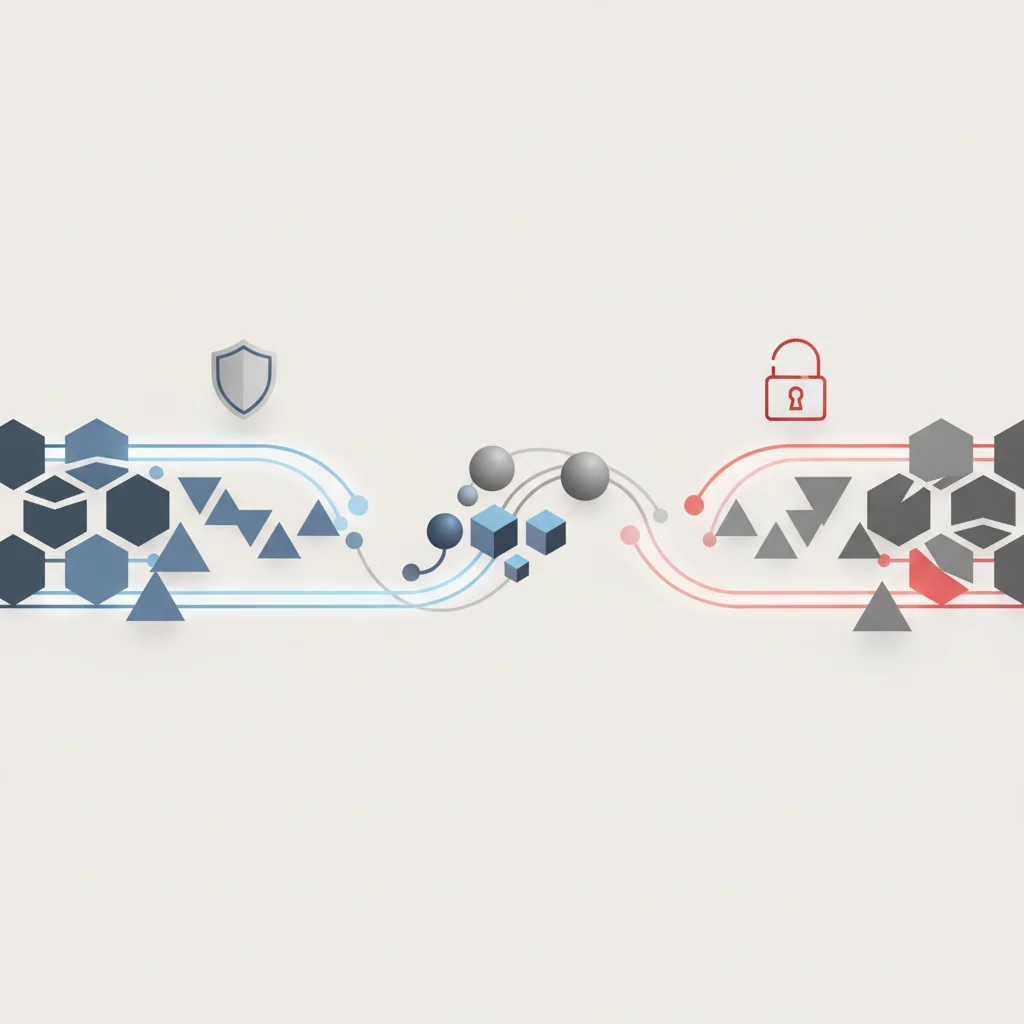
What is a Web Protocol?
In the realm of computer networking, a web protocol is a highly structured, mutually agreed-upon set of rules that defines how data is formatted, transmitted, and processed across a network [HTTP]. Operating primarily at the Application Layer (Layer 7) of the Open Systems Interconnection (OSI) model, these protocols standardize the communication between client-side software—such as a web browser or a mobile application—and server-side systems. Without standardized protocols, different systems running on diverse operating systems, hardware architectures, and network configurations would be unable to parse and interpret incoming data packets.
At its core, a web protocol dictates the syntax of messages (how they are structured), the semantics of those messages (what each field or header means), and the synchronization of communications (when and how data is sent and received). The most ubiquitous protocols governing this exchange rely heavily on the underlying Transport Control Protocol (TCP) and Internet Protocol (IP), commonly referred to as the TCP/IP stack. When a client initiates a request, the web protocol coordinates how the payload is wrapped, how status codes are returned, and how session states are managed.
The Origin of the Web: HTTP's Dominance
The Hypertext Transfer Protocol (HTTP) was originally conceived by Tim Berners-Lee at CERN in 1989 and formally documented as HTTP/0.9 in 1991. Initially designed as a simple, text-only protocol, its sole purpose was to fetch static HTML documents from servers over TCP networks. It operated on a straightforward "one-and-done" connection model, where the connection was immediately terminated after the requested resource was delivered. Over the next decade, HTTP evolved rapidly, culminating in the publication of RFC 2616 (defining HTTP/1.1) in 1997, which introduced critical features such as persistent connections, chunked transfer encoding, and virtual hosting capabilities.
For more than two decades, HTTP served as the undisputed foundation of the World Wide Web. During this early era, most web pages were static, read-only resources, meaning that transmitting unencrypted cleartext was deemed acceptable because sensitive transactions, personal identification information (PII), and complex user authentication flows were rare. However, as the web transitioned from a simple directory of information into a highly interactive, transactional, and dynamic environment, the limitations of cleartext HTTP became highly problematic, laying the groundwork for an industry-wide shift toward security-centric protocols.
Understanding HTTP: The Unsecured Baseline

Definition and Core Functionality
HTTP is a stateless, application-level protocol designed for distributed, collaborative, and hypermedia information systems [HTTP]. The term "stateless" is fundamental to its architecture: each request sent from a client to a server is treated as a completely independent transaction, with no inherent memory of previous interactions. To manage sessions, implement user authentication, and track shopping carts on e-commerce platforms, developers must rely on external mechanisms, such as state-tracking cookies, local storage, or session identifiers appended to HTTP headers.
The operational flow of HTTP is structured entirely around a client-server request-and-response model. A client (typically a browser) initiates a TCP connection to the server, formats a structured text request containing a request line (e.g., @@CODE0@@), several key-value header lines (e.g., @@CODE1@@, @@CODE2@@), and an optional message body. The server processes this request and returns a structured response consisting of a status line (e.g., @@CODE3@@), response headers (e.g., Content-Type: text/html), and the requested resource in the response body.
Because HTTP communicates using plain, human-readable text, any intermediary device located along the routing pathway—such as local routers, corporate proxy servers, internet service providers (ISPs), or public Wi-Fi access points—can intercept, read, and manipulate the transmission. The absence of native cryptographic envelopes within HTTP means that the entire exchange relies on the hope that every network hop between the client and the server is fully secure and trustworthy.
Inherent Security Vulnerabilities of HTTP
The architectural simplicity that allowed HTTP to scale globally also left it vulnerable to several catastrophic security flaws. Because the data packets are transmitted in an unencrypted cleartext format, they are susceptible to passive and active network attacks. Any actor with access to the transmission medium can execute these exploits using basic packet sniffing tools, such as Wireshark or tcpdump.
Packet Sniffing and Eavesdropping: In an HTTP-only connection, highly sensitive data such as login credentials, credit card details, session cookies, and personal medical records are sent across the wire in plaintext. Malicious actors on the same local network can intercept this raw data stream, compromising user privacy and corporate data compliance instantly.
Man-in-the-Middle (MitM) Attacks: Without encryption, attackers can easily position themselves between the client and the server. In a typical MitM scenario, the attacker intercepts the client's request, alters it before sending it to the server, and then manipulates the server’s response before delivering it back to the client. This allows attackers to silently inject malicious scripts, redirect users to phishing sites, or harvest authentication tokens.
ISP and Intermediary Payload Injection: For years, internet service providers and network operators have exploited the cleartext nature of HTTP to inject unauthorized advertisements, tracking scripts, or overlay elements directly into the web pages requested by users. This practice not only degrades the user experience but also introduces unvetted JavaScript payloads that can introduce third-party vulnerabilities.
Lack of Authenticity and Spoofing: HTTP does not verify the identity of the server. A user typing
http://mybank.comhas no cryptographic guarantee that the server responding is actually their financial institution. DNS spoofing, ARP poisoning, or BGP hijacking can route HTTP traffic to a perfectly cloned rogue server without triggering any built-in browser alerts or validation warnings.
Decoding HTTPS: The Secure Standard

What is HTTPS? Extending Security to HTTP
Hypertext Transfer Protocol Secure (HTTPS) is the secure extension of HTTP, defined under RFC 2818. It is critical to recognize that HTTPS is not an entirely new application layer protocol; rather, it is standard HTTP running on top of a cryptographically secured transport layer. By inserting a security protocol layer between standard HTTP and the underlying TCP connection, HTTPS ensures that all application-level commands, headers, URL paths, query parameters, cookies, and payloads are encrypted before they traverse the network.
When a client initiates an HTTPS connection, the URL scheme changes from @@CODE0@@ to @@CODE1@@. While standard HTTP traffic is traditionally routed through TCP port 80, HTTPS traffic is routed through TCP port 443 by default. The primary objective of HTTPS is to establish three key security pillars:
Confidentiality: Preventing eavesdropping by encrypting all transmitted data.
Integrity: Preventing unauthorized data modification during transit.
Authentication: Verifying that the client is communicating with the genuine, intended server rather than an imposter.
The Role of SSL/TLS: The Engine of Security
The cryptographic security of HTTPS is powered by Secure Sockets Layer (SSL) or, more accurately in modern web architecture, Transport Layer Security (TLS). SSL was originally developed by Netscape in the mid-1990s. Due to several structural vulnerabilities, SSL 2.0 and SSL 3.0 were deprecated by the Internet Engineering Task Force (IETF) in 2011 and 2015 respectively. Modern web security relies exclusively on the TLS protocol, with TLS 1.2 (RFC 5246) and TLS 1.3 (RFC 8446) being the only standard, secure implementations currently in use.
To secure data, TLS employs a hybrid cryptographic system combining both asymmetric and symmetric encryption models:
Asymmetric Encryption (Public-Key Cryptography): This model utilizes a mathematically linked key pair: a public key (shared openly with the world via an SSL/TLS certificate) and a private key (stored securely on the hosting server). Because data encrypted with the public key can only be decrypted by the matching private key, asymmetric cryptography is used during the initial connection handshake to securely establish a temporary session key without risk of interception.
Symmetric Encryption (Session-Key Cryptography): Once the client and server have securely agreed upon a unique session key, they transition to symmetric encryption. In this model, both parties use the exact same shared key to encrypt and decrypt data. Symmetric encryption (using algorithms like AES-GCM or ChaCha20-Poly1305) is computationally fast and highly efficient, making it perfect for transmitting large volumes of data during an active session without placing a heavy CPU load on the server or the client device.
The TLS handshake is the actual negotiation process that secures the connection. In TLS 1.3, this process has been optimized down to a single round-trip (1-RTT) exchange:
Client Hello: The client sends a packet containing supported TLS versions, cryptographic cipher suites, and a randomly generated key share.
Server Hello and Key Exchange: The server processes the client's information, selects the TLS version and cipher suite, shares its own key share, presents its digital SSL/TLS certificate, and generates a cryptographic signature to prove ownership of the private key.
Session Key Derivation: Both the client and server use the exchanged key shares to mathematically derive identical symmetric session keys.
Encrypted Session Established: All subsequent application data (HTTP requests and responses) is encrypted using these symmetric session keys, ensuring that no third party can read or alter the communication.
Key Benefits of HTTPS for Businesses and Users
Implementing HTTPS is no longer just a technical best practice; it is a fundamental business requirement that carries substantial regulatory, operational, and commercial benefits.
From a regulatory standpoint, modern data protection frameworks such as the General Data Protection Regulation (GDPR) in the European Union, the California Consumer Privacy Act (CCPA), and the Personal Data Protection Law (KVKK) in Turkey impose strict mandates on data security. These frameworks require organizations to implement technical and organizational measures to safeguard user privacy. Under GDPR Article 32, encryption of personal data is explicitly highlighted as a primary method for ensuring processing security. Failing to encrypt user login portals, registration pages, or checkout forms with HTTPS can expose an organization to severe regulatory audits, massive financial penalties, and reputational damage.
Furthermore, for any business handling online payments, adherence to the Payment Card Industry Data Security Standard (PCI DSS) is mandatory. PCI DSS Requirement 4 dictates that cardholder data must be encrypted during transmission across open, public networks. Operating an e-commerce platform over HTTP immediately invalidates PCI DSS compliance, rendering the merchant ineligible to process credit card payments directly.
Beyond compliance, HTTPS is a powerful mechanism for building consumer trust. When users visit an HTTPS-secured site, modern browsers display visual indicators—such as a clean tune icon or a secure connection status—signaling that their connection is private. This security assurance prevents the abandonment of high-value conversion funnels, directly impacting the organization’s digital revenue.
Evaluating the benefits and technical considerations of deploying HTTPS. Pros 2 advantages Uncompromised Data Integrity Protects information from being tampered with or intercepted in transit. Improved Search Engine Visibility Acts as a confirmed SEO ranking signal for search engines. Cons 2 concerns Administrative Maintenance Requires ongoing certificate lifecycle management and renewal cycles. Initial Migration Complexity Requires systematic redirection mapping to prevent mixed content issues.Pros and Cons of HTTPS Implementation
HTTP vs. HTTPS: A Direct and Critical Comparison
Security and Encryption Mechanisms
The fundamental difference between HTTP and HTTPS lies in their security architecture [HTTP]. While HTTP is completely devoid of cryptographic controls, HTTPS wraps standard HTTP messages in a secure TLS tunnel. This architectural difference defines how the two protocols handle the primary threat vectors of eavesdropping, tampering, and impersonation.
Data Integrity and Authentication
Under HTTP, there is no way to verify if the data received by a browser is identical to the data sent by the origin server. If an intermediate node (like an insecure router) intercepts the packet, it can append malicious JavaScript, modify financial numbers, or replace images, and the browser will execute the altered payload without warning. HTTPS mitigates this risk by utilizing Message Authentication Codes (MAC) or Authenticated Encryption with Associated Data (AEAD) in modern TLS ciphers. If an attacker attempts to alter even a single bit of a TLS packet during transmission, the integrity check fails at the client end, and the browser immediately terminates the connection, preventing the altered data from processing.
Furthermore, HTTPS solves the server identity crisis through a Public Key Infrastructure (PKI) system. When a browser connects to an HTTPS server, it evaluates the server's SSL/TLS certificate against a pre-installed, secure list of trusted Root Certificate Authorities (CAs) maintained by operating system and browser vendors. The browser verifies that:
The certificate is mathematically valid and signed by a trusted Root or Intermediate CA.
The certificate has not expired.
The domain name on the certificate matches the domain name requested by the user.
The certificate has not been revoked (verified via Online Certificate Status Protocol - OCSP).
If any of these conditions are not met, the browser blocks the connection with an aggressive warning, protecting the user from entering credentials on a spoofed or fraudulent website.
Port Numbers and Communication Channels
At the transport layer, HTTP and HTTPS utilize different logical entry points (ports) to establish TCP connections:
Port 80 (HTTP): Standard HTTP traffic is routed through TCP port 80. Because firewalls and routers recognize Port 80 as unencrypted traffic, they frequently perform deep packet inspection, traffic shaping, caching, and manipulation on these streams.
Port 443 (HTTPS): HTTPS traffic uses TCP port 443. For firewalls and network proxies, Port 443 traffic appears as an opaque, unreadable stream of binary data. The intermediary devices cannot read the HTTP headers, URLs, cookies, or content; they can only see the target IP address and port. This guarantees that private transactions remain secure even when passing through heavily restricted enterprise or public networks.
Furthermore, to host multiple secure domains on a single IP address over port 443, modern HTTPS implementations use the Server Name Indication (SNI) extension. SNI allows the client to specify the target hostname during the initial TLS handshake, enabling the server to present the correct SSL/TLS certificate before the encrypted channel is established.
Performance Implications: Is HTTPS Slower?
Historically, a common argument against HTTPS was that the cryptographic calculations and additional network round-trips of the SSL/TLS handshake would degrade website performance. In the early days of the web, encryption indeed introduced noticeable latency and high server CPU overhead. However, in modern web development, HTTPS is frequently faster than HTTP, thanks to three key technological developments:
Hardware Acceleration: Modern server processors (such as Intel Xeon or AMD EPYC) feature built-in hardware acceleration specifically designed for cryptographic operations, such as Intel AES-NI (Advanced Encryption Standard New Instructions). This offloads cryptographic calculations from the software level directly to the processor, reducing the CPU overhead of TLS encryption to near-zero.
TLS 1.3 Optimizations: By reducing the handshake process to a single round-trip (1-RTT) and introducing 0-RTT session resumption for returning visitors, TLS 1.3 has dramatically reduced connection latency. Users can establish secure connections almost instantly, eliminating the network latency that once plagued HTTPS migrations.
Modern Protocol Requirements (HTTP/2 and HTTP/3): Major browser engines (including Blink, WebKit, and Gecko) enforce a strict rule: HTTP/2 and HTTP/3 can only be used over encrypted HTTPS connections. If a website remains on insecure HTTP, it is forced to use the legacy HTTP/1.1 protocol. HTTP/2 and HTTP/3 introduce revolutionary performance enhancements, including request multiplexing (sending multiple assets over a single TCP connection), header compression (HPACK), and UDP-based packet recovery (QUIC). Consequently, a site configured with HTTPS and HTTP/2 or HTTP/3 will significantly outperform an insecure HTTP/1.1 site.
SEO and Browser Trust Signals
Search engines and web browsers have collectively established a strict system of rewards and penalties to drive HTTPS adoption across the web.
Search Engine Optimization (SEO): In 2014, Google officially announced HTTPS as a lightweight ranking signal. While it initially served as a tie-breaker, the weight of secure connections has increased over time. Under Google's Page Experience update, HTTPS is a mandatory baseline requirement for a site to rank well. If your business competitor operates a secure site and you remain on HTTP, they hold a distinct, persistent structural advantage in organic search results.
Browser Warning Signals: Modern browsers have shifted from quietly rewarding secure sites to aggressively penalizing insecure ones. If a user navigates to an HTTP site, browsers like Chrome, Firefox, and Safari no longer show a neutral page. Instead, they display a prominent "Not Secure" warning in the address bar. If the user clicks on an input field (such as a search bar, contact form, or login box) on an HTTP page, the warning often flashes red or expands, explicitly warning the user that their data may be stolen. This causes immediate drops in user engagement, trust, and conversion rates.
Cost and Implementation
The financial barriers that once prevented small businesses from securing their websites have been largely eliminated. Today, the cost and implementation landscape is split between free automation and advanced enterprise validation:
Free Domain Validation (DV): Organizations like Let's Encrypt, a free, automated, and open Certificate Authority, allow website owners to obtain trusted SSL/TLS certificates at zero cost. Supported by the ACME protocol, tools like Certbot automate the entire request, validation, installation, and 90-day renewal cycle, eliminating administrative overhead.
Commercial Certificates (OV and EV): While Let's Encrypt is ideal for blogs, content sites, and standard applications, enterprise platforms often require commercial Organization Validation (OV) or Extended Validation (EV) certificates. Commercial CAs (such as DigiCert or Sectigo) charge annual fees ranging from $50 to several hundred dollars. In exchange, they conduct manual background verifications of the organization's legal registration and physical address. Furthermore, commercial certificates include significant financial warranty limits (up to $1.75M+) to protect the business against cryptographic failure or fraudulent misissuance by the CA.
Direct architectural comparison between the HTTP and HTTPS protocols. Avantaj HTTPS uses robust TLS encryption, protecting all transactional data from sniffing. Dezavantaj HTTP transmits data in cleartext, leaving credentials and PII exposed to any network node. Avantaj HTTPS provides a direct ranking boost and ensures Google Search Console data integrity. Dezavantaj HTTP sites are penalized in search rankings and lose referral data in analytics. Avantaj HTTPS shows a clean, trusted connection state, avoiding warnings. Dezavantaj HTTP triggers highly visible 'Not Secure' warnings in Chrome, Safari, and Firefox.Protocol Decision Matrix
Security Level
Search Engine Optimization
Browser UI and User Trust
Why HTTPS is Indispensable in Today's Digital Landscape

Protecting User Privacy and Sensitive Data
The modern threat landscape is highly sophisticated, and attackers target any available data vector to conduct identity theft, financial fraud, and corporate espionage. When a user transmits data over HTTP, they expose their entire digital identity. Credentials, private messages, physical addresses, tax identifiers, and session cookies are all transmitted in cleartext.
By encrypting this data with TLS, HTTPS ensures that even if a threat actor intercepts the raw data packets, they will only see an unreadable cipher. For instance, an AES-256 encrypted payload would require billions of years to decrypt using modern supercomputers. Furthermore, HTTPS protects session cookies—the cryptographic tokens that keep users logged into their accounts—by allowing developers to set the Secure cookie attribute. This flag instructs the browser to never transmit the session cookie over an insecure HTTP connection, shutting down session hijacking attacks.
Building Trust and Credibility for Your Brand
In digital commerce, trust is a primary currency. When a customer lands on a corporate website, their initial impression of security heavily dictates their willingness to share data or complete a transaction.
If a consumer is greeted with a highly visible "Not Secure" warning in their browser's address bar, they are highly likely to immediately exit the site. This increase in bounce rate directly harms marketing efficiency and acquisition costs. Conversely, a secure HTTPS connection establishes an immediate baseline of professional execution. It shows that the organization prioritizes user security and actively maintains its digital assets. For financial institutions, e-commerce giants, and healthcare platforms, upgrading to OV or EV certificates provides a higher layer of brand confirmation, allowing users to verify the exact legal entity behind the website.
Google's Ranking Factor: An SEO Imperative
Search engines are committed to providing users with safe, high-quality search results. As part of this commitment, Google has systematically incorporated security signals into its indexing and ranking algorithms:
The HTTPS Boost: Since 2014, Google has given secure websites a ranking advantage. While not as dominant as high-quality content or backlinks, it serves as a critical optimization point in competitive niches.
Analytics Integrity: When a user clicks a link on an HTTPS site that redirects to an HTTP site, the browser strips the referral header to prevent data leaks. In your analytics dashboard, this organic or referral traffic is categorized as "Direct" traffic, severely compromising your data attribution and marketing analysis. Migrating to HTTPS preserves referral headers, ensuring clean, actionable analytics data.
Core Web Vitals and Page Experience: Google's Page Experience signals evaluate a site's overall usability. Because HTTPS is required to run performance-enhancing technologies like HTTP/2, HTTP/3, and modern cache workers, implementing HTTPS is a prerequisite for achieving top scores on Google's Core Web Vitals metrics.
Mitigating Browser Warnings and Enhancing User Experience
The user experience (UX) design of modern browsers is heavily optimized to guide users away from unencrypted networks. Chrome, Edge, Safari, and Firefox have evolved their security interfaces to actively discourage the use of HTTP:
Interactive Input Warnings: If a user attempts to fill out a simple search query or newsletter signup form on an HTTP page, the browser immediately displays warnings adjacent to the input field, informing the user that their keystrokes can be monitored.
Full-Screen Warnings: For legacy HTTP sites, some browsers or security extensions display full-screen warning pages (interstitials) that require users to click through advanced settings to bypass, effectively blocking standard access.
Visual Trust Indicators: On HTTPS pages, the browser displays a subtle, clean interface that minimizes distraction while confirming a secure state. This seamless UX ensures that the user's attention remains entirely focused on the brand's content and call-to-actions.
Foundation for Modern Web Technologies (HTTP/2, HTTP/3)
Many advanced web APIs and browser-native capabilities are completely disabled on insecure HTTP connections. Browser vendors enforce a "Secure Contexts" policy, meaning that powerful web features are restricted to HTTPS to prevent them from being abused by attackers:
Service Workers: Service workers are the core engine behind Progressive Web Apps (PWAs), enabling offline functionality, resource pre-fetching, and background synchronization. To prevent MitM attackers from hijacking service workers to inject persistent malware, browsers mandate HTTPS for their deployment.
Geolocation and Media APIs: Accessing a user's precise physical location, camera, microphone, or biometric sensors requires a Secure Context. These APIs are completely locked on HTTP sites.
Push Notifications and Web Payments: Sending native push notifications or integrating browser-native payment requests (like Apple Pay or Google Pay) is impossible without an established HTTPS connection.
HTTP/2 and HTTP/3 Multiplexing: As detailed previously, the substantial performance gains of modern protocol multiplexing can only be unlocked through an active TLS layer, making HTTPS the gateway to modern web speeds.
Beyond Encryption: Other Considerations

Common Misconceptions About HTTPS
Despite the widespread adoption of secure protocols, several dangerous misconceptions persist among business owners and non-technical decision-makers.
"HTTPS makes my website 100% hack-proof." This is a critical security misunderstanding. HTTPS only secures data in transit between the client and the server. It prevents attackers from reading or modifying data on the wire. It does not protect against vulnerabilities on the server or application level. A website using HTTPS remains fully vulnerable to SQL injections, Cross-Site Scripting (XSS), brute-force password cracking, server-side remote code execution, and database breaches if the underlying software is unpatched or poorly written.
"Only checkout and login pages need HTTPS." Historically, websites would only secure their shopping cart and login forms while leaving the rest of the site on HTTP. This is a highly flawed approach. If the initial landing pages are served over HTTP, an attacker can hijack the connection and modify the form actions to submit user data to a malicious domain, completely bypassing the secure checkout page. Furthermore, mixed content issues will block resource loading, and search engine penalties will still apply to the insecure portions of the domain.
"HTTPS causes high server overhead and requires expensive hosting." As previously established, modern CPU architecture, TLS 1.3 optimization, and free automated tools like Let's Encrypt have reduced both the computing and financial costs of HTTPS to negligible levels.
The Future of Web Protocols: HTTP/3 and Continued Security
The evolution of web protocols continues to prioritize speed and security as unified targets. The current cutting-edge standard, HTTP/3 (RFC 9114), represents a fundamental shift in network transport design.
Unlike HTTP/1.1 and HTTP/2, which rely on TCP, HTTP/3 utilizes QUIC (Quick UDP Internet Connections), a multiplexed transport protocol built on top of UDP. A defining characteristic of QUIC is that TLS 1.3 is baked directly into the protocol design, rather than layered on top. This means that connection establishment and security handshakes occur simultaneously, reducing the time required to set up a secure channel to zero round-trips (0-RTT) for returning clients.
Furthermore, QUIC implements connection migration. If a user transitions from a cellular network to a home Wi-Fi network, their active session is preserved seamlessly without needing to renegotiate the TLS handshake, eliminating connection drops. As we look to the future, the integration of post-quantum cryptography (PQC) algorithms into TLS protocols is actively being standardized to protect encrypted data against future quantum computing threat profiles.
Securing Your Web Presence: Practical Steps

How to Check if a Website Uses HTTPS
Verifying the security state of a website is simple using modern browser interfaces and automated diagnostics:
Address Bar Inspection: Look at the left side of the address bar. A secure connection is represented by a lock icon or a tune settings icon. Clicking this icon opens a security submenu indicating that the connection is secure.
Certificate Inspection: Within the browser’s security submenu, you can view the active SSL/TLS certificate details, including the issuing Certificate Authority, the encryption algorithm used, the certificate validation scope (DV, OV, or EV), and the expiration date.
Developer Tools: In Google Chrome, opening DevTools (F12) and navigating to the "Security" tab provides a comprehensive breakdown of the active TLS connection, the cipher suite in use (e.g., TLS 1.3, AES256GCM), and whether any unsecure resources are triggering mixed content warnings.
Automated Security Scanners: For a deep architectural analysis, running your domain through the Qualys SSL Labs server test provides a letter grade (A+ through F) based on your TLS configuration, cipher vulnerabilities, HSTS support, and server configuration correctness.
The Process of Migrating from HTTP to HTTPS (Brief Overview)
Migrating a legacy website from HTTP to HTTPS requires a structured checklist to ensure data security is established without damaging organic search engine rankings:
Select and Purchase a TLS Certificate: Determine whether your application requires a free DV certificate (Let's Encrypt), a wildcard certificate (to secure all subdomains), or a commercial OV/EV certificate for enterprise validation.
Install the Certificate on Your Web Server: Configure your web server (such as Nginx, Apache, or IIS) to listen on Port 443 and associate it with the cryptographic public and private keys.
Implement 301 Permanent Redirects: Configure server-level routing to automatically redirect all incoming HTTP traffic (Port 80) to HTTPS (Port 443).
Resolve Mixed Content Errors: Update all absolute internal URLs (CSS, JavaScript, images, and fonts) in your code and database to use
https://. Any resource loaded over an unsecure HTTP connection on an HTTPS page will be blocked by modern browsers, breaking site styling and functionality.Configure HTTP Strict Transport Security (HSTS): Inject the HSTS security header (
Strict-Transport-Security) to instruct browsers to exclusively load your site over HTTPS, preventing protocol downgrade attacks.Update Search Console and Analytics Platforms: Add the new HTTPS site property to Google Search Console and update your analytics configurations to accurately track organic traffic performance.
Conclusion: Embracing a Secure Web

Establishing a secure web presence is no longer an optional upgrade or an isolated technical task; it is a fundamental requirement of modern web architecture. Choosing between HTTP and HTTPS represents a decision between leaving your corporate and user data exposed to public networks or securing your assets behind standard cryptographic protocols.
The transition to HTTPS protects user privacy, ensures data integrity, fulfills strict regulatory mandates (such as GDPR, KVKK, and PCI DSS), and unlocks modern performance benefits like HTTP/2 and HTTP/3. Business owners and technical leaders must proactively audit their web infrastructure, deploy secure configurations, and maintain automated certificate renewal lifecycles to protect their brand credibility and organic reach.
Frequently Asked Questions
What is the main difference between HTTP and HTTPS?
The primary difference is security. HTTP transmits data in unencrypted cleartext over port 80, leaving it vulnerable to interception, while HTTPS encrypts communications over port 443 using TLS/SSL, securing data privacy, integrity, and authenticity [HTTP].
Does HTTPS make a website slower?
No, modern HTTPS is highly optimized and often faster than HTTP. Thanks to modern protocols like HTTP/2 and HTTP/3, TLS 1.3 session resumption, and hardware acceleration, encrypted connections experience negligible performance overhead.
Can I get an HTTPS certificate for free?
Yes, trusted open-certificate authorities like Let's Encrypt provide fully functional, automated Domain Validation (DV) TLS certificates completely free of charge. These are suitable for most websites and renew every 90 days automatically.
What are DV, OV, and EV certificates?
Domain Validation (DV) verifies domain ownership only. Organization Validation (OV) and Extended Validation (EV) require rigorous corporate identity verification by a Certificate Authority, offering higher trust, organizational transparency, and commercial warranty limits.
What is a mixed content error?
A mixed content error occurs when an HTTPS-secured webpage attempts to load subresources, such as images, scripts, or stylesheets, over an unsecure HTTP connection, which can compromise the overall security of the page.
How does HTTPS impact my SEO rankings?
Google explicitly uses HTTPS as a ranking signal. Transitioning to HTTPS improves search engine visibility, protects search query data, and prevents browsers from displaying user-deterring warning messages that increase bounce rates.
Is HTTPS necessary if my website does not collect sensitive data?
Yes, HTTPS is mandatory for all websites. It prevents ISPs and third parties from injecting ads or tracking scripts, verifies server authenticity to block phishing, and is a prerequisite for advanced browser features and modern performance standards.
What happens if my SSL/TLS certificate expires?
When a certificate expires, web browsers immediately block access to the site with a prominent "Your connection is not private" warning, which severely damages brand trust, halts user transactions, and degrades organic search performance.