
Mockup vs Prototype: What's the Difference?
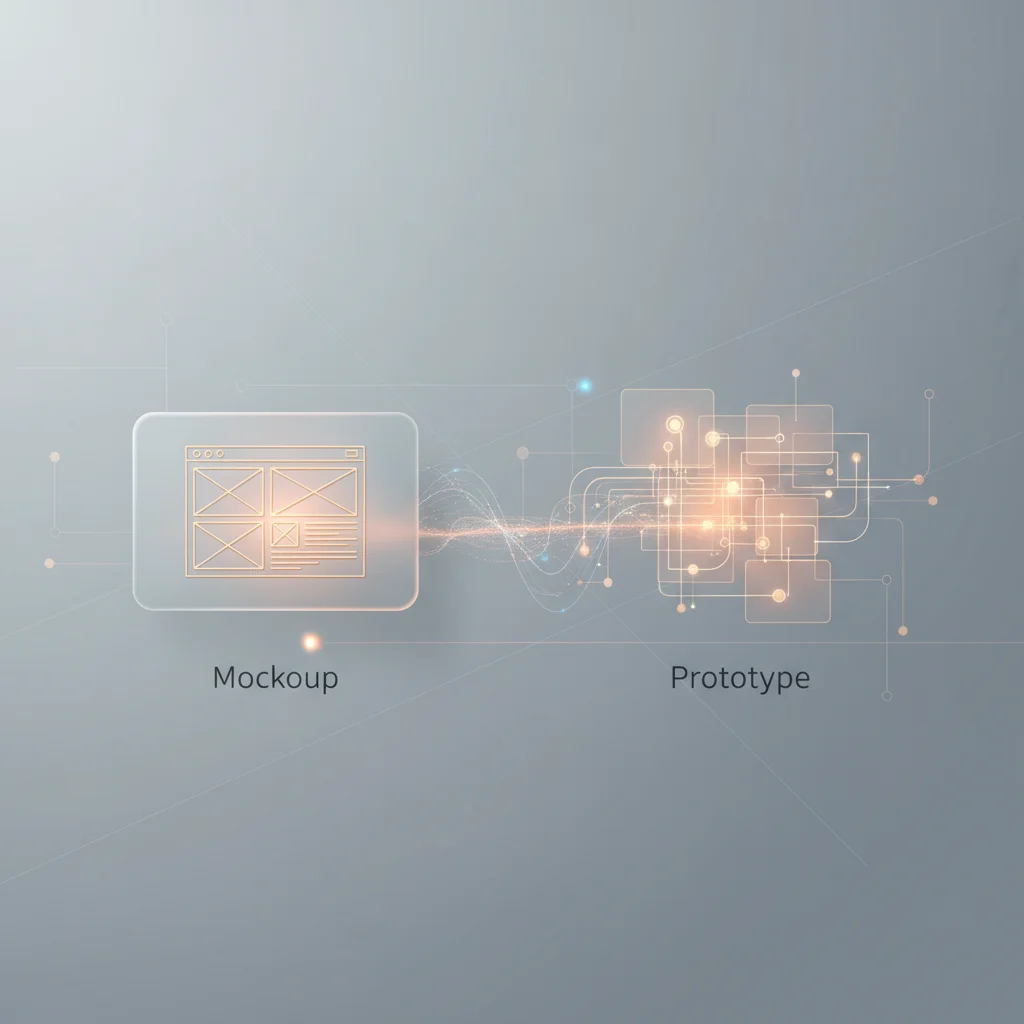
A mockup is a static, high-fidelity visual representation of a design, whereas a prototype is an interactive, functional model used for usability testing and flow validation.
ON THIS PAGE
0% read
- The Bottom Line: Static Vision vs. Interactive Validation
- What is a Mockup? (Defining the Visual Blueprint)
- What is a Prototype? (Defining the Functional Model)
- Mockup vs. Prototype: A Direct Comparison
- The Product Lifecycle: Wireframe vs. Mockup vs. Prototype
- When to Use Which? (Strategic Decision Making)
- The Risks of Confusing Mockups and Prototypes
- Industry Standard Tools for High-Fidelity Design and Testing
When launching or scaling a digital product, stakeholders face a critical question: Mockup vs Prototype: What's the Difference? Choosing the wrong artifact at the wrong stage of the product development lifecycle can result in misallocated capital, delayed timelines, and misaligned stakeholder expectations. A mockup serves as a static, high-fidelity visual representation of a design, focusing on brand identity, color theory, and visual hierarchy. Conversely, a prototype functions as an interactive, functional model engineered for usability testing, flow validation, and technical proof of concept. This comprehensive guide provides business owners and technical decision-makers with the precise framework needed to leverage both assets strategically, optimize resource allocation, and accelerate time-to-market.
The Bottom Line: Static Vision vs. Interactive Validation
Why Understanding the Distinction Matters for Business Success
The primary risk in product development is building a solution that users do not understand or want. In software engineering, the cost of fixing an error rises exponentially the later it is discovered in the product development lifecycle. Resolving a user interface (UI) or user experience (UX) issue during the initial static design phase costs a fraction of what it costs to rewrite production code.
When product teams use the terms "mockup" and "prototype" interchangeably, they create systemic communication failures. Software engineers may begin writing code based on a static mockup, assuming certain default behaviors, only to find during testing that the business logic required a completely different interactive user flow. Conversely, design teams might spend weeks building a highly complex interactive prototype when a series of static representations would have been sufficient to secure executive sign-off.
For business owners and technical decision-makers, optimizing resource allocation requires clear design-phase gates. Design fidelity must match the objective of the current phase. High-fidelity visual mockups establish the aesthetic standards, brand alignment, and visual hierarchy. Clickable models and interactive prototypes validate usability, uncover cognitive friction, and serve as a reliable blueprint for frontend developers.
What is a Mockup? (Defining the Visual Blueprint)
Core Characteristics of a Mockup
A mockup is a static representation that demonstrates how the final user interface will look. It is a high-fidelity visual translation of a low-fidelity wireframe. Mockups integrate specific brand assets, color palettes, typography scales, iconographies, and actual UI components. Unlike wireframes, which rely on placeholders and structural grids, mockups show the exact visual state of the product, including shadows, gradients, image placements, and precise spacing guidelines.
Because mockups are static, they do not include active links, functional buttons, input fields, or system transitions. They present a snapshot in time of a specific application state. If a designer needs to show how a dropdown menu functions within a mockup, they must render a separate static screen showing the open state of that menu.
The Business Value of Mockups
From a commercial perspective, mockups are essential for establishing brand consistency and securing stakeholder alignment before functional development begins. In corporate web design, ensuring compliance with Web Content Accessibility Guidelines (WCAG 2.2) regarding color contrast, typography readability, and element scaling is best addressed during the mockup phase.
Mockups also serve as highly effective sales and marketing collateral. Founders and product managers can use high-fidelity mockups in investor presentations, marketing landing pages, and pre-launch campaigns to showcase the intended value proposition of the product without investing heavily in database structures or interactive logic.
What is a Prototype? (Defining the Functional Model)
Core Characteristics of a Prototype
A prototype is an interactive model designed to simulate the behaviors, paths, and logic of a digital product. While mockups focus on appearance, prototypes focus on experience and behavior. A prototype can range from low-fidelity (such as clickable paper models or interactive wireframes) to high-fidelity (such as fully responsive design files in Figma that connect to dynamic APIs or simulate database states).
The fundamental element of a prototype is interaction. Users can click on buttons, open modal windows, navigate between pages, and input test data to observe system reactions. Prototypes utilize conditional logic to mimic the dynamic state changes of a live application, ensuring that the visual interface responds accurately to user behaviors.
The Business Value of Prototypes
For digital product strategists, prototypes are the primary mechanism for usability testing and flow validation. By placing an interactive prototype in front of target users, product teams can gather qualitative and quantitative data regarding user behavior, drop-off points, and cognitive bottlenecks. This direct feedback loops into the product development lifecycle, minimizing the risk of post-launch product failure.
Furthermore, prototypes act as a critical proof of concept for engineering teams. They clarify functional requirements far better than written documentation. When developers can interact with a functional model, they gain an immediate understanding of transition physics, micro-interactions, modal behaviors, and overall structural logic, dramatically accelerating the eventual coding phase.
Mockup vs. Prototype: A Direct Comparison
Interactivity and User Flow
The fundamental divide between mockups and prototypes lies in their dynamic capability. A mockup is a destination; it represents a fixed layout designed to show what a specific interface looks like. A prototype, on the other hand, is a journey; it represents the sequential progression of steps a user takes to complete a specific task, such as checking out of an e-commerce platform or configuring a SaaS dashboard.
In a mockup, user flows are conceptualized through mental leaps. Stakeholders must look at Screen A and Screen B and mentally bridge the transition. In an interactive prototype, that transition is explicitly rendered. The system models the precise animation, load state, and interactive logic, allowing testers to experience the continuity of the digital product.
Time, Cost, and Resource Allocation
Designing high-fidelity mockups requires a deep understanding of UI/UX design, visual hierarchy, branding guidelines, and graphic styling. Because they are static, they can be produced relatively quickly once a design system and UI kit are established. Resource allocation for mockups is primarily centered on creative design talent.
Developing an interactive, high-fidelity prototype requires a larger commitment of time and resources. UX designers must build extensive interactive links, define conditional logic states, create dynamic variables, and test transition timings. This stage requires a highly technical design skill set, often involving UX engineers or advanced prototyping experts, which increases the design phase budget.
Target Audience for Presentation (Investors vs. Testers)
Selecting the right artifact often depends on who is receiving the presentation. Mockups are highly effective for stakeholder presentations where the primary goal is visual sign-off, brand identity validation, and aesthetic consensus. Executive boards, marketing teams, and brand managers need to see the polished look-and-feel of the interface to ensure alignment with corporate identity.
Conversely, prototypes are essential for product managers, QA engineers, and target users. During usability testing, presenting static mockups to test users fails to yield meaningful behavioral data. Testers need to interact with a clickable model to uncover navigation errors, structural confusions, and performance anxieties. For tech-savvy investors, showing a functional prototype that operates as a proof of concept demonstrates execution capability and reduces perceived technical risk.
A detailed comparison based on development criteria. Avantaj Static layout with no dynamic elements; fast to review. Dezavantaj Highly interactive; requires design linking and states. Avantaj Visual identity, brand design, and UI layout. Dezavantaj Usability testing, flow validation, and interaction. Avantaj Executive boards, marketing teams, and visual designers. Dezavantaj End-users, UX researchers, and software engineers.Mockup vs. Prototype Key Comparison
Interactivity
Primary Focus
Target Audience
The Product Lifecycle: Wireframe vs. Mockup vs. Prototype
Where Does Each Fit in the Development Cycle?
An optimized product development lifecycle follows a structured sequence: from wireframing, to mockups, to interactive prototyping, and finally to production-ready code. Each phase acts as a filter, resolving specific categories of design and usability challenges before moving to the next level of design fidelity.
Wireframing (Structure): In the initial phase, the focus is purely structural. Using low-fidelity wireframes, product teams define where elements live, the general layout hierarchy, and content placement. Color and brand styling are deliberately omitted to avoid distracting from core structural decisions.
Mockups (Visuals): Once the structure is approved, designers apply the visual identity. This stage transforms structural skeletons into polished, high-fidelity mockups. The goal is to establish the complete look-and-feel of the application, locking in typography, colors, and asset styling.
Prototypes (Behavior): With the visual blueprint established, designers introduce interactivity. They link screens together, configure micro-interactions, set up conditional states, and create a functional model. This interactive asset is then used for usability testing and final development handoff.
When to Use Which? (Strategic Decision Making)
Scenarios Requiring a Mockup
Mockups are the correct choice when visual aesthetic, marketing representation, and brand representation are the top priorities. If your product is a simple content-driven website, a landing page, or a corporate portfolio, high-fidelity mockups are often sufficient. There is no complex business logic or user flows to test, meaning the investment in building interactive prototypes would yield low returns.
Additionally, mockups are critical during early-stage capital raising or executive buy-in phases. When speed is essential and you need to demonstrate a product vision quickly, mockups let you rapidly iterate on the visual concept and present a polished aesthetic direction to partners and early adopters.
Scenarios Requiring a Prototype
Prototypes are non-negotiable for interactive web applications, software-as-a-service (SaaS) portals, mobile applications, and complex e-commerce platforms. Any product that features multi-step forms, user configuration panels, custom dashboards, dynamic search engines, or complex checkout pathways requires a functional prototype.
If you are preparing for structured usability testing sessions, you must deploy a prototype. You cannot reliably measure task completion rates, error rates, or navigation times using static images. The prototype acts as a low-risk sandbox where user mistakes are uncovered and corrected before writing expensive backend code.
Strategic mapping based on specific project requirements. Avantaj Choose Mockup. It allows fast, cost-effective sign-off on visual identity. Dezavantaj Prototypes add unnecessary overhead if you only need visual consensus. Avantaj Choose Prototype. It is essential for observing actual user behaviors and friction. Dezavantaj Mockups fail to capture user behavior, leading to post-launch code fixes. Avantaj Choose Mockup. Best for tight timelines and limited budgets to lock down look-and-feel. Dezavantaj Prototypes require substantial design engineering hours, increasing costs.Product Design Decision Matrix
Brand Presentation
UX Flow Validation
Budget Constraints
The Risks of Confusing Mockups and Prototypes
Risk 1: Misaligned Stakeholder Expectations
One of the most common issues in digital product design is the "illusion of completeness." When clients or internal executives are presented with a series of high-fidelity, polished mockups, they often assume the product is nearly complete. Because the static screens look visually perfect, there is a cognitive bias that assumes the underlying logic, database structures, and dynamic flows are already functioning.
When stakeholders realize that these static designs require months of frontend and backend development, trust can erode. Conversely, if stakeholders are shown a low-fidelity interactive prototype, they might criticize the lack of visual polish, failing to understand that the focus is on testing the flow, not the visual style. Clear communication regarding the purpose of each asset is critical to preventing these misunderstandings.
Risk 2: Wasted Development Budgets
When developers are handed static mockups without accompanying user flow prototypes or detailed specifications, they are forced to make assumptions about how the interface behaves. They must guess what happens when a form field fails validation, how the interface adapts to different screen sizes, or how transition animations occur.
These assumptions frequently conflict with the original business intent, leading to extensive, expensive development rework during the QA phase. By validating the interactive flows with a prototype before writing code, product teams can provide developers with a clear interactive blueprint, reducing development cycles and saving technical budgets.
Industry Standard Tools for High-Fidelity Design and Testing
Popular Tools for Mockups and Prototypes
The UI/UX design ecosystem has evolved significantly. While older tools focused heavily on static vector editing, modern platforms offer comprehensive, integrated workflows that bridge the gap between static mockups and interactive prototypes.
Figma: The dominant industry-standard platform for collaborative digital product design. Figma excels at both high-fidelity mockup creation and interactive prototyping. Designers can build comprehensive design systems, utilize auto-layout for responsive spacing, and configure advanced prototyping interactions with variables, conditional logic, and micro-animations.
Adobe XD: Historically popular within corporate ecosystems, Adobe XD offered robust voice prototyping and vector design features. However, with design workflows consolidating around collaborative cloud platforms, Adobe XD has largely been deprioritized in modern team environments.
Axure RP: The tool of choice for complex enterprise applications and heavy information architectures. Axure RP is unmatched when building highly advanced interactive prototypes. It supports dynamic data structures, real database inputs, conditional routing, and mathematical functions, allowing teams to construct working simulations that mimic live software.
Choosing the Right Tool for Your Project
Selecting the correct design tool depends on your team's workflow, project complexity, and collaboration needs. For most modern, agile product teams, Figma is the practical solution. Its web-based, real-time collaboration environment allows designers, product managers, and developers to work on the same file concurrently, simplifying both the design feedback loops and the developer handoff process.
If your project is an enterprise-grade platform with highly complex logical requirements, data inputs, and mathematical processing, investing in Axure RP is a strategic move. While Axure has a steeper learning curve and higher licensing costs, its ability to simulate complex systems reduces the need for expensive exploratory coding and helps ensure your functional logic is validated before development begins.
Frequently Asked Questions
Is a mockup the same as a prototype?
No. A mockup is a static, high-fidelity visual design focusing on branding, visual style, and layout. A prototype is an interactive, clickable model designed to validate usability and user flow.
Does a mockup come before a prototype in design?
Generally, yes. Teams typically create static mockups to secure brand and layout approvals before investing the time required to build interactive connections and transitions in a prototype.
Can a mockup be interactive?
No. If a mockup becomes interactive, it transitions into a prototype. Mockups are strictly static representations of single interface screens.
What should be included in a developer handoff?
The handoff should include high-fidelity mockups, responsive grid specs, asset export links, design tokens, and a clickable prototype to clarify interactive flows.
Why are prototypes more expensive to build than mockups?
Prototypes require setting up interactive links, conditional states, and micro-animations. This added logic requires deeper UX testing and design engineering hours.
Is Figma used for mockups or prototypes?
Figma is a versatile, cloud-based platform that is highly effective for both. It is used to design static high-fidelity mockups and build complex interactive prototypes.
How does a prototype help in usability testing?
A prototype lets real users navigate and complete tasks in a realistic simulation. This helps researchers observe cognitive friction and interface issues before development begins.
Can a prototype serve as a proof of concept?
Yes. A functional prototype is an excellent proof of concept to demonstrate your technical flow, present to investors, and align development teams.