
Noindex vs Robots.txt: What's the Difference?
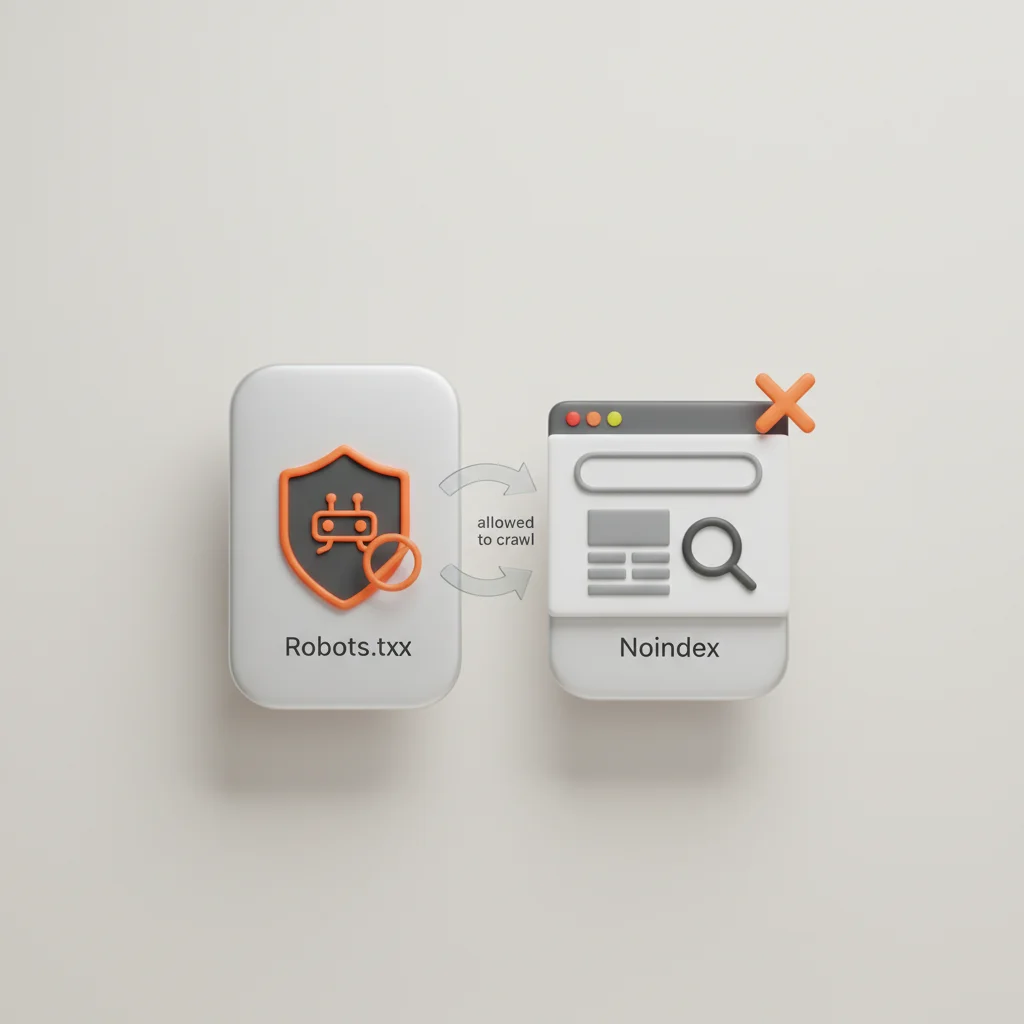
Robots.txt prevents search engines and AI bots from crawling a page, while the noindex directive allows crawling but prevents the page from being indexed in search results.
ON THIS PAGE
0% read
- Understanding Crawling vs. Indexing
- What is Robots.txt? (Controlling Crawl Behavior)
- What is the Noindex Directive? (Controlling Search Visibility)
- Noindex vs. Robots.txt: Head-to-Head Comparison
- The Danger Zone: Combining Robots.txt and Noindex
- Practical Use Cases: When to Use Which Directive
- Technical SEO Auditing and Verification
- Safeguarding Your Website Architecture
Navigating the distinction between crawling controls and search visibility directives is one of the most critical responsibilities in technical SEO architecture. When evaluating Noindex vs Robots.txt: What's the Difference?, the core distinction lies in access versus representation: a robots.txt file manages crawl requests and bot access across your infrastructure, whereas the
noindexdirective explicitly instructs search engines to omit a page from search engine results pages (SERPs). Confusing these mechanisms can lead to severe architectural vulnerabilities, such as unindexed revenue drivers, wasted crawl budget, indexation of private URLs via external backlinks, or corrupted data pipelines for AI search platforms. This comprehensive technical guide analyzes how each directive operates, evaluates operational edge cases, and provides actionable frameworks for enterprise compliance.
Understanding Crawling vs. Indexing
Search engine processing follows an asynchronous, multi-stage pipeline consisting primarily of discovery, crawling, rendering, and indexing. To manage search engine behavior effectively, digital architects and technical teams must distinguish between controlling bot traffic at the network/crawl boundary and managing document representation inside the search catalog. Conflating these two layers often results in unintended visibility issues or severe crawl budget exhaustion across enterprise websites.
The Crawl Phase (Access)
The crawl phase represents the discovery and fetching layer of search engine systems. Automated user agents such as Googlebot, Bingbot, or OpenAIbot systematically traverse the open web by parsing hyperlinks from known documents, reading XML sitemap manifests, and following redirect chains. When a bot targets a specific Uniform Resource Identifier (URI), it initiates an HTTP GET or HEAD request to retrieve the document's raw payload, including HTML source code, cascading style sheets (CSS), JavaScript bundles, and linked assets.
During this stage, search systems enforce a dedicated crawl budget, which is a dynamic metric governed by site speed, server response latency, host capacity, and perceived algorithmic demand. If an enterprise website hosts hundreds of thousands of parameter-heavy URLs, internal search query results, or dynamically generated filter combinations, crawling these low-value endpoints consumes crawler bandwidth. This resource drain prevents search engine spiders from discovering critical product pages or updated content hierarchies. Crawl controls operate directly at this entry point by establishing structural parameters for where user agents are allowed to initiate network requests.
The Index Phase (Visibility)
The index phase is the downstream parsing, rendering, and classification process that determines whether a fetched document enters the searchable database. Once a web crawler retrieves a document's raw response, modern search engines pass the content through an advanced rendering queue, executing client-side JavaScript via headless rendering instances to construct the final Document Object Model (DOM).
During extraction and parsing, search engines process textual content, analyze structured schema markup, evaluate canonical relationships, compute entity relevance, and catalog outgoing hyperlinks. If a document satisfies quality heuristics, security checks, and programmatic rules, it is stored in the primary search index, becoming eligible to compete for keyword rankings in SERPs. Indexation directives operate specifically at this document analysis stage: they do not restrict bot entry over the network, but instead instruct the search engine parser to discard the computed document from the public retrieval database.
---
What is Robots.txt? (Controlling Crawl Behavior)
The Robots Exclusion Protocol (REP), formalized under IETF RFC 9309, standardizes how automated clients interact with web host resources. The @@CODE0@@ file is a plain-text document hosted strictly at the root directory of a domain (e.g., @@CODE1@@). It functions as an advisory rulebook that compliant crawlers fetch and cache prior to requesting any other resource on that host.
# Standard RFC 9309 robots.txt configuration
User-agent: *
Disallow: /checkout/
Disallow: /admin/
Disallow: /api/
Disallow: /search/

User-agent: Googlebot
Disallow: /private-archive/

Sitemap: https://example.com/sitemap_index.xml
Primary Functions of Robots.txt
The foundational utility of @@CODE0@@ is to preserve host infrastructure and optimize search crawling efficiency. Large e-commerce platforms, SaaS portals, and content aggregators utilize @@CODE1@@ directives to instruct web crawlers to bypass infinite URL loops, checkout funnels, internal search queries, and non-canonical faceted navigation. By preventing crawlers from requesting hundreds of thousands of redundant server hits, robots.txt preserves crawl budget and limits unneeded CPU/RAM utilization on application servers.
Additionally, robots.txt files define directives such as Allow (to carve out crawlable sub-directories within disallowed trees) and declare absolute paths to XML sitemap index files. This facilitates automated discovery of high-priority pages across distributed environments.
Blocking Search Engine Spiders (Googlebot, Bingbot)
Enterprise technical SEO setups deploy discrete user-agent blocks to tailor bot behavior based on business priorities. For instance, specific search engines can be granted differential access to specialized site directories:
Googlebot: Handles discovery for both standard web search and mobile-first indexation pipelines.
Bingbot: Crawls content for Microsoft search infrastructure, enterprise enterprise graphs, and syndicated partner networks.
Baiduspider & YandexBot: Serve specialized regional search engines that feature distinct crawling cadences and caching parameters.
When an REP rule specifies @@CODE0@@ followed by @@CODE1@@, Googlebot halts all direct crawl requests for URLs matching that path prefix. This saves server processing cycles across analytics-heavy endpoints.
Restricting AI Bots and Scrapers (OpenAIbot, CCBot)
The rapid expansion of generative AI search engines and foundational language model pipelines has introduced dedicated AI web crawlers. Organizations seeking to protect proprietary datasets, copyrighted editorial assets, or strategic knowledge bases from unauthorized inclusion in model training datasets frequently deploy targeted exclusions:
OpenAIbot & GPTBot: Web retrieval agents operated by OpenAI to gather training corpora or deliver real-time browsing responses.
CCBot: The Common Crawl spider, which creates open web repositories frequently ingested by large language model foundations.
PerplexityBot & ClaudeBot / Anthropic AI: Retrieval spiders specifically designed to index real-time web citations for conversational search answers.
Specifying @@CODE0@@ with @@CODE1@@ prevents OpenAI's training pipeline from fetching resources from the host, preserving digital IP without sacrificing general SERP visibility on traditional search engines.
Caution: Robots.txt Does Not Guarantee Removal from Search Results
A widespread misconception among digital product owners is assuming that a Disallow rule completely prevents a URL from surfacing in Google or Bing. Robots.txt does not prevent indexation.
If a disallowed URL receives external backlinks from other domains, internal anchor links from non-blocked sections of your platform, or historical citations across the web, search engines still know that the URL exists. Because Googlebot is forbidden from fetching the page to read its contents or evaluate its meta tags, it will index the raw URL purely based on external link signals and anchor text. In the SERP, this manifests as an orphaned listing displaying the page URL, a default generic snippet (e.g., "No information is available for this page"), and zero metadata descriptions.
---
What is the Noindex Directive? (Controlling Search Visibility)
The @@CODE0@@ directive is a document-level instruction that explicitly commands search engine parsers not to store a specified webpage or document inside their searchable index. Unlike network-level crawl restrictions, @@CODE1@@ requires search engine crawlers to fetch the page, download its response body, render the Document Object Model, and parse the directive directly from the HTML source or HTTP headers.
<!DOCTYPE html>
<html lang="en">
<head>
    <meta charset="UTF-8">
    <title>Internal Staging Environment</title>
    <!-- Explicitly removes page from index while allowing link graph flow -->
    <meta name="robots" content="noindex, follow">
</head>
<body>
    ...
</body>
</html>
How the Meta Robots Noindex Tag Works
The most common execution of indexation control is the @@CODE0@@ tag placed within the @@CODE1@@ block of an HTML document. When search engine spiders parse this tag, the URL is flagged for exclusion or dropped entirely from the index database.
Digital teams can combine noindex with link-following directives:
noindex, follow: Directs search engines to exclude the immediate document from SERPs, but instructs the crawler to parse and traverse outgoing hyperlinks on the page, passing link equity through the site graph.noindex, nofollow: Instructs the crawler to drop the page from SERPs and ignore all embedded links, preventing outbound link traversal and equity distribution.
Implementation via X-Robots-Tag for Non-HTML Files
While the @@CODE0@@ element functions reliably for HTML documents, it cannot be injected into non-HTML resources such as PDF whitepapers, Microsoft Word specifications, downloadable software binaries, or image and video assets. For non-HTML files, technical teams use the @@CODE1@@ HTTP response header, configured at the web server layer (e.g., NGINX, Apache, Cloudflare Workers, or AWS CloudFront edge compute).
HTTP/1.1 200 OK
Date: Wed, 02 Sep 2026 12:00:00 GMT
Server: Apache/2.4.52 (Ubuntu)
X-Robots-Tag: noindex, nofollow
Content-Type: application/pdf
Content-Length: 4194304
This header approach provides centralized, programmatic control across high-volume assets. It ensures search indexing directives are served instantly alongside server response headers before the crawler processes file bodies.
Ensuring Pages Remain Out of SERPs
A properly implemented noindex directive provides complete certainty that a URL will not appear in search engine results pages. Because Googlebot and other compliant crawlers inspect the document during the parsing phase, they encounter the direct command and systematically purge the URL from both desktop and mobile indexes.
However, maintainers must verify that pages tagged with @@CODE0@@ remain reachable via standard HTTP 200 responses. If a page with a @@CODE1@@ tag redirects (HTTP 301/302) or serves a server error (HTTP 500), the search engine may follow the redirect or retry the fetch later, delaying the intended index removal.
---
Noindex vs. Robots.txt: Head-to-Head Comparison
Understanding when to deploy robots.txt rules versus noindex tags requires analyzing how both directives operate across core architectural dimensions: baseline purpose, crawl budget preservation, and data privacy security.
Technical differences between crawling management and indexation removal. Avantaj Robots.txt controls crawling and server resource consumption. Dezavantaj Noindex operates strictly at the parser and database index level. Avantaj Noindex guarantees total removal from SERPs. Dezavantaj Robots.txt cannot guarantee non-indexation if external links exist. Avantaj Robots.txt preserves crawl capacity by halting requests. Dezavantaj Noindex consumes crawl budget because pages must be fetched. Avantaj Noindex prevents public search result visibility. Dezavantaj Neither directive provides authenticated data security.Comparison of Directives
Primary Layer
Indexation Guarantee
Crawl Budget Preservation
Data Privacy Suitability
Core Purpose
The fundamental functional difference between the two protocols rests on request authorization vs. index eligibility:
Robots.txt is designed to govern crawler traffic volume, restrict bot consumption of server resources, and structure crawler flow across a website's directory hierarchy.
Noindex is designed specifically to prevent documents from being surfaced to users in organic search queries, regardless of how many internal or external links point to that URI.
Resource Allocation (Crawl Budget)
On enterprise web properties containing millions of dynamic URIs, resource allocation is a major operational factor:
Using Robots.txt: Conserves crawl budget. When search engine spiders are disallowed from crawling a sub-directory, zero HTTP requests are dispatched to that endpoint after the robots.txt is cached. This preserves host resources for priority landing pages.
Using Noindex: Consumes crawl budget. To discover and respect the @@CODE0@@ instruction, a crawler must establish a TCP connection, complete an SSL/TLS handshake, issue an HTTP GET request, download the document, and parse the DOM. For platforms with extensive dynamic URL variations, using @@CODE1@@ across millions of thin pages will drain available crawl budget.
Security and Data Privacy Considerations
A critical technical governance principle: Neither robots.txt nor noindex is an access control or authentication mechanism.
Publishing sensitive URLs, staging portals, or internal administration dashboards inside a public @@CODE0@@ file exposes those paths to the entire web. Malicious scrapers, automated vulnerability scanners, and malicious actors routinely inspect @@CODE1@@ files to discover hidden directories, staging subdomains, and unprotected application entry points.
Conversely, while noindex reliably removes pages from SERPs, the URL itself remains completely accessible to anyone who enters the link directly or discovers it via referrer logs. True data privacy, KVKK/GDPR compliance, and proprietary information security require server-side authentication (e.g., OAuth 2.0, HTTP Basic Auth, SAML, or IP whitelisting), not search engine exclusion directives.
---
The Danger Zone: Combining Robots.txt and Noindex
The most frequent and damaging technical SEO failure involves simultaneously blocking a URL in @@CODE0@@ while adding a @@CODE1@@ tag to the page HTML. This combination creates an execution deadlock that prevents the search engine from processing the noindex command.
Why You Must Never Block a Noindexed Page via Robots.txt
When a search engine spider approaches a URL, it queries its cached copy of your robots.txt rules first. If the file contains a rule matching the target URL path:
User-agent: *
Disallow: /checkout/thank-you/
The crawler immediately terminates the request. It does not download the HTML, does not parse the @@CODE0@@ section, and will never read the @@CODE1@@ tag embedded within the page. As a result, the noindex instruction is rendered completely invisible to the search engine.
How Google Treats Conflicting Directives
When Googlebot encounters this conflict on a URL that has incoming internal or external links, it respects the robots.txt disallow rule and avoids crawling the page. However, because external links indicate the page exists, Google retains the URL in its index.
The URL continues to appear in public search queries as an un-crawled entry. The SERP snippet displays only the naked link, omitting metadata descriptions, sitelinks, or rich structured markup. This outcome undermines the original goal of removing the page from public search results.
Indexed Result Example in SERP:
--------------------------------------------------------------
https://example.com/checkout/thank-you/
No information is available for this page.
Learn why: Google cannot crawl this URL due to robots.txt.
--------------------------------------------------------------
Steps to Safely De-index an Already Blocked Page
If an enterprise site has inadvertently indexed URLs that are currently blocked in robots.txt, applying a standard fix requires a structured, three-step remediation workflow:
Remove Disallow Rule in Robots.txt: Update the
robots.txtfile to allow crawler access to the affected URI paths.Verify Noindex Deployment: Confirm that every target URL responds with an HTTP 200 status code and contains @@CODE0@@ or the corresponding @@CODE1@@ header.
Prompt Crawler Re-fetching: Submit the affected URLs or a dedicated XML sitemap through Google Search Console or the Bing Webmaster Tools API to trigger priority re-crawling. Once the crawler fetches the page and reads the
noindexdirective, the URL will be cleanly removed from the public index.Optional Re-blocking (Long-Term): After Google Search Console confirms that the URLs are fully de-indexed (typically 1 to 4 weeks depending on crawl frequency), you can re-apply
robots.txtdisallow rules if crawl budget preservation on those endpoints is required.
---
Practical Use Cases: When to Use Which Directive
Selecting the correct technical directive requires matching your business objectives with search engine mechanics. Below is an architectural decision matrix for determining the proper implementation:
Recommended technical directives across common platform requirements. Avantaj Robots.txt prevents infinite faceted URL generation and preserves crawl budget. Dezavantaj Noindex wastes substantial crawl capacity across high-volume search parameters. Avantaj Noindex ensures complete omission from SERPs to protect funnel analytics. Dezavantaj Robots.txt allows URL display if external tracking links exist. Avantaj Authentication (OAuth/Basic Auth) blocks all unauthorized access and indexing. Dezavantaj Robots.txt leaves pre-production assets exposed to the public web. Avantaj X-Robots-Tag: noindex prevents document listings in search results. Dezavantaj Robots.txt cannot strip previously indexed PDFs if citations remain active.Practical Application Matrix
Internal Search Pages
Conversion Confirmation Pages
Staging and QA Environments
Non-HTML PDF Assets
When to Use Robots.txt
Deploy robots.txt when the primary objective is to manage crawl bandwidth, prevent crawler loops, or restrict bot access:
Faceted Navigation & Filter Parameters: E-commerce platforms with multi-attribute filtering (e.g.,
?color=blue&size=xl&sort=price_asc) can generate millions of URL combinations. Use robots.txt to prevent crawlers from getting stuck in infinite crawl paths:
    User-agent: *
    Disallow: /*?*sort=
    Disallow: /*?*filter=
Internal Search Results: Search engine guidelines explicitly recommend preventing the crawl of internal search queries (e.g.,
/search?q=) to avoid thin content loops.Asset Directories: High-volume operational file paths, temporary image generation endpoints, or internal JavaScript debugging endpoints.
AI Crawler Governance: When you want to prevent automated LLM training scrapers (e.g., @@CODE0@@, @@CODE1@@) from consuming your site content while keeping regular search engine visibility intact.
When to Use Noindex
Deploy noindex when the primary objective is to prevent a document from appearing in search results while allowing search engine crawlers to visit the page:
Conversion / Thank You Pages: URLs such as @@CODE0@@ or @@CODE1@@ must stay out of search results to prevent skewing analytics conversions and exposing transactional endpoints.
PPC Landing Pages & Gated Assets: Paid campaign landing pages, split-test variants (A/B testing), or gated lead-magnet assets that should only be accessible through targeted paid channels.
Thin or Duplicate Content: Author archives on single-author publications, internal admin login portals, or paginated components where canonical tags are insufficient.
User Profiles & Unverified UGC: Member dashboards, uncurated user-generated profiles, and transient staging nodes that have not cleared editorial quality thresholds.
---
Technical SEO Auditing and Verification
Directives configured within robots.txt and meta tags require ongoing automated testing. As continuous integration (CI/CD) pipelines push updates to staging and production environments, subtle changes in server headers or configuration files can lead to unintended visibility issues.
Validating Robots.txt Rules via Search Console
Search engine webmaster tools provide native diagnostic suites to test and debug robots.txt syntax against real crawlers:
Google Search Console Robots.txt Report: Displays fetched
robots.txtversions, identifies syntax warnings (such as unsupported non-standard directives), and shows when Googlebot last requested the file.URL Inspection Tool: Running a live test on a URL will explicitly report whether page retrieval was allowed or blocked by a
robots.txtrule.Open-Source REP Parsers: Enterprise development teams should integrate RFC 9309-compliant linters (such as Google's open-source
robotstxtC++ / Python library) directly into staging deployment pipelines to catch unintended disallow patterns before going live.
Testing Noindex Implementations
Verifying noindex compliance across production environments requires checking both the initial HTML source and rendered outputs:
Inspect HTTP Response Headers: Use automated curl checks to verify that
X-Robots-Tag: noindexheaders are correctly delivered alongside the response payload:
curl -I -A "Googlebot" https://example.com/checkout/confirmationDOM Inspection vs. Source Code: Verify that JavaScript frameworks (e.g., React, Vue, Next.js, Nuxt) inject the
<meta name="robots" content="noindex">tag before client-side hydration completes. If rendered via JavaScript, ensure the initial SSR payload matches the client-rendered DOM.Google Search Console Page Indexing Report: Monitor the Excluded by 'noindex' tag classification inside the Index Coverage report to confirm that intended pages are dropped from indexation without raising unhandled crawl exceptions.
---
Safeguarding Your Website Architecture
Maintaining control over your web presence requires a clean separation of responsibilities: use @@CODE0@@ to control network-level crawl requests, server load, and bot traffic; use @@CODE1@@ directives to govern search engine cataloging and document visibility.
Understanding these protocols helps protect your digital architecture:
Audit robots.txt regularly: Keep disallow rules targeted to prevent accidental crawling blocks on high-value organic landing pages.
Prevent Directive Deadlocks: Never block a URL in @@CODE0@@ if that page contains a @@CODE1@@ tag designed to remove it from search results.
Secure Private Assets with Authentication: Use proper server-level access controls for sensitive data, rather than relying solely on public exclusion files.
By establishing structured deployment workflows, automated CI/CD validation checks, and continuous monitoring through Google Search Console, product managers and technical SEO specialists can protect crawl budgets, secure search visibility, and maintain an optimized web architecture.
---
Frequently Asked Questions
What is the main difference between noindex and robots.txt?
Robots.txt controls crawling access at the network layer, while noindex instructs search engines not to store or display a fetched page in search engine results pages.
Will putting a URL in robots.txt remove it from Google search results?
No. If a disallowed URL has incoming internal or external backlinks, Google can still index the URL and display it in SERPs without content snippet information.
What happens if a page has both a noindex tag and is blocked in robots.txt?
A directive deadlock occurs. Because the crawler is blocked by robots.txt, it never fetches the page to read the noindex tag, which often leaves the bare URL indexed.
Does the noindex directive save my site's crawl budget?
No. Crawlers must fetch, download, and parse the document's HTML or HTTP headers to discover the noindex directive, consuming standard crawl bandwidth.
Can I use robots.txt to block AI bots from scraping my content?
Yes. You can target specific AI user-agents such as GPTBot, CCBot, or Anthropic AI in your robots.txt file with disallow rules to prevent automated scraping.
How do I apply a noindex directive to non-HTML files like PDFs?
Non-HTML documents require an X-Robots-Tag HTTP response header containing the noindex instruction configured at your web server or CDN level.
Does robots.txt protect sensitive personal data or private staging sites?
No. Robots.txt is a public advisory file visible to anyone and provides no data security. True privacy requires password protection or server-side authentication.
How long does it take for Google to remove a noindexed page from search results?
Removal typically occurs as soon as Googlebot re-crawls the URL and parses the noindex tag, which can take anywhere from several hours to a few weeks depending on crawl frequency.