
RPA vs No-Code Automation: What's the Difference?
Robotic Process Automation (RPA) automates legacy desktop systems via UI interactions, whereas no-code automation connects modern cloud apps using native APIs and webhooks.

ON THIS PAGE
0% read
- The Core Distinction: UI Interaction vs. Native APIs
- What is Robotic Process Automation (RPA)?
- What is No-Code Automation?
- RPA vs. No-Code: A Technical and Strategic Comparison
- Evaluating Total Cost of Ownership (TCO)
- Practical Use Cases: Aligning Technology with Business Needs
- Enterprise Synergy: Can RPA and No-Code Coexist?
- Final Verdict: Making the Right Automation Investment
Robotic Process Automation (RPA) and no-code automation represent two fundamentally different approaches to business process optimization. While RPA focuses on mimicking human interactions with legacy, desktop-bound, or terminal systems through user interface (UI) interactions, no-code automation acts as an API-first integrator that coordinates data flows across modern cloud-based software-as-a-service (SaaS) platforms via webhooks and native application programming interfaces. For business leaders and system architects, choosing between these two methodologies is not merely a matter of tool selection; it is a strategic decision that determines infrastructure compatibility, long-term maintenance costs, development timelines, and the overall resilience of the company's automated ecosystems.
The Core Distinction: UI Interaction vs. Native APIs

Surface-Level Automation with RPA
Robotic Process Automation operates at the presentation layer of enterprise software. It functions by employing virtual software agents—often referred to as "bots"—that emulate the exact actions of a human worker sitting in front of a computer workstation. These bots navigate graphical user interfaces (GUIs), click on specific pixel coordinates, select Document Object Model (DOM) elements, type data into input fields, copy text via optical character recognition (OCR), and perform screen scraping on legacy terminals. This approach allows organizations to automate tasks without altering the underlying database or application code of the target systems.
The underlying technology of RPA relies on system-level hooks and visual identification engines. For desktop applications, bots utilize Windows API accessibility frameworks (such as Microsoft Active Accessibility or UI Automation) to read properties of on-screen elements. For virtual desktop infrastructures (VDI) like Citrix or VMware Horizon, where local OS-level objects are unavailable, RPA platforms deploy advanced computer vision algorithms and machine learning models to identify input fields, checkboxes, and buttons purely from visual pixel arrays.
Because RPA is bound to the speed of the rendering user interface, its execution speed is naturally limited by the target application’s responsiveness. If a legacy desktop app takes five seconds to load a record page, the bot must wait or risk timing out. This synchronous, visual-first mechanism makes RPA highly adaptable to any software that a human can view and interact with, yet it inherently binds the automation to the stability of the user interface itself.
Backend Integration with No-Code APIs
No-code automation operates entirely behind the scenes, bypassing the presentation layer of applications to establish direct, backend communication via Application Programming Interfaces (APIs). No-code platforms (often referred to as Integration Platform as a Service or iPaaS) act as visual orchestration engines that translate complex web protocols—such as HTTP RESTful calls, SOAP requests, and JSON payloads—into user-friendly drag-and-drop workflow builders. Instead of mimicking a human's clicks, these tools programmatically request, transform, and write data directly to the database layers of cloud-based applications.
The mechanical execution of no-code workflows relies heavily on two mechanisms: polling and webhooks. Polling involves the automation engine periodically sending GET requests to an API endpoint (e.g., every five minutes) to check if new data is available. Webhooks, conversely, represent an instant, event-driven architecture. When an action occurs in a source system (such as a new payment captured in Stripe), that system immediately sends an HTTP POST request containing a structured JSON payload directly to the no-code platform’s webhook listener.
This backend-to-backend approach ensures near-instantaneous execution times, measured in milliseconds rather than the seconds or minutes required for UI-driven workflows. Since no-code platforms run on managed cloud infrastructure and interact with well-documented, version-controlled developer endpoints, they consume virtually no local workstation computing power and are insulated from the visual alterations of the application interfaces.
What is Robotic Process Automation (RPA)?
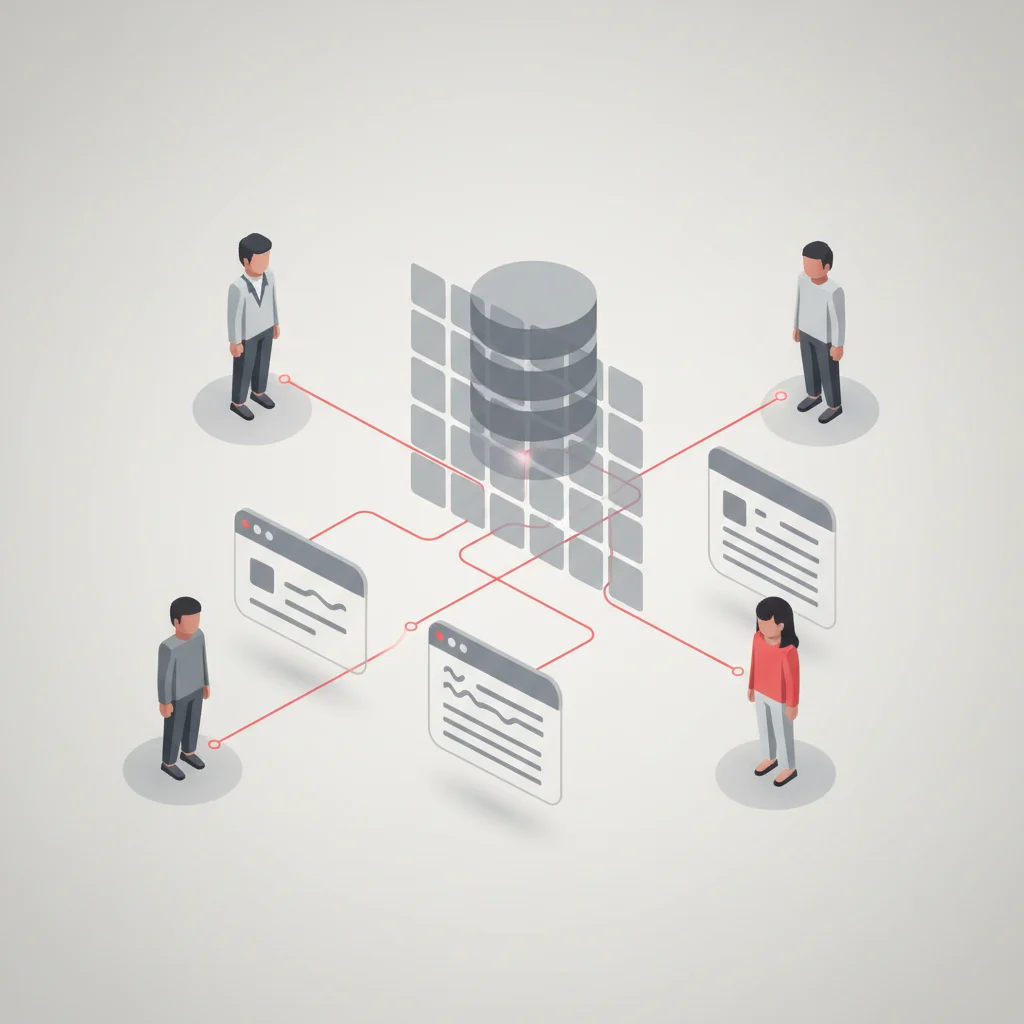
Strengths in Legacy System Environments
Robotic Process Automation represents a critical bridge for enterprises operating on legacy systems that do not offer modern, cloud-native integration paths. Large corporations, particularly within banking, healthcare, logistics, and public sector administration, frequently rely on decades-old core software. These systems include IBM AS/400 mainframes, custom-built desktop applications, legacy ERP installations, and secure local databases. Rewriting or replacing these platforms to introduce native APIs can cost millions of dollars and introduce severe operational risks.
RPA allows businesses to extract value from these legacy assets by automating manual data transfer processes. For instance, when a financial institution processes a loan application, an RPA bot can open a legacy terminal, log in securely with specific Active Directory credentials, query a customer's record, extract credit history details via screen scraping, and paste that information into a separate local accounting app.
Because RPA does not require database access or API endpoints, it allows companies to automate the "last mile" of highly repetitive manual work without altering their legacy tech stack. It extends the functional lifetime of outdated infrastructure, allowing departments to achieve immediate operational efficiency gains without the wait times associated with enterprise-wide software redevelopment pipelines.
Caution: UI Brittleness and Maintenance Overhead
The fundamental vulnerability of Robotic Process Automation is known as "UI brittleness." Because RPA bots rely on finding specific visual selectors, HTML IDs, class names, or exact pixel coordinates to perform their tasks, any modification to the target software’s graphical interface can disrupt the automation. If a software provider releases a patch that shifts a button's location by twenty pixels, renames an input field's ID, or introduces a new promotional pop-up modal, the RPA bot will likely experience a script failure, halting the entire business workflow.
This brittleness transforms bot maintenance into an ongoing, expensive operational requirement. Enterprise IT departments using RPA must establish dedicated teams to monitor bot run logs, manage exception queues, and quickly rewrite script selectors when underlying applications update. A change in a third-party partner's web portal can cause dozens of production bots to fail simultaneously.
Furthermore, RPA bots run inside virtual machine environments that simulate human screens. This requires continuous provisioning of Windows virtual desktops, active license monitoring, and complex orchestration software to manage schedules, concurrency, and security. When an RPA bot fails, it can result in silent data entry errors, duplicated database entries, or delayed processing, which requires human operators to manually audit and repair the database records.
A balanced evaluation of RPA technology highlighting its operational tradeoffs. Pros 2 advantages Native Legacy Support Automates legacy on-premise systems and green-screen mainframes without requiring APIs. Presentation Layer Integration Operates across any software that a human user can access and view on screen. Cons 2 concerns High Maintenance Overhead Minor user interface adjustments instantly break bot scripts, demanding constant maintenance. Local Compute Requirements Demands dedicated virtual machine hosting, OS licensing, and active desktop simulation.Robotic Process Automation (RPA) Assessment
What is No-Code Automation?
The Efficiency of Native APIs and Webhooks
No-code automation is built upon the architectural design principles of the modern, cloud-first internet. Platforms such as Make, Zapier, n8n, and Workato leverage the pre-existing API structures of popular SaaS applications. When an enterprise configures a no-code workflow, it is connecting these pre-built API channels together like modular building blocks. This model completely eliminates the need to load graphical user interfaces, navigate menus, or interact with visual components.
The structural stability of no-code integrations stems from API versioning. When SaaS providers update their visual interfaces or redesign their consumer-facing dashboards, they maintain backward-compatible API endpoints. For example, if a CRM provider changes its desktop theme or rearranges its navigation sidebar, the underlying backend endpoint /api/v2/contacts continues to receive and process JSON payloads identically. This ensures that no-code automations run reliably for years without needing maintenance, regardless of how often the user-facing apps undergo visual updates.
Additionally, event-driven webhooks maximize resource efficiency. Unlike RPA bots which must run continuously on a virtual machine to check for new files, a no-code workflow sleeps until the source application fires a webhook. When the webhook payload arrives, the cloud-hosted automation engine instantly spins up a micro-container, processes the data, routes it to the target endpoints, and shuts down within fractions of a second, significantly lowering infrastructure and resource consumption costs.
Caution: API Limits and Shadow IT Risks
While highly efficient, no-code automation faces strict constraints imposed by SaaS vendors: API rate limits and data transfer quotas. To protect their servers from denial-of-service conditions, cloud platforms restrict the number of API requests an account can make within a specific timeframe (e.g., 5,000 requests per day or 100 requests per minute). If a no-code automation experiences a sudden spike in volume—such as processing a large batch of retroactively modified records—it can quickly exhaust these rate limits, causing subsequent requests to fail with HTTP 429 "Too Many Requests" errors.
This requires advanced error handling strategies. Business teams must construct queuing systems, implement exponential backoff retry algorithms, and build notification layers to ensure that throttled requests are not permanently lost but are instead held in buffer states until the rate limits reset.
Another major challenge of no-code automation is the emergence of "Shadow IT." Because these platforms are user-friendly and designed for non-technical users, business departments (such as marketing, sales, or customer success) frequently set up their own complex automations without the knowledge or oversight of the central IT security team. This can result in unauthorized data transfers, exposing sensitive customer records to unapproved third-party cloud apps, breaching data protection laws (such as GDPR, CCPA, or HIPAA), and leaving orphaned, undocumented workflows running indefinitely on personal accounts.
RPA vs. No-Code: A Technical and Strategic Comparison
Infrastructure Compatibility (On-Premise vs. Cloud)
The structural deployment of an automation system dictates its long-term operational footprint. Robotic Process Automation typically requires dedicated, on-premise infrastructure or secure, private-cloud Windows virtual machines. To operate a fleet of unattended bots, an organization must manage:
A central controller server (e.g., UiPath Orchestrator) to handle bot scheduling, credential distribution, and logging.
SQL Server databases to store transaction logs, system queues, and historical analytics.
Multiple active virtual machines acting as "bot runners," complete with individual operating system licenses, security agents, and remote desktop protocols (RDP) configured to simulate active screens.
No-code automation, by contrast, is predominantly cloud-native. The integration engines are hosted and managed by the service providers in highly secure, multi-tenant cloud data centers. Business users do not need to provision servers, configure operating systems, or worry about local network firewalls.
The primary task is ensuring secure internet access via HTTPS to the target APIs. For enterprises with strict data sovereignty policies that prohibit cloud execution, certain advanced no-code engines (such as n8n or self-hosted instances of Zapier) can be run locally inside lightweight Docker containers on Kubernetes clusters, bridging the ease of visual integration with the security of on-premise hosting.
Reliability and Exception Handling
Operational continuity is heavily dependent on how an automation platform handles exceptions and script failures. In RPA systems, developers must build elaborate visual "try-catch" sequences to handle both system exceptions (e.g., an application crashing or a network socket closing) and business exceptions (e.g., an invoice missing a required tax ID field). Because RPA deals with visual elements, the bot must have explicit instructions on what to do if a button does not load: wait 30 seconds, take an on-screen screenshot, log the error, and terminate the VM session cleanly to avoid locking the application account.
No-code platforms handle exception routing through standard HTTP protocols. Each visual step in a no-code workflow returns a standardized HTTP status code. A successful step returns a 200 OK status, while failures return descriptive code categories:
4xx Errors (Client-Side): Indicating issues like authentication expiration (401 Unauthorized), invalid input syntax (400 Bad Request), or resource absence (404 Not Found).
5xx Errors (Server-Side): Indicating target server downtime (503 Service Unavailable) or internal application errors (500 Internal Server Error).
No-code workflows use visual routers to immediately divert failed steps into error handling paths. This allows the system to send alert payloads to communication channels like Slack or Microsoft Teams, write the failed transaction to a secure backup spreadsheet, or store the payload in a dead-letter queue for manual retries, ensuring no data is lost during transit.
Security, Governance, and Compliance
From a security perspective, RPA and no-code handle data access credentials in entirely different ways. RPA bots operate on a "user imitation" model, requiring individual, privileged user accounts within Active Directory. They must log in with full usernames and passwords to desktop applications, legacy ERPs, and databases. To manage these highly sensitive credentials securely, enterprise RPA platforms must integrate with enterprise-grade credential vaults (such as CyberArk, HashiCorp Vault, or Azure Key Vault) to retrieve credentials at runtime without exposing them in plaintext.
No-code platforms rely on token-based authentication models, primarily OAuth 2.0. Instead of storing a user’s master password, the no-code platform requests a restricted-access token from the target application’s authorization server. This token grants specific permissions (e.g., read-only access to contact lists) and can be revoked by the IT administrator at any time without affecting the user's main password.
Furthermore, because no-code platforms process data in transit, organizations must thoroughly review compliance standards (including SOC 2 Type II, GDPR, CCPA, and ISO 27001) to verify that the vendor encrypts data both at rest (using AES-256) and in transit (using TLS 1.3), and offers data residency options within specific geographic regions (such as the European Union or North America) to comply with localized privacy laws.
Side-by-side analysis of key technical and operational parameters. Avantaj No-Code: Connects directly to backend API databases, ignoring visual changes. Dezavantaj RPA: Binds to front-end UI visual selectors, which break during UI updates. Avantaj No-Code: Runs on fully managed, serverless cloud platforms with instant scaling. Dezavantaj RPA: Demands dedicated virtual machines, operating system licenses, and active host orchestration. Avantaj No-Code: Utilizes clear HTTP status codes and structured JSON payload validation. Dezavantaj RPA: Requires complex computer vision analysis and screenshot captures to diagnose script failures. Avantaj No-Code: Visual drag-and-drop connectors deploy operational integrations in hours. Dezavantaj RPA: Demands exhaustive manual process mapping and UI scripting that requires weeks of development.RPA vs. No-Code Strategic Comparison
Core Integration Layer
Host Infrastructure
Error Diagnosis
Development Speed
Evaluating Total Cost of Ownership (TCO)

Initial Investment and Licensing
The financial model of enterprise RPA is front-heavy and demands significant initial capital expenditure. Major RPA software providers (such as UiPath, Automation Anywhere, and Blue Prism) utilize enterprise-grade licensing models. An organization must pay for:
Developer Licenses (Studio): Charged per developer seat, enabling engineers to build and test automation logic.
Runtime Licenses (Bot Runners): Divided into "Attended" (requiring human triggering) and "Unattended" (running 24/7 on servers), charged on a recurring annual fee per bot instance.
Orchestrator Licenses: The central management server license, which is often a major cost component.
Additionally, companies must budget for the infrastructure required to host these systems, including Windows Server licenses, VM hosting fees, database systems, and security certificates.
No-code automation platforms utilize operational utility models, resulting in low initial entry costs. Providers charge based on the active volume of workflows, execution tasks, or active data connections. A small-to-medium business can start automating key workflows for as little as $15 to $100 per month.
However, enterprise-tier no-code plans, which offer advanced features like SAML SSO, audit logging, data residency guarantees, and dedicated support, transition into higher-tier SaaS pricing brackets. The primary advantage remains that companies do not need to invest in hosting hardware or operating system licensing to scale their initial deployments.
Development and Implementation Time
The time-to-value metric significantly favors no-code automation for modern cloud integrations. Because no-code platforms provide hundreds of pre-configured connectors for standard business tools (such as Salesforce, Google Workspace, Slack, Jira, and Stripe), developers do not need to study extensive API documentation or build custom HTTP request libraries. Workflows can be visually mapped, authenticated, tested, and deployed to production in a matter of hours. This rapid development lifecycle dramatically lowers the initial opportunity cost and allows businesses to iterate on workflows quickly as internal requirements evolve.
RPA implementations, on the other hand, demand a rigorous and structured development process:
Process Discovery: Analysts must capture precise keystrokes, clicks, and logical paths, formalizing them into a detailed Process Definition Document (PDD).
Selector Engineering: Developers must inspect application visual hierarchies, write stable XPath or DOM selector rules, and configure OCR settings.
VDI Configuration: IT administrators must set up user permissions, network firewalls, and credential storage inside secure VMs.
UAT Testing: User Acceptance Testing must run through various resolution and interface lag scenarios to ensure the bot behaves predictably under different system response speeds.
This development pipeline typically spans weeks to months for a single operational workflow.
Long-Term Maintenance and Scalability
Long-term cost efficiency depends heavily on how well an automation system scales over a multi-year horizon. While RPA offers high utility when connecting complex on-premise systems, it carries a high "technical debt" fee. Every major software update to an internally managed ERP or external government portal can invalidate previous RPA scripts.
The enterprise must commit continuous developer hours to debugging and updating selectors. This creates an inverse scale economy: the more RPA bots an enterprise deploys, the more developer resources are diverted from creating new solutions to simply maintaining existing ones.
No-code platforms scale with cloud efficiency. Since cloud applications manage their APIs with backward compatibility in mind, a well-constructed no-code workflow can run indefinitely with near-zero maintenance.
The scalability challenge here is financial rather than technical. As business transactional volume grows (e.g., processing millions of customer events per month), no-code costs scale proportionally with task execution volumes. If a workflow is poorly optimized and uses inefficient loop configurations, it can run up significant monthly SaaS usage charges, requiring experienced integration architects to continually review and optimize workflows to control data costs.
Practical Use Cases: Aligning Technology with Business Needs
When to Deploy RPA Solutions
Robotic Process Automation is the optimal selection when an organization’s critical business processes are tied to legacy applications that do not expose web-accessible APIs. A prime example is the automated entry of paper invoices into an on-premise ERP system.
An RPA workflow can monitor a physical scanner folder, ingest incoming PDFs, extract billing data using an OCR engine, open an older ERP terminal program, navigate through menu windows, and manually type each line item into the system database.
Another clear use case is interacting with secure web portals maintained by external entities, such as municipal registries or state tax portals. Since these portals rarely offer public APIs to external businesses, an RPA bot can be configured to log in with secure corporate credentials, solve basic image verification layers, search for a business tax record, scrape the required data, and export it as an Excel spreadsheet for internal auditing.
In these scenarios, RPA acts as an invaluable system integration layer that permits automation where modern APIs do not exist.
When to Utilize No-Code Workflows
No-code automation is the clear choice when the primary objective is to build fluid data pipelines between modern, cloud-native SaaS platforms. Consider a standard customer acquisition workflow: when a potential client submits a web form via Typeform, a no-code engine can immediately trigger a series of parallel processes. It can create or update a lead profile in HubSpot CRM, send a message to a regional sales channel in Slack, schedule an introductory meeting on Google Calendar, and add the lead's email to a specialized marketing automation sequence in Mailchimp.
This entire flow occurs within milliseconds, uses zero workstation computing power, and remains highly stable because it relies on native APIs.
Other high-value use cases include e-commerce inventory syncs, automated invoice generation, customer onboarding sequences, and automated social media distribution. Because these workflows are built with visual drag-and-drop interfaces, marketing, operations, and finance teams can easily build, adjust, and monitor their own integrations, bypassing IT development backlogs while maintaining operational agility.
Enterprise Synergy: Can RPA and No-Code Coexist?
Understanding the Hybrid Automation Model
Forward-thinking enterprises avoid the trap of treating RPA and no-code automation as mutually exclusive technologies. Instead, they implement a hybrid automation model that leverages the unique strengths of both architectures to build comprehensive, end-to-end business workflows. In this integrated ecosystem, no-code automation acts as the agile external orchestrator, handling data ingestion, web communications, and cloud integrations, while RPA acts as the specialized execution engine for legacy backend terminals.
By combining both tools, organizations can automate complex processes that span both modern and legacy environments. This hybrid design ensures that business users can work with user-friendly, cloud-native tools on the front end, while the IT department maintains secure, controlled access to older database systems on the back end.
This cooperative model reduces the burden on IT departments by allowing business units to build their own cloud workflows, while ensuring that deep-level legacy integrations remain securely governed by specialized central systems.
Integrating Legacy and Cloud Systems
Consider a real-world enterprise example: a global shipping and logistics firm needs to automate its order fulfillment and customs verification process. The order generation and customer communication occur in modern cloud applications, but the customs compliance tracking runs on an old mainframe terminal that lacks an API.
The end-to-end integration can be structured as follows:
Cloud Capture (No-Code): A customer places an order on Shopify. A no-code platform (like Make) captures the order webhook, parses the customer data, and creates a record in a cloud database (such as Airtable) while notifying the logistics team via Slack.
Payload Extraction (No-Code): The no-code platform standardizes the shipment address and triggers an API call to a shipping engine (like Shippo) to generate a tracking number and shipping label.
Legacy Handshake (RPA): The no-code workflow writes the completed record to a secure database queue. An RPA bot (such as UiPath) detects the new transaction, logs into the local customs terminal, navigates to the registration screen, inputs the tracking details, and submits the official customs declaration.
Closing the Loop (No-Code): Once the RPA bot completes the submission and captures the registration ID from the terminal screen, it writes the confirmation back to the cloud database. The no-code platform immediately fires a final email to the client containing their tracking details and customs documentation.
By using this hybrid model, the enterprise avoids the massive costs of modernizing its core mainframe while enjoying the agility, speed, and real-time responsiveness of cloud-based integrations.
Final Verdict: Making the Right Automation Investment
Key Decision Factors for Your Organization
Choosing the right automation path requires a thorough analysis of your existing software ecosystem, team capabilities, compliance obligations, and budget constraints. Before committing capital to either an enterprise RPA deployment or a cloud-native no-code subscription, decision-makers should evaluate three primary pillars:
System Modernity: If your daily operations depend on legacy desktop programs, local databases, or external web portals without APIs, RPA is a necessary investment. If your workflows primarily connect modern, cloud-native web tools, no-code is the superior, more reliable choice.
In-House Expertise: RPA development requires specialized technical engineers who understand DOM structures, system orchestration, and VM management. No-code platforms can be operated by business analysts and operations staff, allowing for faster decentralization of development across departments.
Compliance and Security: Organizations subject to strict data security frameworks (such as HIPAA, SOC 2, or GDPR) must evaluate whether they can allow customer data to pass through cloud-hosted iPaaS platforms. If absolute on-premise data control is required, an on-premise RPA deployment or a self-hosted no-code tool (like n8n) is essential.
Recommendations for Future-Proof Automation
To build an automation strategy that scales without accumulating unmanageable technical debt, enterprises should establish clear guardrails. First, form an Automation Center of Excellence (CoE) that brings together IT security professionals and department leads. This center should define which data classes can be automated, approve specific cloud connectors, and maintain a centralized registry of all active workflows to prevent "Shadow IT" security gaps.
Second, adopt an "API-First" policy. Whenever evaluating new software purchases, prioritize vendors that expose documented REST or GraphQL APIs. This strategy ensures that your business can continuously shift its automation workload away from fragile, high-maintenance UI-based bots and toward stable, high-performance no-code integrations, protecting your automation investments for years to come.
Frequently Asked Questions
What is the main difference between RPA and no-code automation?
RPA automates tasks by mimicking human visual actions like mouse clicks and typing on the user interface of applications. No-code automation connects software systems directly behind the scenes by transferring structured data payloads through native backend APIs and webhooks.
Can no-code automation platforms integrate with legacy desktop systems?
Generally, no. No-code automation systems depend on modern web-accessible APIs to transfer data. For legacy systems that lack these interfaces, an RPA solution or a custom database integration is required to interact with the software.
Why are RPA bots considered more fragile than no-code workflows?
RPA bots rely on identifying visual elements, pixel locations, and DOM selectors on a screen. If an application updates its visual layout or shifts a button, the bot's script can break, whereas APIs used by no-code platforms remain backward-compatible and ignore visual layout changes.
Do no-code automation platforms pose any security risks?
Yes, primarily through "Shadow IT," where non-technical staff set up integrations without IT oversight. This can lead to unauthorized data transfers, unencrypted storage of sensitive customer payloads, and potential breaches of privacy regulations like GDPR.
Is RPA more expensive to implement than no-code automation?
Yes, RPA is typically much more expensive up front. It requires enterprise-level software licensing, active host orchestration, dedicated virtual machines, and specialized developers, whereas no-code platforms operate on flexible, tiered SaaS subscription models.
What are API rate limits, and how do they affect no-code workflows?
API rate limits are caps set by software providers on the number of database requests an account can make in a given timeframe. If a no-code workflow exceeds these limits during high-traffic events, the integration can halt, requiring built-in error handling and queues to manage the traffic.
Is it possible to run no-code automation platforms on local servers?
Yes. While most no-code tools are cloud-based, several advanced platforms like n8n can be self-hosted on local infrastructure using Docker and Kubernetes, allowing organizations to maintain full control over their data pipelines.
How can a business combine both RPA and no-code tools?
Businesses can deploy a hybrid model where no-code platforms handle cloud-native triggers and data processing, and then hand over the finalized payloads to local RPA bots to manually enter the information into legacy, desktop-bound enterprise databases.