
Shared Hosting vs VPS vs Cloud Hosting
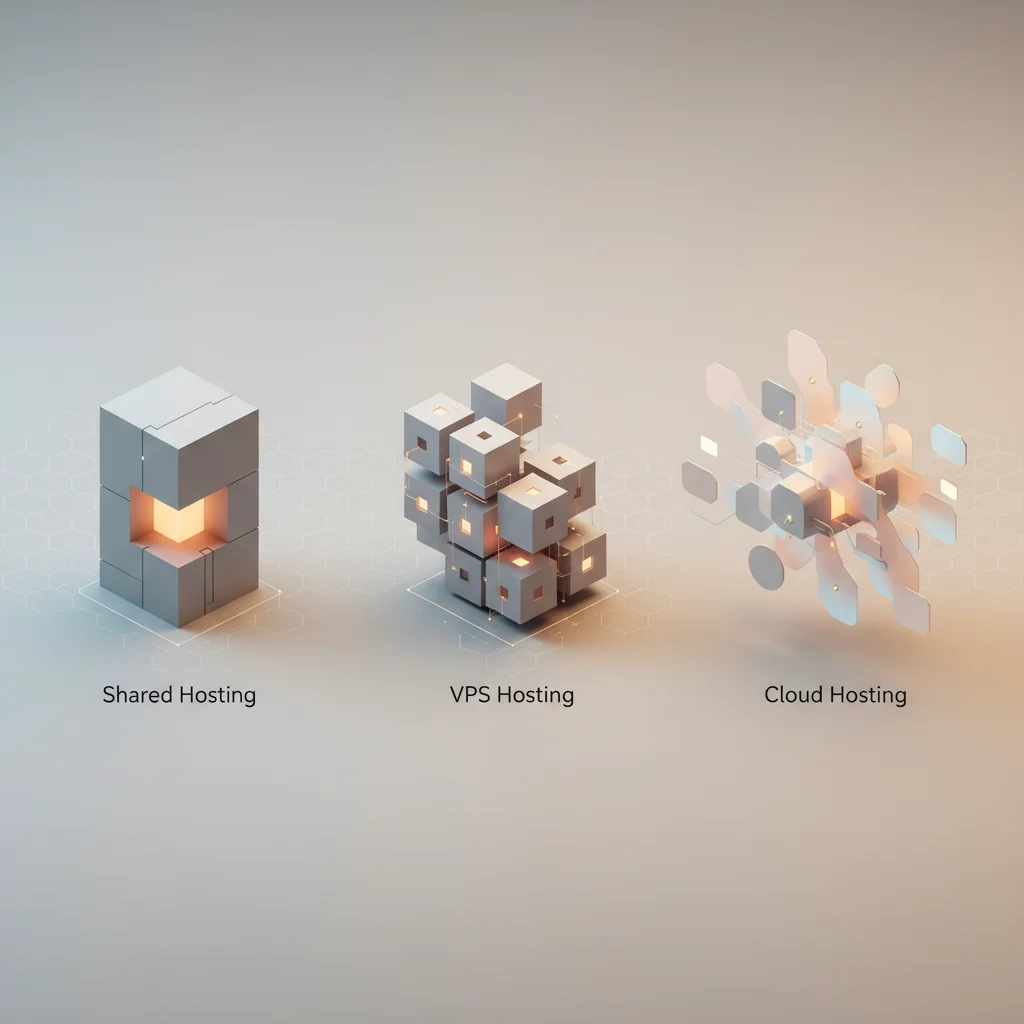
Evaluate shared hosting for entry-level sites, VPS for dedicated resources, and cloud hosting for ultimate scalability and high uptime. Choose based on traffic needs.
ON THIS PAGE
0% read
- Understanding Shared Hosting: Architecture, Limitations, and Economic Viability
- Virtual Private Server (VPS) Hosting: Hypervisor Isolation and Resource Guarantee
- Cloud Hosting: Distributed Node Architecture and Elastic Scalability
- Head-to-Head Architectural Comparison Across Core Enterprise Metrics
- Decision Framework: When and How to Upgrade Your Infrastructure
Selecting the optimal web hosting architecture is a foundational infrastructure decision that dictates application performance, security posture, operational overhead, and financial predictability. When evaluating Shared Hosting vs VPS vs Cloud Hosting, technical decision-makers and enterprise architects must balance the trade-offs between physical hardware multi-tenancy, hypervisor-enforced virtualization, and distributed cluster orchestration. This technical guide delivers an exhaustive architectural comparison, deconstructing computing paradigms, input/output operations per second (IOPS), security isolation models, total cost of ownership (TCO), and automated horizontal elasticity to empower businesses to select and scale their hosting infrastructure effectively.
Understanding Shared Hosting: Architecture, Limitations, and Economic Viability
Shared hosting represents the baseline deployment tier in web infrastructure. In this operational model, a single bare-metal server hosts dozens, hundreds, or occasionally thousands of distinct web properties. All tenants reside on the same base operating system (typically a Linux distribution such as AlmaLinux, CloudLinux, or Debian) and share access to the identical underlying physical resources: central processing units (CPUs), physical random-access memory (RAM), network interface cards (NICs), and persistent storage arrays.
The abstraction layer in shared hosting is minimal. Unlike hypervisor-driven virtualization, shared hosting isolates tenants at the operating system and web server configuration levels. Control panels such as cPanel, DirectAdmin, or Plesk manage individual virtual host (vhost) directives within an overarching web server process—typically Apache HTTP Server, LiteSpeed Web Server, or Nginx. Directory-level permissions, POSIX access control lists (ACLs), and process boundaries (such as suPHP, FastCGI, or PHP-FPM execution pools) isolate user spaces, ensuring that tenant accounts cannot directly read or modify neighbor files.
Because hardware and system administration costs are divided across a vast customer pool, hosting providers deliver shared hosting at exceptionally low price points. However, this architecture presents distinct operational trade-offs. The collective resource pool remains vulnerable to resource contention, unpredictable input/output latency, and systemic cascading failures if process limits are improperly configured.
Multi-Tenant Architecture and Resource Contention
The fundamental technical challenge of shared hosting is resource contention, commonly designated as the "noisy neighbor" phenomenon. When multiple tenants execute code on a shared kernel, non-isolated processes compete for the same physical execution threads and memory registers. If one tenant experiences an unexpected surge in incoming web traffic, runs an unindexed MySQL database query, or initiates a computationally demanding PHP script, the underlying CPU run queue spikes. This starvation degrades response times across every neighboring account hosted on that specific hardware node.
Modern shared environments mitigate this using OS-level kernel modifications, most notably CloudLinux OS with Lightweight Virtual Environment (LVE) technology. LVE integrates kernel modules that enforce per-user limits on CPU percentage, physical memory, IOPS, concurrent database connections, and Entry Processes (EP). When an account hits its assigned LVE ceiling, the server returns HTTP 508 (Resource Limit Reached) errors specifically to that domain, preventing the entire physical server from collapsing under load.
Despite these kernel-level mitigations, shared hosting retains inherent bottlenecks in disk I/O operations and database transaction queues. In standard shared environments utilizing traditional multi-tenant MySQL/MariaDB instances, table locks, temporary table creation on disk, and unoptimized queries initiated by one tenant can saturate the database daemon's thread pool. As a result, Time to First Byte (TTFB) on shared hosting can fluctuate dramatically—often shifting from an acceptable 250 milliseconds during off-peak hours to 1,500+ milliseconds during peak usage periods.
+-------------------------------------------------------------------+
|                     Physical Hardware Layer                       |
|           [ Dual Intel Xeon / AMD EPYC | 128GB RAM | NVMe ]       |
+-------------------------------------------------------------------+
                                  |
+-------------------------------------------------------------------+
|               Unified Operating System (e.g., CloudLinux)          |
|      [ Single Linux Kernel | Apache / LiteSpeed | Shared MariaDB ] |
+-------------------------------------------------------------------+
       |                        |                        |
+--------------+         +--------------+         +--------------+
| Tenant A     |         | Tenant B     |         | Tenant C     |
| (LVE Limit)  |         | (LVE Limit)  |         | (LVE Limit)  |
| /home/user1/ |         | /home/user2/ |         | /home/user3/ |
+--------------+         +--------------+         +--------------+
Security Boundaries, Bad Neighbors, and IP Reputation
Security within shared hosting is defined by strict OS file permissions and web server isolation wrappers. While mature environments employ jail shells (chroot) and openbasedir directives to restrict PHP processes to their respective public_html directories, vulnerabilities in kernel patches, web server daemons, or local privilege escalation bugs (e.g., Dirty COW or Polkit exploits) can expose the entire filesystem to unauthorized lateral movement. If a single tenant operates an unpatched, compromised Content Management System (CMS) plugin, automated attack scripts can scan local filesystem directories for insecure configuration files (wp-config.php, config.php) containing cleartext database credentials.
Network and reputational security represent another vulnerability vector. In shared hosting, hundreds of websites frequently share a single public outbound IP address. If a neighboring tenant distributes spam, hosts phishing landing pages, or triggers outbound malicious traffic, global mail transfer agents (MTAs) and cybersecurity registries (such as Spamhaus, Barracuda, or Google Safe Browsing) will blacklist the shared IP address. Consequently, clean domains on the same server experience:
Immediate deliverability failures where corporate transactional emails are routed to recipient spam folders or dropped entirely via SPF/DKIM/DMARC alignment checks.
Search engine security warnings and algorithmic penalties applied across the shared network block.
Susceptibility to volumetric Distributed Denial of Service (DDoS) attacks targeting the shared IP, which can saturate the physical server's uplink port and cause complete downtime for all hosted domains.
Financial Profile, Administrative Simplicity, and Ideal Entry Points
Shared hosting represents the lowest financial barrier to entry across all hosting tiers. Pricing ranges from $3 to $15 per month, with providers bundling automated SSL certificate provisioning (via Let's Encrypt), automated daily/weekly backups, web application firewalls (WAF), and proprietary email servers into a turnkey package. This pricing efficiency stems from massive multi-tenant density on enterprise hardware, minimizing provider operational expenses per account.
From a maintenance perspective, shared hosting requires near-zero systems administration expertise. The hosting provider manages base OS security patches, web server daemon configuration, PHP version lifecycle updates, firewall rules, and physical hardware maintenance. Users interact exclusively through abstracted web-based graphical user interfaces (GUIs), enabling non-technical stakeholders to deploy web applications, manage MySQL databases, and configure DNS records without SSH terminal interaction.
Shared hosting is suitable for low-complexity, non-revenue-critical digital assets. Recommended use cases include:
Static corporate brochure websites receiving under 25,000 monthly unique visits.
Personal portfolios, early-stage blogs, and proof-of-concept (PoC) web applications.
Development staging sites and non-transactional staging environments where variable performance and occasional latency spikes do not impact business operations.
Critical advantages and structural constraints of shared hosting environments. Pros 3 advantages Ultra-Low Financial Footprint Minimal operational cost ranging from $3 to $15 monthly with bundled software licenses and management. Zero Systems Administration Overhead Fully managed core infrastructure; providers handle OS kernel patches, firewall maintenance, and PHP runtimes. Out-of-the-Box Tooling Includes automated GUI control panels, cPanel/Plesk integration, one-click CMS installers, and integrated email routing. Cons 3 concerns Non-Deterministic Latency and Contention Exposed to the noisy neighbor effect; resource starvation by other accounts can degrade TTFB and I/O throughput. Restricted System Control Absolute lack of root access; inability to install custom daemons, run background workers, or modify core server modules. Collective IP Blacklisting Risks Shared outbound IP addresses create vulnerabilities in email deliverability and search engine security flags.Shared Hosting Architectural Evaluation
---
Virtual Private Server (VPS) Hosting: Hypervisor Isolation and Resource Guarantee
Virtual Private Server (VPS) hosting transitions infrastructure architecture from basic software-level isolation to true hardware virtualization. A VPS is an independent virtual machine (VM) running its own guest operating system on top of a physical bare-metal host server. This deployment model is driven by a hypervisor—a specialized software, firmware, or hardware virtualization layer that partitions physical compute cores, memory blocks, and storage devices into distinct, mathematically isolated virtual instances.
Unlike shared hosting, where processes share a common operating system and web server daemon, each VPS operates with a dedicated kernel, dedicated system services (systemd), isolated memory addresses, and private virtual network interfaces. A catastrophic software failure, security breach, or traffic surge within one VPS instance remains fully contained within its virtual boundary, having zero operational impact on adjacent virtual machines residing on the same host node.
Furthermore, VPS hosting grants full superuser (root) access over the virtual machine. This enables systems engineers and software architects to deploy custom software stacks, compile specialized kernel modules, configure low-level network parameters, deploy container engines like Docker, and fine-tune database configurations without provider-imposed constraints.
Hypervisor Technologies: KVM, OpenVZ, and VMware ESXi
The operational fidelity and performance guarantees of a VPS depend directly on the virtualization hypervisor utilized by the infrastructure provider. Virtualization technologies fall into two primary architectural classifications:
+---------------------------------------------------------------------+
|                      Type 1 Hypervisor Architecture                 |
+---------------------------------------------------------------------+
|                     Physical Hardware (Bare Metal)                  |
+---------------------------------------------------------------------+
|         Bare-Metal Hypervisor (e.g., KVM / VMware ESXi / Proxmox)   |
+------------------------------------+--------------------------------+
| Guest OS: Ubuntu 24.04 (VPS 1)      | Guest OS: AlmaLinux 9 (VPS 2)  |
| [ Dedicated vCPU | RAM | Isolated ]| [ Dedicated vCPU | RAM | Isol.]|
+------------------------------------+--------------------------------+
Kernel-based Virtual Machine (KVM): KVM is an open-source, full-virtualization technology integrated directly into the Linux kernel (turning the Linux host into a Type 1 hypervisor). Under KVM, each virtual machine has fully virtualized hardware: a private virtual network card, dedicated virtualized CPU (vCPU) execution threads, private RAM allocations, and independent disk controllers. KVM strictly prevents resource overcommitting of physical RAM, ensuring that the 8GB or 16GB of memory assigned to a VM is physically reserved on the host RAM modules. Furthermore, KVM allows the guest VM to run any operating system kernel, including custom Linux builds, FreeBSD, or Windows Server.
Container-Based Virtualization (OpenVZ / LXC): OpenVZ represents OS-level virtualization where all virtual environments share the underlying host's Linux kernel. While lighter on resource overhead and permitting ultra-fast provisioning, container-based systems allow providers to heavily overcommit physical memory and CPU resources via dynamic memory swapping. Under OpenVZ, tenants cannot modify kernel parameters or load custom kernel modules (such as WireGuard or specialized iptables tables). In contemporary enterprise deployments, KVM has largely superseded OpenVZ due to its superior hardware isolation and non-overcommitted resource guarantees.
VMware ESXi and Proxmox VE: These enterprise-grade Type 1 bare-metal hypervisors run directly on the host hardware without an intervening generic host operating system. They provide deterministic computing schedules, advanced memory ballooning controls, high-speed virtual switch (vSwitch) networking, and enterprise integration hooks for automated snapshot management, live migration (vMotion), and bare-metal telemetry.
Performance Consistency, Root Access, and Custom Stack Configuration
The primary architectural advantage of VPS hosting is performance determinism. In a KVM-provisioned environment, a VPS allocated 4 vCPUs and 16GB of ECC RAM maintains access to those exact execution contexts continuously. Disk subsystems are typically backed by local enterprise NVMe SSD arrays running in RAID 10 configurations, delivering predictable IOPS (often exceeding 40,000 to 80,000 IOPS per volume) with read/write throughput rates exceeding 2,000 MB/s.
Root SSH access fundamentally transforms development and deployment workflows. System administrators can bypass traditional, resource-heavy LAMP stacks (Linux, Apache, MySQL, PHP) in favor of highly optimized, modern runtime architectures:
Web Acceleration: Deploying Nginx or Caddy as high-concurrency event-driven reverse proxies handling SSL termination and static asset caching, routing dynamic execution requests to fine-tuned PHP-FPM or Node.js upstream clusters.
In-Memory Caching: Installing and configuring Redis or Memcached instances bound to local Unix domain sockets, drastically offloading relational database read operations and reducing database query latency from 15ms down to sub-millisecond responses.
Microservices and Container Orchestration: Running Docker daemons, containerd, and lightweight Kubernetes distributions (k3s) directly inside the VPS, facilitating automated CI/CD deployment pipelines via GitHub Actions or GitLab CI.
Specialized Application Daemons: Running background queue workers (Supervisor, Celery), WebSocket servers (Socket.io, Laravel Reverb), search engine indices (Elasticsearch, Meilisearch), and modern relational databases (PostgreSQL 16 with custom pgvector extensions).
Operational Overhead: Managed vs. Unmanaged VPS Realities
The technical autonomy provided by a VPS introduces substantial operational responsibility. Organizations must select between two distinct service management tiers:
Unmanaged (Self-Managed) VPS: The hosting provider guarantees only physical hardware availability, network routing up to the virtual interface, and basic VM power states (reboot, shutdown, reinstall). The client assumes total responsibility for the operating system lifecycle. This entails configuring firewall tables (UFW, nftables), mitigating brute-force attacks via Fail2ban or SSH key-only authentication, applying Linux kernel security patches, monitoring swap space usage, configuring log rotation (logrotate), resolving package dependency conflicts, and implementing automated off-site backup architectures. Failure to secure an unmanaged VPS can result in server compromise via automated botnet scanning within hours of public provisioning.
Managed VPS: The provider superimposes an operational management layer over the virtual machine. This includes automated operating system patching, proactive 24/7 uptime monitoring, server security hardening, management of control panel licenses (cPanel, DirectAdmin), database optimization, and direct systems engineer support for stack troubleshooting. Managed VPS hosting carries a significant price premium, typically increasing monthly expenditure by $30 to $100 over unmanaged base instances.
VPS hosting is the industry standard for medium-sized web applications, high-traffic commercial sites, and development environments. Recommended use cases include:
E-commerce platforms (e.g., WooCommerce, Magento/Adobe Commerce, Prestashop) processing hundreds of daily transactions and hosting 10,000+ SKUs.
Custom web applications built on modern frameworks (Laravel, Django, Ruby on Rails, Node.js, Spring Boot) requiring specialized runtime environments and persistent worker daemons.
Software development agencies consolidating multiple client websites onto a single isolated, high-performance server instance with dedicated IP routing.
---
Cloud Hosting: Distributed Node Architecture and Elastic Scalability
Cloud hosting transcends the constraints of single physical servers by abstracting compute, memory, and storage across a vast network of interconnected hardware nodes. In a true cloud hosting architecture—exemplified by Infrastructure as a Service (IaaS) hyperscalers like AWS, Google Cloud Platform (GCP), and Microsoft Azure, as well as developer clouds like DigitalOcean, Linode (Akamai), and Vultr—an application does not reside on a single physical motherboard.
Instead, cloud infrastructure operates on a fully decoupled architectural framework. Compute instances (virtualized execution cores and system memory) are decoupled from persistent storage networks (Storage Area Networks - SAN, or distributed block storage systems like Ceph). Networking is orchestrated through software-defined networking (SDN) layers that route data dynamically across redundant top-of-rack switches and optical fiber backbones.
If the physical server hosting a cloud compute instance experiences a catastrophic hardware failure (such as a dual-redundant power supply failure, motherboard short, or ECC memory panic), the cloud hypervisor orchestration layer instantly detects node unresponsiveness. The instance is automatically respawned on a healthy compute node within the cluster, reattaching the persistent network-attached storage volume (e.g., AWS EBS, GCP Persistent Disk) within seconds. This fundamental architecture eliminates single points of failure (SPOF), providing enterprise-grade High Availability (HA) Service Level Agreements (SLAs) ranging from 99.99% to 99.999% uptime.
Distributed Cluster Topologies and Hardware Redundancy
The architectural hallmark of cloud infrastructure is triple-replicated, distributed block storage. In traditional shared or basic VPS setups, if the local RAID controller or physical drive array suffers catastrophic failure, the data is entirely dependent on external backup restoration, leading to hours of Mean Time to Recovery (MTTR).
In enterprise cloud topologies, block storage engines (such as Ceph, GlusterFS, or proprietary hyperscaler storage planes) write every data block synchronously across three physically distinct server racks or independent availability zones (AZs) prior to acknowledging write confirmation to the operating system:
This continuous hardware-level redundancy ensures that multiple physical drive failures, switch breakdowns, or total rack-level power outages cause zero data loss and zero disruption to the virtual machine's operational state. Compute nodes function essentially as stateless execution engines, pulling state and disk data across ultra-low-latency 40GbE or 100GbE physical network fabrics.
                      +----------------------------------+
                      | Global Load Balancer / Anycast IP|
                      +----------------------------------+
                                       |
                   +-------------------+-------------------+
                   |                                       |
+------------------------------------+  +------------------------------------+
|  Compute Node Instance A (Zone 1)  |  |  Compute Node Instance B (Zone 2)  |
|     [ Stateless Virtual Machine ]  |  |     [ Stateless Virtual Machine ]  |
+------------------------------------+  +------------------------------------+
                   \                                       /
                    \                                     /
    +-----------------------------------------------------------------+
    |          Distributed Block Storage Mesh (Ceph / SAN / NVMe-oF)  |
    |        [ Synchronous 3x Replication across Independent Racks ]  |
    +-----------------------------------------------------------------+
Dynamic Autoscaling and Elastic Resource Provisioning
The defining operational superpower of cloud hosting is automated elasticity, operating across both vertical and horizontal dimensions:
Vertical Elasticity: Cloud platforms allow instantaneous resizing of virtual compute resources (vCPUs, RAM, IOPS allocations) via API commands or control interfaces without requiring data migration or operating system reinstallation.
Horizontal Autoscaling: When coupled with load balancers (such as AWS ALB, GCP Cloud Load Balancing, or HAProxy clusters), cloud infrastructure can dynamically monitor real-time telemetry metrics—such as average CPU utilization percentage, memory saturation, or incoming HTTP request rate. When telemetry breaches a defined threshold (e.g., average CPU load > 70% for 2 consecutive minutes), the orchestration engine (such as AWS Auto Scaling Groups or Kubernetes Horizontal Pod Autoscaler) automatically provisions additional clone compute instances from a base image (AMI or container snapshot), binds them to the load balancer pool, and distributes incoming traffic across the expanded cluster.
Once the traffic surge subsides, the autoscaling engine systematically terminates excess compute instances, ensuring that organizations provision and pay for precisely the infrastructure capacity consumed during the peak event. This elasticity protects digital businesses from viral traffic surges, flash sales, high-profile marketing campaigns, and sudden media coverage spikes that would crash traditional VPS or shared environments.
Billing Models, Hidden Egress Fees, and Infrastructure Complexity
While cloud hosting offers unmatched scalability, its economic and operational models introduce significant complexity. In contrast to the fixed, predictable monthly fees associated with shared and VPS hosting, cloud infrastructure operates primarily on a utility-based, consumption-driven pricing model (pay-as-you-go, billed per second or per hour).
Financial planning in the cloud requires meticulous oversight to prevent cost overruns. Major cost variables include:
Compute Instance Hours: Variable costs depending on dynamic instance creation and shutdown cycles.
Storage Allocation and Provisioned IOPS: Fixed monthly costs per gigabyte of persistent block storage, combined with premium pricing for provisioned IOPS tiers (e.g., AWS EBS gp3 vs. io2).
Data Egress (Bandwidth Out): Hyperscalers typically provide free inbound data transfer but charge substantial fees for outbound data transfer to the public internet (ranging from $0.05 to $0.12 per GB transferred). For content-heavy sites, streaming platforms, or high-volume API endpoints, data egress charges can rapidly exceed total compute instance expenses.
Managed Cloud Add-ons: Integrating managed services such as managed relational databases (AWS RDS, Cloud SQL), cloud object storage (AWS S3, Google Cloud Storage), application caching layers (AWS ElastiCache), and CloudWatch telemetry monitoring exponentially scales total monthly expenditures.
From an engineering perspective, architecting and maintaining cloud infrastructure requires advanced DevOps competencies, including proficiency with Infrastructure as Code (IaC) frameworks like Terraform, Ansible, and OpenTofu, alongside container orchestration tools like Kubernetes.
Cloud hosting is designed for mission-critical enterprise workloads. Recommended use cases include:
High-volume, enterprise e-commerce platforms generating millions of dollars in monthly revenue where five minutes of downtime causes massive financial and reputational damage.
Software as a Service (SaaS) products with rapidly fluctuating, unpredictable global user bases and microservices-based application topologies.
High-concurrency mobile application backends, IoT data ingestion pipelines, and event-driven API gateways demanding 99.999% high-availability architectures.
---
Head-to-Head Architectural Comparison Across Core Enterprise Metrics
To establish an objective, data-driven framework for infrastructure selection, technical architects must analyze how Shared, VPS, and Cloud hosting perform across foundational operational vectors: resource allocation, security isolation, fault tolerance, cost predictability, and systems administration overhead.
+------------------------------------------------------------------------------------------------------------------------+
|                                    Hosting Paradigm Structural Breakdown                                               |
+----------------------+---------------------------------+--------------------------------+------------------------------+
| Dimension            | Shared Hosting                  | VPS Hosting                    | Cloud Hosting                |
+----------------------+---------------------------------+--------------------------------+------------------------------+
| Isolation Level      | OS / Web Server Vhost Level     | Hypervisor (Hardware-level)    | Hypervisor + Clustered SDN   |
| Hardware Topology    | Single Bare-Metal Host          | Single Bare-Metal Host (VM)    | Distributed Multi-Node Mesh  |
| Storage Architecture | Local Shared HDD/SSD            | Local Dedicated NVMe / RAID 10 | Distributed 3x Synchronous   |
| Single Point Failure | Entire physical chassis         | Host chassis / local storage   | None (Decoupled redundancy)  |
| Scaling Mechanism    | Manual migration to higher tier | Vertical resize (manual/reboot)| Dynamic Auto-scale (H & V)   |
| Admin Access         | No root; restricted GUI panel   | Full root SSH access           | Full root SSH / REST APIs    |
+----------------------+---------------------------------+--------------------------------+------------------------------+
Compute Performance, Concurrency, and Throughput Metrics
The performance profile of each architecture diverges sharply under high concurrent user loads. On shared hosting, the web server’s concurrent execution thread pool is throttled to prevent single-account host saturation. In synthetic Apache Benchmark (ab) and Loader.io concurrency testing, shared hosting environments typically show severe latency degradation or elevated error rates (HTTP 502/508) when handling more than 50 to 100 concurrent dynamic PHP requests.
VPS hosting provides strict execution thread scheduling. Because virtual CPU cores are pinned or scheduled via hypervisor time-slices with guaranteed memory allocations, a well-tuned 4-vCPU VPS running Nginx and PHP-FPM can comfortably handle 500 to 1,500 concurrent dynamic requests per second without significant TTFB inflation.
Cloud hosting delivers virtually infinite throughput ceiling capabilities when coupled with load-balanced horizontal autoscaling. Since incoming requests are distributed across an elastic pool of stateless compute nodes, concurrency capacity scales linearly with the number of provisioned instances. During peak enterprise events, cloud topologies can effortlessly sustain 50,000+ concurrent requests per second by provisioning dozens of synchronized compute nodes across independent data centers.
Security Posture, Data Isolation, and Regulatory Compliance
Data governance and regulatory compliance mandates (such as PCI-DSS for payment processing, HIPAA for healthcare information, and GDPR / SOC 2 Type II for enterprise SaaS) impose stringent infrastructure isolation requirements:
Shared Hosting: Fundamentally incompatible with advanced compliance standards. Because the operating system kernel and local database services are shared across independent third-party entities, shared hosting cannot achieve PCI-DSS Level 1 certification, HIPAA compliance, or rigorous SOC 2 isolation benchmarks.
VPS Hosting: Readily configurable for high-compliance environments. The hypervisor creates a secure, mathematically isolated virtual boundary. Administrators have full autonomy to implement kernel-level disk encryption (LUKS), enforce strict iptables/nftables firewall policies, install intrusion detection systems (OSSEC, Wazuh), and maintain isolated, encrypted database services, satisfying PCI-DSS and GDPR data isolation standards.
Cloud Hosting: Represents the apex of enterprise compliance architecture. Major cloud providers maintain comprehensive certifications across global regulatory frameworks (ISO/IEC 27001, SOC 1/2/3, FedRAMP, HIPAA, PCI-DSS). Furthermore, cloud environments enable advanced security topologies, including Private Subnets with Network Address Translation (NAT) gateways, Web Application Firewalls (AWS WAF, Cloudflare Magic Transit), Hardware Security Modules (AWS CloudHSM) for cryptographic key storage, and automated continuous compliance scanning.
Total Cost of Ownership (TCO) and Lifecycle Maintenance
Calculating the true Total Cost of Ownership requires auditing direct software licensing expenses, administrative engineering hours, and the business cost of unplanned downtime:
+-------------------------------------------------------------------+
|               Enterprise Total Cost of Ownership (TCO)            |
+-------------------+-----------------------+-----------------------+
| Hosting Category  | Direct Monthly Costs  | Engineering Overhead  |
+-------------------+-----------------------+-----------------------+
| Shared Hosting    | $3 – $20 / month      | Negligible (0–1 hr/mo)|
| Unmanaged VPS     | $10 – $120 / month    | High (10–25 hrs/month)|
| Managed VPS       | $50 – $300 / month    | Low (2–5 hrs/month)   |
| Cloud (IaaS)      | $100 – $5,000+ / month| Very High (DevOps Team)|
+-------------------+-----------------------+-----------------------+
While shared hosting has minimal direct costs, its indirect costs—stemming from revenue lost during unexpected downtime, latency-driven e-commerce cart abandonment, and restricted technical capabilities—render it expensive for commercial enterprises.
Conversely, while an unmanaged VPS has low direct subscription costs ($20/month for a robust 4-core instance), the internal labor cost of maintaining that instance (patching, security auditing, backup verification) requires professional engineering time.
Cloud hosting commands the highest total expenditure, balancing substantial infrastructure and bandwidth billing with the requirement for specialized Cloud and DevOps engineers. However, for digital enterprises operating at scale, this expenditure is offset by near-zero downtime risks, automated recovery, and elastic revenue protection.
Comparative assessment across key operational, architectural, and financial criteria. Avantaj Cloud & VPS provide isolated virtual kernels and dedicated memory allocations. Dezavantaj Shared hosting isolates only at file directory and web server process levels. Avantaj Cloud delivers dynamic horizontal elasticity; VPS guarantees deterministic IOPS. Dezavantaj Shared hosting suffers from noisy neighbor latency and strict connection throttling. Avantaj Cloud features decoupled storage with 3x synchronous replication and auto-failover. Dezavantaj Shared and standard VPS represent single points of failure at the physical host level. Avantaj Shared hosting is 100% turnkey managed by the infrastructure provider. Dezavantaj Unmanaged VPS and Cloud require specialized Linux administration and DevOps skills.Comprehensive Hosting Infrastructure Comparison
Core Computing Isolation
Performance & Concurrency
High Availability Architecture
Administrative Responsibility
---
Decision Framework: When and How to Upgrade Your Infrastructure
Infrastructure selection is not a permanent decision; it represents a dynamic lifecycle that evolves alongside application complexity, concurrent traffic volumes, and business revenue metrics. Implementing an infrastructure upgrade prematurely introduces unnecessary complexity and operational cost, while delaying a necessary migration risks performance degradation, database corruption, and catastrophic downtime.
                      INFRASTRUCTURE UPGRADE TRIGGER PATHWAY

 [ Shared Hosting ]
        |
        |---> Traffic > 30,000 visits/mo OR Database CPU > 80% OR Custom Daemons Required
        v
   [ VPS Hosting ]
        |
        |---> Traffic Volatility (5x Spikes) OR High Availability (99.99%) SLA Required
        v
 [ Cloud Infrastructure ]
Clear Triggers for Moving from Shared to VPS
Technical teams should execute an immediate migration from Shared Hosting to a VPS when any of the following operational triggers occur:
Traffic Volume & Concurrency Ceilings: The website consistently exceeds 30,000 to 50,000 monthly unique pageviews, or real-time analytics demonstrate concurrent active user loads exceeding 50 simultaneous sessions, resulting in frequent HTTP 508 or 503 error codes.
Database Query Bottlenecks: MySQL database sizes expand beyond 2GB to 5GB, or complex unindexed analytical/search queries cause table locking, leading to overall TTFB exceeding 800 milliseconds.
Requirement for Custom Runtimes and Daemons: The application architecture evolves to require custom system packages—such as continuous background queue processors (RabbitMQ, Redis queues), full-text search engines (Elasticsearch), custom Node.js execution environments, Python microservices, or specific PHP modules not supported by the shared hosting provider.
Email Deliverability and Security Demands: The business cannot tolerate shared IP blacklisting and requires an isolated static IP address with dedicated Reverse DNS (PTR), SPF, DKIM, and DMARC alignment records to protect transactional email deliverability.
Clear Triggers for Moving from VPS to Cloud Infrastructure
Migrating from a standalone VPS to a distributed Cloud environment becomes essential under the following enterprise conditions:
Unpredictable Traffic Surges (Viral / Event Elasticity): The web platform experiences massive, unpredictable traffic spikes—such as national media appearances, Black Friday e-commerce flash sales, or scheduled ticketing drops—where incoming traffic surges 500% to 2,000% within minutes, instantly overwhelming fixed VPS compute resources.
Zero-Downtime High Availability Requirements: The cost of unplanned downtime exceeds thousands of dollars per minute. The application demands a distributed, multi-node architecture where physical host failures, storage controller panics, or routine hypervisor maintenance cause zero service disruption.
Decoupled Microservices Architecture: The monolithic codebase is refactored into modern decoupled microservices, requiring independent auto-scaling application containers, managed multi-AZ database clusters (e.g., PostgreSQL with read replicas), static asset offloading to distributed object storage, and globally distributed CDN caching.
Geographic Redundancy and Latency Optimization: The user base spans multiple continents, requiring application deployment across multiple geographical regions with geo-DNS routing and centralized data synchronization to deliver sub-100ms response times worldwide.
Zero-Downtime Infrastructure Migration Strategy
Transitioning between hosting architectures requires meticulous execution to eliminate data loss, database desynchronization, and DNS-propagation downtime. A standardized, technically rigorous migration follows this sequenced protocol:
Phase 1: Pre-Migration Provisioning & Target Environment Hardening
Deploy the target VPS or Cloud compute instances, configure firewall rules, install the required software runtime stack (matching PHP, database, and web server versions), and verify network connectivity.
Phase 2: DNS Time-to-Live (TTL) Reduction
48 to 72 hours prior to migration, reduce the DNS TTL on all relevant domain records (A, AAAA, CNAME) from standard values (86400 seconds / 24 hours) down to 300 seconds (5 minutes). This ensures that when the final IP switch occurs, global ISP resolvers rapidly clear cached records.
Phase 3: Initial File and Asset Synchronization
Transfer static application files, user uploads, and media libraries from the source to the target server using secure, optimized synchronization utilities:
rsync -avzP --delete /var/www/html/ remoteuser@target-server:/var/www/html/
Phase 4: Maintenance Window, Database Dump, and Final Sync
Place the source application into read-only maintenance mode to prevent new database transactions.
Generate a consistent binary database dump:
mysqldump --single-transaction --quick --routines --triggers -u root -p database_name > db_dump.sql
Transfer and import the database dump into the target database server.
Execute a final differential
rsynccommand to capture any static assets created immediately prior to the maintenance window.Phase 5: DNS Cutover and Post-Migration Telemetry Verification
Update the domain's A/AAAA records at the authoritative DNS provider to point to the new VPS or Cloud Load Balancer IP address.
Monitor real-time access logs on both source and target servers. As DNS propagation takes effect over the 300-second TTL window, traffic will smoothly transition from the legacy host to the new infrastructure.
Continuously monitor error rates (HTTP 4xx/5xx), CPU run queues, database connection pools, and application performance metrics using monitoring tools (Prometheus, Grafana, Datadog, or New Relic).
---
Frequently Asked Questions
Is cloud hosting inherently faster than a well-optimized VPS?
Not necessarily for single-thread execution or baseline traffic. A high-performance VPS with local NVMe storage in a RAID 10 array often delivers lower disk I/O latency than network-attached cloud storage volumes. Cloud hosting proves faster under high-concurrency conditions by dynamically scaling horizontally across multiple compute nodes and load balancers.
What are the primary security risks of remaining on shared hosting?
Shared hosting exposes websites to the noisy neighbor vulnerability, where security breaches in neighboring accounts can facilitate local symlink attacks or directory traversal if kernel permissions are misconfigured. Additionally, shared outbound IP addresses risk global email blacklisting if a neighboring domain distributes spam or malicious content.
Can I run Docker containers on a shared hosting plan?
No, shared hosting does not permit running Docker containers because tenants lack root administrative access and cannot interact with the host operating system's kernel or container runtimes. Deploying Docker, containerd, or Kubernetes clusters requires a KVM-based VPS, dedicated server, or cloud compute instance.
What is the difference between Managed and Unmanaged VPS hosting?
In unmanaged VPS hosting, the client is entirely responsible for operating system installation, security hardening, firewall configuration, software patching, and backups. Managed VPS hosting offloads all infrastructure maintenance, security patching, and technical troubleshooting to the hosting provider's engineering team for an additional service fee.
How does cloud hosting prevent website downtime during hardware failure?
Cloud hosting decouples the compute execution layer from persistent block storage, replicating data synchronously across multiple physical drive arrays and server racks. If a physical compute node experiences hardware failure, the cloud orchestration hypervisor automatically respawns the virtual instance on a healthy node and reconnects the storage volume within seconds.
Which hosting architecture is recommended for a high-traffic WooCommerce store?
A high-traffic WooCommerce store processing steady orders should operate on at least a high-spec Managed VPS (with dedicated vCPU/NVMe resources and an isolated Redis cache) or an elastic Cloud Hosting environment. Shared hosting is unsuitable due to dynamic database transactions, uncacheable shopping cart sessions, and strict process limits.
What hidden cost factors should businesses anticipate with cloud hosting?
The most common unexpected cloud hosting costs stem from outbound bandwidth data egress charges, provisioned IOPS surcharges on network storage volumes, snapshot backup retention fees, and running ancillary managed services like cloud load balancers, database instances, and continuous telemetry monitoring.
How much monthly web traffic can a standard VPS handle?
A properly configured 2-vCPU, 4GB RAM VPS running a high-performance stack (such as Nginx reverse proxy, PHP-FPM, MariaDB, and Redis object caching) can easily handle 100,000 to 300,000 monthly pageviews, provided static assets are efficiently cached and the application code is reasonably optimized.