
Slack vs Microsoft Teams Compared
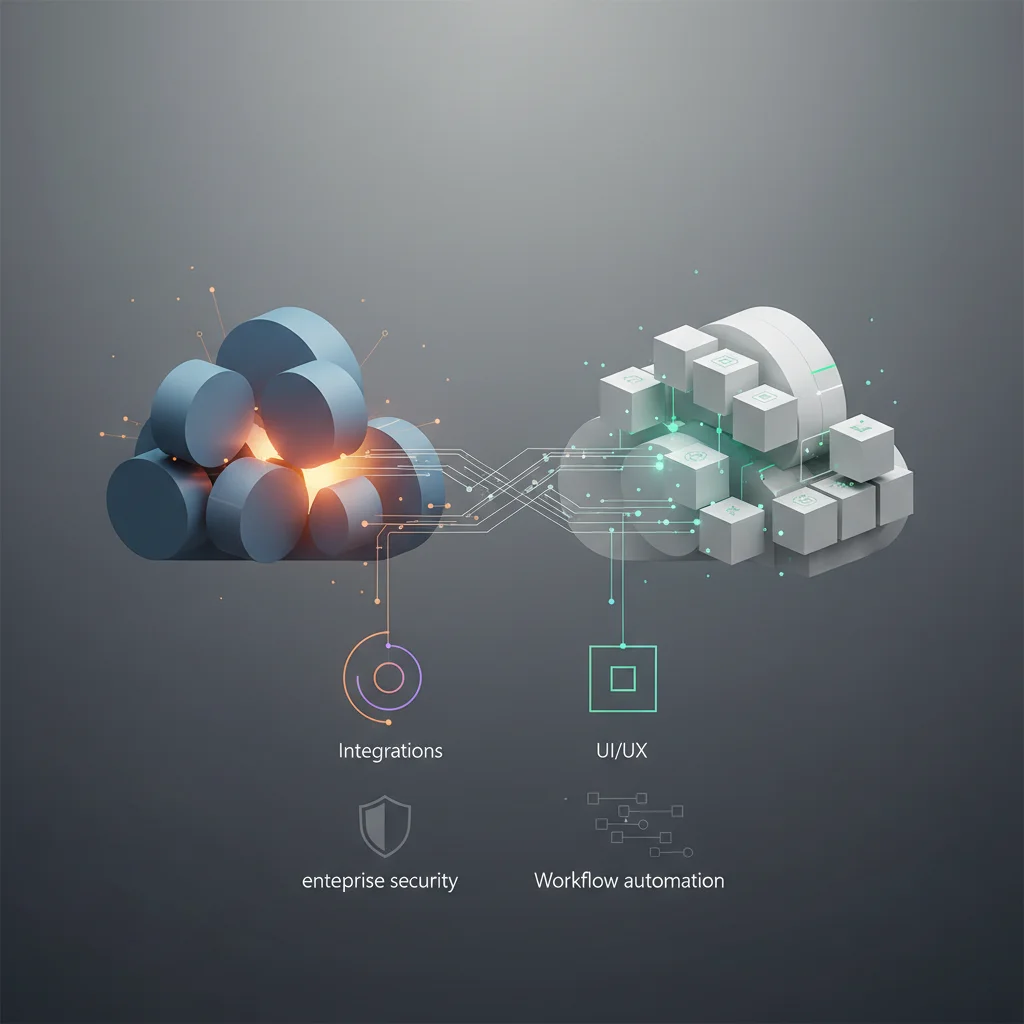
An objective comparison of Slack and Microsoft Teams focusing on integrations, UI/UX, enterprise security, and workflow automation scalability for remote teams.
ON THIS PAGE
0% read
- Executive Summary: Aligning Collaboration Tools with Corporate Strategy
- UI/UX and User Adoption: The Cost of Friction
- Workflow Automation and Integration Scalability
- Enterprise Security, Compliance, and Data Governance
- Total Cost of Ownership (TCO) and ROI Analysis
- Use-Case Scenarios: Which Platform Suits Your Infrastructure?
- Migration Considerations and Strategic Cautions
- Final Verdict: Making an Objective, Data-Driven Decision
Selecting the optimal enterprise communication infrastructure requires balancing usability, technical ecosystem compatibility, regulatory compliance, and Total Cost of Ownership (TCO). In this technical analysis of Slack vs Microsoft Teams Compared, enterprise architects, chief information officers, and operations executives will find a granular evaluation of both platforms across core operational pillars. We examine communication latency, user adoption friction, third-party and custom API extensibility, security governance (including SOC 2, HIPAA, and GDPR compliance), and financial models. This guide provides decision-makers with the empirical criteria needed to deploy the right collaboration stack for scalable, distributed remote operations.
Executive Summary: Aligning Collaboration Tools with Corporate Strategy
Modern enterprise collaboration software is no longer a simple messaging utility; it serves as the foundational operating layer for distributed workflows, incident management, and corporate knowledge management. Selecting between Slack and Microsoft Teams requires evaluating organizational culture, existing software licensing agreements, technical debt, and developer agility. A misaligned platform decision directly impacts employee productivity, cross-functional visibility, and information security across distributed networks.
Enterprises with a heavy investment in the Microsoft 365 ecosystem often view Microsoft Teams as the default operational standard. The zero-additional-cost proposition for organizations holding Microsoft 365 E3, E5, or Business Premium licenses offers immediate financial consolidation. However, financial optimization must be weighed against operational friction. If an engineering, product, or design department finds native Microsoft collaboration workflows clunky, the organization risks introducing unmonitored "Shadow IT" communication tools that compromise corporate data governance.
Conversely, Slack (a Salesforce company) delivers an agile, channel-based asynchronous communication model engineered for rapid context switching and deep developer tooling integration. Slack operates under a best-of-breed software philosophy, allowing IT departments to connect disparate systems—such as Jira, GitHub, Google Workspace, and Workday—into automated conversational pipelines. Evaluating both platforms requires examining total productivity throughput rather than comparing per-seat monthly license fees in isolation.
Key Deciding Factors for IT and Operations Leaders
Enterprise IT leadership must evaluate collaboration tools across five technical dimensions: ecosystem interoperability, API extensibility and rate limits, access control infrastructure (such as SAML SSO and SCIM directory syncing), data compliance architecture, and administrative overhead. Deploying a platform that lacks native compatibility with existing enterprise identity providers (IdPs) like Okta, Ping Identity, or Microsoft Entra ID introduces authentication vulnerabilities and increases IT ticket volume during user onboarding and offboarding.
Operations leaders must also assess asynchronous communication maturity. While Microsoft Teams prioritizes structured meetings, structured document collaboration via SharePoint/OneDrive, and voice/video channels, Slack focuses on searchable channel architectures, persistent conversational threads, canvas documentation, and lightweight audio "Huddles." Organizations with highly distributed, multi-timezone workforces typically require advanced asynchronous workflows to minimize meeting fatigue and preserve operational cadence.
+-----------------------------------------------------------------------------------+
|                           ENTERPRISE EVALUATION VECTORS                          |
+-------------------------+---------------------------------------------------------+
| Ecosystem Strategy      | Best-of-Breed (Slack) vs. Microsoft 365 Monolith (Teams)|
| Automation Framework    | Slack Workflow Builder / Webhooks vs. Power Automate    |
| External Collaboration  | Slack Connect Channels vs. Teams Shared Channels        |
| Identity & Governance   | SCIM / EKM / CASB vs. Native Entra ID / Purview Suite   |
| Commercial Model        | Standalone Per-Seat Tier vs. Bundled M365 Suite Add-on  |
+-------------------------+---------------------------------------------------------+
At a Glance: Feature and Capability Matrix
A side-by-side technical evaluation reveals fundamental architectural differences between Slack's conversational agility and Microsoft Teams' native integration with SharePoint and Office applications. Understanding these parameters enables technical leaders to map specific team workflows directly to platform capabilities.
UI/UX and User Adoption: The Cost of Friction
The financial return on investment (ROI) of collaboration software depends heavily on end-user adoption rates. If an interface is difficult to navigate, employees build fragmented communication silos across unauthorized tools like WhatsApp, Telegram, or personal Discord servers. Interface ergonomics directly impact daily cognitive load, message triage efficiency, and asynchronous transparency across technical and non-technical teams.
User experience friction in enterprise communication manifests as notification fatigue, disjointed conversation threading, and cumbersome file retrieval mechanisms. A platform must empower users to effortlessly mute non-critical channels, set granular status indicators, configure asynchronous check-ins, and organize active discussions without losing critical operational context.
Slack: Intuitive Design and Asynchronous Agility
Slack's user interface is purposefully designed around message readability, custom organization, and rapid navigational agility. Keyboard navigation via the Quick Switcher (@@CODE0@@ / @@CODE1@@) allows power users to transition between channels, direct messages, and external workspaces within milliseconds. This focus on keyboard-driven navigation reduces cognitive disruption for software engineers, product managers, and knowledge workers who manage dozens of active projects simultaneously.
Threading in Slack is self-contained. Conversations branch off into dedicated side panels, preserving the main channel stream for high-level announcements and operational alerts. This structural choice prevents main channel scrolling degradation, allowing team members in disparate time zones to read, contextualize, and respond to technical discussions without interrupting the broader group.
Slack Contextual Architecture:
[Main Channel Stream: High-level status & deployments]
  └── [Side-Panel Thread: 14 technical replies, code snippets, triage steps]
        └── (Main channel remains clean, search indexed separately)
Furthermore, Slack's customization capabilities—including custom emojis, tailored sidebar sections, custom audio notifications, and interactive canvas documents embedded within channels—foster a collaborative culture. While seemingly superficial, these cultural elements directly correlate with higher Daily Active User / Monthly Active User (DAU/MAU) ratios in high-growth technology firms.
Microsoft Teams: Ecosystem Integration vs. Interface Complexity
Microsoft Teams takes a workspace-centric approach to digital collaboration. Rather than functioning purely as a communication hub, Teams serves as an aggregated front-end for Microsoft SharePoint Online, OneDrive, OneNote, Planner, and Azure DevOps. Each created "Team" automatically provisions an underlying Microsoft 365 Group, a dedicated SharePoint Document Library, and a shared Exchange calendar.
Microsoft Teams Architectural Hierarchy:
[Enterprise Tenant]
  └── [Team: Engineering Division] (Provisions M365 Group + SharePoint Site)
        ├── [General Channel] (Directly maps to SharePoint Folder)
        │     └── [Tab 1: Posts] [Tab 2: Files] [Tab 3: Power BI Dashboard]
        └── [Release Channel] (Private or Shared Channel)
This deep structural integration is powerful for document-centric organizations, but introduces UX complexity. Navigating nested channels, sub-tabs, and cross-functional teams requires multiple clicks. Channel posts in Microsoft Teams utilize a message-and-reply box structure that often leads to accidental new root conversations when users intend to reply to an existing thread.
For non-technical enterprise users accustomed to Outlook and Office desktop applications, Microsoft Teams provides a familiar, unified design language. However, for organizations prioritizing speed, real-time command-line alerts, and lightweight messaging, Teams can feel resource-heavy, with higher baseline memory utilization on desktop endpoints compared to optimized web-standard clients.
Mitigating Adoption Risks in Large-Scale Deployments
To minimize user adoption friction during large-scale enterprise deployments, IT change management teams must institute standardized governance policies before rollouts. Unconstrained channel creation leads to "channel sprawl," making it nearly impossible for users to identify authoritative communication streams.
Implement Strict Naming Conventions: Standardize channel prefixes (e.g., @@CODE0@@, @@CODE1@@, @@CODE2@@, @@CODE3@@) across both platforms to streamline directory discovery.
Establish Threading Etiquette: Train internal teams to reply exclusively within message threads to prevent fragmentation of core discussion channels.
Pre-configure Notification Defaults: Enforce baseline notification profiles via global administrative policies to mitigate notification fatigue from day one.
Automate Workspace Lifecycle Management: Deploy automated archival rules for inactive channels to keep workspace sidebars uncluttered and performant.
Workflow Automation and Integration Scalability
Modern enterprise efficiency relies heavily on automating repetitive operational tasks. Collaboration tools must act as conversational execution layers where code is deployed, customer tickets are triaged, approvals are granted, and server anomalies are resolved directly within the communication stream. Evaluating automation scalability requires examining API rate limits, webhook delivery guarantees, developer ecosystem maturity, and low-code workflow customization.
Evaluating Third-Party App Ecosystems
Slack's App Directory features over 2,600 production-ready integrations, maintaining a distinct market advantage in developer tooling, continuous integration/continuous deployment (CI/CD) engines, and SaaS interoperability. Tools such as GitHub, GitLab, Datadog, PagerDuty, Jira, Sentry, and AWS Chatbot are natively engineered for Slack, offering interactive message cards, ephemeral bot responses, and rich multi-action modal windows.
Microsoft Teams offers an App Store with over 1,800 applications, focusing heavily on enterprise enterprise resource planning (ERP) suites, human resource information systems (HRIS), and the Microsoft ecosystem. Integrations with Dynamics 365, Salesforce, ServiceNow, and Workday allow enterprise users to manage approvals, access records, and review business intelligence dashboards without leaving the Teams client.
API & Webhook Scalability Model:
[External Trigger: CI/CD Alert / Incident]
       │
       ▼
[Webhook Endpoint / Bolt API Engine]
       │
       ├── Rate Limiting Tier Validation (Tier 1: 1 req/sec -> Tier 4: 100+ req/sec)
       │
       ▼
[Interactive Card Displayed in Dedicated Channel]
       │
       ├── User Action: [Approve Deployment] / [Acknowledge Incident]
       │
       ▼
[Payload Sent to External Backend via OAuth 2.0 Token]
When evaluating app ecosystems, enterprise IT must assess the vendor security posture of third-party bot developers. Slack's App Directory enforces rigorous scopes and granular OAuth permissions (such as @@CODE0@@, @@CODE1@@, commands), enabling IT administrators to whitelist or blacklist specific API permissions centrally. Microsoft Teams leverages Microsoft Entra ID app registrations, ensuring that third-party integrations adhere to tenant-wide enterprise conditional access policies.
Custom APIs and Developer Flexibility (Slackbot vs. Power Automate)
Custom application development in Slack is powered by the Bolt Framework (available for JavaScript, Python, and Java) and the Slack Web API. Slack's block kit builder enables developers to create interactive, dynamic user interfaces—including dropdown menus, date pickers, multi-select menus, and input modals—with minimal JSON payloads.
// Sample Block Kit Payload for Interactive Deployment Approval
{
  "type": "actions",
  "block_id": "deploy_approval_block",
  "elements": [
    {
      "type": "button",
      "text": { "type": "plain_text", "text": "Approve Release v4.2" },
      "style": "primary",
      "value": "approve_deploy_42"
    },
    {
      "type": "button",
      "text": { "type": "plain_text", "text": "Abort" },
      "style": "danger",
      "value": "abort_deploy_42"
    }
  ]
}
In contrast, Microsoft Teams harnesses the low-code power of Microsoft Power Automate and the Microsoft Bot Framework (using Adaptive Cards). For enterprises with dedicated business analysts and citizen developers, Power Automate allows the visual construction of complex, multi-stage approval flows across hundreds of enterprise data sources without requiring dedicated software engineering resources.
However, complex Power Automate routines introduce licensing dependencies. Advanced enterprise connectors (such as premium SQL databases, Salesforce, or custom HTTP REST webhooks) require standalone Power Automate Premium licenses. This creates unexpected cost escalation for teams scaling custom automations across large user bases.
Scalability Bottlenecks in Rapidly Growing Remote Teams
As remote teams scale past 1,000 employees, collaboration platforms face distinct performance and operational bottlenecks:
API Rate Limit Throttling: Slack enforces tier-based rate limiting (Tier 1: 1 request per minute up to Tier 4: 100+ requests per minute). High-frequency incident management channels that ingest automated telemetry from thousands of microservices can encounter HTTP 429 "Too Many Requests" errors unless queue workers are properly configured.
Webhook Payload Constraints: Microsoft Teams Adaptive Cards require strict adherence to payload schema versions. Breaking schema changes can cause incoming webhook connectors to fail silently without robust error-monitoring instrumentation.
Administrative Sprawl in Workflow Distribution: Unregulated low-code workflows built by non-technical staff can create broken dependencies when the creator leaves the organization, leaving orphaned automation pipelines that require IT intervention.
Enterprise Security, Compliance, and Data Governance
For organizations operating in regulated sectors—such as financial services, healthcare, defense, and public infrastructure—collaboration tools must adhere to strict data sovereignty, compliance, and governance frameworks. Enterprise IT leaders must evaluate data handling at rest and in transit, verify granular eDiscovery workflows, and validate integrations with Cloud Access Security Brokers (CASB).
Data Loss Prevention (DLP) and Retention Policies
Data Loss Prevention (DLP) engines inspect real-time conversational streams and file uploads to detect and intercept unauthorized transmissions of sensitive information, including Personally Identifiable Information (PII), Payment Card Industry (PCI) data, and intellectual property.
Microsoft Teams leverages native integration with Microsoft Purview Data Loss Prevention. Administrators can define global compliance rules in the Microsoft 365 Compliance Center that automatically block or redact messages containing Social Security numbers, credit card details, or custom regex patterns across private chats, channels, and shared SharePoint files.
Microsoft Purview / DLP Operational Flow:
[User Types Message with PII]
       │
       ▼
[Real-Time Inspection Engine (Purview / CASB)]
       │
       ├── Violation Detected?
       │     ├── [YES] ──> Redact Message + Display System Policy Tip to User
       │     │              └── Trigger Alert to InfoSec SIEM (e.g., Microsoft Sentinel)
       │     └── [NO]  ──> Message Posted to Channel
Slack provides robust DLP capabilities via the Slack Discovery API and native integrations with third-party CASB and DLP vendors, including Netskope, Nightfall AI, Palo Alto Networks, and Symantec. Enterprise Grid customers can also enforce granular message retention policies globally or on a per-channel basis (e.g., automatically purging messages older than 90 days in public channels while preserving compliance-tagged channels indefinitely).
Regulatory Compliance (GDPR, HIPAA, and SOC 2)
Both platforms provide enterprise-grade compliance certifications, but their underlying architectures handle compliance scope differently:
SOC 2 & SOC 3: Both Slack (Enterprise Grid) and Microsoft Teams undergo independent annual audits confirming Type II compliance across Security, Availability, and Confidentiality trust service criteria.
HIPAA / HITECH: Both platforms support Business Associate Agreements (BAAs) for healthcare entities. In Microsoft Teams, HIPAA configurations govern communication across Exchange, Teams chat, and SharePoint repositories. In Slack, HIPAA compliance requires an Enterprise Grid tier to ensure e-PHI data is properly audited and isolated.
GDPR & Data Residency: Slack offers data residency capabilities allowing organizations to store customer data at rest in specific geographic regions (e.g., Frankfurt, London, Tokyo, Sydney). Microsoft Teams provides comprehensive data residency through Microsoft 365 Multi-Geo capabilities, allowing tenant data to reside across multiple designated datacenter geographies.
End-to-End Encryption and Access Control Vulnerabilities
Standard communication across both Slack and Microsoft Teams is encrypted in transit using TLS 1.2+ with modern cipher suites and encrypted at rest using AES-256 bit encryption. However, standard encryption means the service provider maintains the master encryption keys, which can expose data during subpoena requests or infrastructure-level breaches.
+-----------------------------------------------------------------------------------+
|                        ENCRYPTION & ACCESS CONTROL MATRIX                         |
+------------------------------+---------------------------+------------------------+
| Security Feature             | Slack (Enterprise Grid)   | Microsoft Teams (M365) |
+------------------------------+---------------------------+------------------------+
| In-Transit Encryption        | TLS 1.2 / TLS 1.3         | TLS 1.2 / TLS 1.3      |
| At-Rest Encryption           | AES-256                   | AES-256 + BitLocker    |
| Customer Key Control         | Slack EKM (AWS KMS-backed)| Purview Customer Key   |
| 1:1 Call E2EE Support        | Selective                 | Native Opt-In (E2EE)   |
| Granular SCIM Provisioning   | Yes (via Okta, Entra ID)  | Native via Entra ID    |
| Conditional Access Policies  | Via SAML / EMM Integration| Native Azure AD CA     |
+------------------------------+---------------------------+------------------------+
To achieve complete control over cryptographic boundaries, enterprise organizations utilize Bring Your Own Key (BYOK) solutions:
Slack Enterprise Key Management (Slack EKM): Allows organizations to use their own encryption keys managed within Amazon Web Services Key Management Service (AWS KMS). This provides granular revocation capabilities; an IT administrator can revoke access to a specific channel, message, or timeframe without breaking the broader workspace.
Microsoft Purview Customer Key: Enables enterprise organizations to control encryption keys hosted within Azure Key Vault, maintaining full audit visibility over root-level key usage across Microsoft Teams chats and underlying SharePoint/OneDrive storage services.
Total Cost of Ownership (TCO) and ROI Analysis
When evaluating collaboration platforms, executive leadership often focuses on the headline per-user monthly subscription cost. However, a comprehensive financial model must capture direct licensing, administrative overhead, developer resource allocation, compliance integration add-ons, and end-user productivity metrics.
Direct Costs: Subscription Tiers and Licensing
The commercial positioning of both tools differs significantly. Microsoft packages Teams within broader productivity bundles, while Slack operates primarily as a specialized, premium collaboration platform.
Slack Pricing Structure:
Free Tier: Limited 90-day message history, 10 integrations, 1:1 Huddles.
Pro Tier: ~$8.75/user/month (annual billing); unlimited message history, unlimited integrations, group Huddles with screen share.
Business+ Tier: ~$15.00/user/month (annual billing); 99.99% uptime SLA, SAML-based SSO, SCIM provisioning, export compliance.
Enterprise Grid: Custom pricing (typically ~$25–$35+/user/month); multi-workspace architecture, Slack EKM, HIPAA support, dedicated customer success.
Microsoft Teams Pricing Structure:
Microsoft Teams Essentials: ~$4.00/user/month (standalone basic commercial tier).
Microsoft 365 Business Basic / Standard / Premium: ~$6.00 to ~$22.00/user/month (includes complete web/desktop Office suite, 1TB OneDrive, Exchange).
Microsoft 365 Enterprise (E3 / E5): ~$36.00 to ~$57.00/user/month (comprehensive enterprise security, advanced compliance, Teams included).
(Note: Pricing reflect global public benchmarks and vendor rate cards as of 2026. Enterprise negotiated volume licensing, regional currency fluctuations, and multi-year contract concessions will impact final per-seat expenditure).
Hidden Costs: Migration, Training, and Administrative Overhead
Direct licensing fees account for only a portion of the complete lifecycle cost. Migration and operational overhead introduce substantial hidden expenses that IT budgets must anticipate:
Total Cost of Ownership (TCO) Composition:
┌────────────────────────────────────────────────────────┐
│ Direct Licensing (Per-seat monthly/annual commitments) │ 50-60%
├────────────────────────────────────────────────────────┤
│ Administrative Overhead (IT support tickets, SCIM sync)│ 15-20%
├────────────────────────────────────────────────────────┤
│ Custom Integration Maintenance (API changes, bot code) │ 10-15%
├────────────────────────────────────────────────────────┤
│ User Training & Change Management (Productivity drag)  │ 10-15%
└────────────────────────────────────────────────────────┘
API & Bot Migration Costs: Migrating from Slack to Teams (or vice versa) requires refactoring custom webhooks, rewiring CI/CD notifications, and rewriting custom bots from Slack Bolt to the Microsoft Bot Framework, requiring dedicated developer hours.
Storage and Data Archiving Fees: While Microsoft Teams leverages existing SharePoint storage pools (1TB base + 10GB per licensed user), high-volume multimedia and log retention can exceed quotas, requiring additional Azure storage capacity purchases.
Third-Party Security Tooling Add-ons: Deploying Slack in an enterprise environment requiring automated DLP often necessitates licensing third-party security platforms (e.g., Netskope, Nightfall), adding an extra $3 to $8 per seat per month over the base Slack license.
The Microsoft 365 Bundle Advantage vs. Slack's Standalone Premium
For enterprises already standardized on the Microsoft 365 software stack, deploying Microsoft Teams carries near-zero incremental direct licensing costs. The CFO perspective often favors eliminating Slack's standalone per-seat fee, which can save a 5,000-seat organization over $1,000,000 annually in software licensing.
However, IT leaders must evaluate whether this software consolidation introduces operational friction. If developer throughput, incident response speed, or cross-organizational collaboration with external vendors slows down, the resulting lost productivity can outweigh software licensing savings. A comprehensive ROI model must weigh software license consolidation against quantifiable team velocity.
Comparative estimated expenditure for an organization deploying 1,000 enterprise seats over a 12-month operational lifecycle. Multi-workspace enterprise grid architecture, 24/7 priority support, and SAML/SCIM controls. Comprehensive enterprise suite covering complete OS, Office apps, Purview, Entra ID P2, and Teams. External compliance and data loss prevention inspection tooling for regulated data handling. Engineering and change management overhead required for API migration and workflow setup.Enterprise Cost Breakdown: 1,000-Seat Organization (Annual Model)
Slack Enterprise Grid Base Licensing
~$300,000 - $360,000 / year
Microsoft 365 E5 Suite (Including Teams)
~$684,000 / year
Slack Third-Party DLP / CASB Add-on
~$36,000 - $60,000 / year
IT Administration & Custom Bot Refactoring
~$45,000 - $80,000 (One-Time)
Use-Case Scenarios: Which Platform Suits Your Infrastructure?
Selecting the correct platform requires matching software capabilities to organizational workflows, team topologies, and developer ecosystems. A tool optimized for a fast-moving software development startup may fail the compliance requirements of a multinational banking institution, while a platform built for standardized document management may slow down high-velocity agile teams.
When to Choose Slack: Agile Engineering and Cross-Organizational Collaboration
Slack is the superior platform for organizations characterized by rapid, asynchronous workflows, extensive developer toolchains, and continuous external B2B partner collaboration:
Software Engineering & DevOps Teams: The platform's fast code-snippet sharing, native markdown syntax, customizable webhook alerts, and tight integration with tools like GitHub, CircleCI, Kubernetes, and Datadog make it an ideal operational command center for incident triage and continuous deployment.
Agency, Venture Capital, & Multi-Company Networks: Organizations that manage cross-functional initiatives with external vendors, clients, and partners benefit immensely from Slack Connect. Slack Connect allows secure, shared channels between up to 250 distinct corporate entities without requiring complex guest account provisioning inside Azure Active Directory.
High-Velocity Asynchronous Cultures: Companies with global, distributed remote workforces that prioritize clear, threaded communication, contextual documentation via Slack Canvas, and short audio huddles over structured calendar meetings.
When to Choose Microsoft Teams: Deep Microsoft 365 Reliance and Strict Compliance
Microsoft Teams is the strategic choice for enterprises with entrenched Microsoft productivity stacks, centralized corporate IT governance, and extensive unified communications requirements:
Enterprises Standardized on Microsoft 365: Organizations utilizing SharePoint, OneDrive, Outlook, Word, Excel, PowerPoint, and Dynamics 365 achieve seamless real-time co-authoring without file-locking issues or context switching.
Large Regulated Enterprises (Finance, Healthcare, Government): Companies that require native integration with Microsoft Purview, Entra ID Conditional Access, Customer Lockbox, and unified compliance auditing across all communications and document repositories.
Organizations Consolidating Unified Communications (UCaaS): Companies looking to replace legacy PBX telephone systems with Teams Phone System, leveraging direct routing, cloud auto-attendants, and hardware-certified meeting room systems under a single administrative umbrella.
Can Slack and Teams Coexist? Risks of Shadow IT
In many enterprise organizations, Slack and Microsoft Teams coexist—often unintentionally. This coexistence is typically driven by engineering and product divisions deploying Slack via team expense cards, while corporate IT mandates Microsoft Teams across finance, legal, HR, and operations.
+-----------------------------------------------------------------------------------+
|                           COEXISTENCE ARCHITECTURAL MODEL                         |
+-----------------------------------------------------------------------------------+
|               [Corporate Identity Provider (Okta / Entra ID)]                     |
|                                       │                                           |
|                   ┌───────────────────┴───────────────────┐                       |
|                   ▼                                       ▼                       |
|   [Slack Enterprise Grid]                  [Microsoft Teams / M365]               |
|   - Product Engineering                    - Corporate Legal & Finance            |
|   - DevOps Incident Triage                 - Executive Operations                 |
|   - External Vendor Slack Connect          - SharePoint Document Management       |
|                   │                                       │                       |
|                   └───────────[Mio / Custom API Bridge]───┘                       |
|                               (Syncs cross-platform DMs)                          |
+-----------------------------------------------------------------------------------+
While cross-platform federation tools (such as Mio) can bridge basic direct messages and public channels between Slack and Teams, operating a dual-platform model introduces significant technical and financial risks:
Dual Licensing Inefficiencies: The enterprise pays twice for communication seats across overlapping employee groups.
Fragmented Knowledge Repositories: Critical institutional knowledge becomes split across Slack message threads and SharePoint document libraries, degrading organizational search visibility.
Governance & Discovery Gaps: Legal and compliance teams must configure duplicate eDiscovery collection procedures, increasing audit discovery costs during legal investigations.
Objective comparison of organizational profiles against collaboration platform architecture. Avantaj Slack provides native markdown, deep CLI/webhook integrations, and comprehensive Sentry/GitHub/Datadog alerting cards. Dezavantaj Microsoft Teams requires bridging through Power Automate or custom Adaptive Card bot configurations for advanced DevOps workflows. Avantaj Microsoft Teams natively co-authors Office documents via SharePoint Online without leaving the application window. Dezavantaj Slack relies on external file storage links or third-party cloud plugins, lacking native deep Office document editing. Avantaj Slack Connect establishes real-time shared channels across independent external enterprise workspaces with granular security policies. Dezavantaj Teams Shared Channels require Azure B2B Direct Connect mutual configurations, introducing administrative overhead for external partners. Avantaj Microsoft Teams offers complete cloud PBX replacement, global PSTN calling plans, and certified meeting room hardware. Dezavantaj Slack Huddles and calling are optimized for internal meetings, requiring third-party integrations (e.g., Zoom, Cisco) for enterprise voice.Strategic Platform Fit Matrix
Developer & DevOps Toolchain Alignment
Document Collaboration & Storage Architecture
External B2B Partner Collaboration
Unified Communications & Enterprise Voice (PBX)
Migration Considerations and Strategic Cautions
Migrating enterprise collaboration infrastructure involves shifting conversational context, operational identity mappings, regulatory audit archives, and active business processes. Whether transitioning from Slack to Microsoft Teams or vice versa, IT leaders must design data migration roadmaps that safeguard data integrity, maintain regulatory compliance, and prevent employee downtime.
Anticipating Downtime and Data Transfer Challenges
Executing an enterprise collaboration platform migration requires converting and reconciling fundamentally different underlying data schemas. Slack stores conversational history as structured, flat JSON message trees containing rich attachments, channel references, and user UID handles. Microsoft Teams organizes data within an Exchange Online mailbox structure tied directly to SharePoint site hierarchies.
Data Schema Reconciliation:
[Slack Export Archive (JSON + Blocks)]
       │
       ▼
[ETL Transformation Engine (e.g., Quest, Flyway, CloudFuze)]
       │
       ├── User Identity Mapping: Slack UID (U0123ABC) ──> Entra ID UPN ([email protected])
       ├── Channel Reconciliation: #dev-alerts ───────────> Team: Dev / Channel: Alerts
       ├── Thread Re-nesting: JSON Replies ──────────────> Teams Conversation Threads
       └── Attachment Migration: AWS S3 Assets ──────────> SharePoint Document Library
       │
       ▼
[Microsoft Graph API Import / Ingestion Pipeline]
Critical technical migration challenges include:
Direct Message (DM) History Ingestion: Migrating private 1:1 and group direct messages is highly complex due to identity mapping between decoupled identity providers. Certain third-party migration tools can only import historical direct messages as read-only historical archives rather than editable conversations.
Thread Structure Reconstruction: Because Slack handles threading as modular sidebars while Teams historically used parent-child channel posts, poorly structured ETL scripts can flatten message threads into a single chronological channel dump, destroying conversational context.
Third-Party Webhook Breakage: Every operational webhook, automated script, and monitoring alert configured with incoming Slack URLs must be manually re-engineered to target Microsoft Teams incoming webhook endpoints or Power Automate workflows.
Avoiding Vendor Lock-in and Future-Proofing Your Tech Stack
To maintain organizational agility and prevent complete architectural vendor lock-in, technical leaders must avoid designing collaboration environments that rely entirely on proprietary, non-portable vendor services.
Maintain Decoupled Identity Architecture: Ensure user authentication and directory lifecycle management reside in a centralized, independent Identity-as-a-Service (IDaaS) provider (such as Okta, Ping, or an independent Entra ID tenant) rather than hard-coding identity mappings directly to collaboration app metadata.
Establish Automated Compliance Archival Pipelines: Implement continuous backup and eDiscovery archiving via independent third-party governance platforms (e.g., Smarsh, Global Relay, Druva) that pull raw data via compliance APIs independently of the underlying communication vendor.
Modularize Automation Layers: When developing custom operational bots, build core business logic inside decoupled cloud microservices (e.g., AWS Lambda, Azure Functions, GCP Cloud Functions) with clean REST API abstractions. This ensures that only the UI presentation layer (Slack Block Kit vs. Teams Adaptive Cards) needs rewriting should the enterprise switch platforms in the future.
Final Verdict: Making an Objective, Data-Driven Decision
The decision between Slack and Microsoft Teams cannot be reduced to a binary feature checklist. It is a fundamental architecture decision between a specialized, best-of-breed conversational command layer and a deeply integrated, monolithic enterprise content platform.
Organizations that prioritize developer velocity, modern asynchronous communication paradigms, deep API extensibility, and seamless multi-company collaboration achieve superior operational throughput with Slack Enterprise Grid. The higher per-seat licensing expenditure is frequently offset by faster incident resolution times, lower user adoption friction, and the agility of its open API ecosystem.
Conversely, enterprises seeking total cost consolidation, standardized unified communications (PBX/Video), centralized data governance under a single security umbrella, and deep native co-authoring within the Office document ecosystem will find Microsoft Teams the strategically and financially optimal choice.
Actionable Next Steps for IT Decision Makers
To execute an objective, evidence-based platform selection process, IT and business operations leaders should follow a structured, multi-phase evaluation roadmap:
Conduct an Unsanctioned Tool Audit: Run automated network discovery via your Cloud Access Security Broker (CASB) or DNS firewalls to assess active, unapproved usage of both Slack and Teams across business units.
Calculate the Consolidated M365 TCO: Model the real-world financial impact of licensing Slack Enterprise Grid as a standalone add-on versus consolidating your entire user base onto existing Microsoft 365 E3/E5 tiers. Factor in required third-party DLP, SSO, and storage add-ons.
Run a Controlled 60-Day Pilot: Deploy both platforms across two balanced, multi-disciplinary control groups (combining software engineering, product design, marketing, finance, and legal stakeholders).
Measure Empirical Velocity Metrics: Evaluate pilot performance using concrete telemetry: average incident response time, daily active message volume, ticket resolution velocity, user-reported notification fatigue, and third-party app integration depth.
Formalize Operational Governance Before Rollout: Prior to tenant-wide provisioning, establish automated channel naming conventions, message retention schedules, external sharing boundaries, and bot approval protocols.
Frequently Asked Questions
What is the primary operational difference between Slack and Microsoft Teams?
Slack is architected as an agile, asynchronous conversational platform emphasizing channel-based messaging, open API integrations, and developer workflows. Microsoft Teams functions as a consolidated workspace aggregating real-time communication, cloud voice (PBX), SharePoint document libraries, and the broader Microsoft 365 enterprise productivity suite.
Is Microsoft Teams truly free for organizations already using Microsoft 365?
Microsoft Teams is bundled at no additional direct license cost within most Microsoft 365 commercial plans, including Business Standard, Business Premium, E3, and E5 tiers. However, organizations still incur indirect costs related to administrative overhead, user training, cloud storage expansion, and specialized Power Automate connector licensing.
How do Slack Connect and Microsoft Teams Shared Channels compare for external collaboration?
Slack Connect allows organizations to establish secure, multi-company shared channels with up to 250 external organizations using a straightforward invitation workflow. Microsoft Teams Shared Channels utilize Azure B2B Direct Connect, which provides robust tenant-level security governance but requires mutual IT administration setup between external Azure Active Directory domains.
Which platform provides superior workflow automation capabilities for non-technical teams?
Slack Workflow Builder provides an accessible, no-code visual interface within the client that allows non-technical users to build simple conversational automations and forms quickly. Microsoft Power Automate offers deeper multi-system logic and enterprise connector access, but presents a steeper learning curve for non-technical staff.
Can an enterprise maintain HIPAA and GDPR compliance on both Slack and Microsoft Teams?
Yes, both platforms support HIPAA and GDPR compliance when properly configured under enterprise licensing agreements. Slack requires an Enterprise Grid tier with appropriate Business Associate Agreements (BAA) and DLP integration, while Microsoft Teams leverages native Microsoft Purview data governance, retention policies, and tenant-wide encryption frameworks.
What are the main technical risks of running Slack and Microsoft Teams concurrently?
Running both platforms simultaneously leads to duplicated seat licensing costs, fragmented organizational knowledge across disparate databases, disjointed search visibility, and increased eDiscovery exposure. It also introduces security gaps if corporate IT cannot consistently enforce compliance and DLP policies across both environments.
How does encryption key ownership work between Slack EKM and Microsoft Purview Customer Key?
Slack Enterprise Key Management (Slack EKM) enables organizations to manage encryption keys within their own Amazon Web Services Key Management Service (AWS KMS) environment for granular access revocation. Microsoft Purview Customer Key provides equivalent cryptographic control by hosting tenant encryption keys directly within an organization's Azure Key Vault.
How do API rate limits impact enterprise software integrations on Slack versus Microsoft Teams?
Slack enforces tier-based rate limits ranging from 1 to over 100 requests per minute, requiring engineering teams to design queuing mechanisms for high-frequency notification channels. Microsoft Teams throttles webhooks and Graph API endpoints based on tenant-wide concurrency thresholds, which can delay real-time alerts if bulk operations execute simultaneously.