
What Is a Firewall and How Does It Work?
A firewall is a network security system that monitors and controls incoming and outgoing traffic based on predetermined security rules, acting as a barrier against cyber threats.
ON THIS PAGE
0% read
- Understanding the Basics: What Is a Firewall?
- How Does a Firewall Work to Protect Your Network?
- Why Your Business Needs a Firewall: Mitigating Cyber Threats
- Core Types of Firewalls Based on Architecture
- Delivery Methods: Hardware, Software, and Cloud Firewalls
- Enterprise Best Practices for Firewall Configuration and Management
A firewall is a network security system that monitors and controls incoming and outgoing traffic based on predetermined security rules, acting as a barrier against cyber threats. When corporate decision-makers evaluate their infrastructure's resilience, understanding "What Is a Firewall and How Does It Work?" represents the baseline of secure digital operations. It acts as the fundamental guardrail separating a trusted internal network from untrusted, external sources. This guide dissects firewall architectures, operational methodologies, compliance implications, and strategic deployment practices to help modern enterprises secure their physical and cloud assets.
Understanding the Basics: What Is a Firewall?
Defining the Core Concept
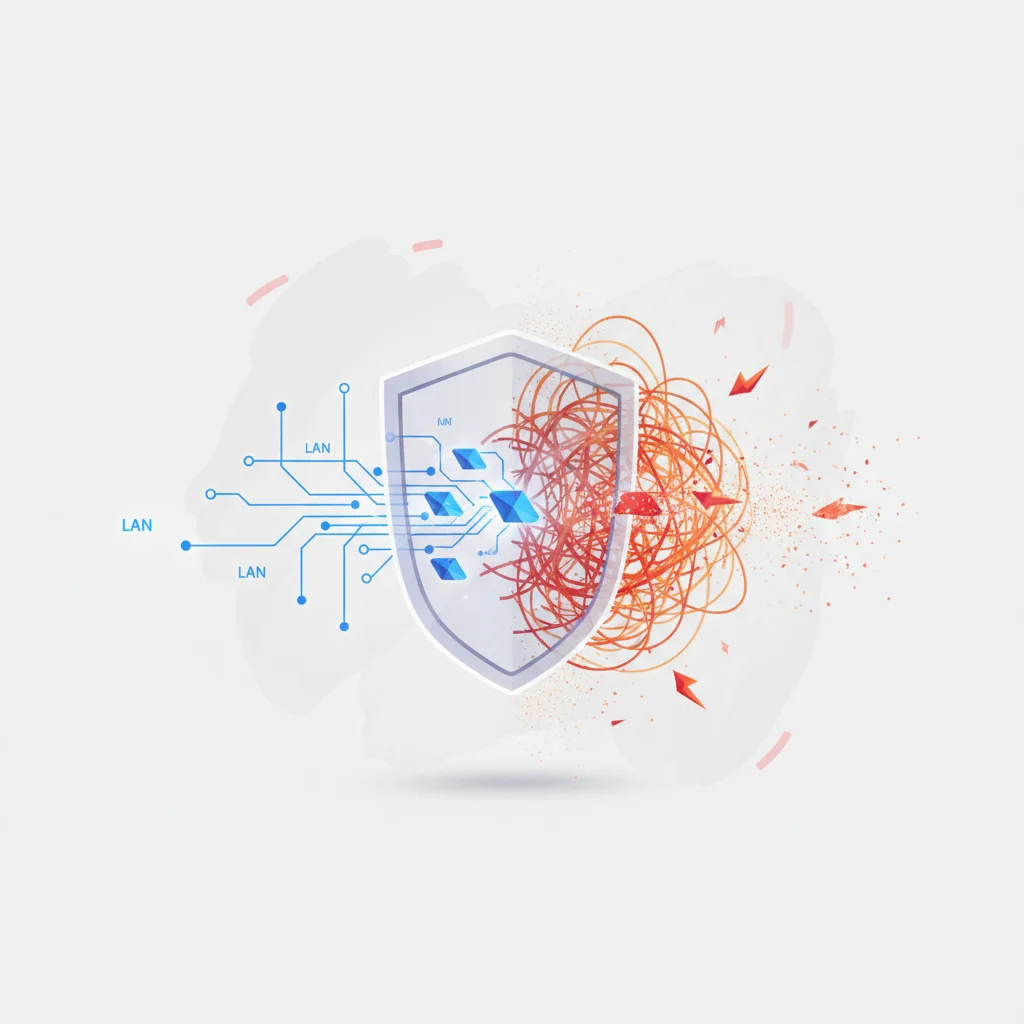
In technical terms, a firewall is a logical or physical security checkpoint designed to enforce an organization's access control policy. At its essence, it acts as a selective gateway. It continuously examines data packets traversing the boundary between different network segments. By comparing the attributes of each packet against a set of predefined parameters, the firewall decides whether to permit, drop, reject, or log the transmission.
To understand this mechanism, one must analyze how network boundaries are constructed. In enterprise environments, infrastructure is divided into security zones. The most common division is between the internal Local Area Network (LAN) and the public Internet, which represents a Wide Area Network (WAN). The firewall is positioned directly on the perimeter of these zones. Every single byte of data leaving or entering the LAN must pass through this device. Without this centralized point of inspection, malicious traffic from external sources could access internal endpoints directly, resulting in unchecked exposure of database systems, application servers, and user workstations.
A common misconception is that a firewall operates merely as a passive barrier. In reality, modern security gateways are dynamic, high-performance engines. They perform real-time computational analysis on packet headers and payloads. They decode transport-layer protocols, map application behaviors, and track the state of active sessions. They establish a deterministic boundary where security policies are translated into low-level network instructions.
The Role of a Firewall as a First Line of Defense
Within a layered security model, often referred to as defense-in-depth, the firewall functions as the outermost perimeter control. Its primary operational objective is to reduce the attack surface of the internal network. By blocking unauthorized ingress attempts and limiting egress channels to only validated protocols, the firewall ensures that internal systems are not directly exposed to the open Internet.
However, a perimeter firewall does not eliminate the need for host-based security controls. Instead, it works in coordination with endpoint detection and response (EDR) agents, local software firewalls, and identity providers. The perimeter firewall prevents wide-scale scanning, automated exploitation attempts, and distributed denial of service (DDoS) traffic from reaching internal targets. This relieves local servers and endpoints from processing millions of malicious requests daily, conserving computational resources and reducing local log noise.
Historically, perimeters were simple, well-defined physical boundaries. Modern enterprise networks, however, feature highly distributed topologies with hybrid clouds, remote workers, and software-as-a-service (SaaS) integrations. Consequently, the role of the firewall has shifted from securing a static physical perimeter to enforcing logical boundaries around dynamic micro-segments. Regardless of whether it is deployed as a physical appliance in a server room or a virtual appliance in a public cloud, the firewall remains the initial point of enforcement for network access policies.
Why Firewalls Are Critical for Business Security
From a business risk perspective, operating an enterprise network without a structured firewall is equivalent to leaving database storage open to public indexing. Automated threat actors continually scan global public IPv4 and IPv6 address spaces for open ports and known vulnerabilities. When a system lacks firewall protection, any exposed service—such as an unpatched Remote Desktop Protocol (RDP) port or an administrative database console—can be discovered and targeted within minutes.
This exposure carries high financial and operational risks. Unauthorized access to corporate databases leads to catastrophic data breach events, which carry severe regulatory penalties under frameworks like the General Data Protection Regulation (GDPR) and Turkey's Personal Data Protection Law (KVKK). Beyond legal compliance, malware and ransomware variants rely heavily on lateral movement within unsegmented networks. If an internal network lacks internal segregation firewalls, a compromise on a single guest workstation can rapidly escalate into domain-wide ransomware encryption.
Furthermore, firewalls provide critical network visibility. They generate detailed telemetry logs that document every connection attempt, protocol usage, bandwidth spike, and security violation. For IT decision-makers, these logs are vital for forensic analysis, regulatory compliance reporting, capacity planning, and threat hunting. By blocking unauthorized connections at the edge and auditing permitted traffic, firewalls serve as both a protective shield and an essential source of truth for security operations.
How Does a Firewall Work to Protect Your Network?
The Concept of Predetermined Security Rules
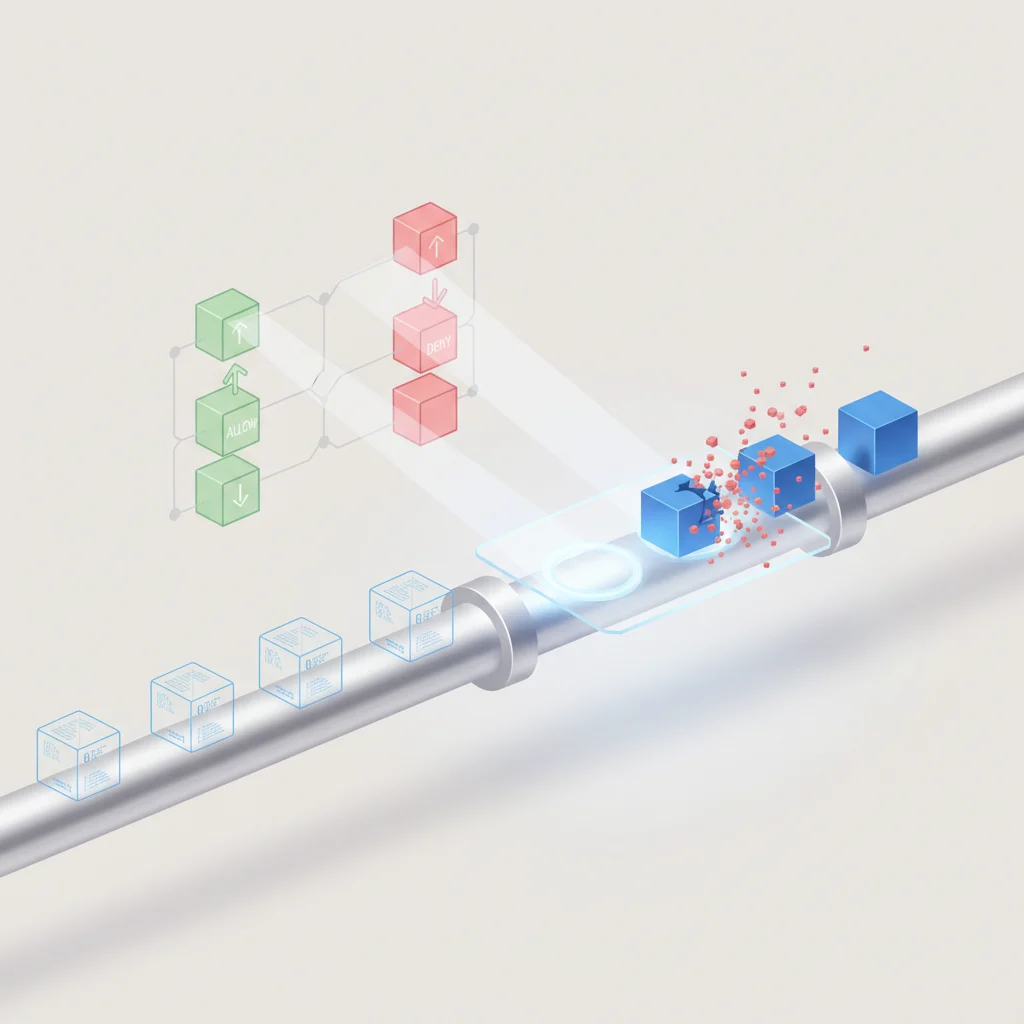
The functional core of any firewall is its policy engine, which executes decisions based on predetermined security rules. These rules are configured within an ordered list, commonly known as an Access Control List (ACL). When a network packet arrives at an interface of the firewall, the engine processes the packet against this list sequentially, starting from the top rule and moving downward until a match is found.
Each rule in the list defines specific criteria that a packet must match to trigger an action. These criteria typically include five key components, referred to as the "5-tuple":
Source IP Address: The network address of the initiating host (can be a single IP, a subnet range, or a dynamic object).
Destination IP Address: The target network address where the packet is sent.
Source Port: The TCP or UDP port number used by the sender (often randomly assigned from ephemeral ranges).
Destination Port: The specific service port on the receiving system (e.g., port 443 for HTTPS, port 22 for SSH).
Protocol: The underlying transport protocol (typically TCP, UDP, or ICMP).
Once a packet matches all criteria of a rule, the firewall executes the associated action. The three standard actions are Allow (permitting the packet to proceed), Drop (silently discarding the packet without sending a response, which makes the target port appear stealth/closed to scanners), and Reject (discarding the packet and sending an ICMP "Destination Unreachable" or TCP "RST" packet back to the sender). If no match is found after scanning the entire list, the firewall hits the "Implicit Deny" rule at the very bottom, which drops all traffic not explicitly permitted by preceding rules.
Traffic Analysis: Incoming vs. Outgoing Data
Understanding the distinction between incoming (ingress) and outgoing (egress) traffic is vital for configuring robust firewall security profiles. Ingress traffic refers to data packets entering the internal network from external sources, such as the public web. This traffic presents the highest risk vector, as external systems are outside the organization's administrative control. Consequently, ingress rules are typically highly restrictive, permitting external traffic only to designated public-facing assets, such as web servers or virtual private network (VPN) gateways.
Conversely, egress traffic refers to communication initiated from within the internal network to external destinations. Historically, many organizations implemented a permissive egress policy, allowing internal hosts to communicate freely with any external IP on any port. This approach, however, introduces significant risks. If an internal system becomes infected with malware, unrestricted egress access allows the payload to establish command-and-control (C2) connections, exfiltrate sensitive files, or download additional malicious modules.
Modern security standards require strict egress filtering. Organizations must limit outbound connections to only the specific ports and protocols necessary for business operations. For example, standard workstations should only be permitted outbound HTTP/HTTPS (ports 80/443) and Domain Name System (DNS, port 53) traffic. Database servers or critical domain controllers should be completely blocked from initiating outbound connections to the Internet, except to validated repository mirrors for security updates. By regulating both directions, the firewall minimizes the risk of both external exploitation and internal data exfiltration.
Packet Filtering and Data Inspection
Packet filtering is the operational methodology used by a firewall to examine transit data. This analysis occurs across different layers of the Open Systems Interconnection (OSI) model, depending on the sophistication of the firewall.
Traditional packet filtering operates primarily at OSI Layer 3 (Network Layer) and Layer 4 (Transport Layer). It inspects packet headers to read IP addresses and port numbers. While highly efficient and capable of processing massive volumes of data with negligible latency, simple packet filtering cannot inspect the actual payload of the packet. It is blind to the content of the transmission and cannot verify if the data flowing over a permitted port is malicious.
+-----------------------------------------------------------+
|               Data Packet Structure (OSI)                 |
+-----------------------------------------------------------+
| [Layer 2 Link Header] [Layer 3 IP Header] [Layer 4 Port]  |
|          |                    |                  |        |
|  MAC Addresses        IP Addresses      TCP/UDP Ports     |
+-----------------------------------------------------------+
| [Layer 7 Application Data Payload: Executable, PDF, SQL]  |
+-----------------------------------------------------------+
To address this limitation, advanced firewalls perform deep packet inspection (DPI) at Layer 7 (Application Layer). Instead of stopping at the port level, DPI dissects the actual data payload. This allows the firewall to identify the specific application generating the traffic, regardless of which port it uses. For example, a user might attempt to bypass standard port blocks by running a file-sharing protocol over port 443 (HTTPS). A Layer 4 firewall would allow this because port 443 is permitted. A Layer 7 firewall, using DPI, detects that the underlying traffic is not standard web browsing but rather a prohibited file-sharing application, and blocks the connection.
Furthermore, Layer 7 inspection is critical for decrypting and inspecting SSL/TLS traffic, ensuring that malware payloads cannot bypass security controls simply by being encrypted in transit.
Why Your Business Needs a Firewall: Mitigating Cyber Threats
Preventing Unauthorized Access and Hackers
The primary threat vector facing any business network is unauthorized intrusion by malicious actors. Attackers utilize automated scanning platforms to sweep public network ranges, identifying systems that listen on standard management ports. Common targets include port 3389 for Remote Desktop Protocol (RDP), port 22 for Secure Shell (SSH), and port 21 for File Transfer Protocol (FTP). If these ports are exposed to the public Internet without firewall restriction, attackers can initiate automated brute-force attacks or deploy targeted credential-stuffing scripts to compromise administrative credentials.
Once an attacker gains entry to an unshielded system, they attempt to establish a persistent foothold and escalate their privileges. From this compromised node, they perform reconnaissance on the rest of the internal network, mapping out active servers, directory databases, and backups. This lateral movement is facilitated by a flat network architecture that lacks internal segmentation.
By enforcing strict access control lists and requiring multi-factor authentication (MFA) via integrated VPNs or Zero Trust Network Access (ZTNA) gateways, firewalls prevent unauthorized external entities from accessing these critical interfaces, effectively stopping the intrusion lifecycle at the reconnaissance phase.
Blocking Malicious Software (Malware and Ransomware)
Modern malware variants, particularly ransomware, do not act in isolation. They rely on active network communications to execute their attack sequences. For example, a Trojan horse might enter a system via a phishing email attachment. Once executed, the malware must communicate with an external Command and Control (C2) server to download its encryption keys and upload exfiltrated data. A correctly configured enterprise firewall detects and blocks these outgoing requests to known malicious domain addresses and unrecognized IP ranges, neutralising the payload's ability to execute its routine.
Additionally, next-generation firewalls (NGFWs) incorporate integrated intrusion prevention systems (IPS) and automated threat intelligence feeds. These components analyze files traversing the network in real-time. If a user downloads an executable file, the firewall can run signature-matching analysis or redirect the file to a secure cloud sandbox environment.
In the sandbox, the file is safely executed to monitor its behavior. If the file attempts to modify system registries or initiate widespread encryption, it is flagged as ransomware and blocked before it can reach the user's workstation.
[Phishing Email Attachment] ---> [User Opens File] ---> [Malware Executes]
                                                               |
                                                   (Firewall Blocks Outbound)
                                                               |
[C2 Server (Malicious IP)] <======== X BLOCK X ================+
Ensuring Regulatory Compliance and Data Privacy
For modern organizations, data privacy and cybersecurity are no longer optional operational choices; they are legal mandates. Major regulatory frameworks worldwide dictate strict controls regarding how personally identifiable information (PII) and financial records must be secured. Non-compliance carries high risks, including severe administrative fines, legal litigation, and long-term loss of customer trust.
GDPR & KVKK: Both European and Turkish frameworks mandate that organizations implement "appropriate technical and organizational measures" to ensure a level of security appropriate to the risk. Failure to protect database infrastructure containing customer PII with an industry-standard firewall constitutes a clear breach of these security obligations, exposing the company to substantial administrative fines.
PCI-DSS: The Payment Card Industry Data Security Standard is exceptionally prescriptive. Requirement 1 explicitly mandates the installation and maintenance of a firewall configuration to protect cardholder data. It outlines specific rules for denying direct public access to database zones, maintaining up-to-date network diagrams, and auditing firewall rulesets every six months.
ISO 27001: This international standard for Information Security Management Systems requires organizations to enforce network access controls (Control A.13) to protect information in networks and its supporting information processing facilities. A properly configured and audited firewall is a core component of this compliance matrix.
Core Types of Firewalls Based on Architecture
Packet-Filtering Firewalls (The Traditional Approach)
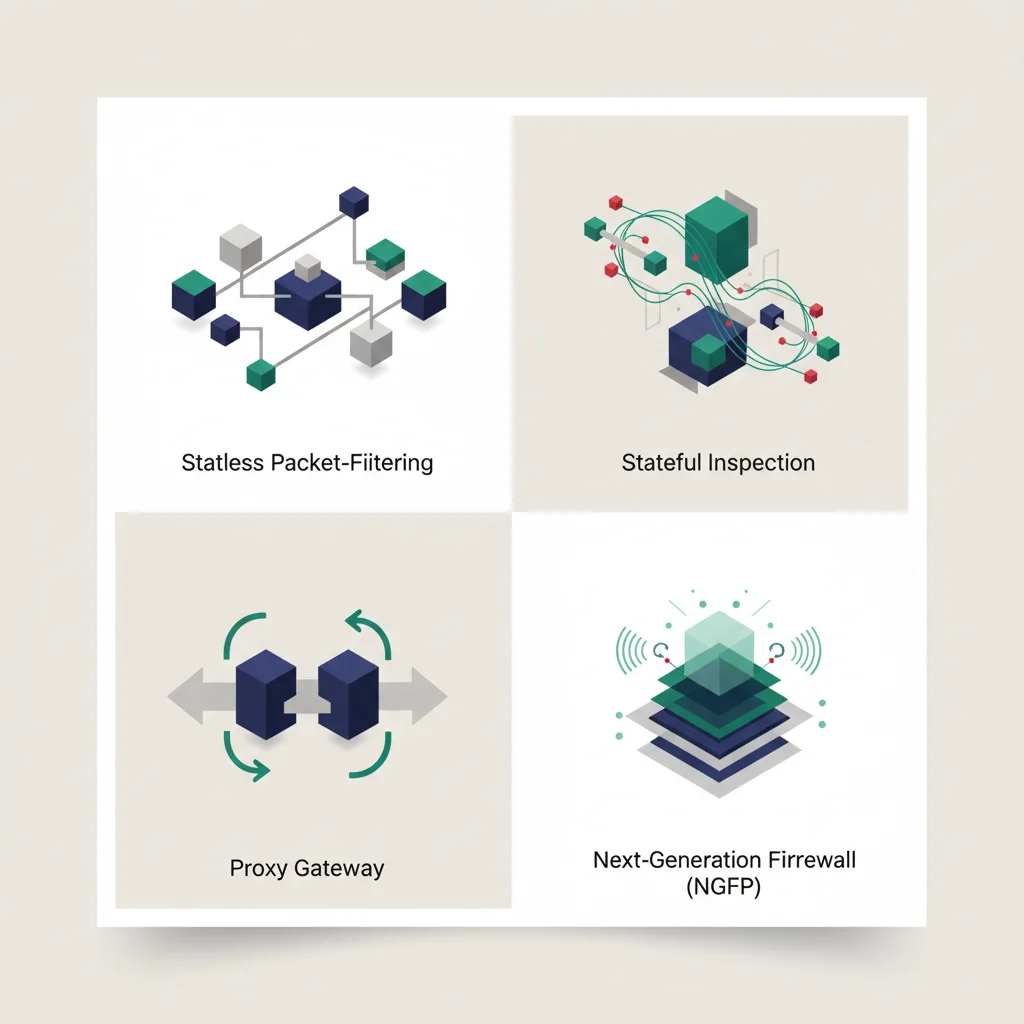
Packet-filtering firewalls represent the earliest generation of network security technology. They operate primarily at Layer 3 and Layer 4 of the OSI model. When a packet enters the interface, the firewall extracts metadata from the header—specifically the source IP, destination IP, source port, destination port, and protocol type. It evaluates this information against static rule entries and decides whether to permit or discard the packet.
These firewalls operate in a "stateless" manner. This means they treat each packet as an isolated, independent entity. A stateless firewall has no memory of preceding packets and does not keep track of whether a packet is part of an existing, established connection or a completely new connection request. This creates significant security challenges.
For example, to allow internal users to browse the web, the firewall must be configured to permit returning traffic from external web servers on random high-numbered destination ports. Because the firewall cannot verify if a returning packet is a legitimate response to an internal request, an attacker can craft a malicious packet with a high-numbered source port and bypass the firewall entirely.
While stateless packet-filtering firewalls are largely obsolete as standalone enterprise perimeters, they remain highly relevant in specific high-performance use cases. Because they perform minimal computational analysis, they can route traffic at wire-speed with virtually zero latency. They are frequently deployed in front of high-performance routing engines, high-speed interior switches, or at the entrance of Content Delivery Networks (CDNs) to filter out obvious range-based threats before passing traffic to deeper inspection engines.
Stateful Inspection Firewalls (Dynamic Packet Filtering)
Developed to address the severe security gaps of stateless systems, stateful inspection firewalls (also known as dynamic packet filtering) keep track of the state of active network connections. They maintain a dynamic internal database known as a state table or connection table. This table records active sessions, tracking TCP handshakes (SYN, SYN-ACK, ACK sequences), connection durations, and active source/destination pairings.
       [Client IP:Port]                        [Firewall State Table]                        [Server IP:Port]
              |                                          |                                          |
              |--- 1. Send TCP SYN --------------------->| (Logs Connection as SYN_SENT)            |
              |                                          |--- Forward SYN ------------------------->|
              |<-- 3. Receive SYN-ACK -------------------| (Updates State to SYN_RECEIVED)          |
              |                                          |<-- Forward SYN-ACK ----------------------|
              |--- 4. Send ACK ------------------------->| (Updates State to ESTABLISHED)           |
              |                                          |--- Forward ACK ------------------------->|
              |                                          |                                          |
              | <======== Active Data Stream Allowed === | (Permits all packets matching session)   |
When an internal user initiates a connection to an external web server, the firewall intercepts the initial TCP SYN packet, verifies it against the outbound rules, and registers the connection parameters in its state table. When the external server responds with a TCP SYN-ACK packet, the firewall does not need to scan its entire access control list. Instead, it checks the state table. It recognizes the returning packet as part of an already established, legitimate outbound session and automatically permits its passage.
This dynamic tracking dramatically improves security. Because the firewall automatically allows returning traffic for active sessions, administrators do not need to open broad ranges of high-numbered ports on the external interface. Any incoming packet that does not match an active session listed in the state table is immediately discarded. This architecture represents the baseline standard for standard network perimeters, balancing solid security enforcement with high-throughput packet processing.
Proxy Firewalls (Application-Level Gateways)
Proxy firewalls, also known as application-level gateways, operate at the very top of the network stack: Layer 7. Unlike packet-filtering and stateful firewalls, which allow packets to flow directly through the device once approved, a proxy firewall acts as a literal intermediary. It completely terminates the incoming connection on one side and initiates a completely new, separate connection on the other.
+-------------+      TCP Conn 1      +----------------+      TCP Conn 2      +-------------+
| Source Host | ===================> | Proxy Firewall | ===================> | Target Host |
| (Private IP)|                      | (Full Payload  |                      | (Public IP) |
|             |                      |  Inspection)   |                      |             |
+-------------+                      +----------------+                      +-------------+
When a client computer requests a resource from an external server, the client establishes a connection directly with the proxy firewall. The proxy opens the packet, extracts the application payload, and performs deep protocol analysis. If the traffic matches security policies, the proxy firewall establishes a second connection to the destination server using its own IP address, retrieves the requested resource, inspects it again for malware or policy violations, and finally transmits it back to the client.
This design offers exceptional security, as there is never a direct network connection between the internal client and the external host. The external system only ever interacts with the proxy.
Furthermore, proxy firewalls can inspect application-specific commands (such as verifying HTTP headers, blocking specific SQL injection strings, or filtering FTP commands). However, this depth of inspection comes with a high performance cost. Running two full TCP stacks per connection and parsing Layer 7 payloads requires significant memory and CPU resources, which can introduce noticeable latency and limit total network throughput under heavy loads.
Next-Generation Firewalls (NGFW)
Next-generation firewalls (NGFWs) represent the modern standard for enterprise network security. They combine the capabilities of traditional stateful inspection firewalls with advanced features to counter modern, multi-vector threats. An NGFW does not simply run independent security services in parallel; it integrates these engines into a single, cohesive processing pipeline.
The primary capabilities that distinguish an NGFW from a traditional firewall include:
Deep Packet Inspection (DPI): Detailed analysis of data payloads to identify signatures of known exploits, protocol anomalies, and data structures.
Application Awareness and Control (App-ID): The ability to identify the specific application generating traffic (such as Microsoft 365, Zoom, Salesforce, or BitTorrent) regardless of the port, protocol, or encryption used, allowing administrators to block risky applications while keeping standard business ports open.
Integrated Intrusion Prevention System (IPS): Real-time monitoring of network activity to detect and block active exploit attempts, network-level vulnerability scans, and brute-force campaigns.
Threat Intelligence and Sandboxing: Automatic integration with cloud-based security centers to receive live updates on emerging IP reputations, malicious domains, and zero-day threat profiles.
SSL/TLS Decryption (SSL Inspection): The ability to decrypt, inspect, and re-encrypt SSL/TLS encrypted traffic. Since over 80% of modern web traffic is encrypted, and malware frequently uses encrypted channels to bypass detection, this is a critical requirement for modern enterprise visibility.
Delivery Methods: Hardware, Software, and Cloud Firewalls
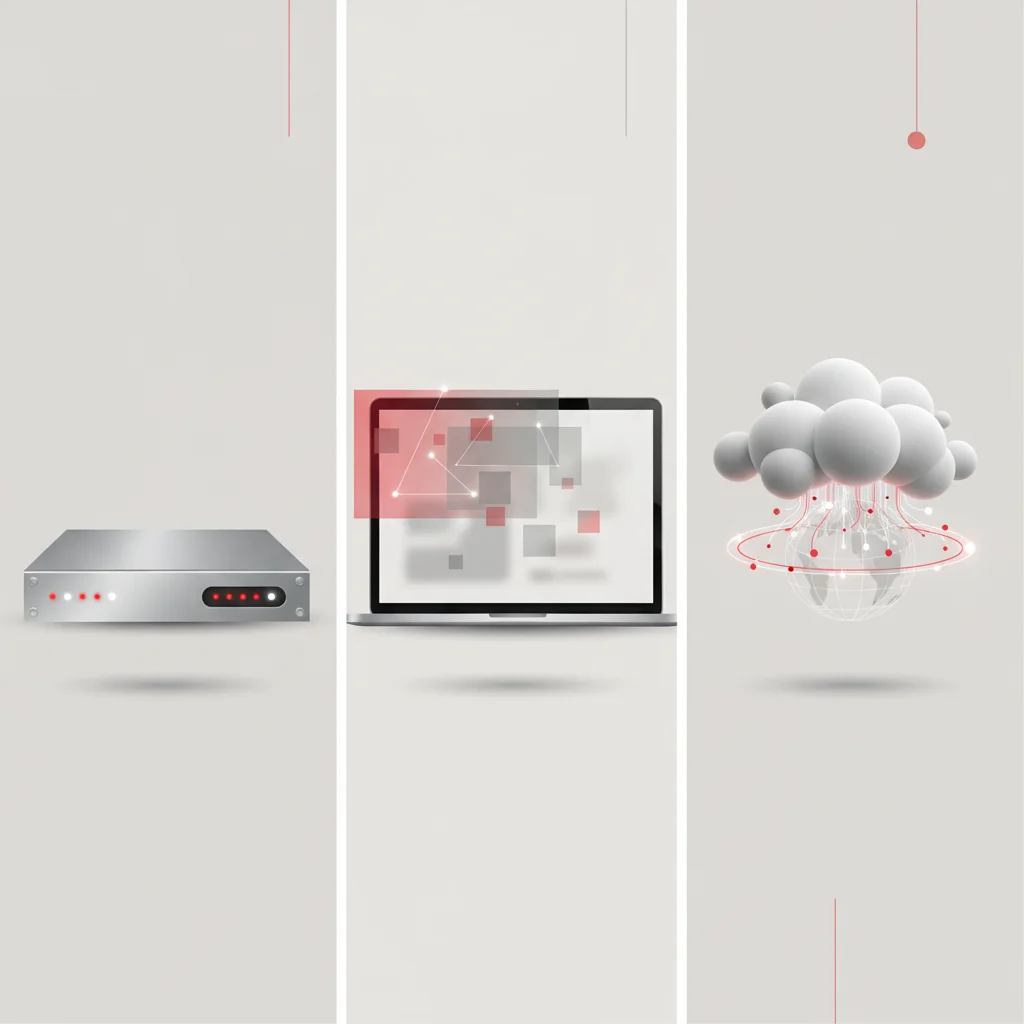
Hardware Firewalls (Appliance-Based Security)
Hardware firewalls are dedicated physical appliances designed solely to run security software. They are positioned directly between the internal router and the external internet gateway. These systems are engineered with proprietary, specialized hardware architectures. They utilize Application-Specific Integrated Circuits (ASICs) or Field-Programmable Gate Arrays (FPGAs) to process packet filtering, encryption, and decryption at the physical layer, ensuring that the security inspection does not bottleneck the network's throughput.
A major advantage of a hardware firewall is that it is completely independent of the endpoints it protects. It operates at the network level, securing all connected devices—including servers, desktop workstations, IoT hardware, IP cameras, and network printers—regardless of their operating system or whether they have local security agents installed. This centralized perimeter control ensures uniform policy enforcement across the entire local physical site.
However, hardware firewalls come with notable trade-offs. They require a significant capital expenditure (CapEx) for initial purchase, followed by recurring annual licensing costs for threat intelligence signatures and support contracts.
Additionally, physical appliances have finite hardware limits. If an enterprise increases its internet bandwidth beyond the processing capacity of the firewall’s CPU or memory, the device must be physically replaced with a higher-capacity model. They also require on-site rack space, power cooling infrastructure, and hands-on maintenance by skilled IT personnel.
Software Firewalls (Host-Based Security)
Software firewalls, also known as host-based firewalls, are installed directly on individual endpoints, such as servers, laptops, and virtual machines. Common examples include the native Windows Defender Firewall on Windows operating systems or IP tables / UFW on Linux servers. Unlike network-level hardware appliances, a software firewall only monitors and controls traffic entering or leaving the specific host device on which it runs.
This localized operation provides granular security advantages. Because a software firewall runs on the endpoint itself, it possesses full visibility into which local applications and processes are attempting to initiate network connections. It can block a specific executable file (e.g., a suspicious script running from a temp directory) from accessing the network, even if that application is communicating over a port that is generally permitted by the network-level firewall.
Furthermore, software firewalls are essential for protecting remote employees. When a worker uses a corporate laptop at a public airport Wi-Fi network, they are outside the protection of the corporate hardware perimeter. A host-based software firewall ensures that their machine remains isolated and protected from local network scanning attacks.
The primary disadvantage of software firewalls is operational management overhead. Configuring, updating, and auditing firewall rules individually across thousands of distributed corporate endpoints can quickly become unmanageable without a robust, centralized endpoint management platform.
Additionally, software firewalls consume the host system's local CPU and memory resources. If a machine is subjected to a heavy scanning or denial-of-service attack, processing these rejected packets at the local software level can degrade system performance and disrupt user workflows.
Firewall as a Service (FWaaS) and Cloud Security
Firewall as a Service (FWaaS) is a modern, cloud-delivered security architecture that mirrors the transition of standard business applications to SaaS models. Instead of routing corporate traffic through physical, on-premise hardware appliances, FWaaS routes all network traffic—from branch offices, main datacenters, and remote workers—to a centralized, cloud-based inspection engine.
This approach is highly effective for modern, distributed enterprise networks. In hybrid cloud environments, deploying physical hardware is impossible, and managing disparate native firewalls across multiple public cloud providers (such as AWS, Microsoft Azure, and Google Cloud) leads to fragmented, complex policy structures. FWaaS centralizes network policy management into a single, cloud-hosted pane of glass. Any configuration change or updated threat signature is instantly applied globally across all sites and users, eliminating perimeter gaps.
+----------------+      +---------------+      +----------------+
| Remote Workers |      | Headquarters  |      | Branch Offices |
+----------------+      +---------------+      +----------------+
        |                       |                       |
        +-----------------------+-----------------------+
                                |
                                v
               +----------------------------------+
               | Firewall as a Service (FWaaS)    |
               | - Centralized Policy Management  |
               | - Dynamic Elastic Scaling        |
               | - Cloud Threat Intelligence      |
               +----------------------------------+
                                |
        +-----------------------+-----------------------+
        |                       |                       |
        v                       v                       v
+----------------+      +---------------+      +----------------+
| Public Web     |      | SaaS Apps     |      | Cloud Infrastructure
+----------------+      +---------------+      +----------------+
Architecturally, FWaaS scales dynamically. Since it runs on global cloud infrastructure, it can scale its processing capacity up or down automatically to handle traffic spikes, deep packet inspection, and massive SSL decryption tasks without requiring hardware replacements.
Furthermore, FWaaS integrates directly with Secure Access Service Edge (SASE) and Cloud Access Security Broker (CASB) architectures, enabling organizations to enforce consistent data loss prevention (DLP), threat scanning, and user identity verification controls globally, regardless of where the user or host is physically located.
Enterprise Best Practices for Firewall Configuration and Management
Implementing the Principle of Least Privilege (PoLP)
The foundational design standard for any secure firewall configuration is the Principle of Least Privilege (PoLP). Applied to network security, this principle dictates that all communication paths must be blocked by default, and only specifically verified, business-critical traffic flows should be explicitly permitted. This is enforced by positioning an "Implicit Deny All" rule at the very bottom of the firewall’s policy list, ensuring that any traffic not explicitly defined as safe is automatically dropped.
When constructing rules, administrators must avoid broad definitions. Using the wildcard value "Any" in rule fields creates significant security risks and should be heavily restricted.
For example, a rule allowing "Any Host" in the internal network to access "Any Destination" on port 22 (SSH) is a significant vulnerability. If an attacker compromises a low-security guest network device, they can utilize SSH to target critical database servers. Instead, rules must be highly specific, restricting access to designated source subnets, target IP addresses, and specific required protocols.
Additionally, rules should be scoped with time-bound limitations and strict source validation where possible. For instance, administrative access to a server management console (such as AWS console or physical IPMI interfaces) should be restricted to the specific static IP address of the IT administrator's workstation or require an active VPN session. By limiting permissions to the absolute minimum required for operations, organizations minimize their internal threat exposure and prevent attackers from leveraging open ports for lateral movement.
Regular Rule Audits and Firmware Updates
Firewall configurations are dynamic, organic structures that grow and change as businesses adopt new technologies and modify their infrastructure. Over time, this constant change can lead to "rule bloat" and configuration drift. Rules configured years prior for temporary projects, legacy applications, or former vendors often remain active in the system, leaving unnecessary ports open and creating security gaps.
[Determine Audit Scope] ---> [Identify Shadow/Outdated Rules] ---> [Test Impact of Disabling] ---> [Deprecate & Log]To counter this, organizations must establish a formal process for regular firewall policy audits. Best practices recommend conducting a comprehensive rule review at least once every six months. During these audits, security teams should focus on:
Shadow Rules: Identifying rules located lower in the list that are rendered completely obsolete because a broader rule higher in the list matches the traffic first.
Unused Rules: Using firewall telemetry logs to identify rules that have not registered any traffic hits over the past 90 days, indicating that the associated application or system has been decommissioned.
Redundant Rules: Merging overlapping IP ranges and port groups to streamline the rule list, which improves both firewall processing efficiency and administrative clarity.
Alongside rule audits, keeping the firewall’s system software up to date is a critical maintenance requirement. Like any software, firewall firmware contains vulnerabilities that threat actors actively target. Organizations must establish a standard patching schedule, treating firewall vulnerabilities (CVEs) as high-priority tasks that must be patched within 24 to 72 hours of disclosure.
Furthermore, configuration backups must be automatically scheduled, encrypted, and stored in a secure, off-site location, enabling rapid recovery in the event of hardware failure.
Integrating Firewalls with Zero Trust Architecture
The traditional "castle-and-moat" security model—which assumes that everything inside the internal network is trusted and everything outside is hostile—is no longer sufficient. In modern networks, threats can originate from compromised internal devices, disgruntled employees, or compromised supply-chain integrations. To address this reality, enterprises are transitioning to a Zero Trust Architecture (ZTA), based on the core tenet: "Never trust, always verify."
Integrating firewalls into a Zero Trust model requires shifting from broad perimeter defense to micro-segmentation. Under this approach, the internal network is divided into numerous isolated, secure zones. Instead of relying on a single perimeter firewall, organizations deploy internal virtualization firewalls to control traffic moving between internal segments.
For example, the finance department subnet should be completely isolated from the standard marketing department subnet, requiring specific, verified authentication to initiate communication between the two.
Additionally, modern firewalls within a Zero Trust framework must move beyond simple IP-based validation. Since IP addresses can be spoofed or dynamically reassigned, firewalls must integrate with corporate Identity Providers (IdPs) and Device Management systems. This allows the firewall to enforce identity-aware policies.
Instead of a rule stating "Allow IP 10.10.20.15 to access the server," the rule states "Allow user 'Jane Doe' to access the database only if she is authenticated via MFA, using a corporate-managed laptop running up-to-date antivirus software." By continuously verifying identity, device health, and context at the firewall layer, organizations prevent unauthorized access and minimize their attack surface.
Frequently Asked Questions
What is the main purpose of a firewall in a corporate network?
The primary purpose of an enterprise firewall is to establish a secure, controlled boundary between a trusted internal network and untrusted external networks like the internet. It actively monitors, filters, and logs all incoming and outgoing traffic based on predetermined security rules to block unauthorized access, mitigate malware propagation, and prevent data breaches.
Can a firewall guarantee 100% protection against cyberattacks?
No security solution can guarantee absolute protection against all cyber threats. While a firewall is a critical perimeter defense, it must be combined with host-based antivirus, active endpoint detection (EDR), strong identity management, and employee awareness training within a multi-layered security model.
Do businesses need both a router and a firewall?
Yes, routers and firewalls serve distinct roles. A router is designed to direct traffic and connect different networks efficiently, while a firewall is engineered to inspect that traffic, apply access control rules, and block threats. Many modern enterprise devices combine both functions into a single physical unit.
What happens if a business operates without a firewall?
Operating without a firewall leaves a network completely exposed to automated scanning tools, malware payloads, and external threat actors. Unprotected systems can be discovered and compromised within minutes, leading to data theft, operational downtime, ransomware encryption, and severe regulatory penalties.
What is the difference between a stateful and a stateless firewall?
A stateless firewall inspects packets individually without context, making it vulnerable to spoofing. A stateful firewall tracks active connections in a connection table, allowing returning traffic for legitimate, established sessions while automatically blocking unauthorized inbound packets.
Why is egress filtering important for business networks?
Egress filtering controls outbound traffic leaving the internal network. This is critical because it prevents compromised internal devices from communicating with external command-and-control servers, stops malware from downloading additional payloads, and blocks unauthorized attempts to exfiltrate sensitive data.
What is dynamic deep packet inspection (DPI)?
DPI is an advanced filtering method that analyzes the actual data payload of a packet at the application layer, rather than just inspecting packet headers. This allows the firewall to identify specific applications, detect hidden malware, and block protocol anomalies that standard packet filters miss.
How does Firewall as a Service (FWaaS) benefit remote teams?
FWaaS delivers firewall capabilities through the cloud, eliminating the need to route remote traffic through physical corporate offices. It provides centralized security policy management, dynamic scaling, and uniform threat protection for users worldwide, regardless of their location.