
What Is a Headless CMS and When to Use One
A headless CMS separates the backend content repository from the frontend presentation layer via RESTful APIs or GraphQL, offering omnichannel delivery.

Selecting the appropriate content infrastructure is a pivotal decision for modern digital businesses aiming to scale their multi-platform experiences. Understanding What Is a Headless CMS and When to Use One allows technical decision-makers and enterprise leaders to bypass the constraints of legacy monolithic web architectures. A headless CMS separates the backend content repository from the frontend presentation layer via RESTful APIs or GraphQL, offering omnichannel delivery. This separation enables organizations to distribute dynamic content across web applications, mobile apps, IoT devices, and digital signage from a single hub. This guide provides an objective technical blueprint to evaluate headless architectures, analyze total cost of ownership (TCO), and determine compatibility with your team's development capacity.
Understanding the Headless CMS Architecture
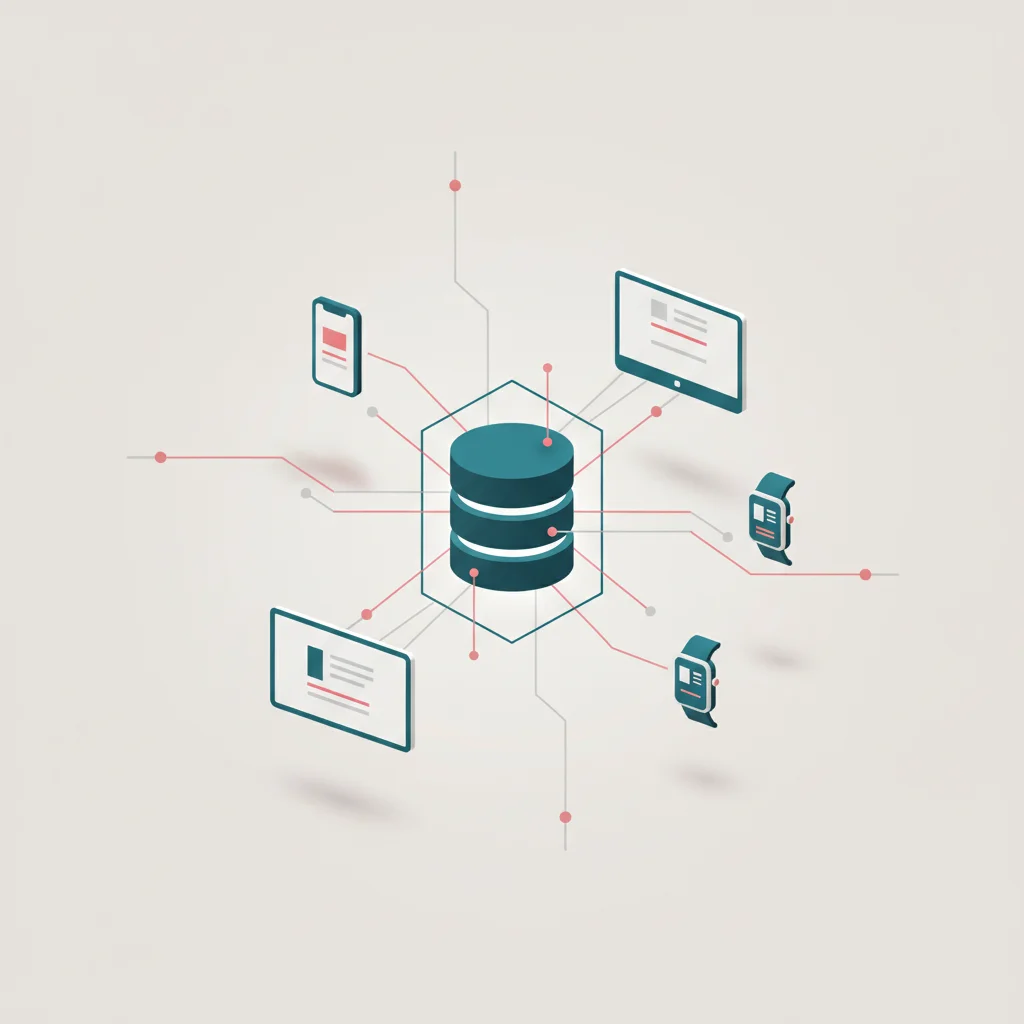
The Backend: The Centralized Content Repository
The backend of a headless content management system acts strictly as an administrative interface and a structured data repository. Unlike traditional monolithic systems that store raw HTML pages or tie content metadata directly to specific display grids, a headless backend stores content as raw, clean, structured data. This data is modeled into reusable schemas, containing custom fields such as text strings, media assets, integers, boolean flags, and relation vectors. Developers configure these schemas to match the organization's business taxonomy, defining clear content models for products, blog posts, author profiles, landing pages, or user testimonials.
Because the system is entirely separated from any template engines, the content remains highly pure. Editors work within a centralized visual interface to input, update, and manage textual information, image assets, and metadata. This centralized content repository ensures that changing a single product description or pricing model updates that exact data across all connected distribution systems instantly, preventing data fragmentation. Managed headless solutions (such as Sanity, Contentful, and Hygraph) handle database scaling, multi-tenant clustering, and internationalization natively on cloud infrastructures. Alternatively, self-hosted configurations (such as Strapi or Payload CMS running on Node.js/PostgreSQL) give organizations complete ownership over their content database, physical server environments, and database compliance standards.
The Frontend: Presentation Layer Independence
The frontend of a headless application operates independently of the backend platform. In this decoupled environment, the frontend is commonly referred to as the "head," which is completely severed from the body (the CMS database). This structural independence allows engineering teams to construct client-side applications using any modern programming language, rendering strategy, or software framework. Organizations are no longer locked into platform-specific layout languages, proprietary templating engines, or restrictive server-side execution cycles.
Frontend architectures typically leverage modern web frameworks like Next.js, SvelteKit, Astro, or Nuxt to query the headless backend, retrieve the structured content, and render it into highly optimized user interfaces. This separation supports different rendering methodologies depending on the project's performance and SEO needs, including Static Site Generation (SSG), Incremental Static Regeneration (ISR), and Server-Side Rendering (SSR). This architecture is frequently implemented using the JAMstack approach, where web pages are pre-compiled and served directly from a distributed Content Delivery Network (CDN) like Vercel, Netlify, or Cloudflare Pages. This presentation layer independence significantly minimizes server load, dramatically improves performance metrics, and ensures that even if the backend CMS experiences downtime, the public-facing user interface remains completely functional and accessible.
The Bridge: Delivering Content via RESTful APIs and GraphQL
The connection between the centralized backend content repository and the presentation layers is facilitated by robust Application Programming Interfaces (APIs). There are two primary standards utilized to deliver content payloads: RESTful APIs and GraphQL. RESTful APIs utilize standard HTTP methods (such as GET requests) to return content formatted in JSON. Each content type or database schema typically has its own distinct API endpoint (e.g., @@CODE0@@ or @@CODE1@@), requiring frontend applications to make multiple round-trip requests to fetch complex, nested relational data.
GraphQL addresses these limitations by offering a single query endpoint where the frontend client defines the exact shape of the data it requires. By explicitly requesting only the fields needed for a specific page component, GraphQL minimizes data over-fetching and under-fetching, which is highly beneficial for native mobile applications operating on low-bandwidth cellular connections. Headless platforms leverage global CDN edge caching to store these API payloads close to end-users, ensuring that retrieval times for content data remain within double-digit milliseconds. When editors publish content updates in the CMS, the platform fires automated Webhooks to notify frontend environments, instantly invalidating edge caches or triggering incremental builds to refresh the user interface.
Headless CMS vs. Traditional CMS: Core Differences
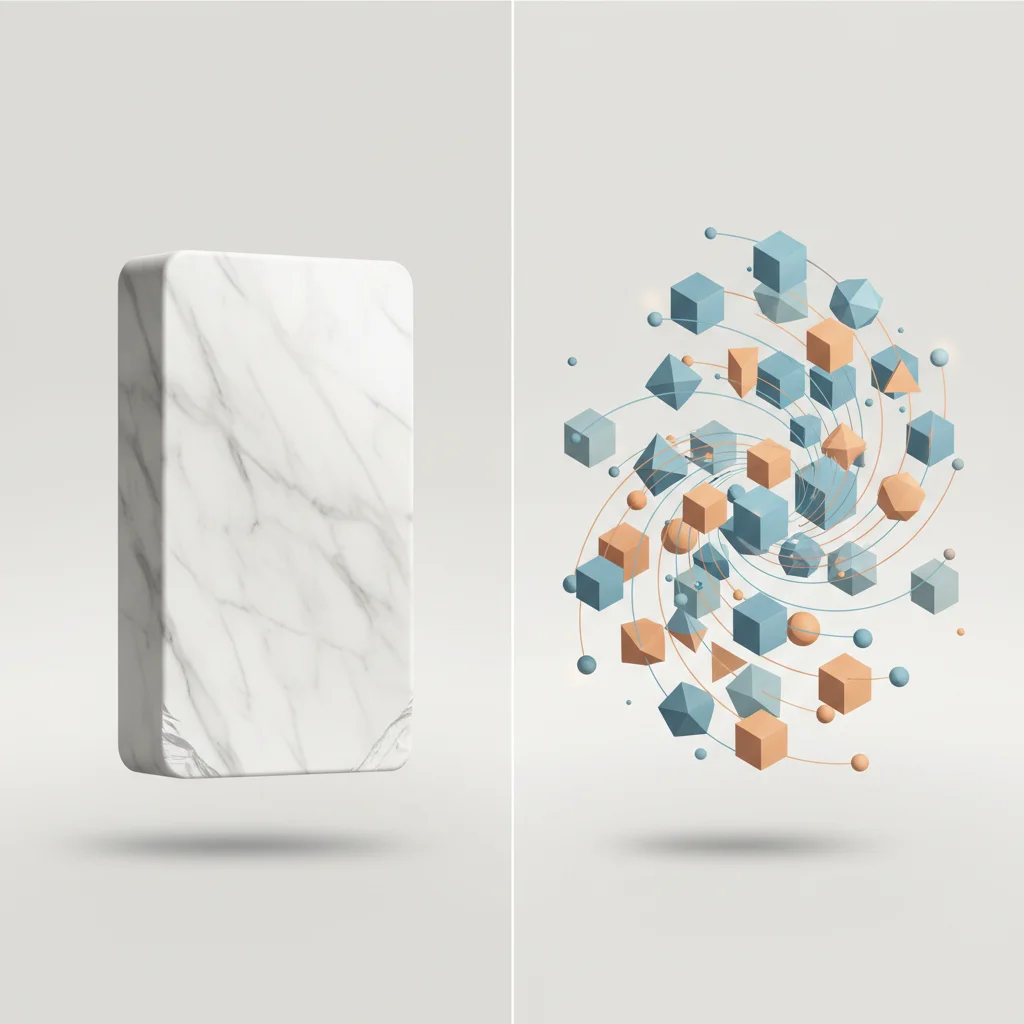
The Monolithic Approach (Traditional CMS)
Traditional content management systems (such as WordPress, Drupal, and Joomla) utilize a monolithic architecture where the content creation tools, the database, and the HTML rendering templates are tied together in a single system. In this design, when a user requests a web page, the server-side processor executes application code (often PHP) to query an SQL database, fetch raw content, assemble the layout using built-in theme files, and deliver the final rendered HTML page directly to the browser. While this provides a cohesive, out-of-the-box system for managing simple websites, it introduces scalability and architectural challenges for modern, multi-platform applications.
This monolithic coupling presents clear limitations when content must scale beyond a single website. Because content data is formatted with HTML tags inside the database, extracting that content for use in native mobile applications or smart IoT devices is highly difficult. Furthermore, traditional monolithic architectures are highly susceptible to security vulnerabilities. A single unpatched plugin, theme vulnerability, or SQL injection point can expose the entire system, including the core database. Scaling monolithic sites requires scaling the entire stack simultaneously, which can lead to high database connection overhead and increased hosting costs.
The API-First Approach (Headless CMS)
An API-first headless CMS abandons the monolithic template layer, focusing solely on the content lifecycle: creation, organization, validation, and API delivery. This architecture treats content purely as data, completely removing display logic from the backend. The platform provides a secure environment for editors to manage assets and text, while generating a structured API output that can be consumed by any client application, regardless of the underlying operating system or device.
This API-first design offers major performance and maintenance advantages. Developers can update or replace the presentation layer without modifying the underlying database structure. Security risks are significantly mitigated because the database backend is hidden behind access-controlled, read-only APIs, removing direct public access to database servers. This structure allows engineers to choose modern development workflows, integrate automated testing, and host application frontends on globally distributed edge networks, improving global load speeds and maximizing uptime.
Decoupled vs. Headless: Clarifying the Distinction
While the terms "decoupled" and "headless" are frequently used interchangeably, they represent distinct architectural approaches. A decoupled CMS features a complete database, write environment, and API delivery layer, but it also includes optional, built-in frontend templates or site-builder engines. For instance, a decoupled Drupal or WordPress installation utilizes its native dashboard and database but leverages a headless plug-in (like WPGraphQL) to output data to an external React frontend, while retaining the option to use default PHP theme templates for specific administrative pages or landing pages.
A pure headless CMS has no presentation layer out of the box. It does not include standard layout systems, templates, or visual theme editors. It is built strictly to store data and expose it via API endpoints. The table below illustrates the key differences across these three main content architectures:
Balancing frontend autonomy against organizational complexity. Pros 2 advantages Omnichannel Flexibility Serve the exact same content payload seamlessly to web, mobile, and IoT devices simultaneously. Enhanced Security Profile The database is completely hidden behind APIs, minimizing common monolithic security vulnerabilities. Cons 2 concerns Higher Initial Overhead Demands custom frontend development and robust infrastructure configurations from the outset. Complex Editor Previewing Real-time visual previewing requires custom technical setup and API configuration.Headless CMS Structural Trade-offs
Strategic Advantages of Going Headless
True Omnichannel Content Delivery
In the modern digital landscape, customers engage with brands across an array of touchpoints, including desktop web browsers, native iOS and Android apps, wearable fitness trackers, voice-activated smart speakers, and interactive retail kiosks. Using a traditional monolithic CMS forces organizations to establish separate content silos for each of these platforms, resulting in content duplication and version control issues. A headless CMS addresses this challenge by serving as a single source of truth for all digital experiences.
This unified architecture relies on the "Create Once, Publish Everywhere" (COPE) model. A marketing team can create a single master database entry for a product launch, complete with translated descriptions, specifications, pricing, and media assets. This structured data is instantly delivered via API to the desktop e-commerce site, the mobile companion app, localized micro-sites, and in-store interactive displays. If a product detail is updated, the changes propagate to all channels instantly, ensuring brand consistency and dramatically reducing content administration overhead.
Enhanced Security and Architectural Scalability
Security is a primary concern for enterprise architectures. Traditional monolithic platforms are prime targets for automated exploit bots because their administrative dashboards, user login systems, and database queries all execute on the same public-facing server. A headless CMS significantly reduces the attack surface. Because the public-facing frontend is decoupled from the content database, there is no direct path for malicious actors to access the underlying content repository. Static frontends generated with SSG or hosted on serverless edges contain no database connection strings or PHP runtime configurations, neutralizing threats like SQL injection and cross-site scripting (XSS).
Scalability is also greatly simplified in a headless model. In a traditional setup, handling a traffic spike requires scaling both the frontend and the backend database server, which is highly resource-intensive. With a headless architecture, frontends are deployed as highly optimized, statically generated files or serverless edge functions distributed globally across CDN networks. Traffic spikes are absorbed entirely by the CDN edge without putting stress on the CMS backend database. This ensures high uptime, rapid performance, and predictable infrastructure costs even during sudden traffic events.
Developer Flexibility and Framework Agnosticism
A traditional CMS locks software engineering teams into specific language versions, plugin ecosystems, and legacy templating patterns. A headless CMS removes these restrictions, giving frontend developers complete framework agnosticism. Developers can build presentation layers using their preferred technologies, such as React, Vue.js, Angular, Astro, or native Swift and Kotlin. This flexibility allows engineering teams to implement modern, declarative code patterns and build custom user interfaces optimized for speed and accessibility.
This architecture also facilitates easier hiring and onboarding. Rather than seeking developers specialized in a specific CMS platform, organizations can hire general frontend engineers with experience in modern JavaScript frameworks. This decoupling of skills speeds up development cycles, improves code quality, and allows organizations to easily migrate frontends or swap frameworks in the future without rebuilding the backend database schema.
Risks and Limitations: The Cautionary Perspective
Increased Initial Development Costs and TCO
While headless architectures provide notable long-term flexibility, they require significant initial development resources compared to monolithic platforms. Setting up a headless environment requires building a custom frontend interface from scratch, defining precise content schemas, configuring secure API routing, and establishing CI/CD deployment pipelines. This requires skilled frontend developers and DevOps engineers, which increases initial implementation costs.
The total cost of ownership (TCO) of a headless system also includes ongoing operational costs. Instead of a single hosting bill, organizations must manage multiple service contracts. This includes subscription costs for the headless CMS SaaS (which often increases based on API call volume, bandwidth, and user seats), hosting fees for frontend static site platforms (such as Vercel or AWS), and separate costs for digital asset management (DAM) platforms or image optimization services like Cloudinary. Organizations must carefully evaluate their budgets and technical capabilities to ensure the long-term benefits of a headless migration justify these ongoing operational costs.
Reliance on Technical Teams for Frontend Modifications
One of the most common challenges when migrating to a headless CMS is the change in workflow for marketing and editorial teams. In a traditional monolithic setup, editors often use drag-and-drop page builders, change site menus, and install plugins to add new visual components without writing code. In a pure headless architecture, these direct layout controls are removed. Because the presentation layer is built with custom code, any changes to visual designs, navigation menus, or custom page structures must be implemented and deployed by a frontend developer.
This can create operational bottlenecks if the engineering team is focused on other product priorities. While modern headless platforms offer customizable page-building frameworks, establishing these systems requires upfront development time to map content fields to dynamic design components. Organizations must prepare for this operational shift and establish clear collaboration workflows between content creators and development teams.
The Complexity of Managing Multiple Tech Stacks
Moving to a headless CMS changes your website structure from a single monolithic application to a distributed microservices network. This architecture requires managing several independent components, including:
The headless content repository and its API keys
Frontend static site generators or serverless application runtimes
Deployment pipelines and build trigger Webhooks
Edge caching, CDN configurations, and DNS routing
Third-party API integrations (such as e-commerce checkouts, search indexers like Algolia, and web analytics tools)
This distributed system requires rigorous monitoring and maintenance. An API update on the CMS side or a change in a third-party service contract can break frontend builds if not managed correctly. Development teams must implement automated end-to-end testing, error tracking tools, and robust versioning practices to manage this increased structural complexity effectively.
When to Use a Headless CMS (And When to Avoid It)
Ideal Scenarios for Headless Implementation
A headless CMS is highly effective for complex, multi-channel digital products that require high performance and security. It is particularly well-suited for organizations building native mobile applications alongside web platforms, as it allows both platforms to consume the same content via a unified API. It is also an excellent fit for modern JavaScript single-page applications (SPAs) or static sites where frontend performance directly impacts user conversion rates.
Enterprise e-commerce operations benefit significantly from a headless approach. By integrating a headless CMS with an API-first commerce engine (such as Shopify Plus, Commerce Layer, or commercetools), retailers can build highly customized shopping experiences across multiple regions, languages, and physical devices. Organizations with strict security and compliance standards, such as financial technology firms, healthcare networks, and governmental portals, should also consider a headless architecture to isolate core database systems from public internet traffic.
Situations Where a Traditional CMS Remains the Better Choice
For many projects, a traditional monolithic CMS remains the most efficient and cost-effective solution. Simple informational websites, brochure sites for local services, single-author blogs, and early-stage startup landing pages rarely require the complexity of a decoupled frontend. For these use cases, platforms like WordPress or Webflow allow rapid deployment, visual editing capabilities, and complete design control for non-technical users.
Monolithic architectures are also preferable when initial development budgets are limited or when an organization lacks dedicated frontend engineers. If a marketing team needs to iterate on landing pages rapidly, adjust structural designs on the fly, and manage plugins without relying on developers, a traditional CMS provides a highly collaborative, self-contained environment. Forcing a headless setup onto a small team without development resources often leads to high maintenance costs and operational friction.
Assessing Your Organization’s Technical Maturity
Adopting a headless CMS is as much an organizational decision as it is a technical one. Organizations must evaluate their current digital workflows, engineering resources, and content requirements before committing to a headless migration. The table below outlines key indicators to assess your readiness for a headless architecture:
Frequently Asked Questions
Can marketing teams use a headless CMS without coding knowledge?
Yes. Modern headless platforms provide intuitive editorial interfaces for content creation, categorization, and publishing. However, layout adjustments or template modifications will require engineering resources.
How does migrating to a headless architecture impact SEO?
Migrating improves technical SEO metrics like page load speed and Core Web Vitals, but requires developers to configure meta tags, schema markup, and sitemaps manually in the frontend code.
Is it possible to use WordPress as a headless CMS?
Yes, WordPress can operate as a headless CMS by disabling its front-end themes and utilizing the WP REST API or WPGraphQL plugin to distribute content to external frameworks.
What are the security benefits of a headless CMS?
By separating the backend database from the public frontend, you eliminate SQL injection paths and direct database attacks, rendering the front-end practically immune to typical monolithic exploits.
How does a headless CMS handle media assets like images and videos?
Media assets are typically stored on a cloud-based Digital Asset Manager (DAM) or CDN integrated with the CMS, which serves optimized, responsive formats via dynamic API endpoints.
What are the typical monthly licensing costs of a headless CMS?
Costs range from free open-source, self-hosted plans (e.g., Strapi, Payload) to managed SaaS tiers (e.g., Contentful, Sanity) costing $99 to over $3,000 per month for enterprise environments.
Do headless CMS systems support real-time visual previews?
Yes, but they do not work out of the box. Developers must configure specific live preview APIs, Webhooks, and visual iframe components to allow editors to see drafts instantly.
What happens to my content if I decide to switch my frontend framework?
Your content remains untouched inside the headless repository. You only need to build the new frontend and reconnect it to the existing API endpoints, preventing any content loss or tedious migration.