
What Is an API and How Does It Work?
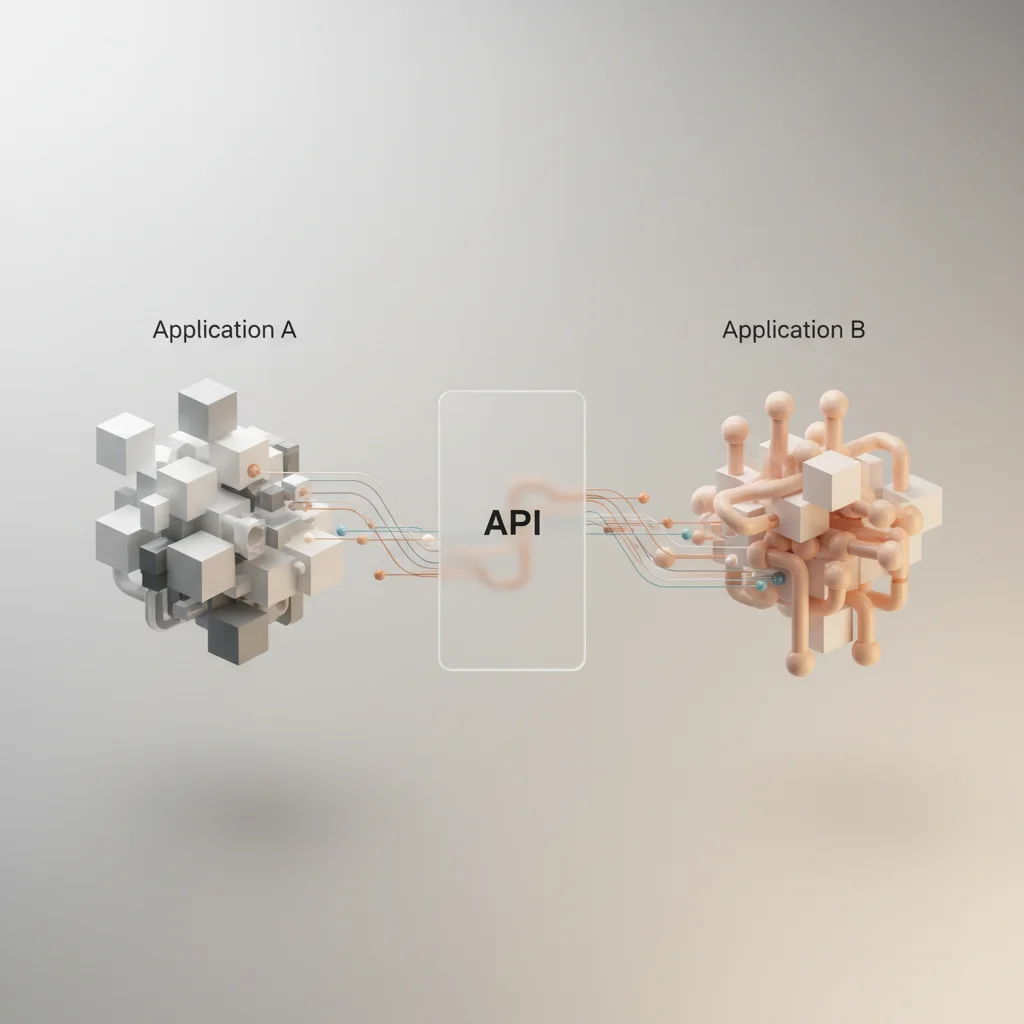
An Application Programming Interface (API) is a software intermediary that allows distinct applications to communicate and share data through defined protocols.
ON THIS PAGE
0% read
- Understanding the Application Programming Interface (API)
- How Does an API Work? The Technical Workflow
- Common Architectural Styles and Protocols
- Classification of APIs by Access Level
- Real-World Examples of API Integration
- Strategic Business Benefits of API Adoption
- API Security and Risk Management (Critical Considerations)
An Application Programming Interface (API) is a software intermediary that allows distinct applications to communicate and share data through defined protocols. In modern software architectures, these interfaces establish structured contracts between separate systems, shielding developers from the internal complexities of underlying codebases. By abstracting execution details, APIs facilitate modular system design, letting enterprise platforms, cloud services, and mobile applications interact without requiring direct database access or manual codebase integration. This structured connectivity accelerates deployment pipelines, simplifies third-party integrations, and forms the bedrock of modern distributed applications.
Understanding the Application Programming Interface (API)
What Does API Stand For?
The acronym API stands for Application Programming Interface. To fully grasp its significance, it is helpful to dissect each term. "Application" refers to any software program designed to perform specific functions, ranging from large enterprise ERP platforms to simple mobile utility apps. "Programming" denotes the development process where engineers write source code to execute tasks, automate operations, and manage data structures. "Interface" represents the boundary or point of interaction between two entities.
When combined, an Application Programming Interface functions as a formal contract. It outlines the precise inputs required from a programmer, the internal operations executed by the application, and the exact output returned. Rather than exposing raw source code or allowing direct database access, an API defines a set of rules, routines, and protocols. This structure ensures that developers can interact with external services safely and predictably, without needing to understand the underlying code of the external system.
Historically, APIs existed to facilitate communication between different processes on a single physical machine. Modern computing environments, however, rely heavily on web-based APIs. These interfaces extend the concept across global network infrastructures, enabling distributed computing systems to negotiate capabilities over the internet.
The Software Intermediary: A Simple Analogy
To conceptualize the operations of an API without getting bogged down in complex network terminology, consider the classic restaurant analogy. In this scenario, the customer acts as the client application, requesting a specific service or dataset. The kitchen represents the server or database containing the raw materials and backend logic necessary to fulfill the request. The waiter functions as the API.
When a customer sits down, they do not enter the kitchen to prepare their own meal. Doing so would create operational chaos, compromise health standards, and expose proprietary recipes. Instead, the customer reviews a menu, which acts as the API documentation. The menu outlines the specific requests the kitchen is prepared to handle. Once the customer makes a selection, the waiter (the API) translates this request, carries it directly to the kitchen (the server), and returns with the finished dish (the response).
If the kitchen is busy, the waiter handles queueing. If the request is invalid—such as ordering a dish not on the menu—the waiter returns an error message. Through this structured intermediary layer, the kitchen remains secure and organized, while the customer receives their order without needing to understand culinary operations or inventory management.
Key Differences Between an API and a Web Service
In technical discussions, the terms "API" and "web service" are frequently used interchangeably, yet they represent distinct concepts. Understanding this distinction is essential for technical decision-makers mapping out integration strategies. The fundamental rule is straightforward: all web services are APIs, but not all APIs are web services.
An API is an overarching term that encompasses any interface allowing two software components to interact. This includes local libraries, operating system kernels, and hardware drivers. For instance, the Windows API allows desktop applications to interact with system memory, local file directories, and external peripherals without traversing a network. These operations do not require network protocols like HTTP or data formatting standards like JSON.
A web service, conversely, is a specific type of API that must operate over a network. Web services rely on standard internet protocols—primarily HTTP or HTTPS—and require structured data formats, such as XML or JSON, to transmit information between machines. If an API is built to facilitate machine-to-machine communication over the internet, it qualifies as a web service. If it operates locally within an operating system, database engine, or programming language run-time environment, it remains a local API.
How Does an API Work? The Technical Workflow
The Client-Server Model Explained
The technical workflow of an API is rooted in the classic client-server model, a fundamental architecture of network-based computing. Within this structure, roles are clearly divided between two distinct entities: the client, which initiates a request, and the server, which listens for incoming connections and provides the requested resource or execution.
The client is typically a user-facing interface, such as a web browser, mobile application, or a script running on a localized server. When a user triggers an action—such as submitting an address into a shipping calculator—the client translates this user action into a structured machine-readable format. It then opens a communication channel to the destination server over the internet.
The server is a remote computer system containing databases, microservices, or specialized application logic. It runs specialized software, such as Nginx or Apache, configured to monitor specific ports for incoming requests. When a valid connection is established, the server processes the payload, performs the necessary database queries or calculations, and packages the results to send back. This relationship is strictly transactional and stateless in most modern implementations, meaning the server treats each incoming request as an independent event.
The Request and Response Cycle
The execution of an API call follows a rigid, step-by-step cycle. This sequence begins at the client application and finishes when the processed data is rendered back to the user interface.
First, the client application initiates the request. To do this over the web, the client must format an HTTP request. This request contains several critical metadata elements:
HTTP Method (Verbs): Specifies the intended action. Common verbs include @@CODE0@@ (retrieve data), @@CODE1@@ (create a new resource), @@CODE2@@ (overwrite existing data), @@CODE3@@ (partially update a resource), and
DELETE(remove data).Request Headers: Metadata providing context, such as
Content-Type: application/json, authorization tokens, and user-agent details.Request Body (Payload): The actual data being sent, typically structured in JSON or XML format, which the server needs to process the request.
Second, the request travels across network routers via TCP/IP protocols to reach the server. Upon arrival, the server validates the incoming request. It inspects the headers to ensure the client is authenticated and authorized to access the requested resource.
Third, the server processes the payload. It may execute localized business logic, write new records to a PostgreSQL or MongoDB database, or query upstream internal microservices.
Fourth, the server constructs an HTTP response. This response is composed of:
HTTP Status Codes: Standardized three-digit numbers indicating the outcome of the request. Examples include @@CODE0@@ (success), @@CODE1@@ (successful resource creation), @@CODE2@@ (client-side error), @@CODE3@@ (authentication failed), @@CODE4@@ (resource missing), and @@CODE5@@ (server-side failure).
Response Headers: Metadata outlining cache controls, content lengths, and security policies.
Response Body: The requested resource or data payload, usually returned in JSON format.
Finally, the client receives the response, parses the body, and updates the application state or user interface accordingly.
Understanding API Endpoints and Payloads
To interact with an API, developers must target specific addresses known as endpoints. An endpoint is a unique digital location on a server, represented by a Uniform Resource Identifier (URI) or Uniform Resource Locator (URL). It represents a specific resource or action within the API’s domain.
For example, in an e-commerce platform's API, the base URL might be https://api.storefront.com/v1. To interact with different resources, developers append specific paths:
GET /productsreturns a list of items.POST /cart/itemsadds an item to the shopping cart.GET /users/12345/ordersretrieves the order history for a specific customer.
// Example of a typical GET request payload response representing product details
{
  "product_id": 98765,
  "sku": "TECH-KB-09",
  "name": "Mechanical Keyboard",
  "price": 129.99,
  "in_stock": true,
  "specifications": {
    "switches": "Linear Red",
    "backlight": "RGB"
  }
}
The payload is the core data transmitted within the request or response body. In modern web architectures, JSON (JavaScript Object Notation) has become the dominant standard for payloads due to its lightweight nature and ease of readability. XML (eXtensible Markup Language) is another alternative, characterized by its verbose tag structure. It is still widely utilized in enterprise legacy systems, particularly those relying on older communication protocols.
Common Architectural Styles and Protocols
REST (Representational State Transfer)
REST is the most popular architectural style for web-based APIs. Introduced by Roy Fielding in his 2000 doctoral dissertation, REST is not a strict protocol but a set of architectural constraints designed to optimize network performance, scalability, and maintainability.
To qualify as RESTful, an API must adhere to several core constraints:
Statelessness: Each request from a client to a server must contain all the information necessary to understand and complete the request. The server does not store session context about the client. This allows servers to scale horizontally, as incoming requests can be routed to any available node without data sync issues.
Client-Server Architecture: The client and server must remain independent. The client is not concerned with data storage, and the server is not concerned with user interface state.
Cacheability: Responses must define themselves as cacheable or non-cacheable to prevent clients from repeatedly requesting static data over the network, drastically reducing server load.
Uniform Interface: Resources must be identified using URI paths, and manipulated using standard HTTP verbs.
Because of its reliance on standard HTTP and its lightweight footprint, RESTful architecture has become the default choice for public integrations, mobile apps, and SaaS platforms.
SOAP (Simple Object Access Protocol)
SOAP is a highly structured, protocol-driven architectural style. Unlike REST, which is flexible, SOAP is an official, standardized protocol maintained by the World Wide Web Consortium (W3C). It relies exclusively on XML for message formatting and strictly defines communication envelopes.
SOAP is built with strict rules that make it highly suitable for enterprise-grade applications, particularly in financial, healthcare, and legacy telecommunication systems. Its key features include:
Built-in Security: SOAP supports WS-Security, providing enterprise-grade security standards directly at the message layer, ensuring secure end-to-end transmissions across multiple intermediaries.
ACID Compliance: SOAP natively supports transaction management, ensuring that complex database transactions either succeed entirely or roll back safely if an error occurs.
WSDL (Web Services Description Language): A SOAP API requires a WSDL document—an XML file that describes the exact structure of the web service, its endpoints, and its expected data models. This provides strict compile-time validation for integrated applications.
Despite these advantages, SOAP carries significant performance overhead due to the verbose nature of XML parsing. Consequently, its deployment is typically limited to legacy integrations where strict data integrity and message-level security are mandatory.
GraphQL and RPC (Remote Procedure Call)
GraphQL is a modern alternative to REST, developed by Facebook in 2012 and open-sourced in 2015. It addresses a common inefficiency in RESTful APIs: over-fetching and under-fetching. In REST, an endpoint returns a fixed data structure. If a client only needs a user's name, but the endpoint returns 50 fields, this represents over-fetching. If the client needs the user's posts, it must hit a second endpoint (/users/123/posts), representing under-fetching.
GraphQL resolves this by introducing a schema definition language where clients write specific queries defining the exact data they require. The server processes this query and returns a JSON payload matching the requested structure perfectly, consolidating multiple resource requests into a single network round-trip.
# Example of a GraphQL query requesting specific user fields
query GetUserProfile {
  user(id: "12345") {
    name
    email
    orders(limit: 5) {
      orderId
      totalAmount
    }
  }
}
Remote Procedure Call (RPC) architectures, particularly modern implementations like gRPC (Google RPC), are designed for highly performant machine-to-machine communication. gRPC utilizes HTTP/2 as its transport layer and Protocol Buffers (Protobuf) as its binary serialization format. This results in incredibly small payloads and ultra-low latency, making RPC styles the preferred choice for internal microservices communications where network speed and computational efficiency are critical.
Classification of APIs by Access Level
Open (Public) APIs
Open APIs, commonly referred to as public APIs, are designed to be accessible to any developer or external organization. These interfaces are published openly on developer portals, complete with detailed documentation, SDKs, and sandbox testing environments.
The primary strategic objective of an open API is to encourage developer adoption, foster community innovation, and create ecosystem dependencies. Organizations publish open APIs to allow third-party developers to build custom applications around their platforms. For example, social media platforms expose public APIs to let developers build analytics engines, scheduling tools, and content curation applications.
To manage server load and prevent abuse, organizations typically throttle open APIs using rate limits or require registration to obtain API keys. While access is open, it is rarely unregulated.
Partner APIs
Partner APIs are not publicly accessible. Instead, they are exposed exclusively to authorized business partners, strategic allies, or designated third-party vendors. These interfaces are designed to support B2B integrations and require specific onboarding processes, formal partnership agreements, and customized access privileges.
A classic example of a partner API is a logistics system integrated directly into an e-commerce platform. For example, a global carrier might expose a partner API to a major retail platform, allowing the retailer’s backend to query shipping rates, generate shipping labels, and initiate package pickups directly.
Because partner APIs handle proprietary business operations, security measures are significantly tighter than public endpoints. Access is usually guarded by multi-factor authentication, IP whitelisting, and strict mutual TLS (mTLS) protocols.
Internal (Private) APIs
Internal APIs, also known as private APIs, are kept entirely hidden from external developers and public networks. They are designed exclusively for use within an organization’s private intranet or virtual private cloud (VPC) environment.
The fundamental purpose of internal APIs is to enable service-oriented architectures (SOA) or microservices configurations. Instead of building monolithic applications where all code is intertwined, enterprise IT departments break systems into small, independent services. These services communicate with one another using internal APIs. For instance, an internal inventory service might call an internal HR API to check staff permissions before releasing high-value items.
Internal APIs play a major role in modernizing legacy systems, reducing code duplication, and maintaining clean architectural boundaries within complex organizational structures.
Composite APIs
Composite APIs are specialized interfaces that allow developers to bundle multiple, related API calls into a single, unified request. Instead of making several consecutive round-trips over the internet to perform a sequence of tasks, the client fires a single composite request, and the server orchestrates the executions internally.
For example, when a user completes an online checkout, the application might need to:
Create a new customer profile.
Generate an order record.
Initiate a payment transaction.
Update warehouse inventory counts.
Executing these steps as individual REST calls introduces latency and risks inconsistencies if one of the intermediate steps fails. A composite API wraps these steps into a single transaction. The gateway processes them sequentially or concurrently and returns a consolidated response, dramatically optimizing mobile performance and network utilization.
Real-World Examples of API Integration
Payment Processing (e.g., Stripe, PayPal)
Payment gateways represent one of the most commercially significant applications of API technology. Prior to the emergence of payment APIs, e-commerce merchants had to establish complex, direct integrations with credit card networks, clearinghouses, and banking institutions. This process was prohibitively expensive, technically complex, and introduced massive compliance risks.
Modern payment processors solve this complexity by wrapping their transaction networks in developer-friendly APIs. When a customer purchases an item on an online store, the checkout page uses an embedded JavaScript SDK to securely tokenize the credit card details. This token is then sent via an API call (e.g., Stripe's POST /v1/charges) to the processor's servers.
+-------------+  API Request (Tokenized Card)   +-----------------+
|  Merchant   | ------------------------------> | Payment Gateway |
| Application | <------------------------------ |   (e.g., Stripe)|
+-------------+  API Response (Success/Fail)    +-----------------+
By abstracting these banking networks behind clean APIs, merchants can accept global payments instantly while maintaining strict PCI-DSS compliance, as credit card data never touches the merchant's local servers.
Weather Data Aggregation
Weather information is a vital variable across numerous industries. Logistics providers use weather data to reroute delivery fleets around storms; agricultural companies use it to automate irrigation; and travel agencies use it to optimize booking promotions.
Building and maintaining a global network of satellites, radar systems, and meteorological stations is a massive endeavor that very few businesses can afford. Instead, meteorological organizations aggregate this data and expose it to the public through structured APIs.
A delivery app can query a service like OpenWeatherMap or the NOAA API using geographical coordinates (GET /weather?lat=40.7128&lon=-74.0060). Within milliseconds, the API returns a structured JSON payload containing temperature, wind speed, precipitation, and active weather alerts. The client app uses this data to update its delivery estimates dynamically, improving logistics without requiring local weather hardware.
Single Sign-On (SSO) and Authentication Services
Single Sign-On (SSO) has become the standard method for managing user identities across corporate ecosystems. Instead of forcing employees to maintain separate usernames and passwords for every internal and external software tool, businesses utilize centralized Identity Providers (IdPs) like Okta, Azure AD, or Google Workspace.
This seamless authentication flow is governed entirely by standardized security APIs, utilizing protocols like OAuth 2.0 and SAML. When a user clicks "Sign in with Google" on a third-party application, the application redirects the user to the Google identity server. Once the user authenticates, Google’s API returns a cryptographically signed identity token (JWT) containing basic profile details back to the client application.
The client application verifies this token’s signature using public keys provided by Google's API. If the signature is valid, access is granted. This approach eliminates password sprawl, reduces credential harvesting risks, and centralizes access management for corporate IT departments.
Strategic Business Benefits of API Adoption
Accelerating Digital Transformation
Implementing an API-first strategy is a powerful way for legacy businesses to accelerate digital transformation. Historically, updating enterprise software required rewriting large monolithic codebases, a slow and risky process that often introduced unexpected bugs.
By decoupling software systems using APIs, organizations can modularize their technology stacks. Development teams can build, test, and release features for individual microservices independently, as long as the API contract remains unchanged. This separation reduces deployment cycles from months to days.
Furthermore, APIs enable businesses to build partner ecosystems quickly. A financial institution, for instance, can expose its ledger systems via open APIs, allowing fintech startups to build custom financial tools directly on top of their core banking infrastructure. This transforms a traditional bank into a versatile platform provider.
Bridging Legacy Systems with Modern Microservices
Many mature enterprises rely on mainframe databases or legacy ERP systems that have run smoothly for decades. While these systems are highly stable and secure, they are rarely compatible with modern mobile frameworks, real-time analytics, or cloud-based applications.
Completely replacing these core legacy mainframes is often prohibitively expensive and poses a high risk of operational disruption. APIs provide a elegant solution via the "wrap-and-renew" approach. By building an API layer around legacy mainframes, organizations can translate older protocols (such as COBOL or SOAP) into modern RESTful JSON endpoints.
+--------------------+      HTTP/JSON      +-------------+      Legacy Protocols      +-------------------+
| Modern Web/Mobile  | ------------------> | API Gateway | -------------------------> | Legacy Mainframe  |
| Client Application | <------------------ | Translation | <------------------------- | Database (COBOL)  |
+--------------------+                     +-------------+                            +-------------------+
This wrapping strategy allows modern applications to interact with legacy databases as if they were cloud-native services, extending the lifespan of valuable legacy investments while avoiding costly system overhauls.
Enhancing Operational Efficiency and Automation
Manual data entry, siloed software tools, and fragmented communication channels waste corporate time and resource. APIs eliminate these operational bottlenecks by facilitating direct, machine-to-machine automation.
For instance, when a customer purchases an item on an online storefront, APIs can automatically trigger a sequence of actions across separate platforms:
The payment processor records the transaction.
The inventory system updates the stock count in the ERP.
The shipping carrier generates a tracking number.
The marketing hub updates the CRM with the customer’s purchase history.
This programmatic flow eliminates the need for manual data transfer between systems, reduces human error, and ensures data consistency across all departmental databases. By automating these repetitive administrative tasks, businesses can focus their human resources on higher-value strategic activities.
API Security and Risk Management (Critical Considerations)
Common API Vulnerabilities and Data Exposure Risks
Because APIs expose direct paths to underlying databases and backend infrastructure, they are prime targets for cyberattacks. Organizations must actively monitor and defend against the vulnerabilities detailed in the OWASP API Security Top 10.
A particularly common and dangerous risk is Broken Object Level Authorization (BOLA). In a BOLA attack, a malicious actor identifies an API endpoint structure, such as @@CODE0@@, and alters the identifier to @@CODE1@@. If the backend API validates the requester's authentication but fails to verify that they are authorized to view that specific user record, it will return private data. This leads to massive data exposure.
Other significant risks include SQL injection, where attackers pass malicious database code into API payloads, and mass assignment, where users update restricted backend database fields by sending unexpected parameters in post requests. Securing APIs requires rigorous validation of both request headers and payloads.
Implementing Strong Authentication (OAuth 2.0 and API Keys)
Securing an API requires two distinct controls: authentication (verifying who the requester is) and authorization (verifying what they are permitted to do).
For simple, low-risk integrations, API Keys are often used. An API Key is a unique, long-lived string generated by the server and passed in the request header (e.g., Authorization: Bearer KEY_STRING). While simple to implement, API keys are highly vulnerable to theft if stored insecurely in client-side repositories or exposed in network logs.
// Example of an authorization header carrying a JSON Web Token (JWT)
{
  "Header": {
    "alg": "HS256",
    "typ": "JWT"
  },
  "Payload": {
    "sub": "user_id_12345",
    "role": "editor",
    "exp": 1787270400
  }
}
For robust enterprise integrations, OAuth 2.0 is the gold standard. Instead of sharing a master key, OAuth 2.0 uses temporary, short-lived tokens. The client authenticates against a separate authorization server, which issues an encrypted access token (often formatted as a JWT). The client attaches this token to its requests, allowing the API server to quickly verify access rights and expiration dates without exposing user credentials.
The Role of API Gateways and Rate Limiting
An API Gateway is an architectural layer positioned between client applications and downstream microservices. It functions as a reverse proxy, routing incoming requests, terminating SSL connections, and enforcing global security policies.
One of the most critical roles of the API gateway is enforcing rate limiting. Without rate limits, APIs are highly vulnerable to denial-of-service (DoS) attacks, brute-force credential stuffing, and scraping bots.
+------------+            +-------------+  Request Filtered  +------------------+
| Incoming   | ---------> | API Gateway | -----------------> | Backend Server   |
| API Calls  |            |             |                    |   (Microservice) |
+------------+            +-------------+                    +------------------+
                                 |
                          Exceeds Limit?
                                 |
                                 v
                        [429 Too Many Requests]
Gateways utilize algorithms like the Token Bucket or Leaky Bucket to track requests per client IP address or token. If a client exceeds the defined threshold—for example, making more than 100 requests per minute—the gateway drops additional calls and returns an HTTP status code 429 Too Many Requests, protecting backend servers from overload.
Ensuring Compliance and Data Privacy
With the implementation of strict data protection laws like GDPR in the European Union, CCPA in California, and regional frameworks, secure API design is no longer just a technical best practice—it is a legal mandate.
When APIs transmit Personally Identifiable Information (PII) or financial data, organizations must implement encryption in transit using Transport Layer Security (TLS 1.3). This ensures that data intercepted on public networks remains unreadable.
Furthermore, API designers must enforce zero trust architectures. Under a zero trust model, applications never assume that calls originating from within the internal corporate network are safe. Every internal API request must undergo the same rigorous validation, logging, and token verification as public traffic.
Additionally, error responses must be audited to ensure they do not leak sensitive information like server file paths, database schemas, or package versions in stack traces.
Frequently Asked Questions
What is an API in simple terms?
An API acts as a digital messenger that allows two different software programs to talk to each other. It safely takes your request to a server, retrieves the necessary information, and delivers it back to your application.
Can an API function without the internet?
Yes, local APIs do not require an internet connection. Operating system APIs, database drivers, and local library interfaces communicate entirely within a single device using offline hardware resources.
How do developers test an API before deployment?
Developers use specialized API client tools like Postman, Insomnia, or command-line utilities like cURL to construct HTTP requests and verify that responses match expected formats.
Why are APIs considered a potential security risk?
APIs provide direct gateways into an organization's databases and internal business logic, making them highly attractive targets for cyberattacks if they lack robust authentication, rate limiting, or input validation.
What is the difference between a REST API and GraphQL?
REST APIs return pre-defined data structures from specific URL endpoints, whereas GraphQL uses a single endpoint and allows clients to query for only the exact data fields they need.
What does the HTTP status code 404 mean?
A 404 status code indicates that the destination server is online, but the requested resource or endpoint path could not be located at that specific URL.
What is an API gateway?
An API gateway is a security and routing layer that sits in front of backend servers. It handles user authentication, traffic routing, request logging, and rate limiting to protect internal databases.
How does rate limiting protect an API?
Rate limiting limits the number of requests a user can make to an API within a specific timeframe, preventing server crashes caused by denial-of-service attacks, scraping bots, or bad code loops.