
What Is Kubernetes and Why Use It?
Kubernetes, açık kaynaklı bir platformdur ve konteynerli uygulamaların dağıtımını, ölçeklendirilmesini ve yönetimini otomatikleştirir. Bulut tabanlı yazılım geliştirmede operasyonel verimlilik sağlar.

ON THIS PAGE
0% read
- Understanding Kubernetes: A Foundational Overview for Business & Technical Leaders
- The Kubernetes Architecture: How It Manages Your Applications
- Why Kubernetes? Strategic Advantages for Modern Enterprise Workloads
- Practical Use Cases: Where Kubernetes Delivers Significant Value
- Critical Considerations: When Kubernetes Might Not Be the Optimal Choice
- Getting Started with Kubernetes: Initial Steps and Key Resources
Modern software infrastructure relies heavily on efficiency, reliability, and speed. What Is Kubernetes and Why Use It? remains a fundamental question for business and technical leaders managing complex software development environments. As an open-source platform, Kubernetes automates the deployment, scaling, and management of containerized applications, offering clear operational efficiency for cloud-native applications [1]. This guide provides a detailed analysis of Kubernetes, its core architectural components, strategic business benefits, and common use cases, while addressing the operational overhead and security risks associated with it. Implementing this technology requires a balanced understanding of its engineering challenges alongside its automation benefits.
Understanding Kubernetes: A Foundational Overview for Business & Technical Leaders
What Exactly Is Kubernetes? A Clear Definition
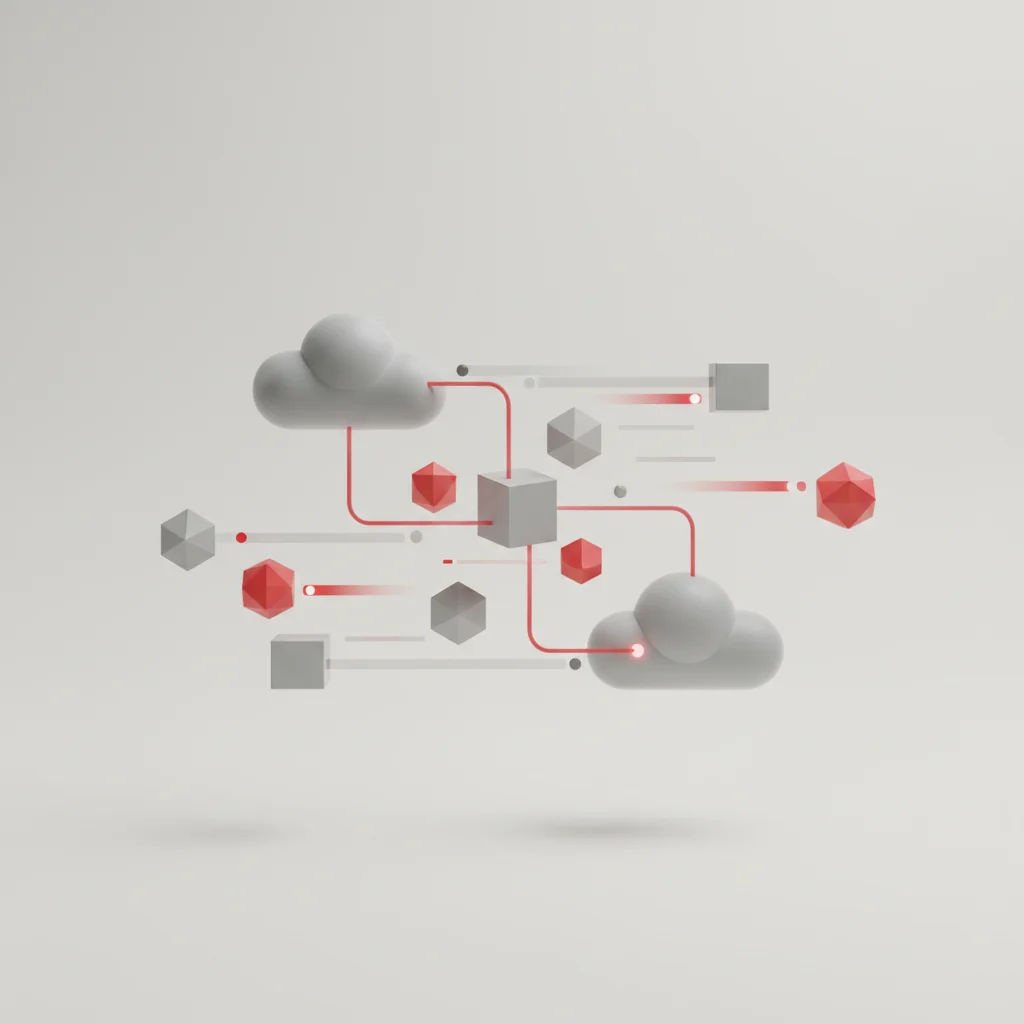
Kubernetes, often abbreviated as K8s, is an open-source container orchestration platform designed to automate the manual processes involved in deploying, scaling, and managing containerized applications [1]. Originally developed by engineers at Google and released as an open-source project in 2014, it is now maintained by the Cloud Native Computing Foundation (CNCF). In enterprise environments, applications are rarely deployed as single, monolithic blocks of code. Instead, they are broken down into smaller, isolated units called containers, which package the application code alongside its required dependencies, libraries, and configuration files.
While containers solve the problem of application portability—ensuring that code runs identically on a developer's laptop and a production server—they introduce a management challenge when scaled to hundreds or thousands of instances. This is where Kubernetes functions as a cluster management system. It acts as an automated operating system for your cloud infrastructure, dynamically allocating computing resources, monitoring the health of individual containers, and maintaining the desired state of the application without manual intervention from system administrators.
Essential Concepts and Key Terminology Explained
To grasp how Kubernetes functions, it is necessary to understand the primary terminologies used within its ecosystem. A "Cluster" is the highest level of organization in Kubernetes, consisting of a control plane and one or more worker machines called nodes. A "Node" is a single physical or virtual machine that runs the containerized workloads. Within these nodes run "Pods", which represent the smallest deployable units created and managed by Kubernetes. A Pod typically hosts a single container, though it can run multiple tightly coupled containers that share the same storage and network resources.
A major point of confusion for decision-makers is the comparison between Kubernetes and Docker. Docker is a containerization technology used to create and run individual containers on a single operating system. Kubernetes, on the other hand, is a container orchestration engine that coordinates multiple Docker containers across an entire fleet of servers. They are not competing technologies; rather, they are complementary tools designed to solve different phases of the application lifecycle.
The Kubernetes Architecture: How It Manages Your Applications
The Control Plane: The Intelligence Behind Your Cluster
The Control Plane serves as the central brain of the Kubernetes cluster. It is responsible for making global decisions about the cluster—such as scheduling workloads, detecting node failures, and responding to cluster events. The Control Plane consists of several distinct software services that run together to maintain the system's target configuration.
The first key component is the API Server (kube-apiserver), which acts as the front door for the control plane. All administrative commands, whether from developers using command-line tools or external automation platforms, pass through this secure endpoint. Behind the API Server sits etcd, a highly available, consistent key-value store that keeps the definitive record of all cluster data, configurations, and active states. Additionally, the Scheduler (kube-scheduler) assigns newly created pods to healthy nodes based on resource availability, while the Controller Manager (kube-controller-manager) continuously monitors the cluster state, ensuring that the actual state matches the declared desired configuration.
Worker Nodes: Where Your Applications Run
While the Control Plane directs operations, the Worker Nodes perform the actual heavy lifting of executing your application containers. Each worker node in a Kubernetes cluster runs specific utilities required to manage the lifecycle of containerized workloads and communicate with the control plane.
The most critical service running on a worker node is the kubelet. This lightweight agent acts as a local manager on the node, receiving instructions from the Control Plane API Server to ensure that the containers defined in the pod specifications are running and healthy. Alongside the kubelet, a network proxy named kube-proxy maintains network rules across the host, enabling communication between pods inside the cluster and managing external network traffic requests. Finally, the container runtime (such as containerd or CRI-O) is the software layer that physically runs the containers inside the assigned pods.
Visualizing the Flow: A Simplified Architectural Diagram
The operational workflow between the control plane and worker nodes is highly structured. When a deployment command is issued, the API Server processes the request, saves the state in etcd, and instructs the scheduler to find an appropriate node. The designated node’s kubelet then pulls the container image and launches the workload.
Why Kubernetes? Strategic Advantages for Modern Enterprise Workloads
Achieving Unprecedented Scalability and Resource Optimization
For growing organizations, manual server provisioning is slow and costly. Kubernetes addresses this issue through automated scaling mechanisms. It features Horizontal Pod Autoscaling (HPA), which automatically adjusts the number of active pods in response to real-time CPU utilization or custom metric thresholds. When traffic spikes during promotional events or seasonal demand, Kubernetes spins up new containers within seconds; once the demand subsides, it scales them back down to conserve cloud spending.
This dynamic scalability directly correlates with efficient resource utilization. Traditional virtual machine deployments often leave servers underutilized, running at only 10% to 15% capacity to handle occasional peak traffic. Kubernetes uses container packing strategies to schedule multiple container workloads onto nodes based on their declared resource limits. This maximizes physical hardware and cloud instance capacity, lowering total infrastructure spending.
Enhancing Application Reliability and Resilience (Self-Healing)
Application downtime can lead to direct financial loss and brand damage. Kubernetes provides native resilience through its self-healing capability. If an individual container crashes, the container runtime automatically restarts it. If an entire host node experiences a hardware failure, the Kubernetes control plane instantly detects the loss and schedules replacement pods onto the remaining healthy nodes in the cluster.
This healing process occurs behind the scenes without manual intervention from system operations teams. Kubernetes also utilizes automated liveness and readiness probes to monitor application health. If an application pod becomes unresponsive or is not yet fully initialized to receive traffic, Kubernetes routes user requests away from that specific instance, preventing users from encountering broken links or application errors.
Streamlining Deployment and Operational Automation
Transitioning from manual deployments to automated software pipelines is a key goal of modern DevOps teams. Kubernetes supports declarative configuration management. Developers define the desired state of their applications—including container versions, replica counts, storage volumes, and network ports—using YAML or JSON configuration files.
Kubernetes then handles the execution of these files. During application updates, Kubernetes executes rolling updates, gradually replacing older versions of containers with new ones while keeping the application online. If an error is detected during a new release, the platform can automatically trigger a rollback to the previous stable state. This level of automation significantly reduces the human errors associated with manual server patching and deployment scripts.
Enabling Hybrid and Multi-Cloud Portability
Vendor lock-in is a common concern for organizations using public cloud providers like Amazon Web Services (AWS), Microsoft Azure, or Google Cloud Platform (GCP). Kubernetes acts as an abstraction layer above these providers' proprietary APIs. Because Kubernetes runs identically regardless of the underlying hardware, applications designed for Kubernetes can be moved across different cloud environments without rewriting code.
This portability enables businesses to implement hybrid cloud strategies. An organization can run its day-to-day corporate workloads on secure, private on-premises servers while dynamically bursting traffic-heavy public applications to multiple public cloud providers. This flexible infrastructure architecture protects software investments from pricing shifts and provider service disruptions.
Practical Use Cases: Where Kubernetes Delivers Significant Value
Orchestrating Microservices Architectures
In a microservices architecture, a single application is split into dozens or hundreds of independent, loosely coupled services that communicate via lightweight APIs. Managing this complex web of services manually is nearly impossible. Kubernetes provides built-in tools for service discovery, load balancing, and internal communication routing, allowing individual microservices to locate and talk to one another securely.
Additionally, Kubernetes simplifies independent scaling. If an e-commerce application experiences a surge in checkout requests but low activity on its product search page, Kubernetes can scale only the payment processing service while keeping the search service at its base capacity. This granular control reduces cloud waste and improves application performance under uneven loads.
Powering Continuous Integration and Continuous Delivery (CI/CD) pipelines
Modern software development demands rapid code releases. Kubernetes integrates into automated continuous integration and continuous delivery (CI/CD) pipelines. Software pipelines can dynamically spin up isolated, temporary Kubernetes namespaces to run integration tests, perform security vulnerability scans on container images, and deploy new features.
Once the automated tests pass, the pipeline commands Kubernetes to route a small percentage of user traffic to the new version using canary deployments. If monitoring systems report no issues, the rollout expands to the entire cluster. If problems occur, the deployment is aborted and rolled back. This rapid deployment cycle minimizes deployment risk and accelerates time-to-market.
Managing Batch Processing and Data Analytics Workloads
Kubernetes is not limited to hosting long-running web servers; it is also well-suited for temporary, high-intensity computing workloads. Through its native support for "Jobs" and "CronJobs", the platform can spin up clusters of containers specifically designed to execute parallel data processing, run nightly financial reports, or handle bulk media transcoding tasks.
Once the assigned calculations or processing tasks are complete, Kubernetes automatically tears down the temporary containers, releasing the computing resources back to the general cluster pool. This dynamic provisioning is highly cost-effective for companies that run intensive analytics tasks but do not want to maintain idle, expensive hardware around the clock.
Deploying AI/ML and High-Performance Computing (HPC) Applications
As artificial intelligence and machine learning models become central to business operations, data science teams require robust environments to train and serve models. Kubernetes supports advanced scheduling features, including GPU resource allocation. This allows deep learning models to dynamically lease graphics processing units when performing complex training runs.
Using specialized tools built on top of Kubernetes, such as Kubeflow, engineers can manage end-to-end machine learning workflows. These platforms automate model training, packaging, testing, and deployment, turning research code into highly available, scalable web APIs that can handle millions of real-time prediction requests.
Critical Considerations: When Kubernetes Might Not Be the Optimal Choice
The Steep Learning Curve and Operational Complexity
While the benefits of Kubernetes are clear, it is not a silver bullet. The platform has a notoriously steep learning curve for developers, system administrators, and operations teams. Mastering K8s requires a deep understanding of complex networking concepts, declarative YAML configurations, container security policies, storage volumes, and ingress rules.
For small teams without dedicated DevOps engineers, managing Kubernetes can quickly become a full-time job, diverting valuable resources away from actual core application development. If your team does not have the technical expertise to operate, update, and troubleshoot cluster failures, adopting Kubernetes may introduce more complexity and operational risk than it resolves.
Resource Overhead and Initial Infrastructure Costs
Kubernetes introduces its own resource overhead. Running a production-grade, highly available Kubernetes cluster requires multiple Control Plane nodes to prevent a single point of failure. It also requires running system-level daemons, monitoring tools (like Prometheus), and centralized logging stacks (like Elasticsearch, Fluent Bit, and Kibana) on each worker node.
For startups or small enterprises running simple web applications with low, predictable traffic, the cost of running this management infrastructure can easily exceed the cost of the actual application workloads. In these scenarios, simpler hosting solutions offer better financial and operational returns.
Navigating Security Challenges in a Distributed Environment
Securing a distributed Kubernetes environment requires a shift from traditional network security practices. Because containers are highly dynamic and ephemeral, standard firewall rules based on static IP addresses are ineffective. Security must be managed at multiple layers: container image verification, network isolation policies, secret management, and Role-Based Access Control (RBAC).
If Kubernetes is misconfigured, a security breach in one container could potentially allow an attacker to gain unauthorized access to the underlying host or other sensitive applications running inside the same cluster. Maintaining a strong security posture in Kubernetes demands continuous vulnerability scanning, active runtime monitoring, and strict adherence to the principle of least privilege.
When Simpler Alternatives Suffice
Before committing to Kubernetes, organizations should evaluate whether simpler hosting alternatives can meet their performance and availability goals. If your application is a traditional monolith, has stable traffic patterns, or runs on a single server, container orchestration may add unnecessary engineering overhead.
Managed container services, such as AWS Elastic Container Service (ECS), Google Cloud Run, or platform-as-a-service (PaaS) providers, often deliver similar scaling and automation benefits without the administrative burden of managing a complete Kubernetes cluster. These solutions allow developers to focus on writing application code while the cloud provider handles the underlying infrastructure management.
Getting Started with Kubernetes: Initial Steps and Key Resources

Essential Prerequisites and Skillsets
Transitioning to Kubernetes is a gradual process that requires laying a strong technical foundation. Before attempting to deploy a cluster, developers and system administrators must first master the basics of containerization, particularly Docker or containerd container runtimes. Writing efficient Dockerfiles, understanding multi-stage builds, and minimizing container image sizes are essential prerequisites.
In addition to containerization, teams should gain a solid understanding of fundamental networking concepts, including domain name system (DNS) resolution, software-defined load balancing, and reverse proxies. Developing familiarity with YAML syntax and declarative configuration models will also ease the learning curve when managing K8s configuration files.
When ready to begin hands-on experimentation, teams should utilize local development environments rather than provisioning expensive cloud resources. Tools such as Minikube, Kind (Kubernetes in Docker), or K3s allow engineers to run a fully functional, single-node Kubernetes cluster directly on a local laptop. This provides a safe, zero-cost sandbox to practice deployments, test configurations, and troubleshoot failures before moving production workloads to public cloud providers.
Frequently Asked Questions
What is the main purpose of Kubernetes?
Kubernetes automates the deployment, scaling, and management of containerized applications, ensuring they run efficiently across physical, virtual, or cloud infrastructures.
Is Kubernetes free to use?
Yes, Kubernetes itself is an open-source platform and is completely free to download and use. However, running a cluster incurs infrastructure costs from cloud providers or physical server usage.
What is the difference between Docker and Kubernetes?
Docker is a containerization platform used to package applications, while Kubernetes is an orchestration engine used to manage and scale those containers across multiple servers.
Does my business really need Kubernetes?
Small-scale applications with low traffic or simple architecture do not require Kubernetes. It is best suited for complex, microservices-based workloads that need dynamic scaling and high availability.
What is a Pod in Kubernetes?
A Pod is the smallest, most basic deployable unit in Kubernetes, containing one or more containers that share the same storage, network namespace, and specifications.
How does Kubernetes handle application downtime?
Kubernetes uses self-healing mechanisms, automatically restarting failed containers, replacing dead pods, and shifting traffic away from unhealthy nodes to prevent downtime.
Can Kubernetes run on-premises?
Yes, Kubernetes is highly portable and can run on-premises, in hybrid environments, or across public cloud platforms like AWS, Microsoft Azure, and Google Cloud [1].
What are the security risks associated with Kubernetes?
Risks include misconfigured access controls, unsecured container images, and vulnerable API servers. Mitigating these requires strict role-based access control and regular security auditing.