
WordPress vs Headless CMS Compared
Compare traditional WordPress architecture with Headless CMS solutions based on frontend flexibility, page speed, and API integration capabilities.
ON THIS PAGE
0% read
- Evaluating Content Architectures: Monolithic vs. Decoupled
- Core Pillar 1: Frontend Flexibility and Developer Control
- Core Pillar 2: Page Speed and Core Web Vitals Performance
- Core Pillar 3: API Integration Capabilities and Extensibility
- Headless WordPress: The Transitional Middle Ground?
- Business and Operational Risks (Caution-Aware Analysis)
- Final Verdict: Aligning Architecture with Business Objectives
Selecting the optimal web architecture requires balancing development velocity, frontend customization, site performance, and long-term operating costs. In the evaluation of WordPress vs Headless CMS Compared, business leaders and engineering leads must examine whether a coupled monolithic CMS like traditional WordPress or an API-first decoupled platform (such as Contentful, Strapi, or Sanity paired with modern frameworks like Next.js) aligns with their digital roadmap. This comprehensive guide dissects frontend rendering mechanics, Core Web Vitals optimization, microservices extensibility, and the total cost of ownership to help technical decision-makers make an informed, risk-mitigated choice.
Evaluating Content Architectures: Monolithic vs. Decoupled
Content management systems have evolved from simple database-to-template publishing tools into complex content orchestration engines. To understand the architectural divergence between traditional WordPress and headless CMS platforms, one must analyze how content storage, business logic, and presentation layers interact under production workloads.
The Traditional WordPress Monolith
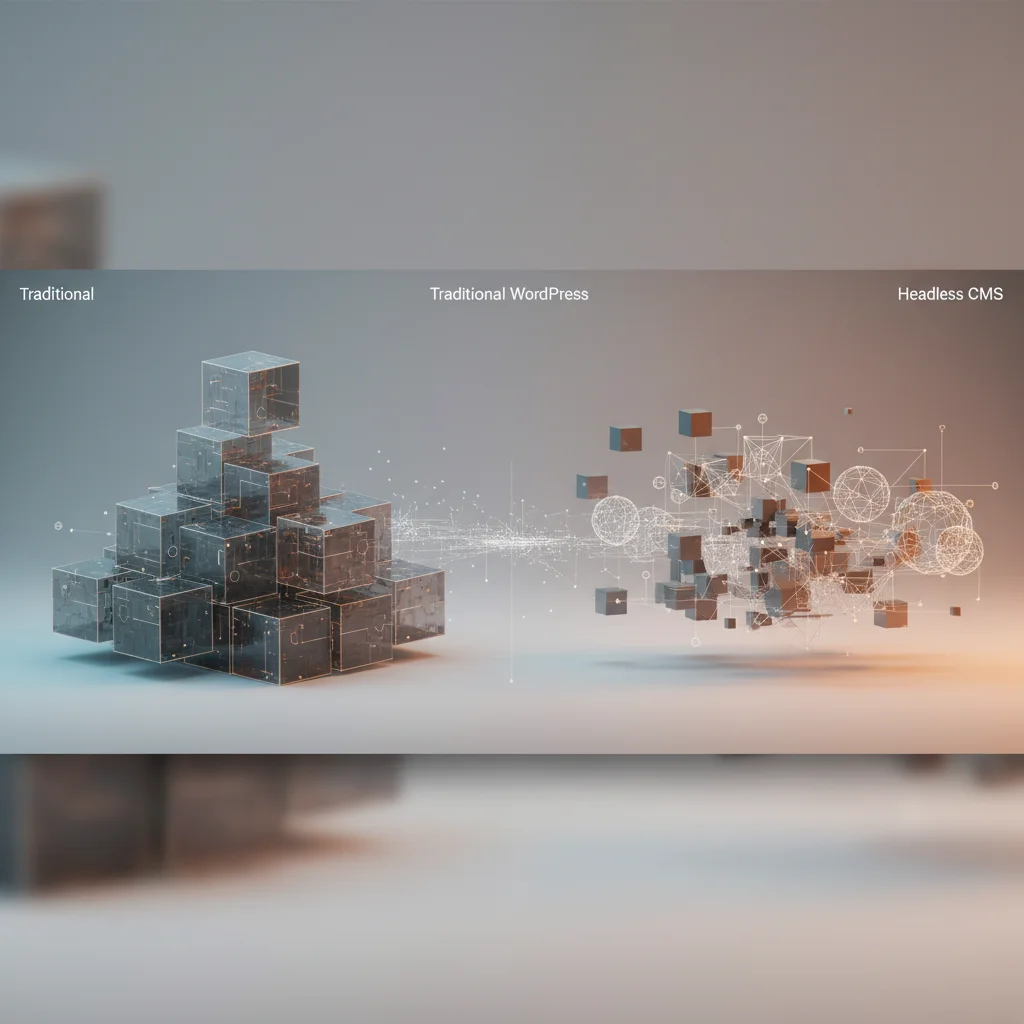
Traditional WordPress operates on a tightly coupled, monolithic architecture where the backend database, business logic, administrative dashboard, and frontend presentation layer reside within a unified codebase. Built predominantly on PHP and MySQL (or MariaDB), WordPress handles content authoring and webpage rendering inside the same execution loop. When a user requests a URL, WordPress initializes its core engine, executes theme templates (typically standard PHP files or block templates), processes active plugins, queries the MySQL database via WP_Query, and returns a dynamically constructed HTML document to the client browser.
This coupled design offers immense convenience for non-technical users and small-to-midsize deployments. The presentation layer is directly aware of the backend data model. Editors can modify page structures, adjust typography, install visual themes, and preview changes in real time without requiring intermediate build pipelines or external hosting infrastructure.
However, this tight coupling creates architectural friction at enterprise scale. Because rendering relies on server-side PHP execution and real-time database queries for uncached requests, performance bottlenecks frequently emerge under concurrent traffic spikes. Furthermore, scaling the frontend presentation requires scaling the entire monolith—including the PHP runtime, the administrative dashboard, and the database cluster—leading to inefficient infrastructure utilization.
The Headless CMS Paradigm
A headless CMS completely eliminates the frontend presentation layer ("the head"), operating strictly as a content repository and administrative workspace ("the body"). Platforms such as Contentful, Sanity, Strapi, and Hygraph do not dictate how content is displayed to the end user. Instead, they expose raw content payloads via structured Application Programming Interfaces (RESTful APIs or GraphQL endpoints).
In this decoupled model, developers build independent frontend applications using modern JavaScript/TypeScript frameworks such as Next.js, Nuxt, Remix, Astro, or SvelteKit. These frontend clients query the headless CMS during build time (Static Site Generation - SSG), at request time on the edge (Server-Side Rendering - SSR), or via incremental updates (Incremental Static Regeneration - ISR).
The division of labor is absolute: the headless CMS functions as a specialized database with a structured authoring UI, while the frontend application acts as an isolated, specialized rendering tier hosted on edge networks (e.g., Vercel, AWS CloudFront, Cloudflare). This separation allows engineering teams to deploy frontend iterations continuously without touching backend business logic or risking database integrity.
Recognizing the Shift in Enterprise Needs
The transition from monolithic to headless architectures is driven by structural shifts in digital commerce, enterprise multichannel publishing, and engineering governance. Organizations managing global brand footprints rarely publish content solely to a standard desktop web browser. Today, enterprise content must simultaneously populate mobile applications, IoT display networks, customer support portals, smart home interfaces, and native e-commerce checkout flows.
A traditional monolith struggles in multi-device environments because its content is inherently interwoven with HTML markup and theme-specific styling. Extracting clean, structured JSON data from a standard WordPress database often requires workarounds that add latency and operational complexity.
Headless systems enforce a strict "content-as-data" philosophy. Content models are defined through structured schemas (strings, references, booleans, assets) rather than unstructured rich-text blobs contaminated with styling shortcodes. This structural purity ensures that a single editorial update propagates across web, mobile, and third-party partner applications instantaneously without layout degradation.
Core Pillar 1: Frontend Flexibility and Developer Control
Frontend engineering in modern web development emphasizes component-driven architectures, strict design systems, and rapid deployment cadences. The CMS architecture selected by an organization directly dictates the tools, frameworks, and workflows available to its frontend development teams.
WordPress Theme Constraints vs. Framework Freedom
Traditional WordPress relies on its proprietary theme hierarchy and template engine. Whether utilizing classic PHP-based themes (index.php, page.php, single.php) or modern Full Site Editing (FSE) block themes (theme.json and HTML block templates), developers must adhere strictly to the WordPress execution lifecycle.
This environment imposes substantial constraints on modern frontend engineering:
Framework Lock-in: Integrating modern reactive frameworks like React, Vue, or Svelte directly into traditional WordPress PHP templates often requires hybrid orchestration (e.g., enqueueing compiled script bundles inside
functions.php), resulting in duplicate state management and hydration overhead.Asset Pipeline Complexity: Modern build tools (Vite, Turbopack, Webpack) must be adapted to compile assets into WordPress-specific directories, creating maintenance friction during continuous integration and deployment (CI/CD).
DOM Pollution: WordPress core, third-party plugins, and theme frameworks frequently inject their own inline CSS, external stylesheets, and JavaScript libraries into the document
<head>and footer. This uncontrolled asset injection complicates CSS architecture and inflates page weight.
Conversely, a headless CMS grants developers total framework independence. Engineering teams can build their presentation layer using any modern web technology:
[ Headless CMS API ]
         │ (JSON via REST / GraphQL)
         ▼
[ Modern Frontend Layer ]
   ├── Next.js (React Server Components, SSG, ISR)
   ├── Nuxt (Vue 3, Nitro Engine)
   ├── Astro (Zero-JS Component Islands)
   └── Mobile Clients (React Native, Flutter, Swift)
Frontend engineers work within native component paradigms (e.g., Tailwind CSS, CSS Modules, Storybook, TypeScript), maintaining strict control over every HTML tag, script loader, and hydration strategy. This autonomy accelerates feature development and eliminates the technical debt associated with managing legacy theme hierarchies.
Omnichannel Delivery Challenges
Enterprise organizations frequently maintain digital touchpoints across diverse digital channels. A standard WordPress installation is fundamentally designed to render HTML web pages. When marketing or product teams demand that the same promotional banner, product description, or blog post appear inside a native iOS app, an in-store digital kiosk, and an e-commerce checkout funnel, traditional WordPress reveals severe structural limitations.
While WordPress provides a built-in REST API, its standard database schema stores content within monolithic columns (such as post_content). This content is heavily formatted with HTML paragraphs, shortcodes, and embedded block markup. A native mobile application consuming this endpoint must parse and strip unwanted HTML tags before rendering native UI components, creating rendering bugs and fragile data pipelines.
A headless CMS treats omnichannel delivery as a primary architectural requirement. Content models are configured as atomic data fields:
Plain text fields for titles and subtitles
Normalized asset references for responsive media
Pure JSON rich-text trees (ASTs - Abstract Syntax Trees) that mobile and web frontends can map to native UI components (e.g., transforming a heading node into a React
<h1>or a FlutterTextwidget).
This structural clarity ensures that marketing teams update a message once in the headless authoring portal, and that message renders flawlessly across every digital interface without engineering intervention.
Caution: The Cost of Frontend Independence (Resource Allocation)
While complete frontend freedom offers undeniable architectural advantages, it introduces operational and financial responsibilities that technical leaders must evaluate carefully.
Adopting a headless architecture eliminates the out-of-the-box convenience of traditional CMS ecosystems. In traditional WordPress, installing a theme provides instant access to pre-built navigation menus, mobile responsive drawers, search result pages, pagination, archive filters, and form handlers.
In a pure headless environment, every single frontend feature must be designed, engineered, tested, and maintained from scratch. Your development team is responsible for:
Building responsive navigation menus and routing mechanics
Implementing client-side and server-side search querying (often requiring external search indices like Algolia or Meilisearch)
Managing state for contact forms, user authentication, and comments
Engineering dynamic XML sitemaps, canonical tags, and OpenGraph metadata schemas
Setting up automated preview environments for editorial staff
Organizations without dedicated, experienced frontend engineers often experience severe timeline delays and budget overruns when migrating to headless systems. The initial development phase for a custom headless frontend frequently requires 3x to 5x more engineering hours than deploying a customized WordPress commercial theme.
Weighing the architectural trade-offs of headless frontend independence. Pros 3 advantages Complete Framework Autonomy Teams can build modern UI using React, Vue, Svelte, or native mobile frameworks without CMS constraints. Native Omnichannel Delivery Clean, structured JSON data flows seamlessly to web, mobile apps, IoT devices, and point-of-sale systems. Total Control Over DOM and Assets Eliminates unwanted plugin scripts, inline styles, and bloat, maintaining a pristine codebase. Cons 2 concerns High Initial Development Overhead Navigation, routing, pagination, and forms must be engineered entirely from scratch. Complete Reliance on Senior Engineering Simple presentation changes require frontend developer implementation and CI/CD deployment.Frontend Flexibility Evaluation
Core Pillar 2: Page Speed and Core Web Vitals Performance
Web performance directly influences user conversion rates, bounce rates, and organic search visibility. Google’s Core Web Vitals—specifically Largest Contentful Paint (LCP), Interaction to Next Paint (INP), and Cumulative Layout Shift (CLS)—serve as quantitative benchmarks for measuring technical frontend quality.
Database-Driven Rendering (WordPress) vs. Static Site Generation (Headless)
The fundamental difference in page speed between WordPress and headless architectures stems from their underlying rendering models:
In traditional WordPress, unless an aggressive caching layer (such as Redis object caching and Nginx FastCGI cache) is meticulously configured, every incoming request triggers server-side execution. As plugins accumulate, database queries multiply, often executing 50 to 150 SQL queries per page load. This architectural overhead introduces unpredictable latency and increases Time to First Byte (TTFB).
Headless architectures combined with Static Site Generation (SSG) or Incremental Static Regeneration (ISR) compile pages into static HTML, CSS, and optimized JavaScript payloads ahead of time. When a visitor requests a page, the edge server delivers pre-compiled static files directly from memory without touching a database or executing heavy server-side code.
Server Response Times and CDN Efficiency
Content Delivery Networks (CDNs) function differently across these two paradigms:
WordPress with CDN Integration: In a standard setup, a CDN (such as Cloudflare or Fastly) caches static assets (images, CSS, JS), while dynamic HTML requests pass through to the origin server. While full-page caching at the CDN edge is possible with WordPress (using Cloudflare APO or enterprise cache rules), complex e-commerce dynamic states (cart contents, personalized widgets, user sessions) frequently bypass the edge cache, forcing requests back to the origin PHP server.
Headless with Edge CDN Rendering: In a decoupled Jamstack setup, the entire presentation layer resides on an edge network (Vercel Edge Network, Cloudflare Pages, AWS CloudFront). Modern edge rendering strategies allow dynamic personalization to occur at the edge using lightweight Edge Middleware (V8 isolates running in sub-millisecond execution times).
This architectural difference reduces TTFB from hundreds of milliseconds down to edge-native speeds of 15ms to 40ms globally, providing an immediate advantage for Largest Contentful Paint (LCP) benchmarks.
Evaluating the Impact on Technical SEO
Page speed is a confirmed ranking factor in Google’s search algorithms, but technical SEO extends beyond pure raw speed. Both architectures present unique technical SEO dynamics:
[ Traditional WordPress SEO ]
  Pros: Yoast/RankMath native meta handling, automatic XML sitemaps, instant 301 redirects.
  Cons: Script bloat, render-blocking CSS/JS, unpredictable INP due to heavy plugin scripts.

[ Headless Architecture SEO ]
  Pros: Pristine DOM control, sub-second LCP, minimal main-thread JS blocking (optimal INP).
  Cons: Requires custom metadata pipelines, manual schema markup, and SSR/SSG pre-rendering verification.
Interaction to Next Paint (INP): Traditional WordPress sites often struggle with INP because third-party plugins inject unoptimized, non-deferred JavaScript libraries (slider scripts, analytics tags, form validators) that monopolize the browser's main thread. In a custom headless frontend, developers strictly control script hydration, defer non-critical bundles, and utilize modern Web Workers, ensuring rapid responsiveness to user interactions.
Cumulative Layout Shift (CLS): Headless frontends allow precise layout reservation using modern CSS grid/flexbox layouts and Next.js
<Image>components that automatically inject intrinsic aspect ratio placeholders. In WordPress, plugins frequently inject dynamic banners, notices, and dynamic widgets asynchronously without reserved DOM space, triggering significant layout shifts.Crawl Budget and Hydration Risks: Pure Client-Side Rendered (CSR) Single Page Applications (SPAs) built with vanilla React can harm SEO because search engine crawlers must execute JavaScript to discover internal links and textual content. To maintain search visibility, enterprise headless sites must utilize Server-Side Rendering (SSR) or Static Site Generation (SSG) with Node.js/Edge backends, ensuring search bots receive complete, crawlable HTML documents instantly upon request.
Core Pillar 3: API Integration Capabilities and Extensibility
Modern enterprise platforms rarely operate in isolation; they integrate with Customer Relationship Management (CRM) tools, Enterprise Resource Planning (ERP) systems, Payment Service Providers (PSPs), marketing automation platforms, and internal microservices. How a CMS handles data exchange determines its long-term scalability.
Plugin Ecosystem vs. Microservices Architecture
The fundamental distinction in extensibility lies between the WordPress plugin ecosystem and the MACH (Microservices, API-first, Cloud-native, Headless) architectural philosophy.
The WordPress Plugin Model:
WordPress extends functionality through plugins installed directly into the core runtime environment. With over 60,000 plugins available in the official repository, organizations can add e-commerce (WooCommerce), membership portals, form builders, and SEO tools with a single click.
However, this architecture presents severe systemic risks at scale:
Shared Execution Space: Every active plugin runs within the same PHP memory thread and database scope. A single poorly coded plugin can introduce database locks, memory exhaustion, or site-wide fatal errors (
500 Internal Server Error).Update Cascades and Dependency Hell: Updating the core WordPress engine or a major plugin (e.g., WooCommerce) can break legacy third-party plugins due to deprecated functions, requiring extensive regression testing before applying security patches.
Database Bloat: Many plugins write custom tables, transient data, and unindexed rows into the
wp_optionstable, permanently degrading database query execution times even after the plugins are deactivated.
The Headless Microservices Model:
In a headless paradigm, functionality is extended via independent, modular microservices connected through APIs. Content management is handled by the headless CMS, transactional commerce is managed by specialized headless commerce engines (e.g., commercetools, Shopify Plus via Storefront API), search is powered by Algolia, and user authentication is offloaded to enterprise identity providers (e.g., Auth0, Okta).
Because each service operates inside its own isolated infrastructure, an outage or performance degradation in one third-party service does not bring down the entire web platform. Furthermore, engineering teams can replace, upgrade, or refactor individual services without rebuilding the central content repository.
REST API and GraphQL Performance Showdown
Data fetching efficiency is critical when building performant, decoupled digital experiences.
Traditional REST API (Multiple Endpoints)
Request 1: GET /api/posts/101  ────────► [ Returns Post Object (Over-fetching) ]
Request 2: GET /api/authors/5  ────────► [ Returns Author Object ]
Request 3: GET /api/categories ────────► [ Returns Category List (Under-fetching) ]

GraphQL Single Endpoint (Precise Querying)
Request: POST /graphql ────────────────► [ Returns EXACT JSON structure in 1 trip ]
  query { post(id: 101) { title, author { name }, categories { slug } } }
WordPress REST API: WordPress includes a native REST API (
/wp-json/wp/v2/). While functional, it suffers from standard REST limitations: over-fetching (returning dozens of unnecessary post properties, author metadata, and link relations per request) and under-fetching (requiring multiple sequential HTTP round-trips to retrieve a post, its featured image, author details, and associated taxonomy terms).Headless GraphQL APIs: Most leading headless CMS platforms (Contentful, Sanity, Strapi, Hygraph) provide native, high-performance GraphQL engines. Developers write precise queries requesting only the exact fields required by a specific frontend component. A single GraphQL query fetches deeply nested relational content in one round-trip, dramatically reducing network payload size and client-side memory overhead.
Security Implications of Third-Party API Integrations
The architectural differences between WordPress and Headless CMS directly impact an organization's attack surface and vulnerability profile:
WordPress Security Profile:
Because WordPress powers over 40% of the web, it is the primary target for automated brute-force attacks, SQL injections, and cross-site scripting (XSS) exploits.
Over 90% of WordPress vulnerabilities originate within third-party plugins and themes rather than the core platform.
The administrative backend (
/wp-admin/) and database are directly accessible from the public internet on the same server that serves web traffic.
Headless CMS Security Profile:
The public-facing frontend consists of static assets or a lightweight Node.js rendering layer hosted on a hardened edge CDN. There is no publicly exposed database or administrative dashboard to compromise directly.
Administrative access to the headless CMS occurs on isolated, vendor-managed cloud infrastructure with enterprise Single Sign-On (SSO), granular Role-Based Access Control (RBAC), and IP whitelisting.
API communication is secured via read-only API tokens for public data and encrypted private keys stored in secure environment variables for authenticated mutations.
Even if a DDoS attack floods the frontend application, the backend CMS and primary content database remain insulated and operational.
Headless WordPress: The Transitional Middle Ground?
Many enterprise organizations find themselves in a transitional dilemma: their content marketing teams are deeply accustomed to the WordPress authoring workflow, yet their engineering leads demand the performance, security, and developer experience of a modern JavaScript framework. This scenario gives rise to Headless WordPress (Decoupled WordPress).
Leveraging the WP REST API and WPGraphQL
In a Headless WordPress architecture, WordPress remains the content authoring and editorial backend, hosted on a dedicated server or managed hosting environment (e.g., WP Engine Atlas, Kinsta). However, the traditional PHP theme is completely disabled or bypassed.
Frontend applications built with Next.js, Nuxt, or Astro fetch content from WordPress via one of two primary data protocols:
The Core WP REST API: Native to WordPress core, exposing endpoints for posts, pages, custom post types, and taxonomies.
WPGraphQL Plugin: An open-source, highly efficient plugin that converts any WordPress installation into a full-featured GraphQL server. WPGraphQL allows frontend developers to query relational data cleanly, integrate with Advanced Custom Fields (ACF Pro) via
WPGraphQL for ACF, and listen for real-time schema mutations.
This hybrid approach allows organizations to preserve their historical content databases, editorial workflows, and custom backend business logic while rebuilding the customer-facing frontend as a high-performance Jamstack application.
┌────────────────────────────────────────────────────────┐
│               WordPress Editorial Backend              │
│    (Authors, Editors, ACF Pro, Custom Post Types)      │
└──────────────────────────┬─────────────────────────────┘
                           │
                           │ WPGraphQL / REST API
                           ▼
┌────────────────────────────────────────────────────────┐
│           Decoupled Frontend Tier (Next.js)            │
│  ├── Incremental Static Regeneration (ISR)             │
│  ├── Node.js / Edge Middleware                         │
│  └── Global Static Delivery (Vercel / Cloudflare)      │
└────────────────────────────────────────────────────────┘
Architectural Bottlenecks and Hybrid Maintenance Pitfalls
While Headless WordPress appears to offer the best of both worlds, it frequently introduces complex architectural trade-offs that technical leaders must anticipate:
Dual Infrastructure Overhead: Organizations must manage and pay for two separate hosting environments: the WordPress/PHP/MySQL origin server and the Node.js/Edge frontend hosting platform.
Plugin Incompatibility: The vast majority of standard WordPress plugins that manipulate frontend output (e.g., visual page builders like Elementor/Divi, contact form plugins like Gravity Forms, dynamic membership tools) do not work in a headless environment without custom API bridge development.
Preview Workflow Friction: Native WordPress preview functionality relies on PHP session cookies and immediate database lookups. Implementing secure, instantaneous content previews for drafts in a decoupled Next.js frontend requires complex preview API routes, webhook triggers, and token validation logic.
Database Scaling Bottlenecks: During large-scale static site rebuilds, the SSG build process can fire thousands of concurrent GraphQL queries to the WordPress origin server, causing MySQL connection pool exhaustion and server crashes unless advanced Redis caching and query batching are implemented.
Business and Operational Risks (Caution-Aware Analysis)
Migrating to modern web architectures is not merely a technical decision; it carries profound financial, operational, and organizational implications. Executive leadership must evaluate the total cost equation and human workflow impact before committing to an architectural paradigm shift.
Total Cost of Ownership (TCO) and Maintenance Overhead
A common misconception in enterprise software procurement is that a headless CMS is inherently cheaper or more expensive than traditional WordPress. In reality, the cost profiles differ dramatically across their operational lifecycles:
Traditional WordPress TCO Profile
├── Upfront Costs: Low to Moderate (Rapid theme assembly, off-the-shelf plugins)
├── Ongoing Costs: Moderate (Regular plugin maintenance, security audits, managed hosting)
└── Scaling Costs: High (Server vertical scaling, enterprise CDN caching, database sharding)

Pure Headless CMS TCO Profile
├── Upfront Costs: High (Custom frontend engineering, schema design, pipeline architecture)
├── Ongoing Costs: High (Senior JavaScript/React engineering salaries, SaaS CMS tier costs)
└── Scaling Costs: Low (Edge bandwidth is inexpensive; static delivery requires minimal compute)
Headless CMS SaaS Pricing Tiers:
Commercial headless platforms (Contentful, Sanity, Kontent.ai) typically operate on usage-based SaaS subscription models. While starter tiers appear affordable, enterprise pricing tiers often escalate rapidly based on:
Number of administrative user seats
Monthly API call volumes and GraphQL complexity units
Number of content locales and custom environment clones
Asset transformation bandwidth and edge payload sizes
Enterprise headless CMS licenses frequently range from $1,000 to over $5,000 per month. When paired with high-performance edge hosting (Vercel Enterprise, Netlify Enterprise) and developer salaries, the operating baseline can easily exceed $100,000 annually.
WordPress Maintenance Overhead:
Conversely, traditional WordPress software is open-source and free, with managed enterprise hosting (VIP, WP Engine, Kinsta) scaling predictably. However, hidden costs accumulate in maintenance overhead:
Emergency patch deployments for vulnerable third-party plugins
Database optimization and cleanup retainers
Staging-to-production regression testing across extensive plugin suites
Specialized security monitoring and Web Application Firewall (WAF) licensing
The Learning Curve and Developer Dependency
Adopting a headless CMS fundamentally alters organizational hiring requirements and internal dependencies:
Talent Market Dynamics: Finding PHP/WordPress developers is generally straightforward, and standard market compensation reflects a broad talent pool. Building and maintaining a decoupled headless platform requires senior full-stack JavaScript/TypeScript engineers proficient in React, Next.js, Node.js, GraphQL, and edge infrastructure. These specialists command significantly higher compensation and are in high market demand.
Developer Bottlenecks for Marketing Teams: In a mature traditional WordPress setup, marketing teams can autonomously launch new landing pages, configure marketing popups, create custom forms, and adjust visual themes using visual site builders. In an improperly structured headless environment, marketing teams often find themselves dependent on engineering sprints for simple tasks—such as creating a new landing page layout or embedding a tracking pixel—severely reducing marketing velocity.
Content Creator Experience (Loss of WYSIWYG & Native Previews)
One of the most critical, yet frequently underestimated, friction points in headless adoption is the disruption of editorial workflows.
Traditional WordPress excels at the content creation experience. The Gutenberg block editor provides immediate visual feedback: an author inserts a two-column block, adds an image gallery, adjusts margins, and instantly sees how the page will appear to the public.
In a standard headless CMS:
Abstract Form Filling: Authors interact with structured, form-based input fields (Title, Subhead, Body Rich Text, Media Assets). The editing interface is completely divorced from the visual presentation of the live website.
Preview Latency: Visualizing changes requires triggering a dynamic preview pipeline. If the preview environment relies on an on-demand Next.js preview server, editors must wait several seconds for the edge route to fetch draft API tokens and hydrate the components.
Loss of Drag-and-Drop Layout Freedom: Unless the headless CMS is specifically paired with advanced visual headless builders (such as Builder.io or Uniform) or strict modular component modeling, marketing teams lose the ability to freely construct custom page layouts without developer intervention.
Organizations that fail to involve their editorial and content marketing teams in the headless evaluation process frequently encounter internal resistance, workflow paralysis, and post-migration dissatisfaction.
Final Verdict: Aligning Architecture with Business Objectives
Selecting between traditional WordPress and a Headless CMS is not a question of which technology is universally superior; it is a question of architectural alignment with your organization's business objectives, engineering capacity, and long-term digital strategy.
When to Retain Traditional WordPress
Traditional monolithic WordPress remains the most practical, cost-effective, and operationally efficient solution for:
Editorial-First and Content-Heavy Publications: Blogs, digital magazines, and news organizations whose primary operational focus is publishing high-volume written content quickly using visual, intuitive editing tools.
Standard Corporate Marketing Websites: Businesses requiring standard web pages, lead generation forms, case studies, and basic corporate messaging where page speed can be satisfactorily optimized using standard caching, a premium CDN, and lightweight theme architectures.
Agile Marketing Teams with Limited Engineering Support: Organizations that rely on marketing, growth, and content teams to launch landing pages, run A/B tests, and install tracking scripts without submitting engineering tickets.
Cost-Sensitive Deployments: Projects where capital budgets do not justify senior JavaScript engineering salaries or ongoing multi-tier SaaS CMS subscription fees.
When a Headless CMS is the Mandatory Choice
A decoupled Headless CMS architecture becomes an essential, non-negotiable investment for:
True Omnichannel Content Ecosystems: Brands publishing structured content simultaneously across native iOS/Android mobile apps, e-commerce platforms, web applications, IoT devices, and smart displays from a single centralized repository.
Enterprise High-Performance Web Applications: Platforms where sub-second global page loads, perfect Core Web Vitals, and edge compute execution directly drive millions of dollars in conversion revenue.
Complex Digital Products with Deep Integrations: Modern SaaS platforms, financial services portals, and digital marketplaces where content management must seamlessly interface with custom React design systems, microservices, and enterprise authentication backends.
High-Security Enterprise Profiles: Organizations (fintech, healthcare, government) that require an air-gapped separation between public web traffic and the internal content database to eliminate SQL injection and CMS-specific attack vectors.
Comparative assessment across key organizational evaluation criteria. Avantaj Complete freedom to build custom UI components using any modern JavaScript/TypeScript framework. Dezavantaj Constrained by WordPress theme hierarchy, PHP rendering, and core template conventions. Avantaj Sub-second global delivery via edge-cached static pre-rendering (SSG/ISR) and minimal main-thread JavaScript execution. Dezavantaj Requires aggressive multi-layer caching, database tuning, and asset optimization to achieve green Core Web Vitals. Avantaj Decoupled architecture isolates the database behind hardened APIs, eliminating traditional CMS attack vectors. Dezavantaj Highly targeted by automated exploits; security depends heavily on ongoing plugin and core patch maintenance. Avantaj Substantial upfront engineering investment and ongoing SaaS tier costs requiring specialized frontend developers. Dezavantaj Low upfront implementation costs with predictable hosting, though plugin maintenance and technical debt accumulate over time. Avantaj Structured, field-based data input requiring custom preview infrastructure for visual layout feedback. Dezavantaj Immediate visual Gutenberg block editing, native drafts, real-time previews, and autonomous marketing page building.Architectural Decision Matrix
Frontend Flexibility
Core Web Vitals & Speed
Security Attack Surface
Total Cost of Ownership
Editorial Experience
Frequently Asked Questions
Can WordPress be effectively used as a Headless CMS?
Yes, WordPress can function as a headless CMS by utilizing its native REST API or the community-standard WPGraphQL plugin. This configuration allows marketing teams to write content inside the familiar WordPress admin interface while developers render the frontend using modern frameworks like Next.js. However, teams must build custom solutions for previews, authentication, and form handling since standard WordPress plugins will not render automatically.
Does migrating to a Headless CMS automatically improve website speed?
Migrating to a headless CMS provides the architectural capability for superior speed through static site generation (SSG) and edge CDN delivery, but it does not happen automatically. If developers write inefficient GraphQL queries, inject heavy third-party JavaScript libraries, or misconfigure image optimization pipelines, a headless website can still suffer from poor Core Web Vitals. Performance depends heavily on clean frontend engineering execution.
What are the primary hidden costs of adopting a Headless architecture?
Hidden costs include monthly subscription fees for commercial SaaS CMS platforms as API usage scales, separate hosting invoices for modern edge infrastructure (such as Vercel or AWS), and third-party SaaS fees for search indexing (Algolia) and form handling. Additionally, the higher compensation required for senior full-stack JavaScript engineers compared to standard PHP developers represents a substantial ongoing operational expenditure.
How does a Headless CMS impact SEO compared to WordPress?
A headless CMS provides complete control over HTML markup, asset loading, and Core Web Vitals performance, which positively impacts technical SEO rankings. However, traditional WordPress offers out-of-the-box SEO automation via plugins like Yoast or RankMath. With a headless CMS, engineering teams must manually construct dynamic XML sitemaps, structured schema markup, canonical tag logic, and server-side rendering pipelines to avoid indexing issues.
How do content editors preview drafts on a Headless website?
Previewing drafts in a headless setup requires building custom preview API routes within the frontend framework (such as Next.js Draft Mode). When an author clicks preview, the frontend securely requests unpublished draft content from the headless CMS using an authenticated API token and renders a temporary, non-cached version of the page. Setting up this workflow requires explicit engineering effort.
Is a Headless CMS safer from cyber attacks than traditional WordPress?
Yes, a headless CMS inherently offers a significantly smaller attack surface than traditional WordPress. Because the presentation frontend consists of static assets or decoupled edge functions with no direct database connection, common attack vectors like SQL injection and PHP script execution vulnerabilities are eliminated. The administrative interface is completely isolated from public-facing web traffic on separate, vendor-managed infrastructure.
Which frontend frameworks are most commonly paired with a Headless CMS?
The most popular frontend frameworks for headless architectures are Next.js (React), Nuxt (Vue.js), Remix, SvelteKit, and Astro. Next.js is the dominant enterprise choice due to its hybrid rendering capabilities (SSR, SSG, and Incremental Static Regeneration - ISR) and deep integration with global edge deployment platforms. Astro has gained rapid adoption for content-centric sites due to its zero-JavaScript component island architecture.
When should an enterprise avoid migrating to a Headless CMS?
An enterprise should avoid a headless CMS if its marketing team requires complete autonomy to build custom visual landing pages without developer assistance, if the organization lacks dedicated senior frontend engineering capacity, or if the digital project consists solely of a standard blog or informational corporate site. In these scenarios, the added technical complexity and operational costs of headless outweigh the architectural benefits.