
What Is iPaaS (Integration Platform as a Service)?
iPaaS (Integration Platform as a Service) is a cloud-based suite that automates data flows and connects disparate software applications across environments.

ON THIS PAGE
0% read
- Executive Summary: Defining iPaaS
- How Does iPaaS Work in a Corporate Architecture?
- Key Enterprise Benefits of iPaaS
- Strategic Risks and Integration Challenges (Caution-Aware)
- iPaaS vs. Other Cloud Computing Models
- Common iPaaS Use Cases and Market Examples
- How to Evaluate and Choose the Right iPaaS Provider
iPaaS (Integration Platform as a Service) is a cloud-based suite that automates data flows and connects disparate software applications across environments. For enterprise decision-makers and business owners, this architectural framework addresses the operational friction caused by fragmented data silos by establishing an orchestrated, central integration layer. Rather than relying on fragile, bespoke point-to-point connections, an iPaaS provides a unified environment to develop, deploy, and govern integration flows across cloud and on-premises systems. This technical analysis examines the structural mechanics, deployment paradigms, risks, and strategic selection frameworks of iPaaS to guide your enterprise integration strategy.
Executive Summary: Defining iPaaS

The Core Concept | Why Modern Enterprises Need iPaaS
Enterprise software ecosystems have grown increasingly fragmented. Modern organizations routinely deploy hundreds of specialized Software as a Service (SaaS) applications alongside legacy on-premises systems. While this decentralized approach allows individual business units to select best-of-breed tools, it creates significant operational friction. Data becomes trapped in disconnected systems, workflows stall due to manual data-entry handoffs, and IT departments struggle to maintain oversight of decentralized data flows.
Historically, organizations resolved these integration challenges by building custom, point-to-point integrations using hard-coded scripts or relying on traditional on-premises middleware. While point-to-point integrations work for simple setups, they scale poorly. As the number of connected systems ($N$) grows, the number of required connections increases quadratically:
$$\frac{N(N-1)}{2}$$
Maintaining this web of connections consumes vast IT resources, as any API modification in a single application can break multiple connected workflows.
Integration Platform as a Service (iPaaS) replaces this complex model with a hub-and-spoke architecture. By acting as a centralized, cloud-hosted middleware solution, an iPaaS provides a single interface where integrations are built, run, and managed. Instead of writing custom code to connect Application A to Application B, developers and business analysts connect both applications to the iPaaS. The platform standardizes data schemas, manages transmission protocols, and enforces security policies across all endpoints.
This paradigm shift reduces the technical burden of building integrations. By offering a visual interface to design workflows, iPaaS lowers the barrier to entry, enabling business analysts and department heads to build integrations with minimal IT intervention. At the same time, it provides enterprise IT professionals with the centralized control, security protocols, and audit logs required to ensure regulatory compliance and operational stability.
How Does iPaaS Work in a Corporate Architecture?
Centralized Console and Pre-built Connectors
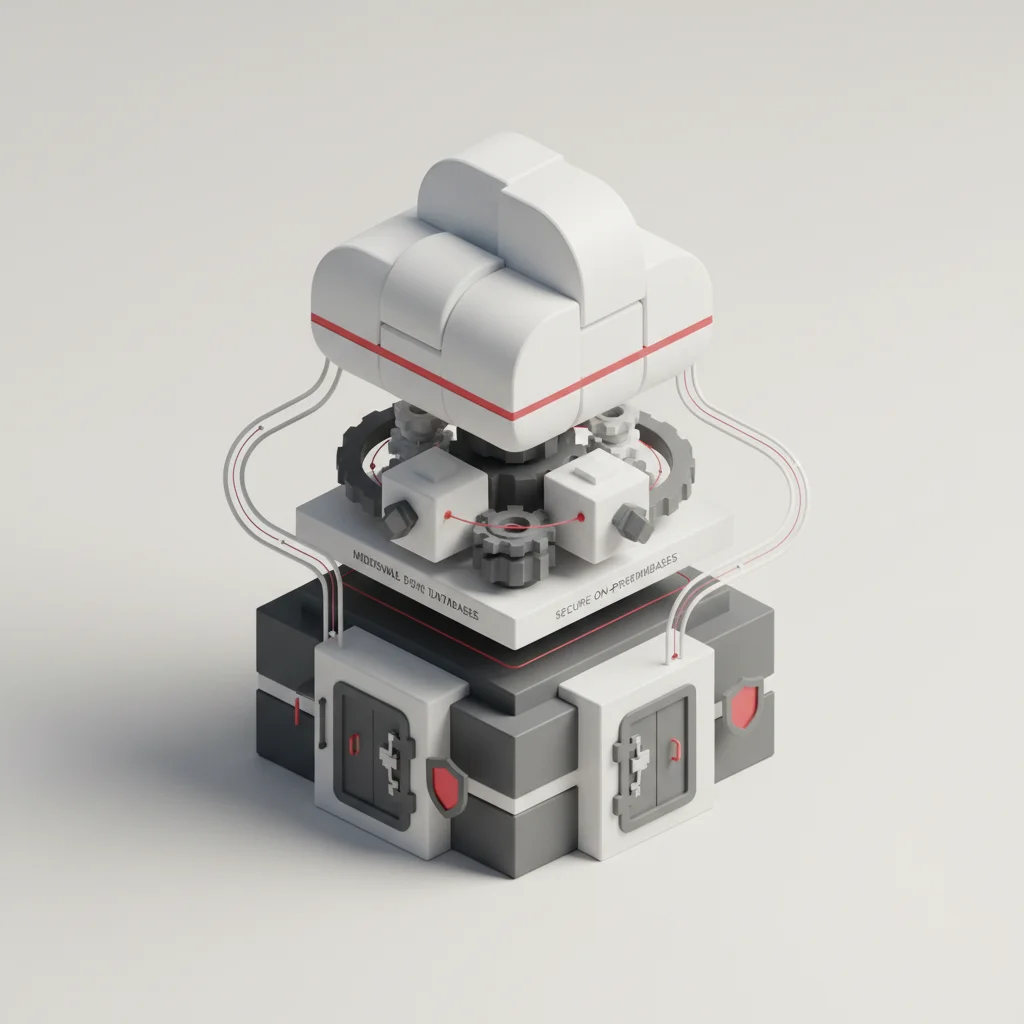
At the center of any iPaaS is the administration and management console. This multi-tenant cloud application serves as the single pane of glass where engineers and administrators design, deploy, and monitor integration flows. Within this console, users interact with a visual workflow designer to map connections, define logical triggers, and configure transformation steps.
To accelerate deployment, modern iPaaS solutions provide extensive libraries of pre-built connectors. These connectors are pre-configured packages designed to communicate with specific applications (such as Salesforce, SAP, NetSuite, or Workday) or standard communication protocols (such as HTTP/REST, SOAP, FTP, and SQL databases).
Pre-built connectors abstract the underlying complexities of each application’s application programming interface (API). Instead of manually studying developer documentation to understand authentication schemes, rate limits, and JSON structures for a specific platform, the integration designer simply inputs credentials into the pre-built connector. The connector handles the low-level communication protocols, allowing the developer to focus on the business logic of the data flow.
API Management and Data Mapping
Beyond simple connectivity, an iPaaS must ensure that data sent from one system is correctly understood by another. This requires robust API management, data mapping, and transformation capabilities. Applications rarely share identical data structures. For example, an e-commerce platform may store customer names in a single field called @@CODE0@@, while an ERP system expects separate fields for @@CODE1@@ and Last_Name.
The iPaaS data mapping engine resolves these structural differences. Using visual drag-and-drop mappers or declarative scripting languages, developers define how data fields from a source system translate to fields in a target system. During execution, the iPaaS engine performs real-time data transformations, which may include:
Type Casting: Converting text strings to date-time formats or numerical integers.
Concatenation & Splitting: Merging or separating fields to match target schemas.
Lookup & Translation: Cross-referencing codes, such as converting a state abbreviation ("NY") to its full name ("New York") via lookup tables.
Data Masking: Redacting sensitive information (e.g., credit card digits) before writing the payload to secondary systems.
Additionally, many platforms incorporate API gateway capabilities. This allows the iPaaS to expose integration flows as reusable, secure web services. External applications can trigger complex internal workflows by calling a single secure endpoint hosted on the iPaaS, complete with built-in rate-limiting, throttle controls, and access token validation.
Execution Flow: Cloud, On-Premises, and Hybrid
While the management console is cloud-hosted, the actual data processing (the runtime engine) must be flexible enough to handle various deployment architectures. Enterprises must often connect cloud applications with systems hosted within private networks or on-premises data centers, such as legacy mainframes or local database servers.
To support these hybrid cloud environments, iPaaS platforms utilize a split-plane architecture:
Control Plane: The cloud-hosted management console where users design workflows, view execution logs, and manage user permissions.
Runtime Plane (Execution Engine): The engine that processes the actual data payloads, executes transformations, and communicates with endpoints.
In a pure cloud integration scenario, the runtime plane resides entirely within the iPaaS vendor’s secure cloud environment. However, when connecting to on-premises systems, deploying a public cloud runtime is often impossible due to firewall restrictions and security policies.
To bridge this gap, iPaaS vendors offer lightweight, containerized execution agents (often called runtime engines or local gateways) that can be installed on-premises inside the corporate firewall. These local agents establish an outbound-only connection to the cloud control plane to receive workflow instructions.
When an integration runs, the local agent pulls data from internal systems, processes transformations locally, and sends it directly to target systems. Because the agent only requires outbound communication, organizations do not need to open inbound firewall ports, maintaining a secure on-premises infrastructure.
Key Enterprise Benefits of iPaaS
Accelerated Digital Transformation
Enterprise digital transformation initiatives often stall not from a lack of vision, but from integration bottlenecks. When business units must wait months for IT teams to build custom code for new software tools, agility suffers. An iPaaS removes these roadblocks by shifting integration from a software development task to a configuration task.
With intuitive low-code or no-code interfaces, business departments can prototype, test, and deploy integrations in a fraction of the time required for manual coding. This speed allows companies to adopt new technologies quickly, scale digital customer experiences, and respond to changing market demands.
For instance, a marketing team can connect a new customer analytics platform to their core CRM within days, rather than waiting for an annual IT development cycle.
Cost Efficiency and IT Resource Optimization
Building custom integrations requires highly skilled developers who must write, test, and document complex code. Once deployed, these integrations require ongoing maintenance to address API updates, server upgrades, and scaling demands. This creates significant technical debt that drains IT budgets.
An iPaaS shifts this maintenance burden to the platform vendor. The vendor is responsible for updating pre-built connectors when underlying application APIs change, maintaining runtime server infrastructure, and ensuring platform scalability.
By automating these low-level tasks, iPaaS optimizes IT resources, allowing developers to focus on high-value, proprietary software projects rather than routine data-pipeline maintenance.
Real-Time Visibility and Data Accuracy
Manual data entry and batched file transfers (such as nightly CSV uploads via FTP) introduce delays and human error. Decisions based on day-old data can lead to stockouts, delayed customer service, and inaccurate financial forecasting.
[System A: CRM] --(Real-Time Webhook)--> [iPaaS Engine] --(Transformation)--> [System B: ERP]
                                                |
                                        (Security Logging)
iPaaS enables real-time workflow automation. When a customer places an order on an e-commerce storefront, the iPaaS can instantly update inventory levels in the ERP system, notify the warehouse via Slack, and log the customer interaction in the CRM.
This real-time synchronization eliminates data silos, ensures consistent data across all platforms, and gives business leaders a reliable view of operational metrics.
Strategic Risks and Integration Challenges (Caution-Aware)
Data Security and Compliance Vulnerabilities
Consolidating all enterprise integrations into a single cloud platform creates a high-value target for malicious actors. If an iPaaS platform is compromised, attackers could gain access to API credentials, customer records, and financial systems.
Furthermore, sending sensitive data through a third-party cloud platform presents regulatory compliance challenges. Organizations subject to frameworks like GDPR, HIPAA, or SOC 2 must ensure that the iPaaS provider maintains strict data governance policies, enforces end-to-end encryption (using TLS 1.3 in transit and AES-256 at rest), and supports regional data residency requirements.
Any failure in vulnerability management or identity and access management (IAM) could lead to costly data breaches and regulatory fines.
The Trap of Vendor Lock-In
While pre-built connectors and proprietary low-code interfaces speed up development, they can also bind an organization to a specific platform. If a vendor raises licensing fees or experiences service degradations, migrating dozens of complex workflows to a competing iPaaS can be exceptionally difficult.
Because the underlying transformation logic, mapping schemas, and custom scripts are built using the vendor’s proprietary tools, they cannot be easily exported or run elsewhere.
To mitigate vendor lock-in, organizations should prioritize platforms that support open standards, allow custom scripting in standard languages (like JavaScript or Python), and provide clear pathways for exporting workflow definitions.
Legacy System Complexities
Not all legacy applications are cloud-ready. Older on-premises systems, particularly custom mainframes or highly modified ERP instances, may lack modern APIs, relying instead on direct database connections, proprietary file formats, or command-line interfaces.
While an iPaaS can theoretically bridge these gaps, doing so often requires complex configurations, custom-built adapters, or significant refactoring of the legacy software.
In some cases, the latency introduced by routing legacy data through a cloud iPaaS is unacceptable for high-frequency operations. Organizations must carefully evaluate whether their legacy architecture can support cloud-based middleware before initiating an integration project.
iPaaS vs. Other Cloud Computing Models

iPaaS vs. PaaS (Platform as a Service)
Understanding the distinction between iPaaS and PaaS is essential for correct architectural selection. PaaS providers (such as Heroku, AWS Elastic Beanstalk, or Microsoft Azure App Services) provide a cloud-based environment where developers can build, run, and scale custom applications. PaaS manages the underlying operating system, server hardware, and runtime environments, allowing developers to focus entirely on writing application code.
In contrast, iPaaS is specialized middleware designed for connecting existing applications, rather than building new ones from scratch. While you would use PaaS to write a custom CRM application, you would use iPaaS to synchronize data between that new CRM and an external accounting system.
PaaS requires professional software development skills, whereas iPaaS prioritizes low-code, drag-and-drop configurations to streamline data flow assembly.
iPaaS vs. SaaS (Software as a Service)
Software as a Service (SaaS) is a software delivery model where users access an end-user application (such as Salesforce, Microsoft 365, or HubSpot) over the internet. SaaS users typically do not configure internal workflows or manage application-to-application data pipelines; they simply consume the application’s features.
iPaaS, while delivered via a SaaS business model (subscription-based, cloud-hosted), is not an end-user application. It is an infrastructure utility.
Its primary purpose is to orchestrate, monitor, and manage the data flows between various SaaS applications and other corporate systems. iPaaS operates silently in the background, ensuring that data is synchronized across the SaaS platforms used by your teams.
iPaaS vs. ESB (Enterprise Service Bus)
The choice between iPaaS and an Enterprise Service Bus (ESB) represents a key architectural shift. ESB is an on-premises middleware solution designed for enterprise application integration (EAI) within private data centers. Popularized in the early 2000s, ESB relies heavily on SOAP web services, XML schemas, and legacy messaging protocols. It is highly reliable for high-volume, on-premises integrations where low latency and complex transactions are required.
However, ESB was not designed to handle the cloud. It struggles to connect with external SaaS applications, lacks native support for lightweight REST APIs and JSON payloads, and is complex to scale beyond the corporate firewall.
iPaaS modernizes this integration approach by bringing ESB-like capabilities to the cloud. Designed natively for hybrid and multi-cloud environments, iPaaS easily manages lightweight web protocols while offering the scalability, speed, and ease of use required by modern digital transformation initiatives.
Common iPaaS Use Cases and Market Examples
B2B and EDI Integration
Electronic Data Interchange (EDI) is the standard format for exchanging business documents (such as purchase orders, invoices, and shipping notices) between trading partners. Managing traditional EDI systems requires specialized knowledge, dedicated servers, and complex communication setups (like AS2 or SFTP connections).
An iPaaS simplifies this B2B integration process. It provides pre-built EDI translation modules, maps legacy EDI documents (like X12 or EDIFACT) to modern JSON or database formats, and automates document transmission.
This enables organizations to onboard new trading partners quickly, minimize order processing errors, and speed up supply chain communications.
HR and Employee Onboarding Automation
When a new employee is hired, HR departments must provision access to dozens of systems, including payroll, identity management, email, corporate communication channels, and training portals. Performing this process manually is slow and increases security risks if accounts are misconfigured.
Using an iPaaS, an organization can automate the entire onboarding workflow. When the HR team marks a candidate as "Hired" in an applicant tracking system (ATS) like Greenhouse or Workday, the iPaaS can automatically:
Trigger identity creation in Microsoft Entra ID or Okta.
Provision accounts in Google Workspace, Slack, and Salesforce.
Generate a payroll profile in ADP or BambooHR.
Send a customized welcome email to the new hire containing setup instructions.
[HR System: New Hire Approved]
              │
              ▼
       ┌──────────────┐
       │ iPaaS Engine │
       └──────┬───────┘
              ├────────────────────────┬────────────────────────┐
              ▼                        ▼                        ▼
     [Identity: Okta]            [Collab: Slack]         [Payroll: ADP]
Customer Data Synchronization (CRM to ERP)
To maintain efficient sales operations, frontline account managers and backend finance teams must share consistent data. If customer address changes, order histories, or credit limits are not synchronized between the CRM (e.g., Salesforce) and the ERP (e.g., SAP or NetSuite), billing issues and customer dissatisfaction can occur.
iPaaS bridges this gap by facilitating real-time data synchronization. For example, when an opportunity is marked "Closed-Won" in Salesforce, the iPaaS instantly validates the account billing details, transforms the payload schema, checks for duplicates, and creates a corresponding customer record and sales order in NetSuite.
This eliminates double-entry, improves financial visibility, and speeds up order fulfillment.
Examples of Leading iPaaS Solutions
The iPaaS market features a variety of platforms designed for different enterprise needs, technical skill sets, and budgets:
Workato: Known for its low-code approach, Workato uses "recipes" to help business analysts build automated integrations. It offers robust security features and a large library of pre-built community recipes.
MuleSoft Anypoint Platform: A robust, developer-centric platform designed for complex, high-volume enterprise architectures. Owned by Salesforce, MuleSoft provides deep API management capabilities and can handle massive on-premises and hybrid deployment models.
Boomi (formerly Dell Boomi): A pioneer in cloud-based middleware, Boomi is a highly scalable hybrid iPaaS that balances low-code simplicity with developer-level control, making it ideal for mid-market and large enterprises.
Celigo: Highly optimized for e-commerce and retail ecosystems, Celigo provides deep integrations between storefronts (like Shopify, Magento, or Amazon) and ERP systems (like NetSuite).
How to Evaluate and Choose the Right iPaaS Provider
Assessing Scalability and Governance Controls
When evaluating iPaaS options, you must ensure the platform can scale alongside your organization’s transaction volume. A solution that works well for a few dozen weekly syncs may fail under the load of thousands of real-time transactions during peak business hours.
Inquire about the vendor’s performance guarantees, auto-scaling capabilities, and historical uptime rates. Additionally, examine the platform’s administrative governance controls.
As more departments build integrations, IT leaders require granular visibility to track active connections, monitor API rate limit consumption, inspect payload data, and manage user permissions via Role-Based Access Control (RBAC).
Evaluating the Connector Library vs. Custom API Capabilities
A key factor in iPaaS ROI is the breadth and depth of the provider’s connector library. If a platform lacks native connectors for your core systems (e.g., your ERP, CRM, and primary billing gateway), your developers will have to build those connections manually, reducing the platform's time-to-value.
However, you should not evaluate a library solely on the number of icons on a vendor's website. Verify how those connectors are maintained.
Are they built and supported by the iPaaS vendor, or are they community-submitted and potentially outdated? Additionally, evaluate the platform’s custom API capability.
If you must connect to a proprietary database or an in-house application, the iPaaS must provide robust, developer-friendly toolkits to build, package, and deploy custom connectors quickly.
Analyzing Total Cost of Ownership (TCO)
Evaluating iPaaS licensing structures requires careful attention to avoid unexpected overages. Pricing models vary widely across vendors and are rarely straightforward.
Some charge flat monthly subscription fees based on the number of active integrations ("connections"), while others use consumption-based models that charge by payload size, data volume, or execution steps.
The systematic approach to selecting and deploying your integration platform. Map all current software systems, data flows, and desired automated connections across the enterprise. Review candidate vendors against mandatory security certifications (e.g., SOC 2 Type II, ISO 27001, GDPR, HIPAA) to protect sensitive data. Test the selected platform's usability, data mapping performance, and latency by building a real-world hybrid integration.iPaaS Evaluation and Implementation Process
Document the Integration Ecosystem
Audit Security and Regulatory Compliance
Conduct a Proof of Concept (PoC)
When calculating your Total Cost of Ownership (TCO), remember to budget for indirect costs, including:
Implementation and Training: The time and professional services required to onboard your team and migrate legacy workflows.
Infrastructure Overhead: The cost of running local execution agents or provisioning additional cloud storage.
Endpoint Connection Licensing: Surcharges from your SaaS providers (like Salesforce or SAP) for high-frequency API access.
Technical Support: Premium tier support SLA upgrades, which are often necessary for mission-critical operations.
Frequently Asked Questions
What is an example of an iPaaS?
An example of an iPaaS is Boomi, which provides a cloud-based interface with pre-built connectors to link systems like Salesforce and NetSuite without requiring developers to write custom integration code. Other leading examples in the enterprise market include MuleSoft Anypoint Platform, Workato, and Celigo.
Is an API gateway the same as an iPaaS?
No, they serve different primary purposes. An API gateway acts as a secure entry point to manage, monitor, and throttle traffic to individual APIs, whereas an iPaaS is a comprehensive suite used to build, orchestrate, map, and automate complex workflows across multiple systems.
Does AWS offer an iPaaS solution?
While Amazon Web Services (AWS) does not market a single product under the label "iPaaS," it offers equivalent capabilities through a combination of services, such as AWS AppFlow for SaaS integrations, Amazon EventBridge for event-driven workflows, and AWS Step Functions for serverless orchestration.
How does iPaaS ensure data security and regulatory compliance?
Leading iPaaS platforms implement advanced security protocols, including end-to-end encryption for data in transit and at rest, multi-factor authentication (MFA), role-based access control (RBAC), and compliance certifications such as SOC 2 Type II, ISO 27001, HIPAA, and GDPR.
Can business teams use an iPaaS, or is it strictly for IT developers?
Most iPaaS platforms are built with a low-code or no-code philosophy, featuring visual drag-and-drop interfaces that enable business analysts to build integrations. However, highly complex enterprise integrations and custom connector development still require technical IT oversight.
What is the difference between iPaaS and traditional middleware?
Traditional middleware, like an Enterprise Service Bus (ESB), is typically hosted on-premises and relies on legacy SOAP and XML web services. iPaaS is a cloud-native solution designed for modern, hybrid architectures, offering faster deployments, pre-built SaaS connectors, and native REST/JSON support.
What are the main cost components when implementing an iPaaS?
The total cost of ownership (TCO) includes the platform license (which can be based on connections, users, or data volume), implementation and training hours, maintenance of custom-built connectors, and potential API usage fees charged by the connected third-party SaaS applications.
How does iPaaS handle system downtime or API rate-limit errors?
High-quality iPaaS solutions feature built-in exception handling, including configurable automated retries, alert notifications, backoff algorithms, and dead-letter queues to temporarily store failed payloads until the target system returns to service.